
By Design Bundles
Altering Images Using the Contour Tool in Cricut Design Space Mobile App
1-Open the Cricut Design Space App.

2- Tap on a new project.

3- Tap on image.

4- Select your image. The contour tool will only work if the image has several layers. Flattened image will not work. Once you have selected your image insert the image.
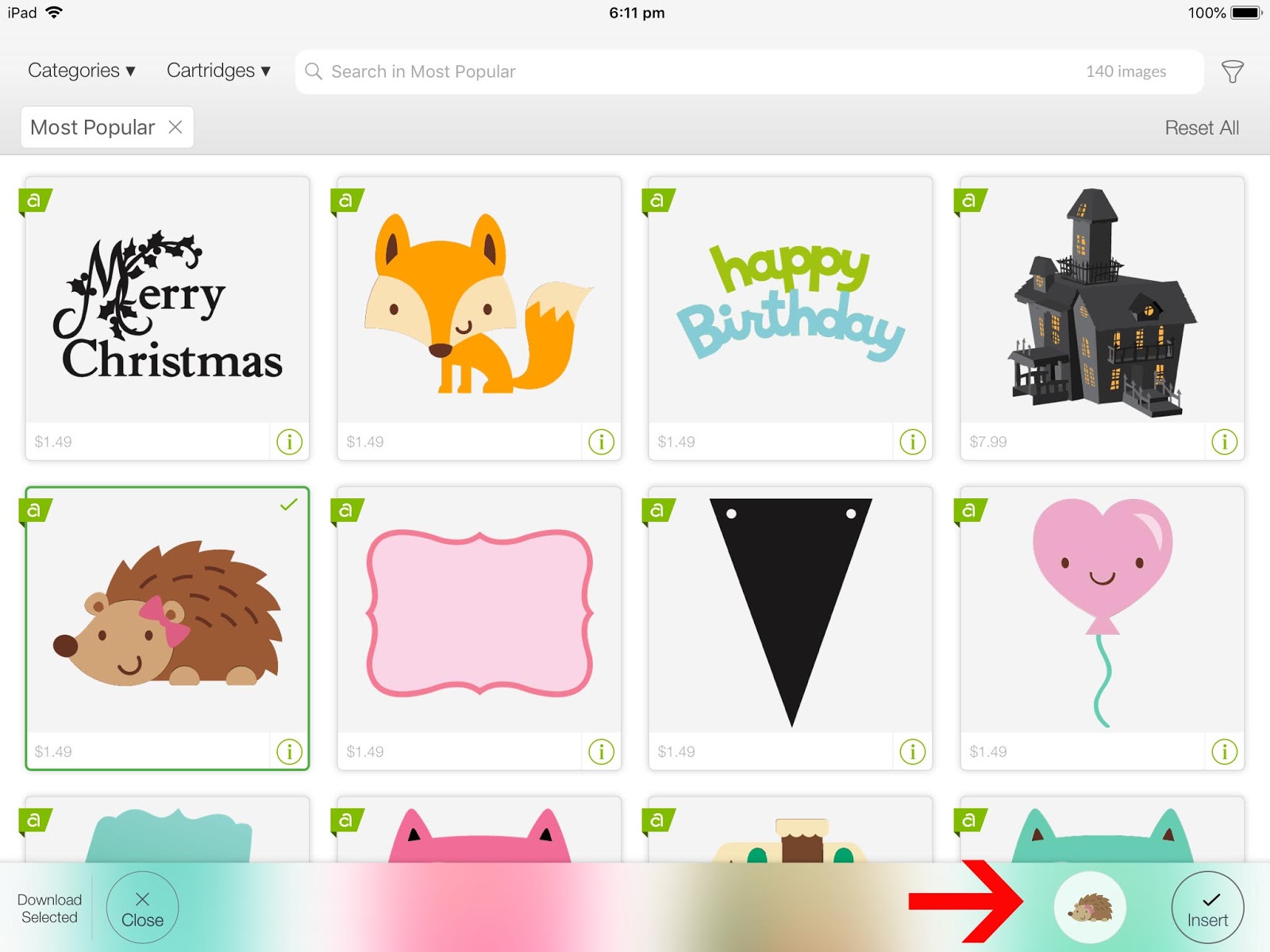
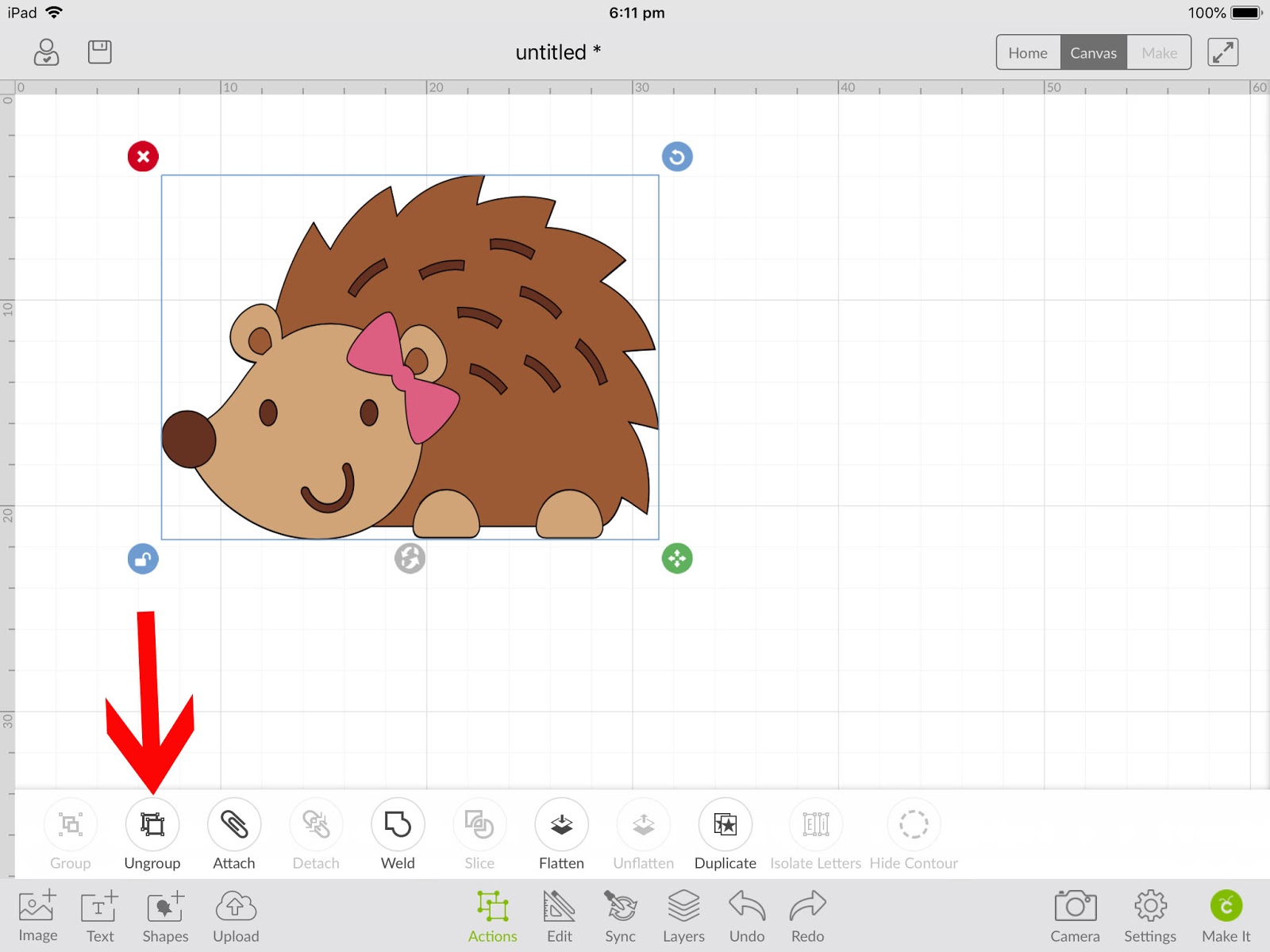
5- Select your image. Tap on actions and then ungroup your image.
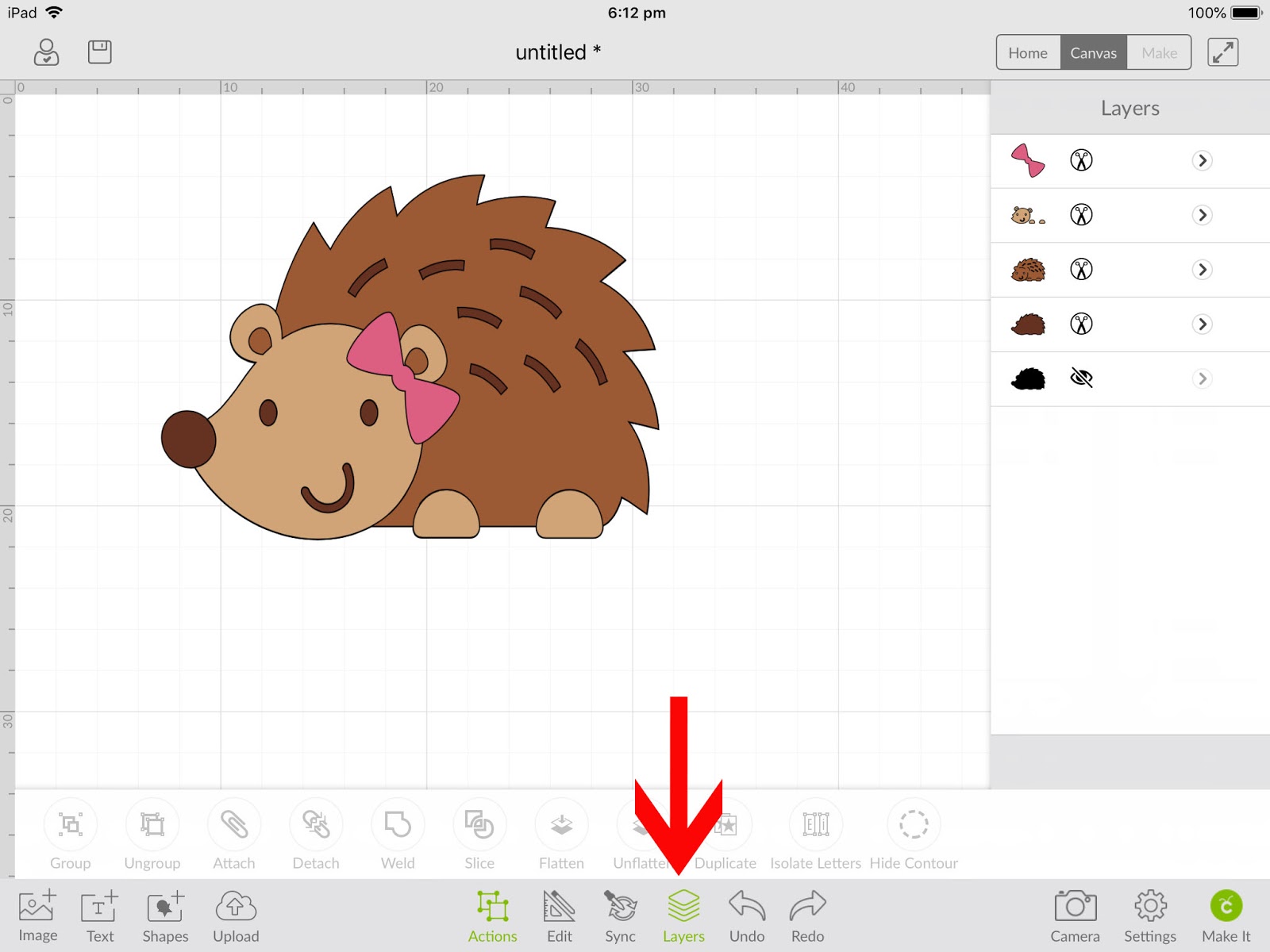
6- Tap on the layers icon.
7- Tap on the layer that you would like to either alter or remove.
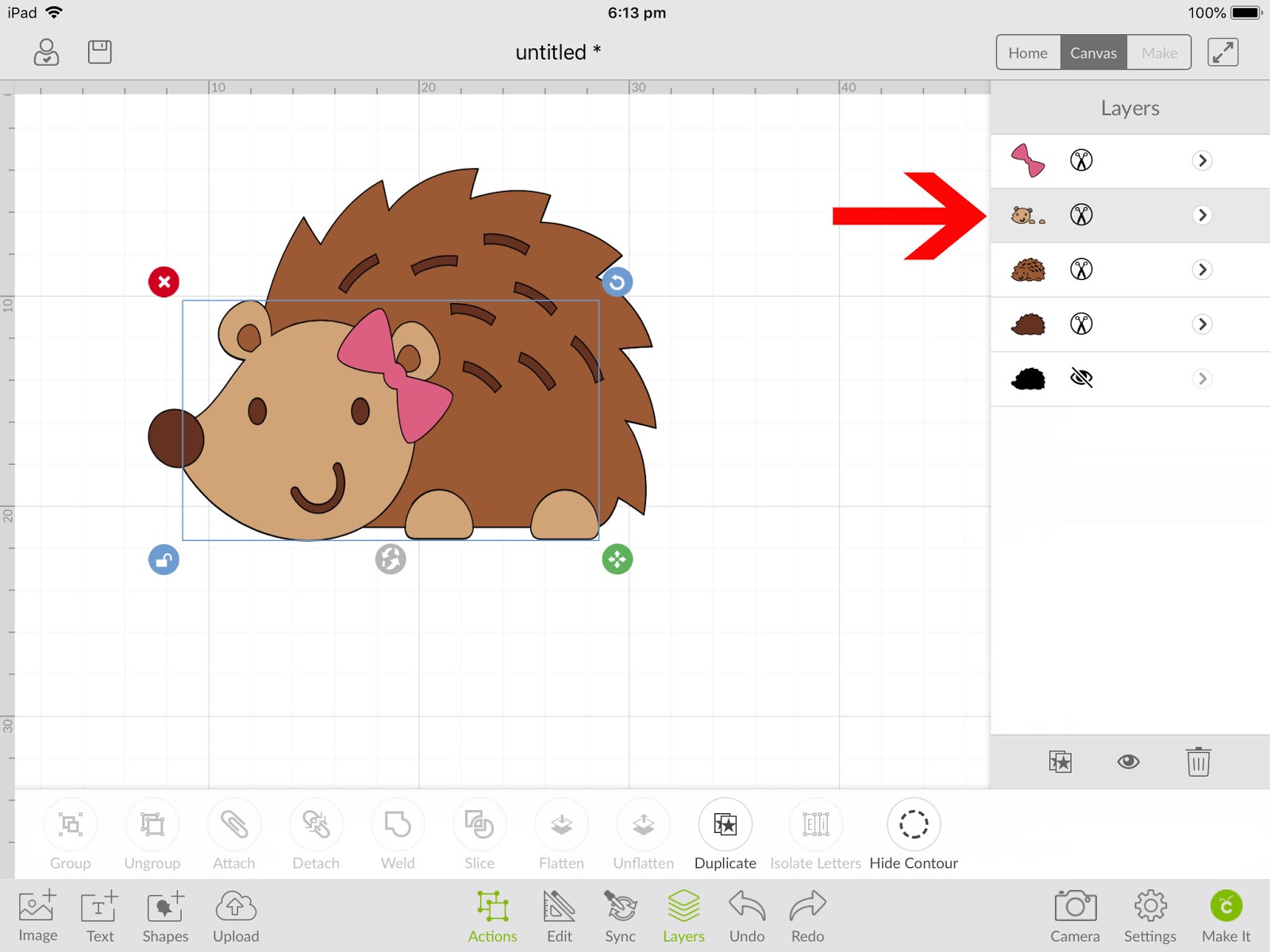
8- Next tap on the Actions icon, then the hide contour icon. A new little window will appear.
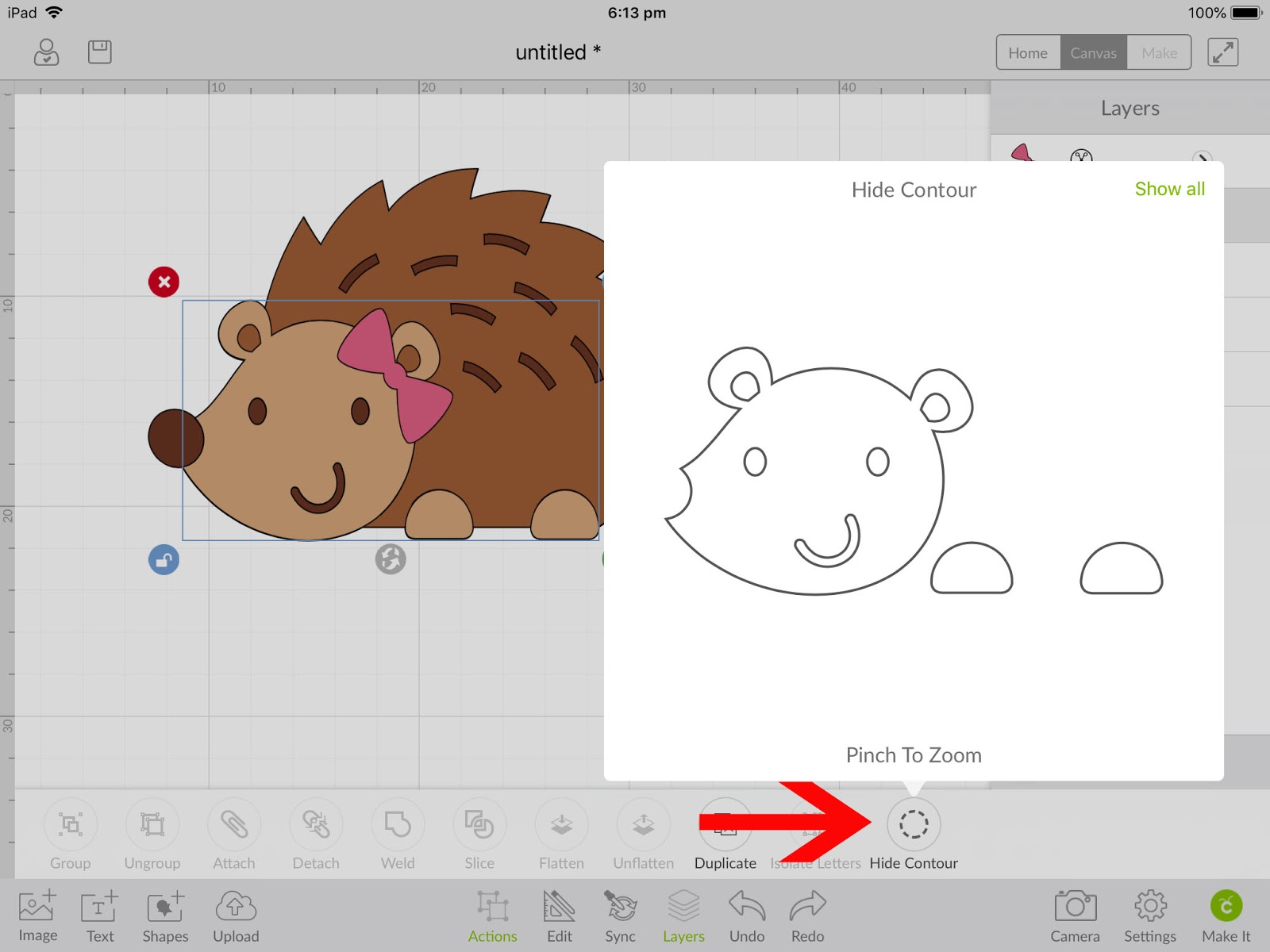
9- Select the part of the layer you need to remove/hide. You will see on the popped up window that the part you have hidden is now outlined in pale grey.
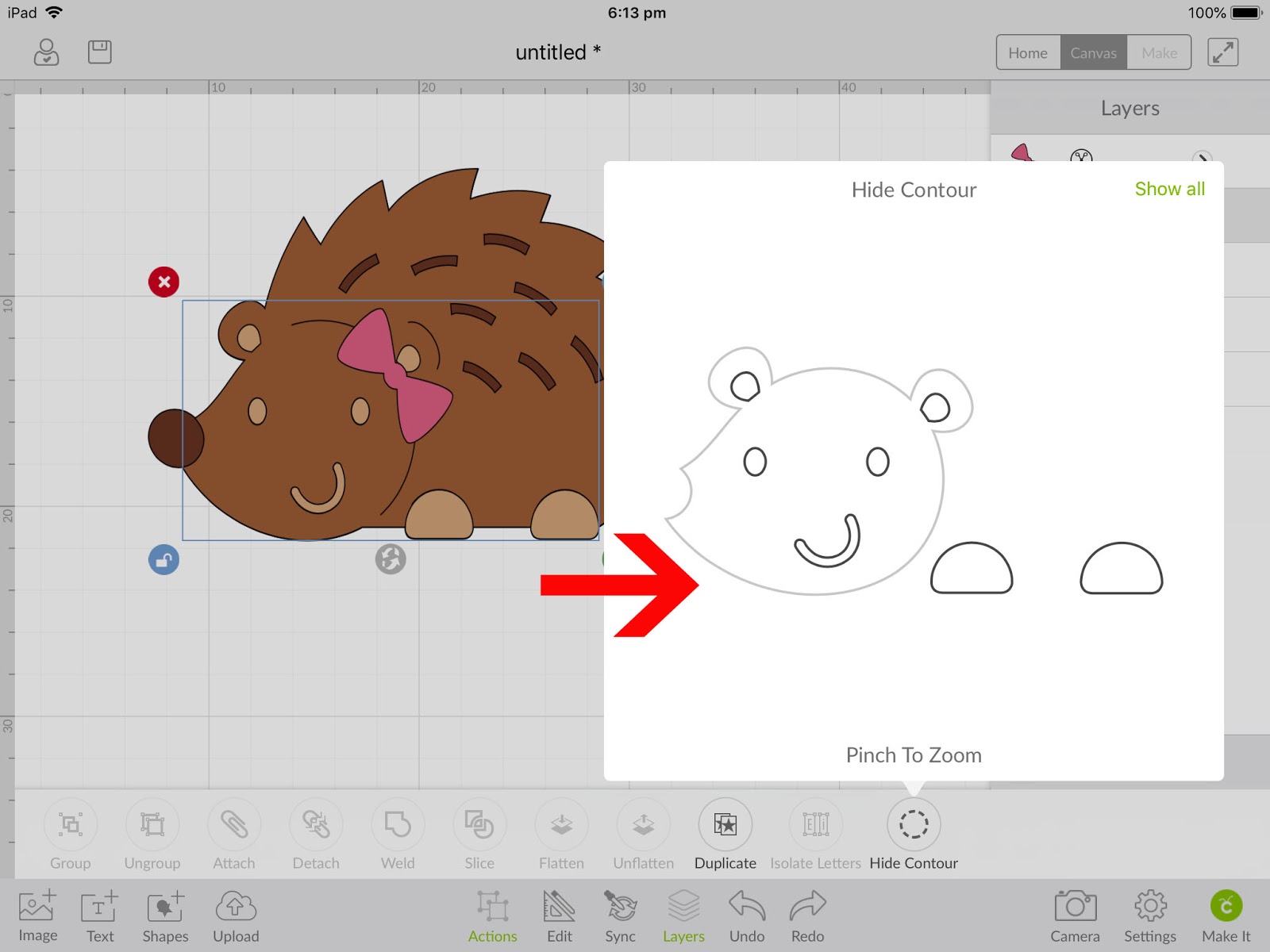
10-Any part of the layer you can tap on in the pop up window and it will be removed. Once happy tap on hide contour icon again.
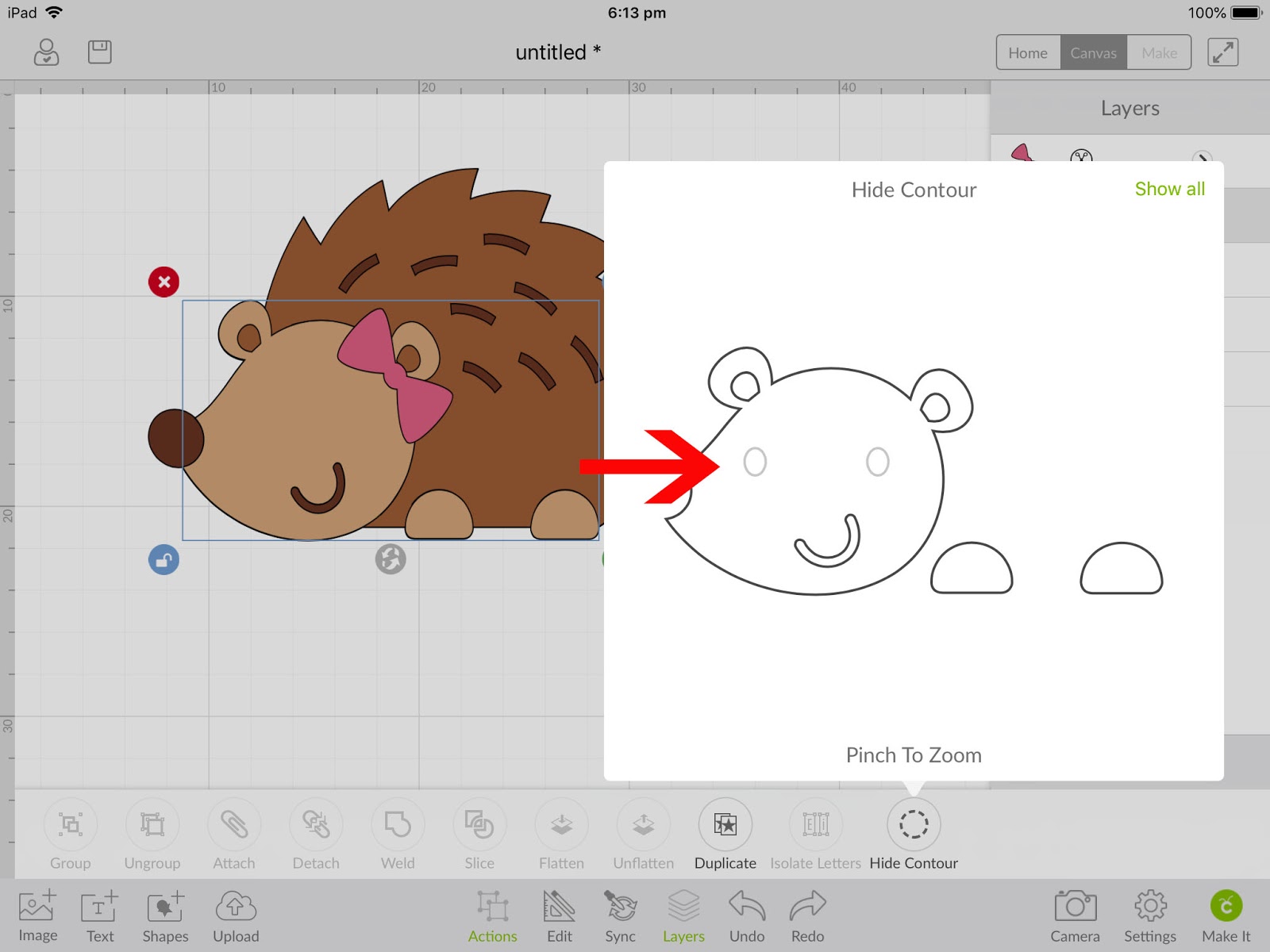
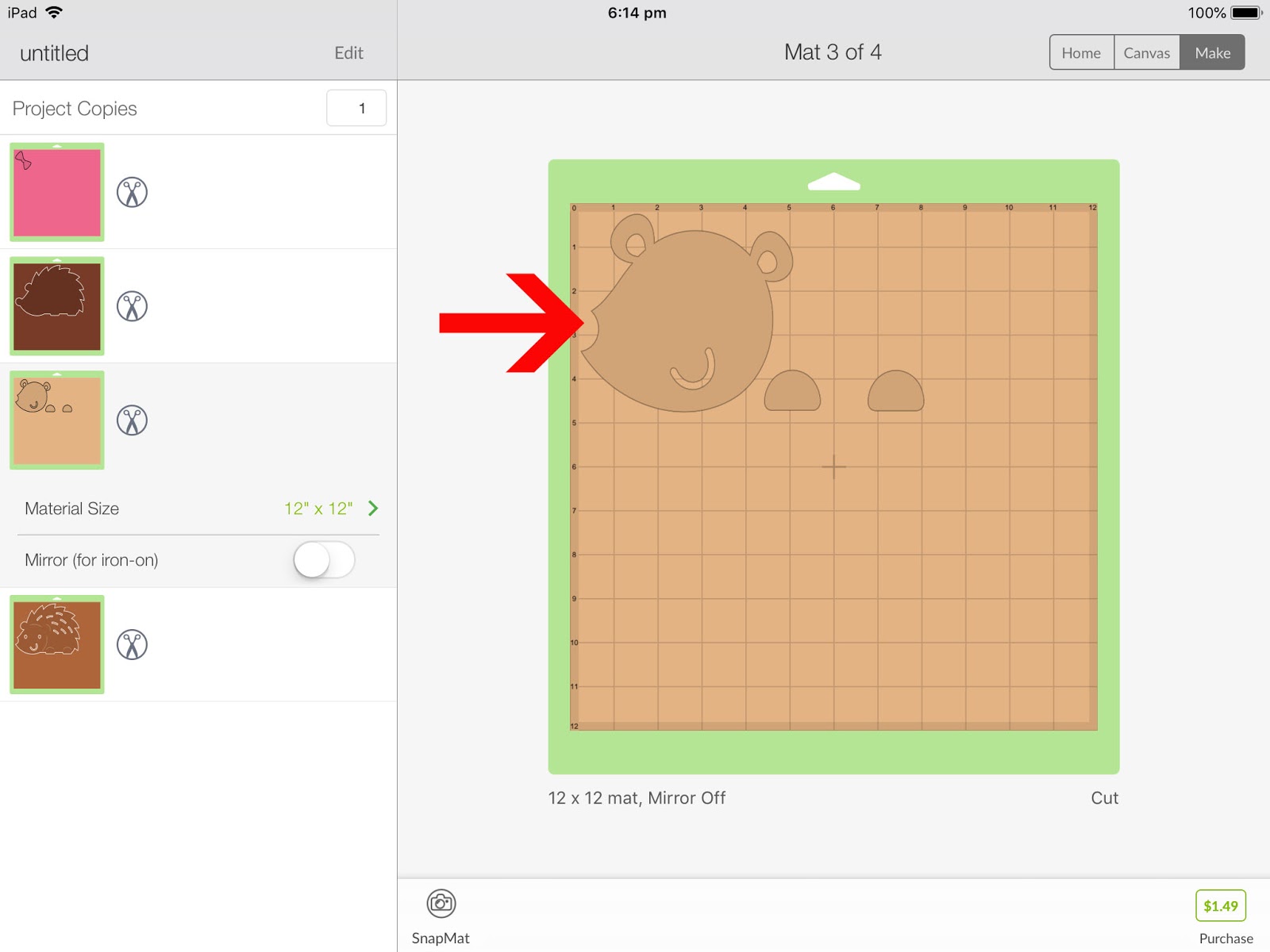
11-You will see your image is now missing the part you selected in the hide contour screen. Once happy tap on make.
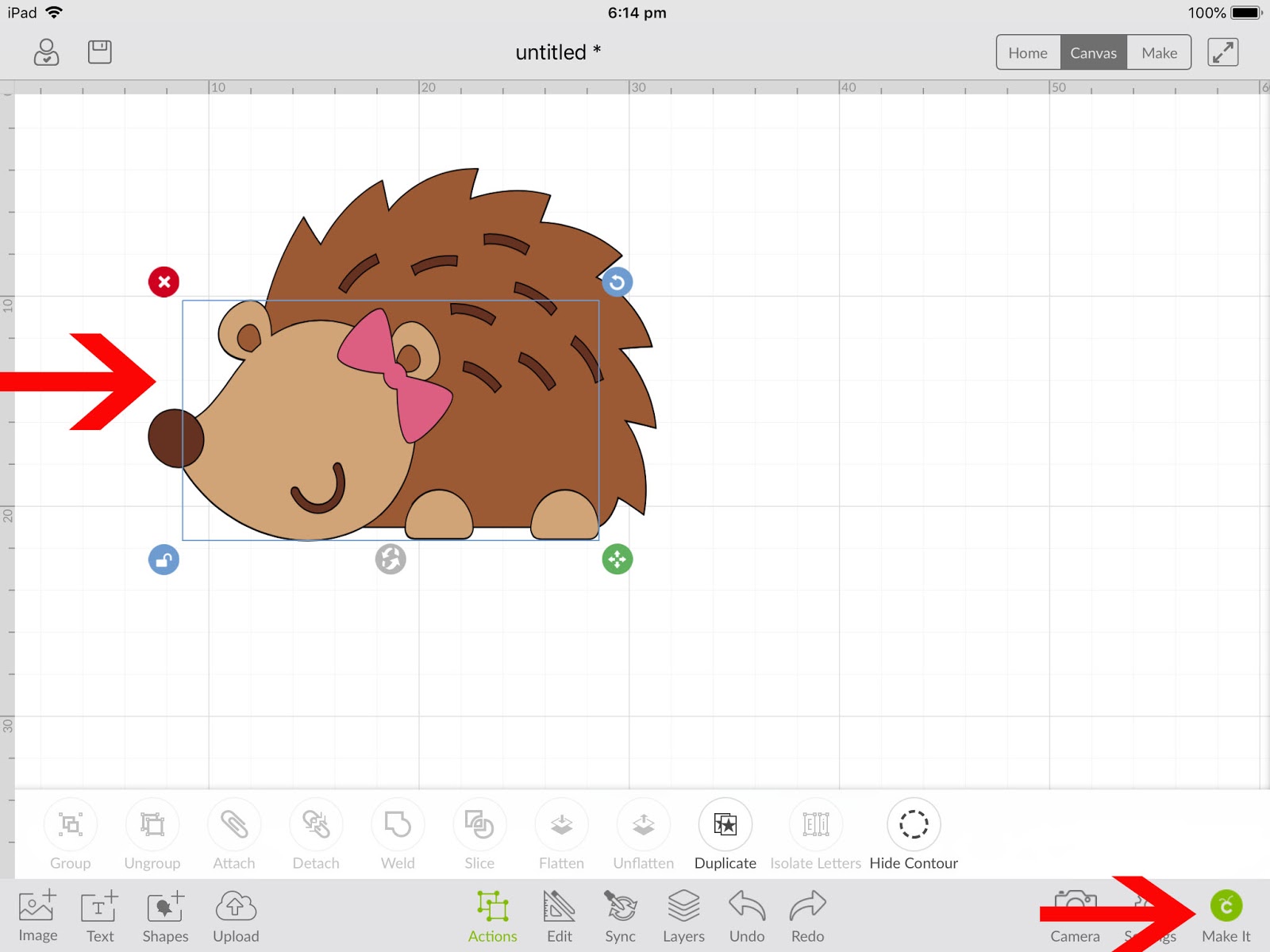
12- When you go to cut your image the part you hid will not cut. The actual lines are still there for future use, But by using the hide contour you can disable the cut lines you do not want to cut temporally,
Now you know how to use the Contour Tool to alter images in Cricut Design Space. This tool is exceptionally useful and powerful for selecting exactly what you want to cut.