
By Design Bundles
Cricut Tutorials5 min
Creating an Offset to Foil Using Inkscape and Cricut Design Space
1- Open inkscape. click on the text tool.
2- Type text.
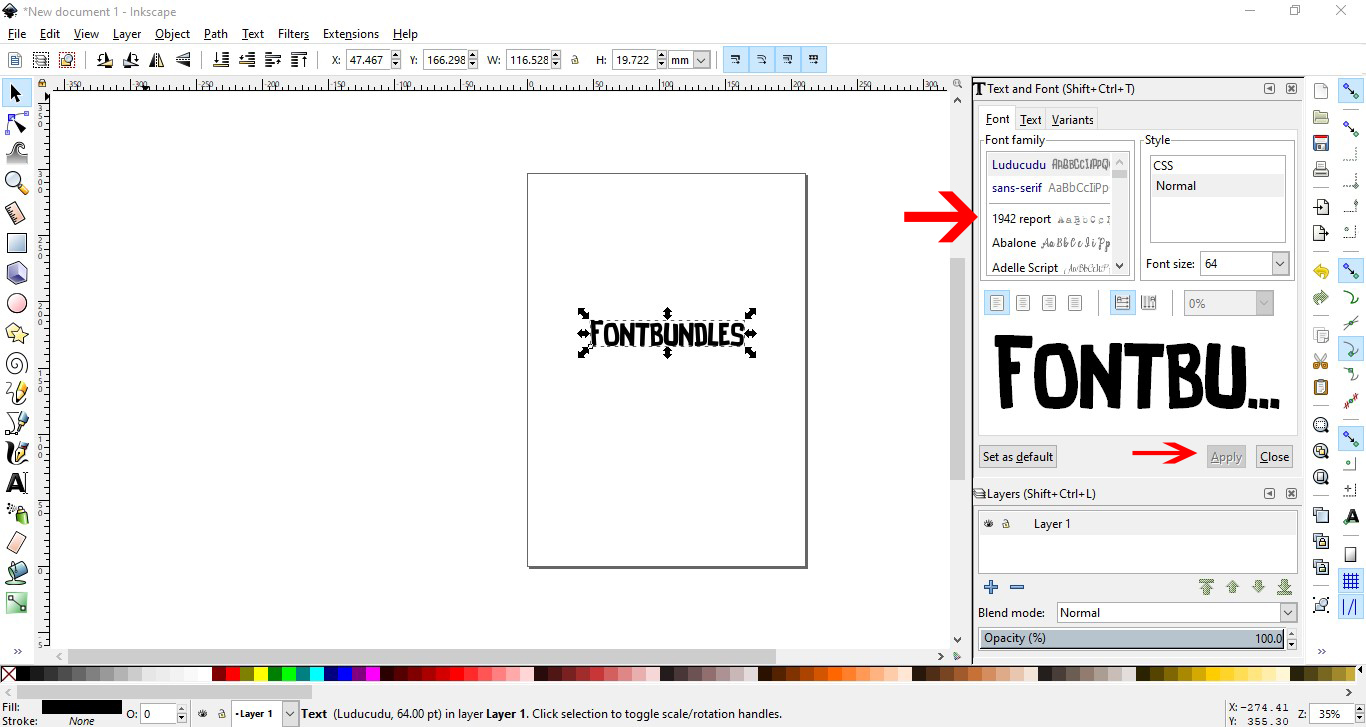
3- In the text and font panel select your font and size. I am using Luucudu from fontbundles.net Apply the font and size.
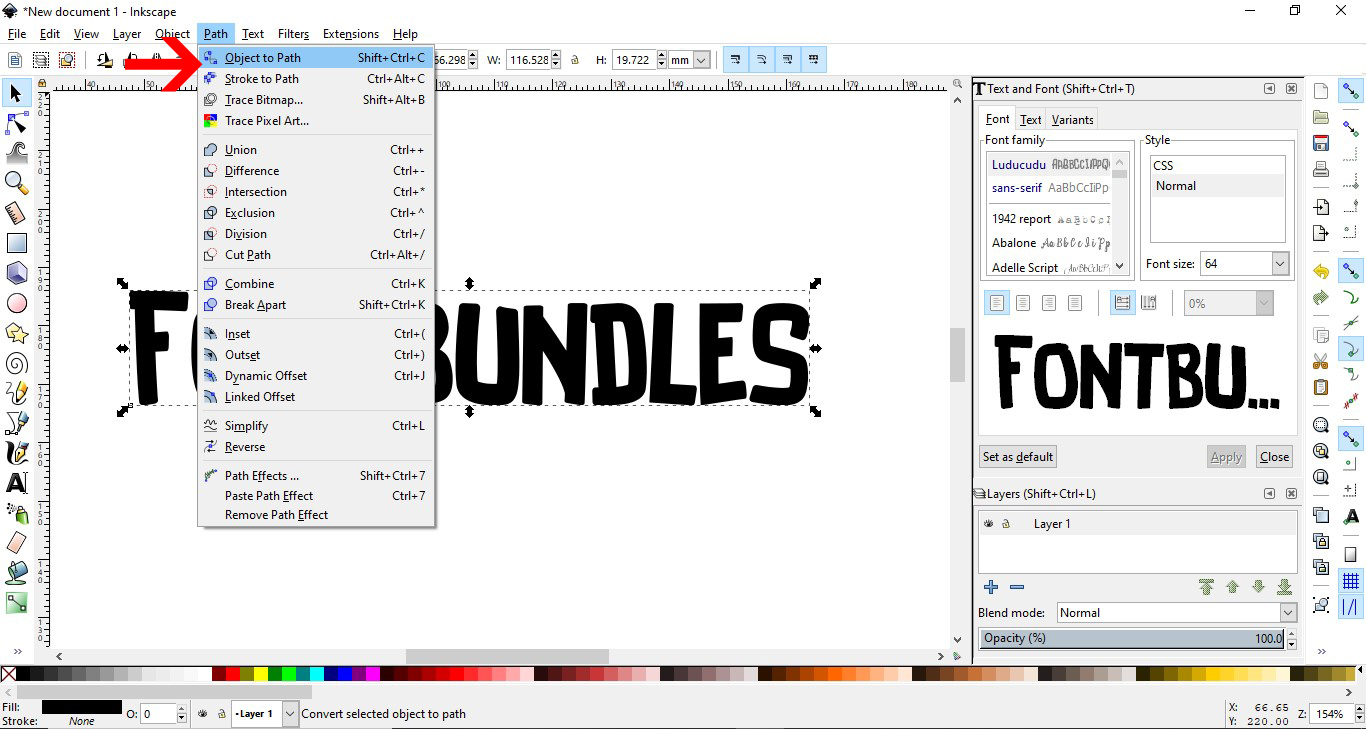
4- With the text selected, click Path- Object to path.
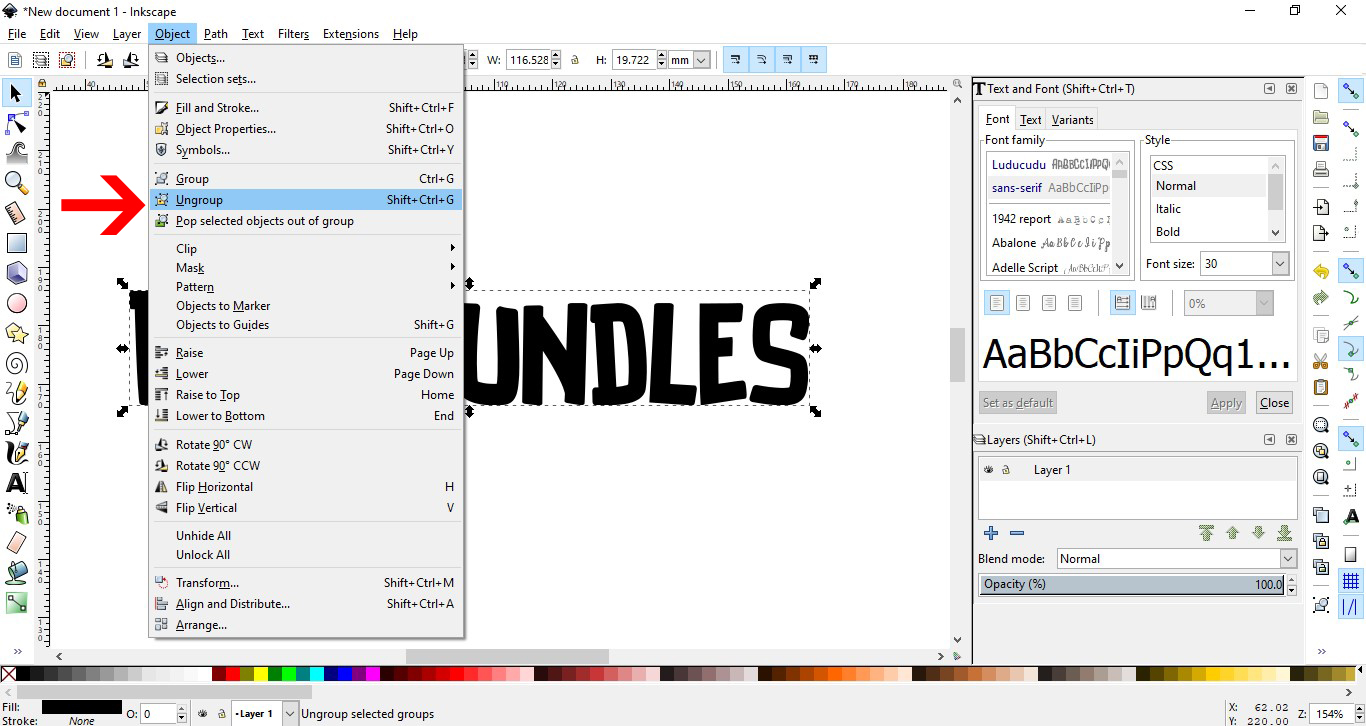
5- Next go to Object - ungroup.
6- The text is now individual letters. Select them all and go to path- union. This will weld any overlapping text.
7- With the text still selected, go to Path - linked offset.
8- You will see a little node at the top left of your text. This will create the offset. Drag the node to the width of the offset you want.
9- Your offset is created.
10- Click on the color palette and change the color of the offset so you can see it.
11- With both selected, click on object - group.
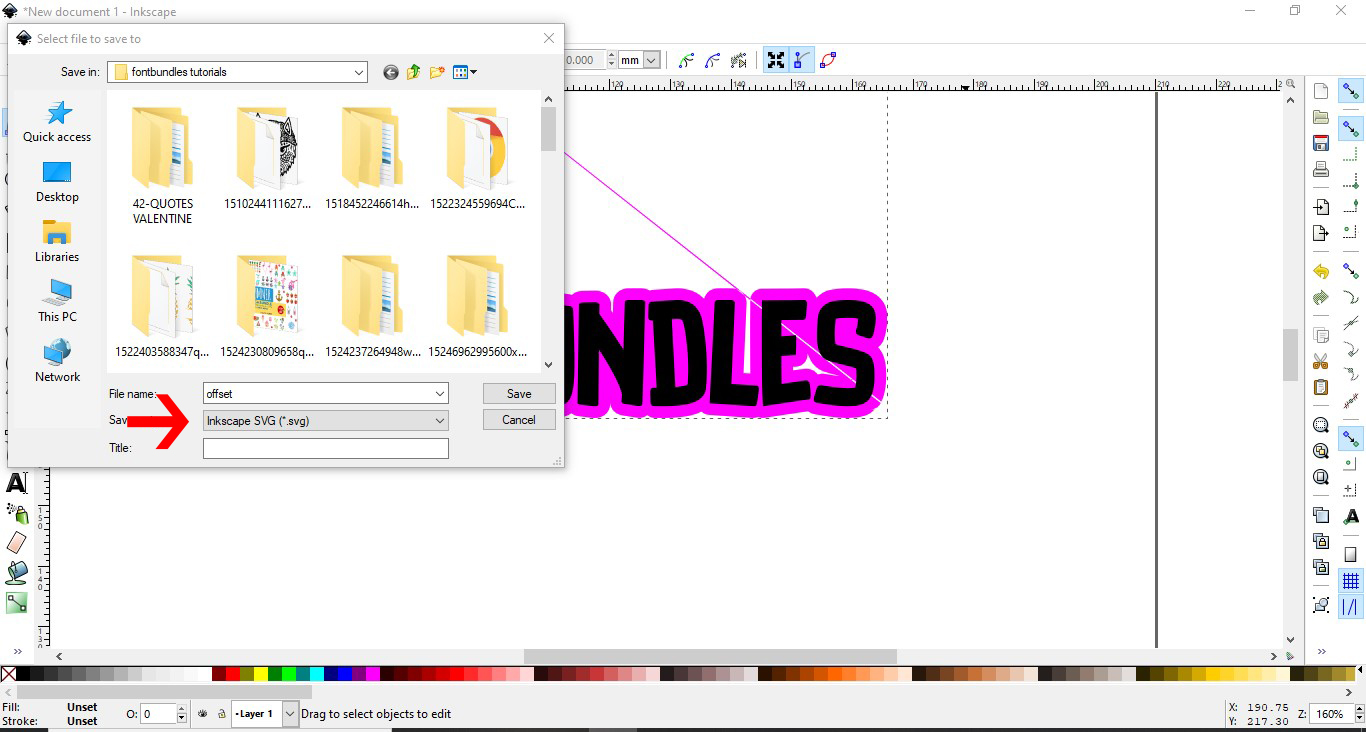
12- Go to file - save as.
13- Save as a SVG file.
14- Open cricut design space. Click on the upload icon.
15- Click on upload image.
16- Name and save your file.
17- Select your saved file and upload to your design space.
18- Your design will appear . Select it.
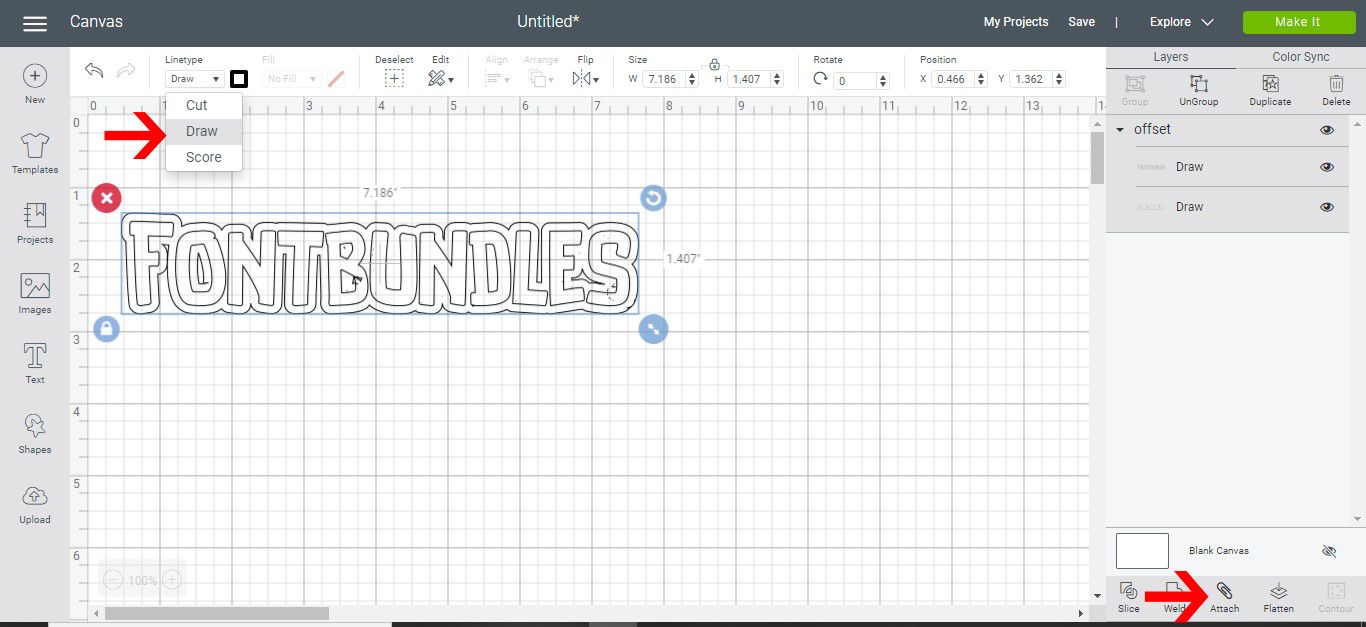
19- Go to line type and change to draw. Next click on attach so the offset and text stay together when you go to the cut screen. Click make it.
20- Position the text on your cut mat.
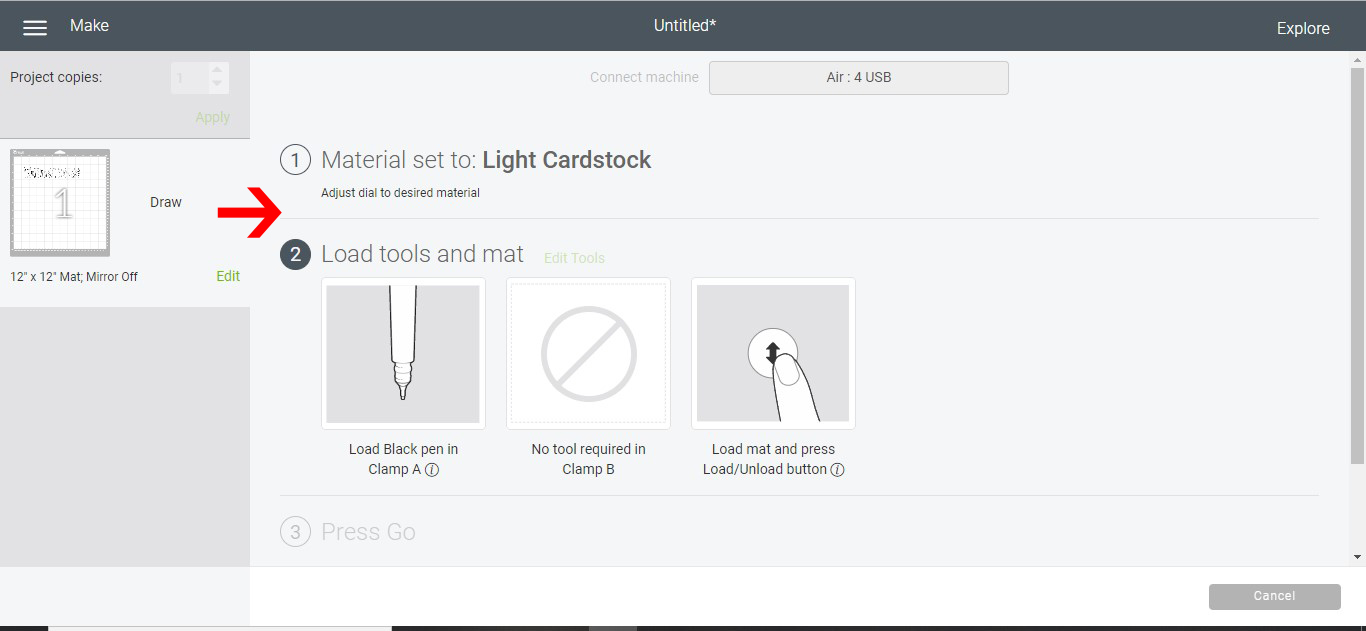
21- Select the material you are using on the dial and then ensure that the foil quill is placed in clamp A. Click go.
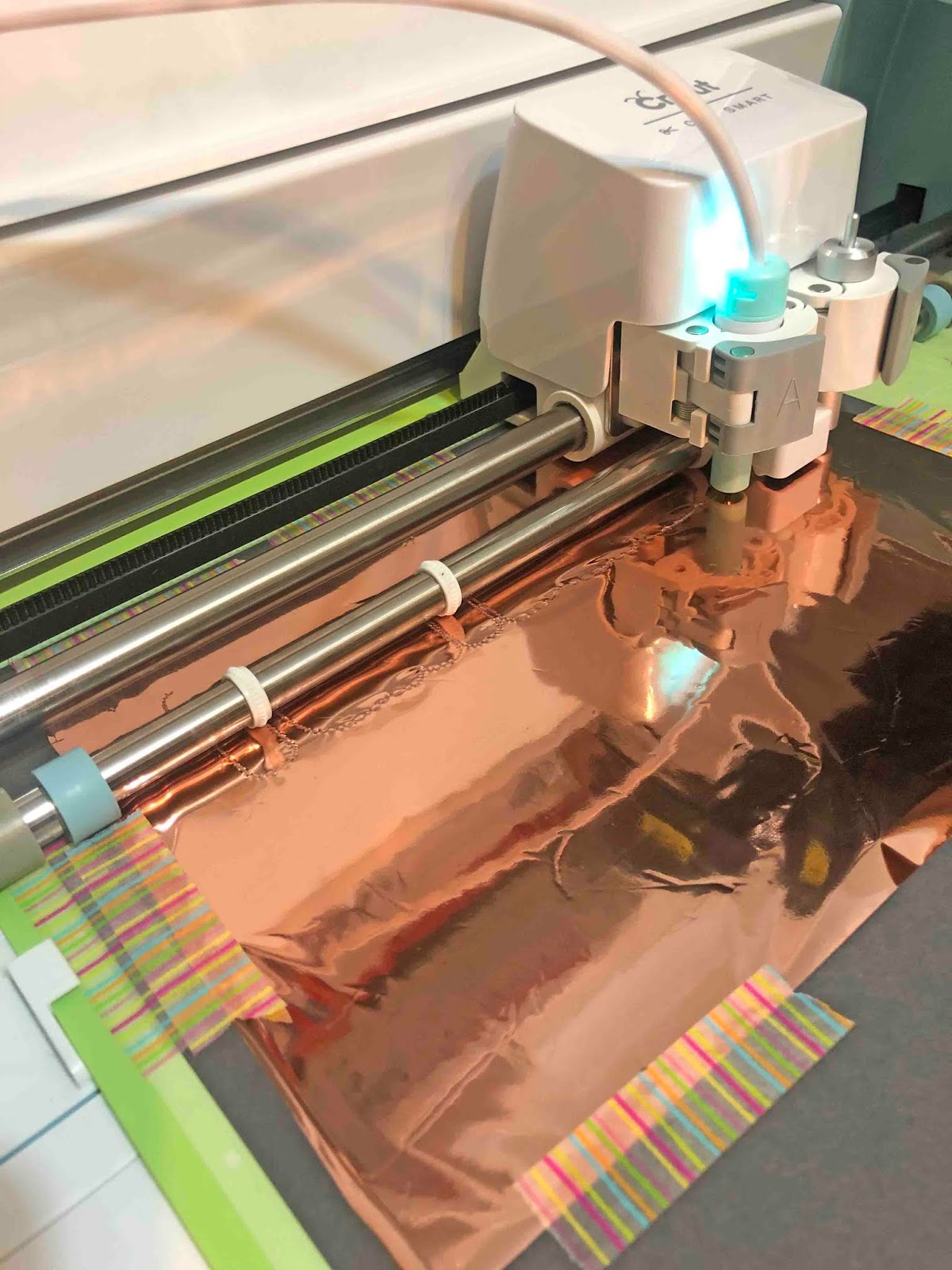
22- Your offset will start to foil.
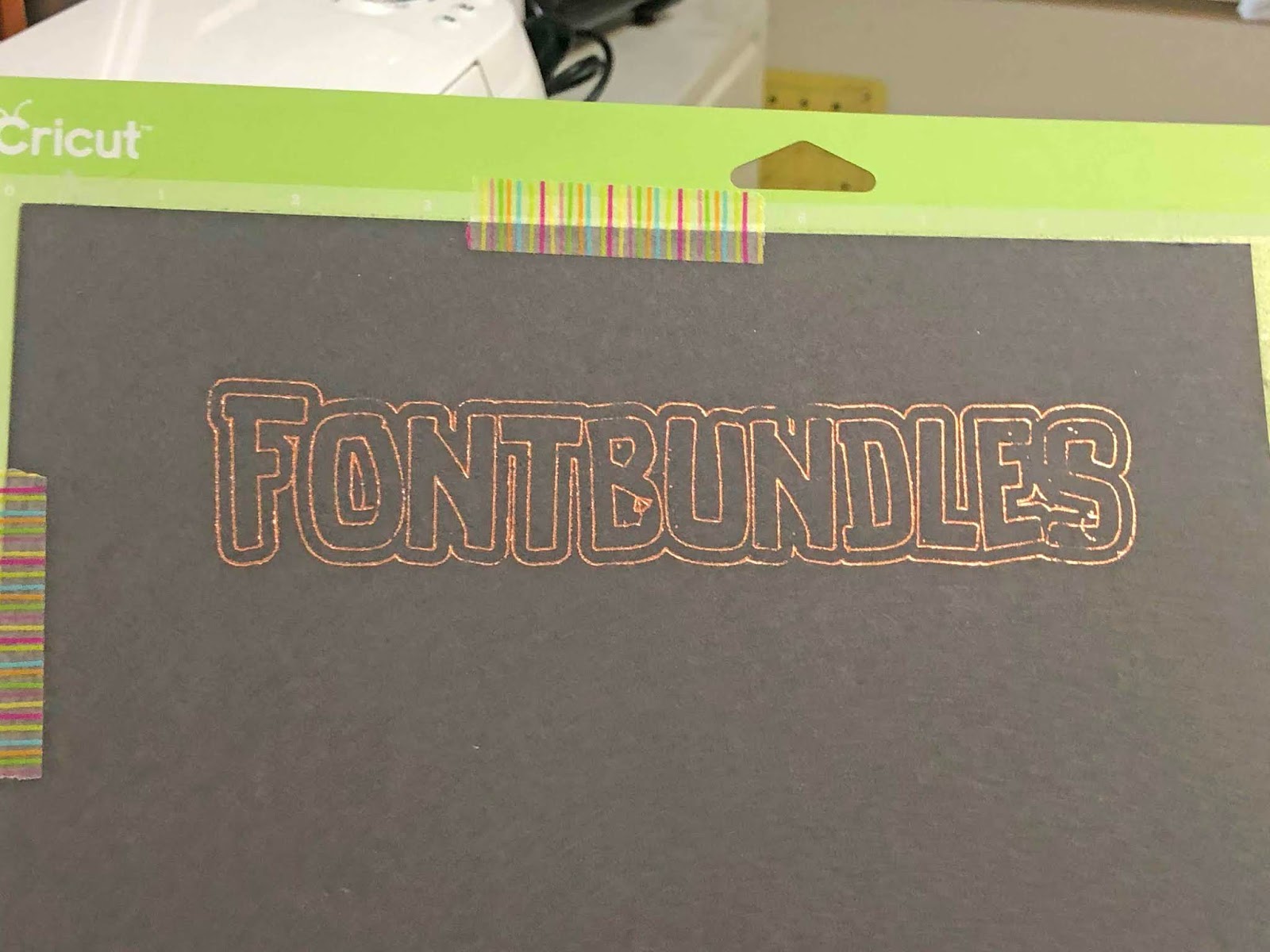
23- The finished offset will be foiled. You can adjust the width of the foiled offset in inkscape to your desired needs. Especially if you are trying to make a very thin font thicker this is a great way to do this.

2- Type text.
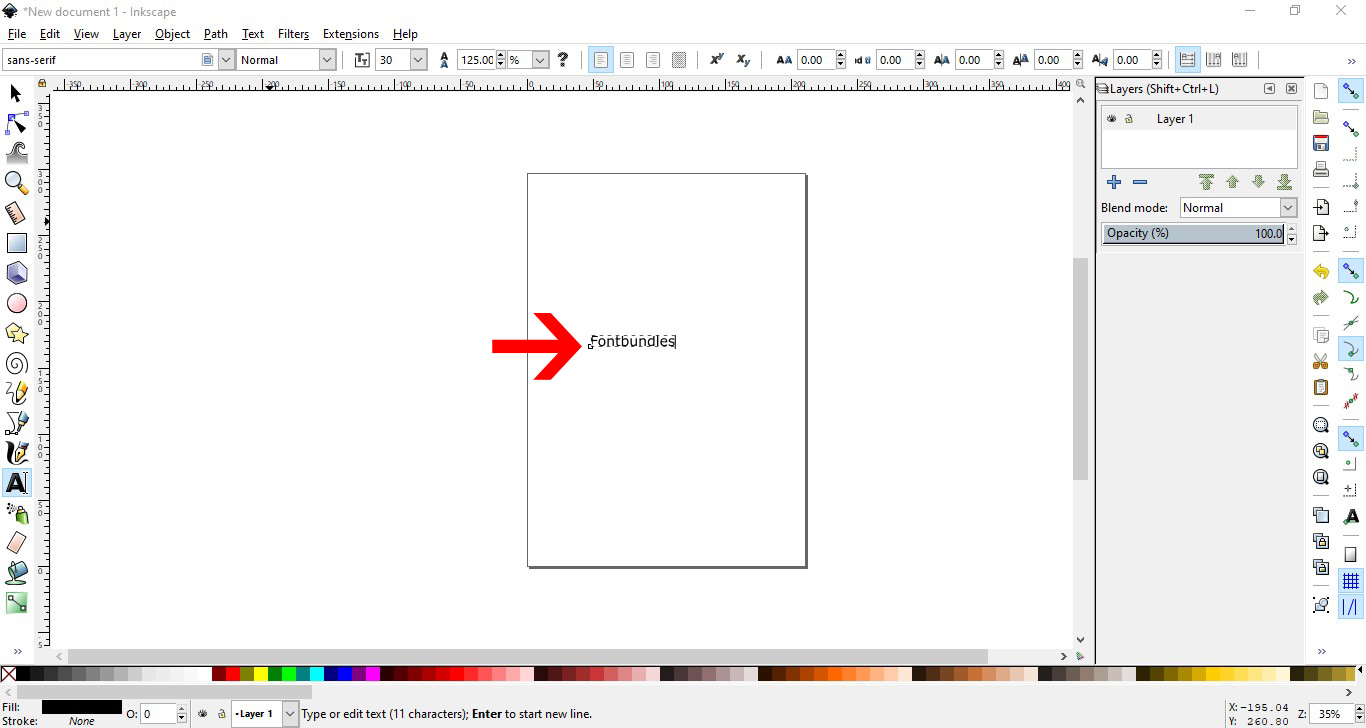
3- In the text and font panel select your font and size. I am using Luucudu from fontbundles.net Apply the font and size.
4- With the text selected, click Path- Object to path.
5- Next go to Object - ungroup.
6- The text is now individual letters. Select them all and go to path- union. This will weld any overlapping text.

7- With the text still selected, go to Path - linked offset.
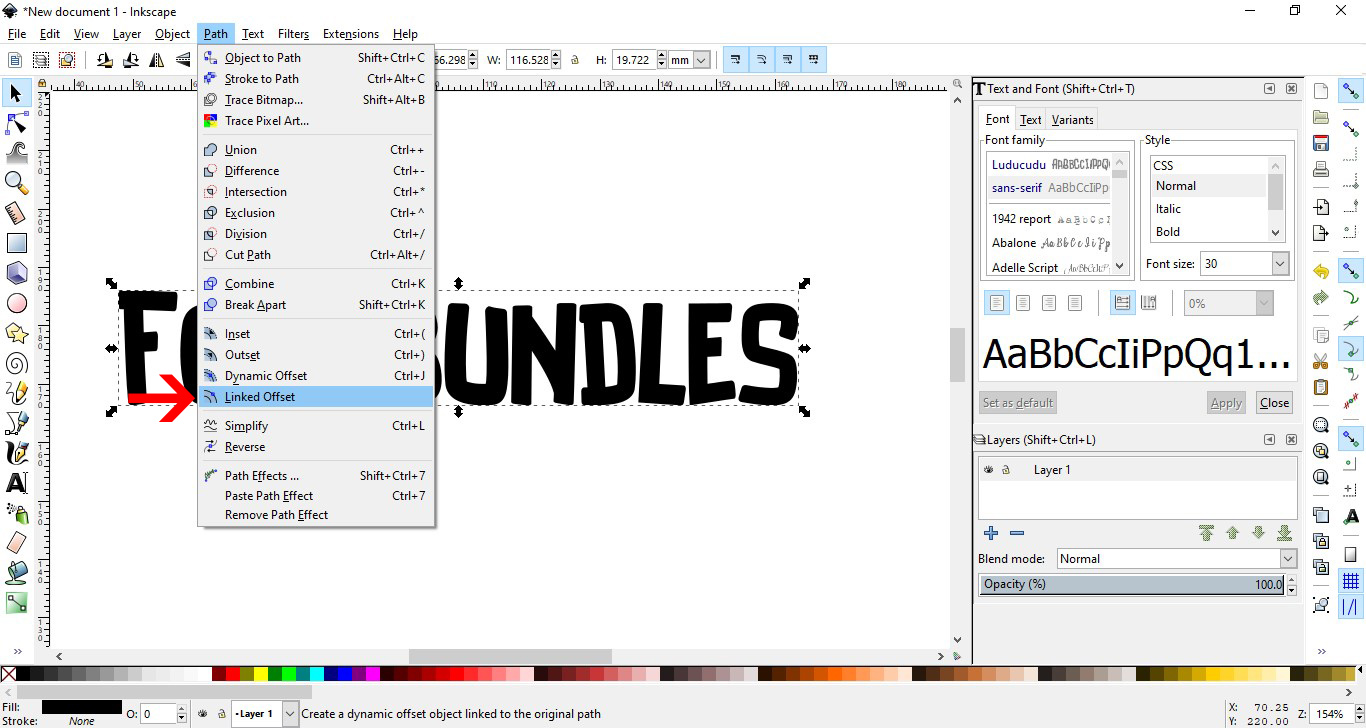
8- You will see a little node at the top left of your text. This will create the offset. Drag the node to the width of the offset you want.

9- Your offset is created.

10- Click on the color palette and change the color of the offset so you can see it.
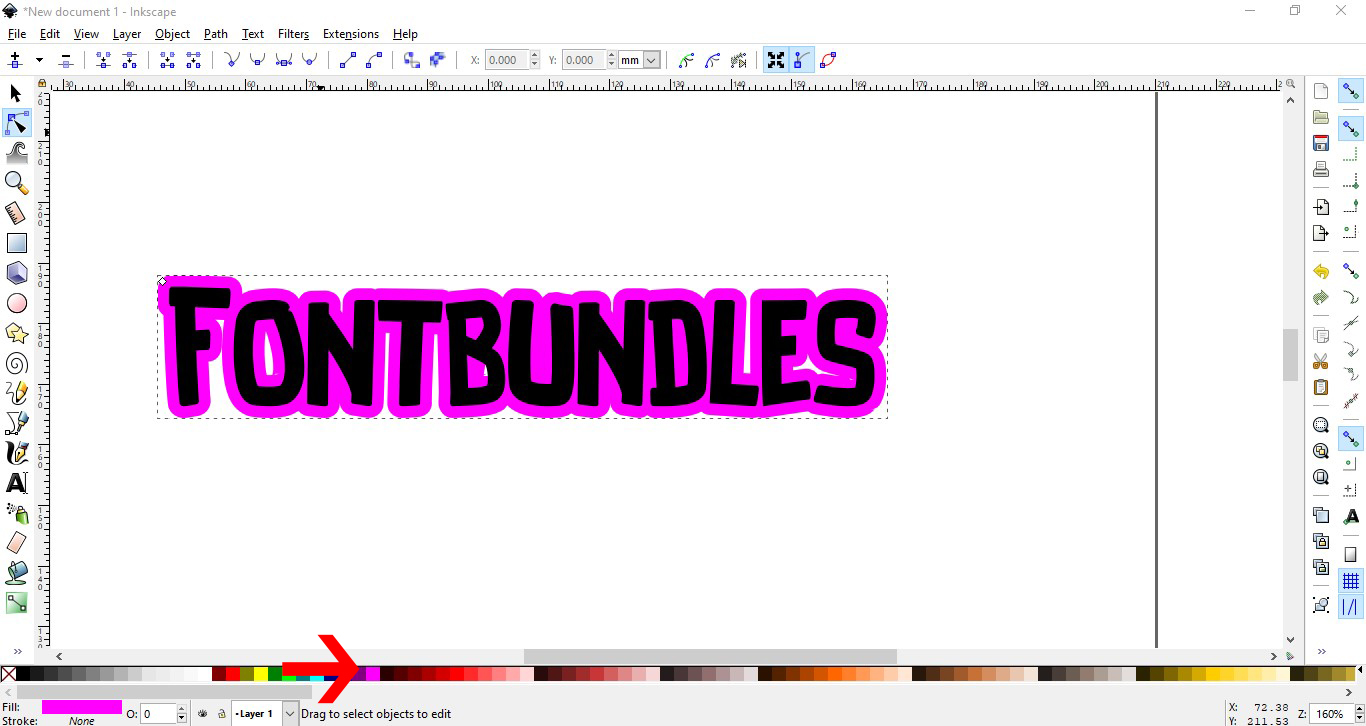
11- With both selected, click on object - group.

12- Go to file - save as.

13- Save as a SVG file.
14- Open cricut design space. Click on the upload icon.
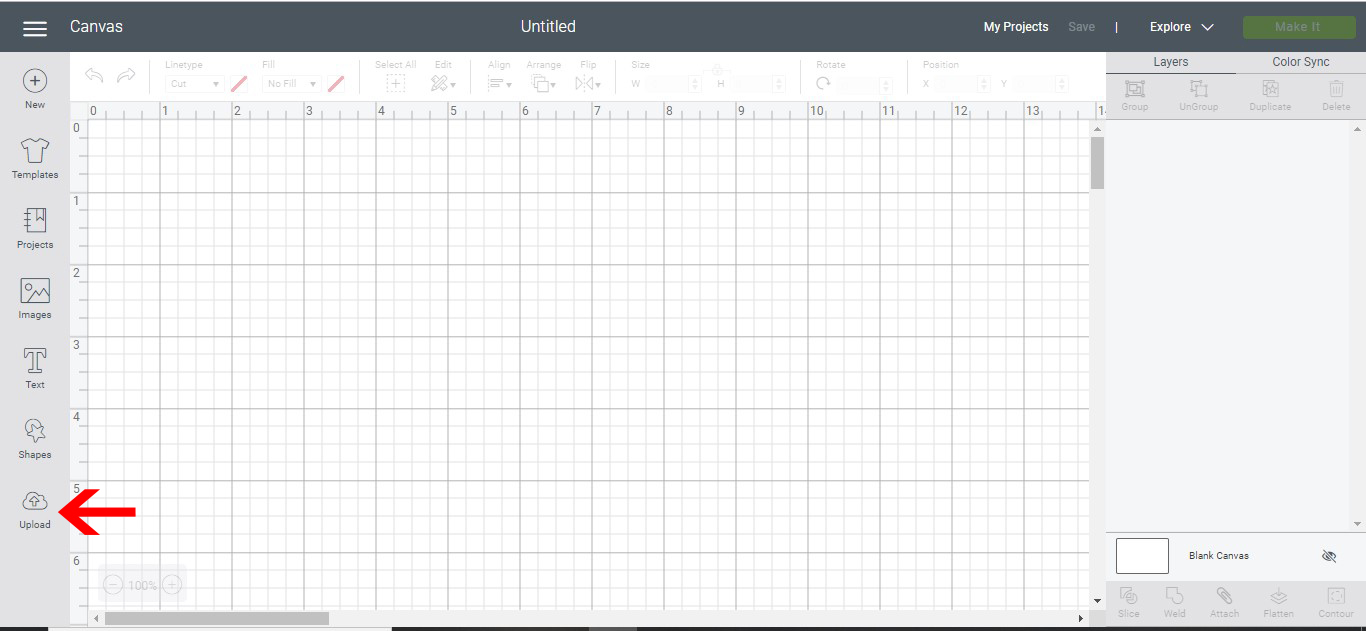
15- Click on upload image.
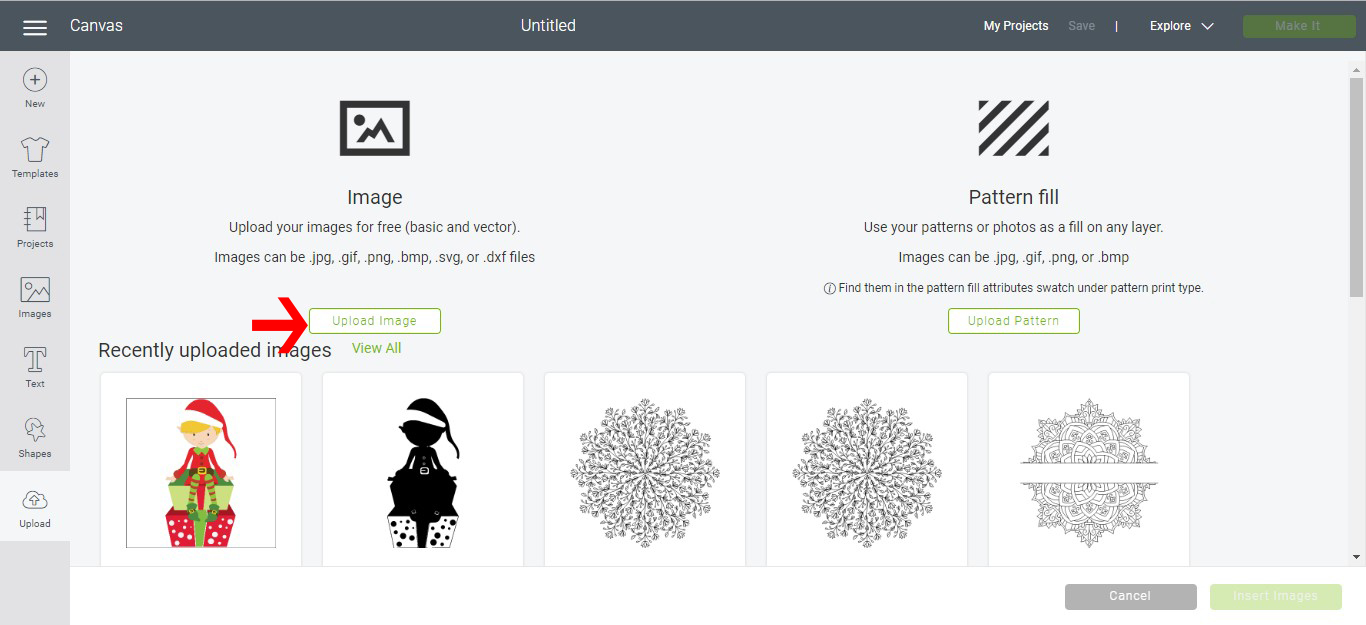
16- Name and save your file.
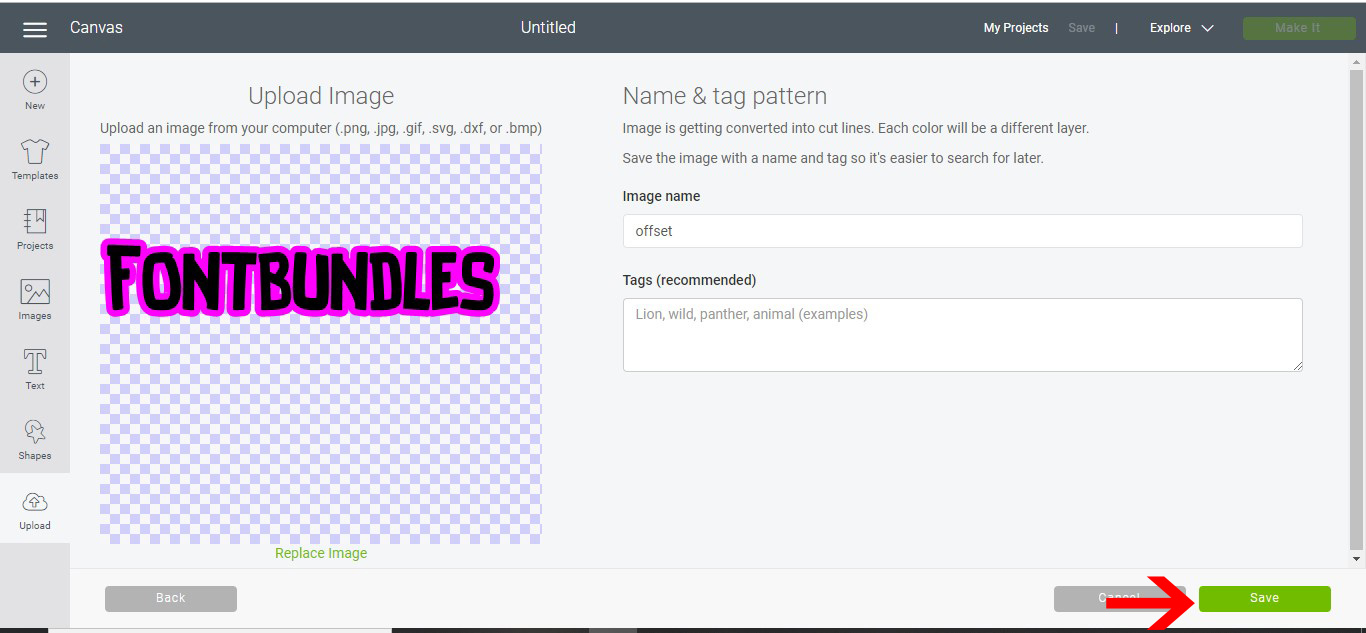
17- Select your saved file and upload to your design space.
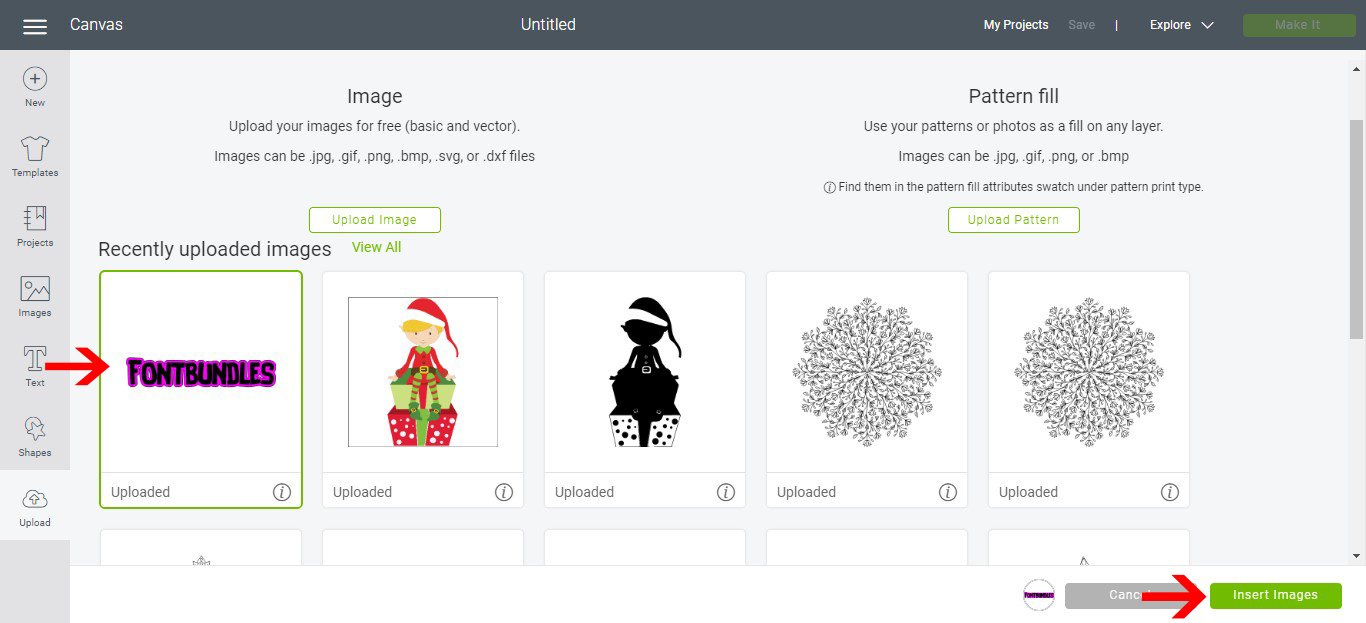
18- Your design will appear . Select it.

19- Go to line type and change to draw. Next click on attach so the offset and text stay together when you go to the cut screen. Click make it.
20- Position the text on your cut mat.
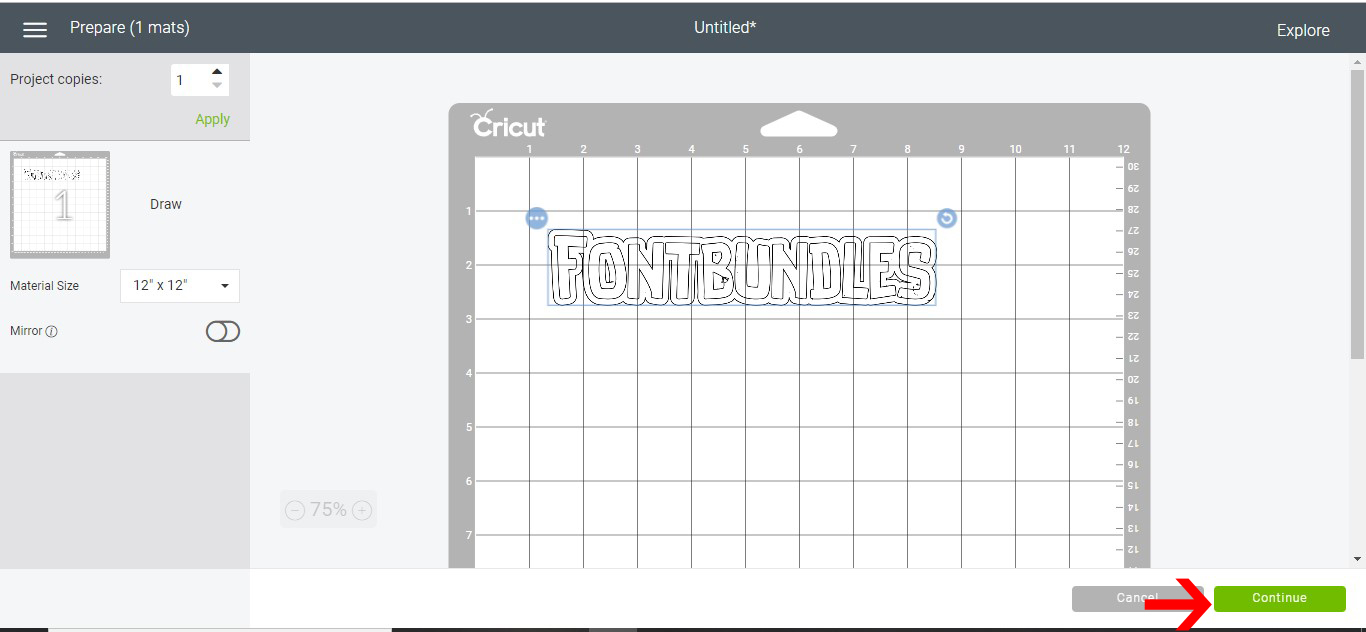
21- Select the material you are using on the dial and then ensure that the foil quill is placed in clamp A. Click go.
22- Your offset will start to foil.
23- The finished offset will be foiled. You can adjust the width of the foiled offset in inkscape to your desired needs. Especially if you are trying to make a very thin font thicker this is a great way to do this.
Related Tutorials
Cricut Tutorials
Creating decorative borders in Cricut Design Space using the foil quill
Learn how to to make unique borders for cards or other craft projects!
Cricut Tutorials
How to thicken text for foiling using Inkscape and Cricut design space
Learn to thicken text for foiling using Inkscape and Cricut Design Space.
Cricut Tutorials
How to draw your first line in cricut design space using the foil quill
Learn to draw your first line in Cricut Design Space with this beginner step by step tutorial.
Cricut Tutorials
Foiling acetate using the foil quill in cricut design space
Cricut Tutorials
Foiling a SVG file in cricut design space using the foil quill
Cricut Tutorials