By Design Bundles
Cricut Tutorials5 min
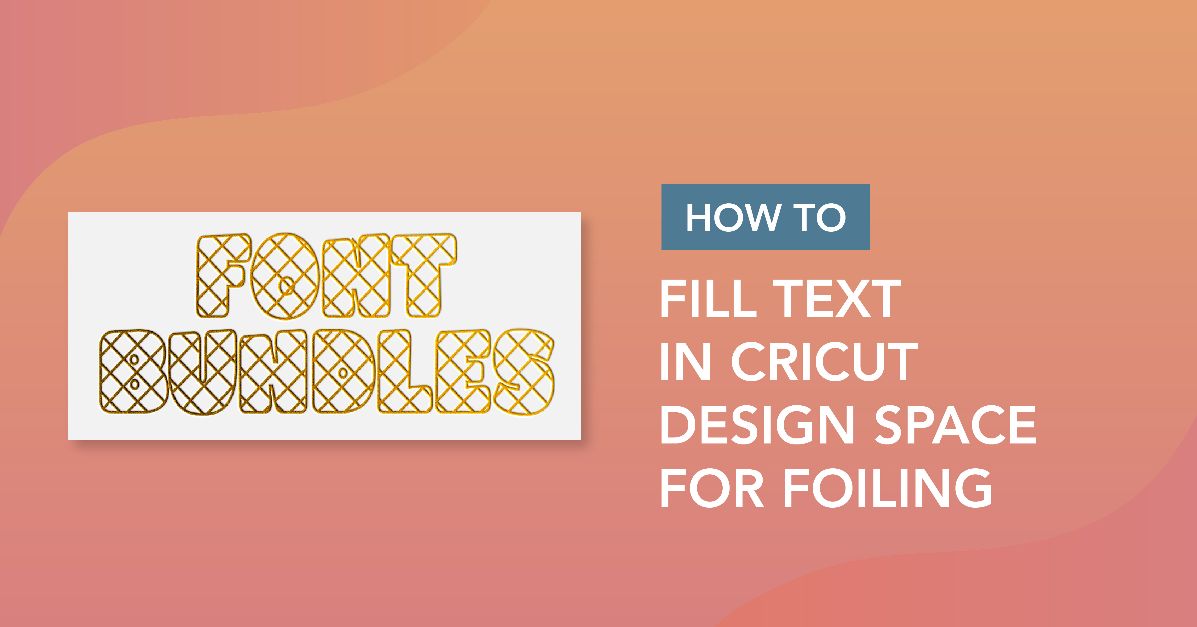
How to fill text in cricut design space for foiling.
*3rd party software is required to fill shapes as cricut design space does not have this capability. using 3rd party software is at your own risk.
1- To fill text you will need to download and install Inkscape free software Once this is installed you will need to download and install a crosshatch extension for Inkscape. Go to evil mad scientist online and download the Axidraw software for your PC/mac.
2- Once downloaded install the extension.
3- Open Inkscape. Type your text.
4- Click on the text and font option.
5- Select the font you want to use. I am using luducudu font from fontbundles.net . Click apply
6- With the text selected go to Path - Union.
7- Change the stoke option to black and the fill to no fill.
8- Go the extensions- axidraw utilities - hatch fill
9- A new window will pop up. Click on live preview. Adjust the size of the fill and add crosshatch if needed. Click apply.
10- Once you are happy go to file- save as.
11- Save as a SVG file.
12- Open Cricut design space. Click upload.
13- Click on upload.
14- Click on browse.
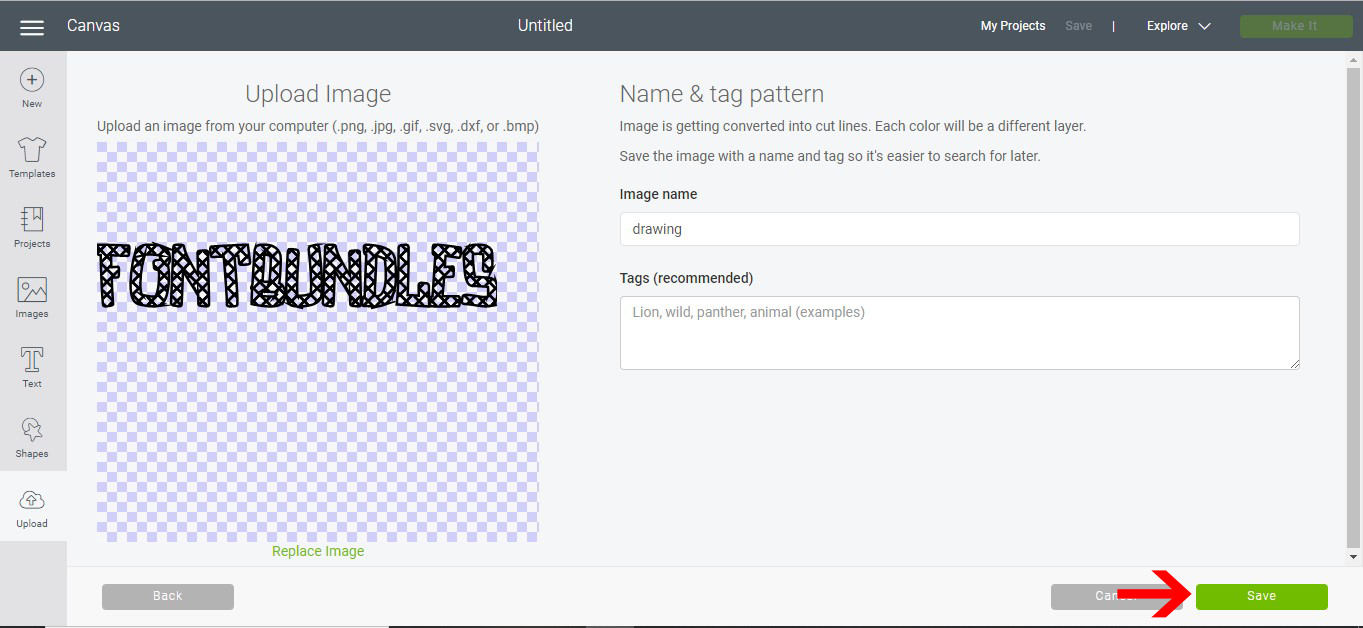
15- upload your design. Save.
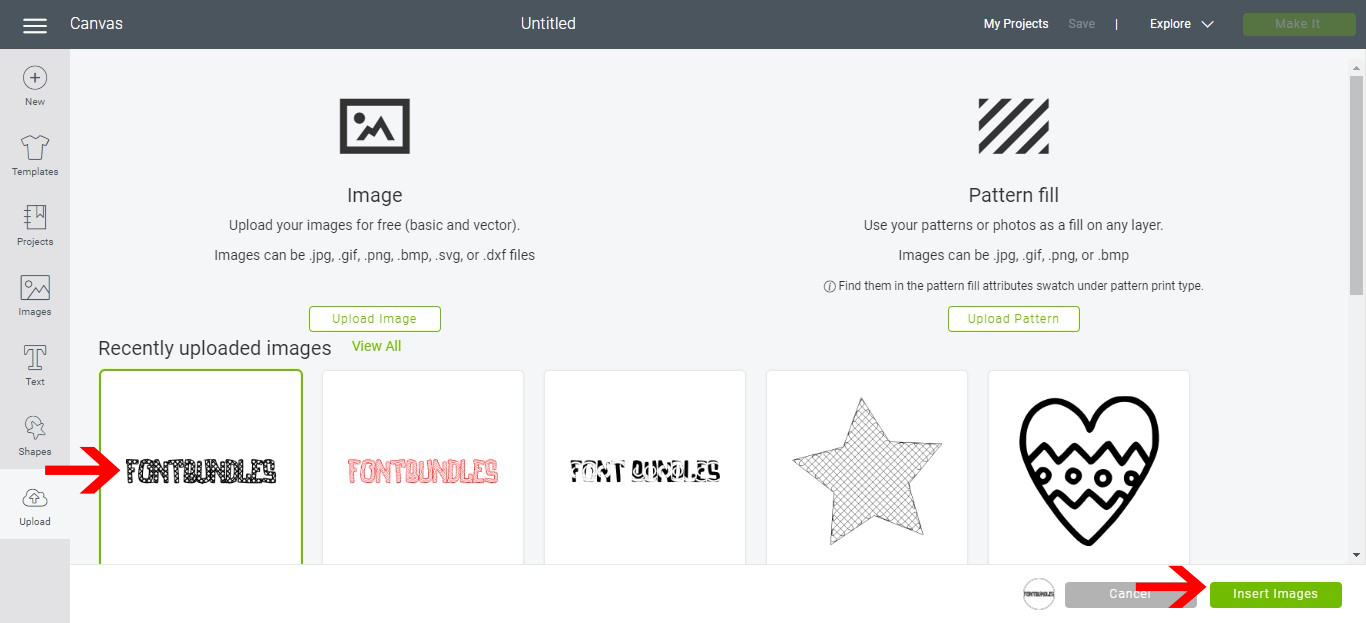
16- Click on the saved text and insert.
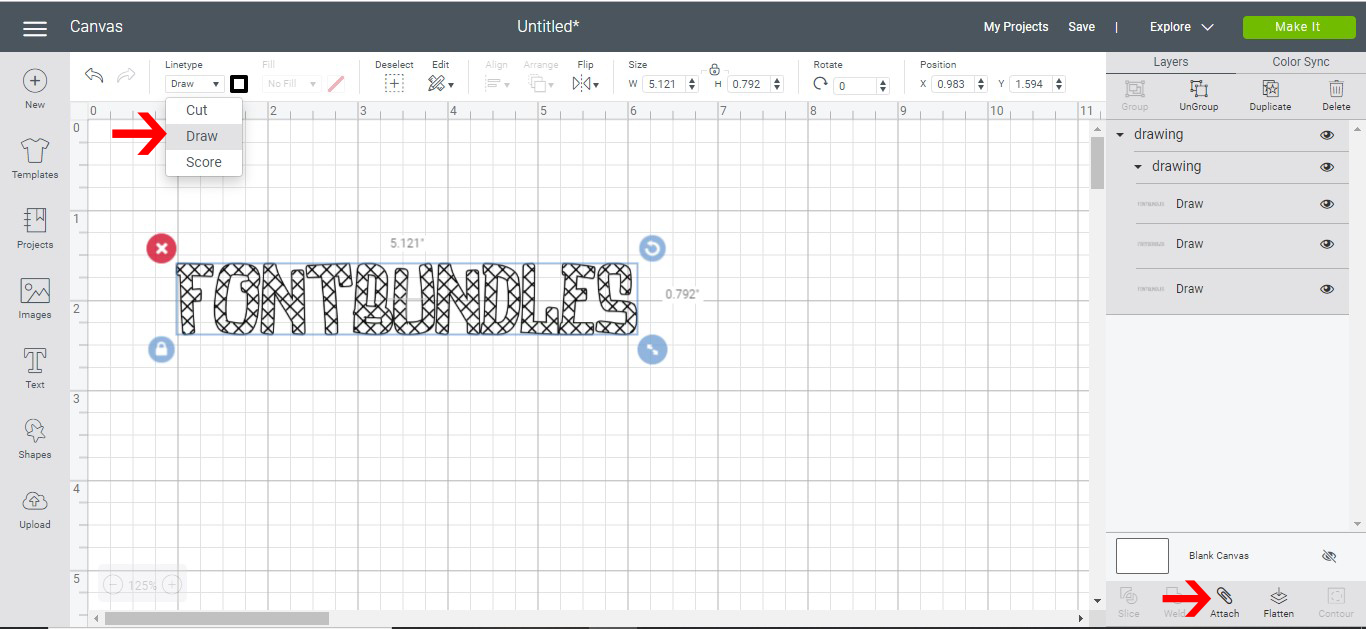
17- Your text will appear on the design space. Click on the line type option.
18- Select the draw option. Next Click attach.
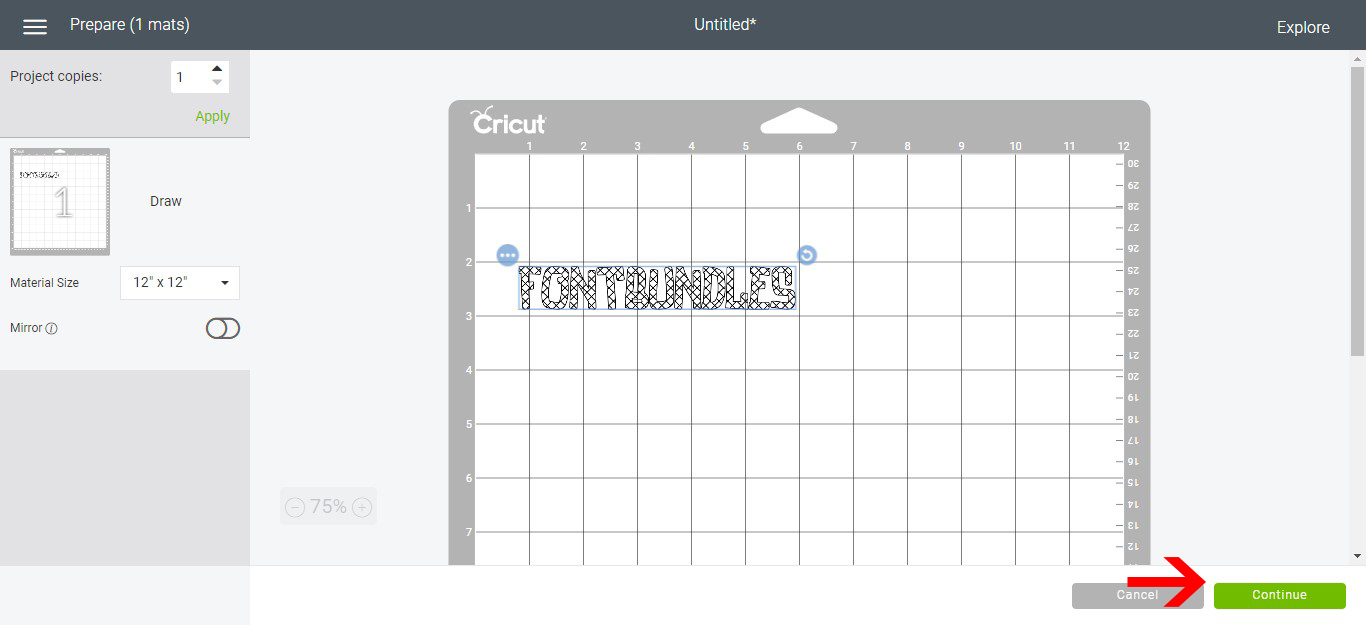
19- Click make it. Check the text on the cutting mat and click continue.
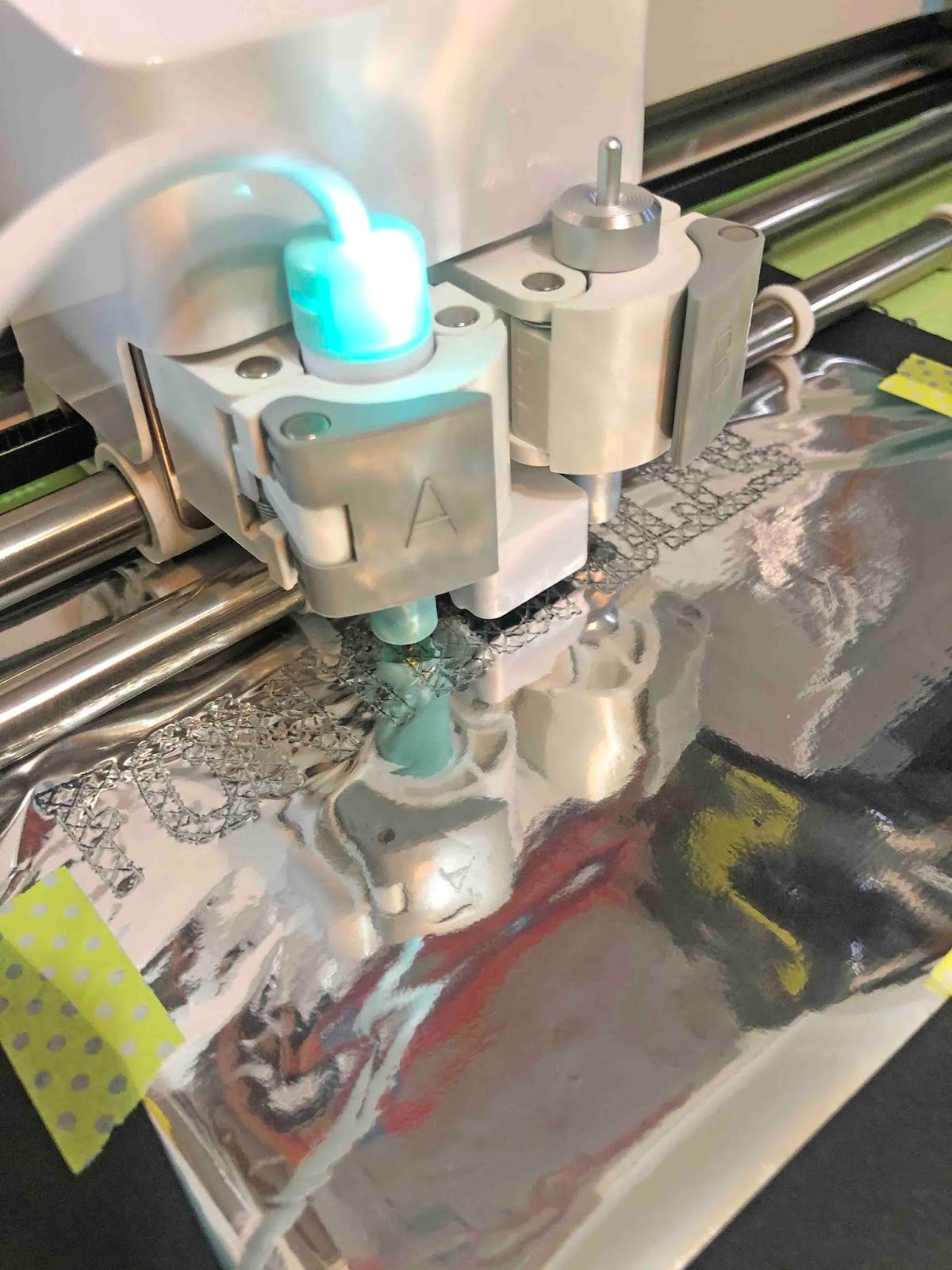
20- Make sure you have selected the correct media on your dial, then click go.
21- Your design will start to foil.
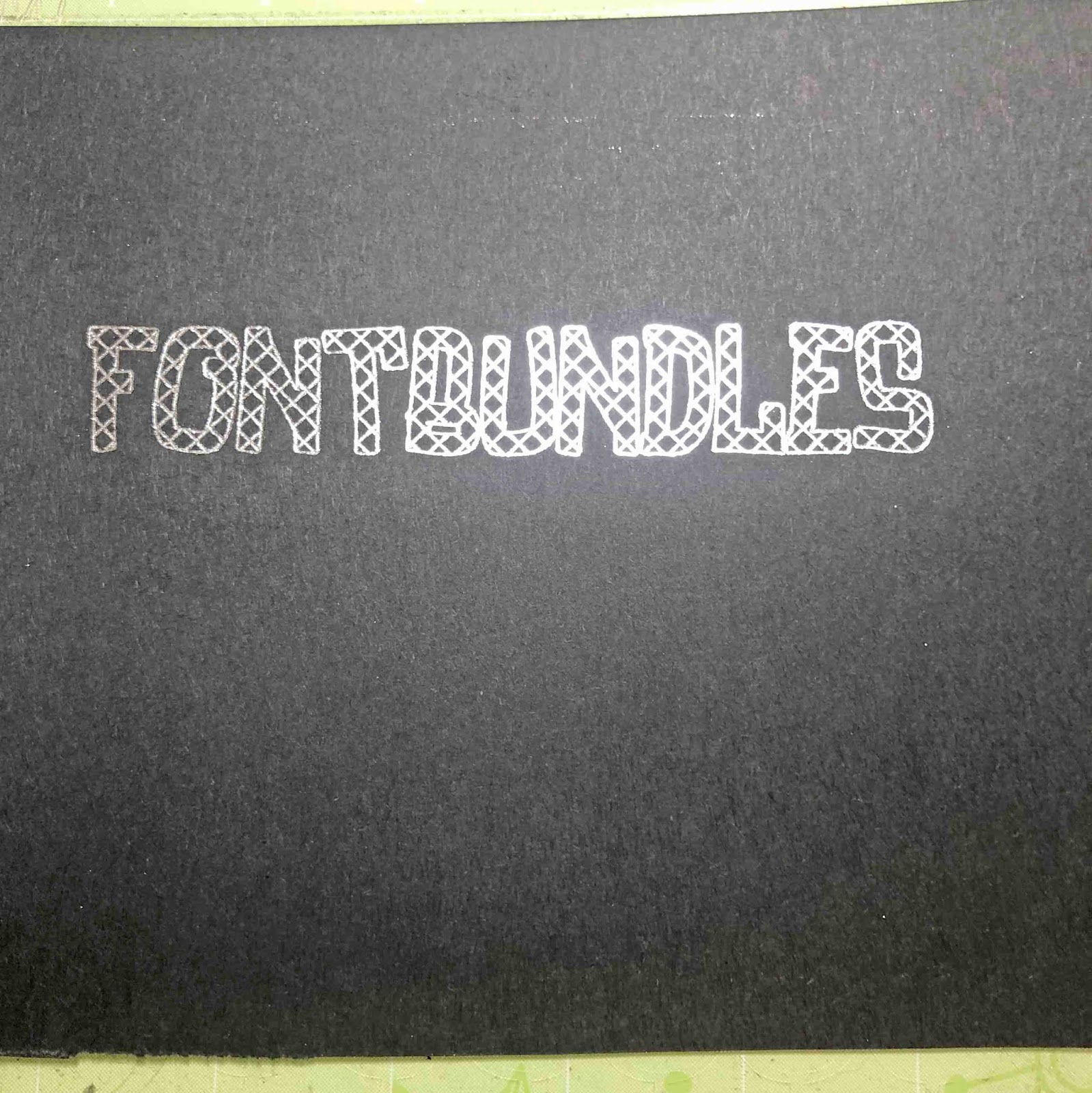
22- Your text will now be filled.
1- To fill text you will need to download and install Inkscape free software Once this is installed you will need to download and install a crosshatch extension for Inkscape. Go to evil mad scientist online and download the Axidraw software for your PC/mac.

2- Once downloaded install the extension.

3- Open Inkscape. Type your text.
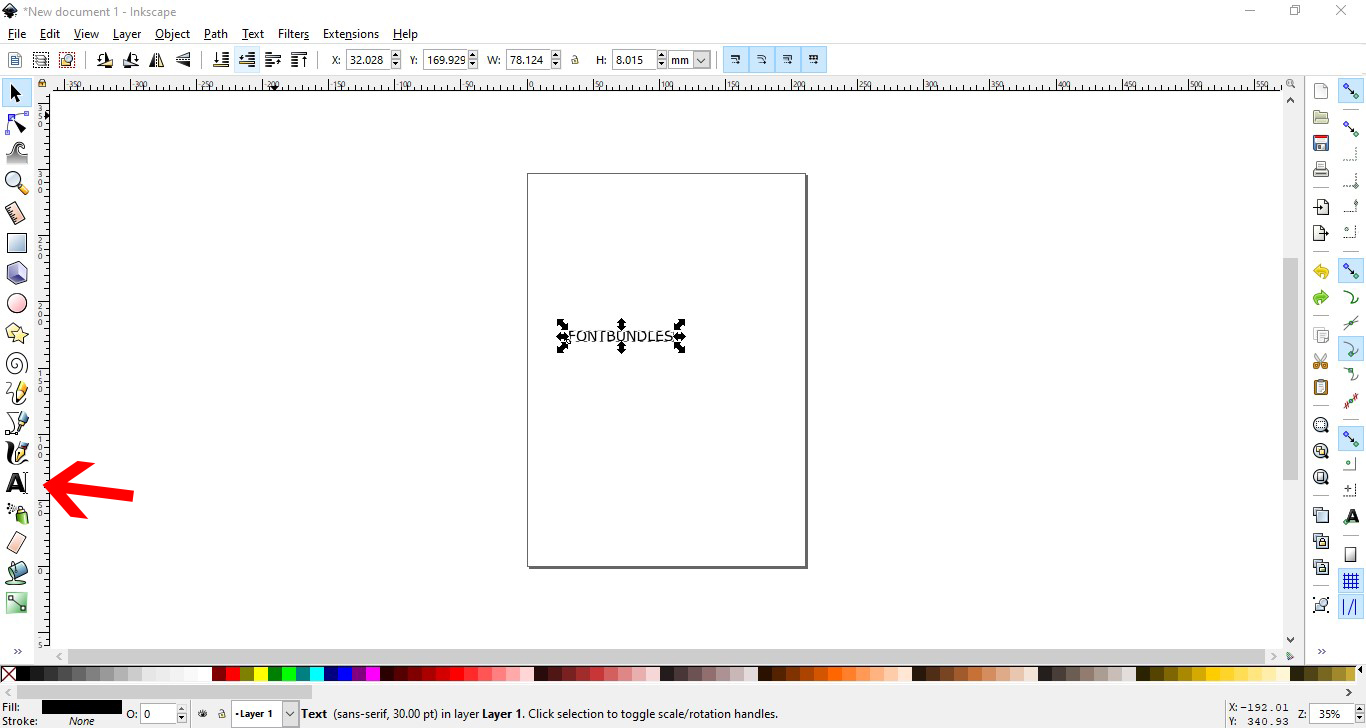
4- Click on the text and font option.
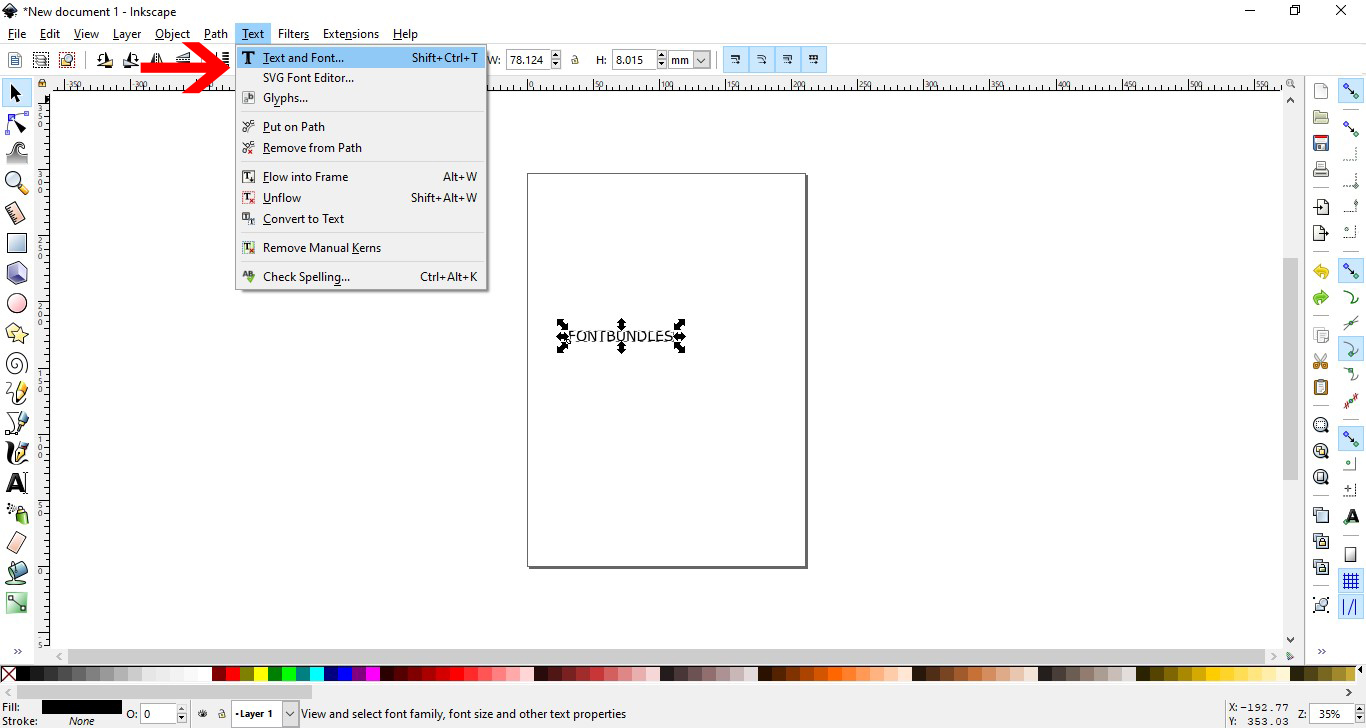
5- Select the font you want to use. I am using luducudu font from fontbundles.net . Click apply

6- With the text selected go to Path - Union.

7- Change the stoke option to black and the fill to no fill.
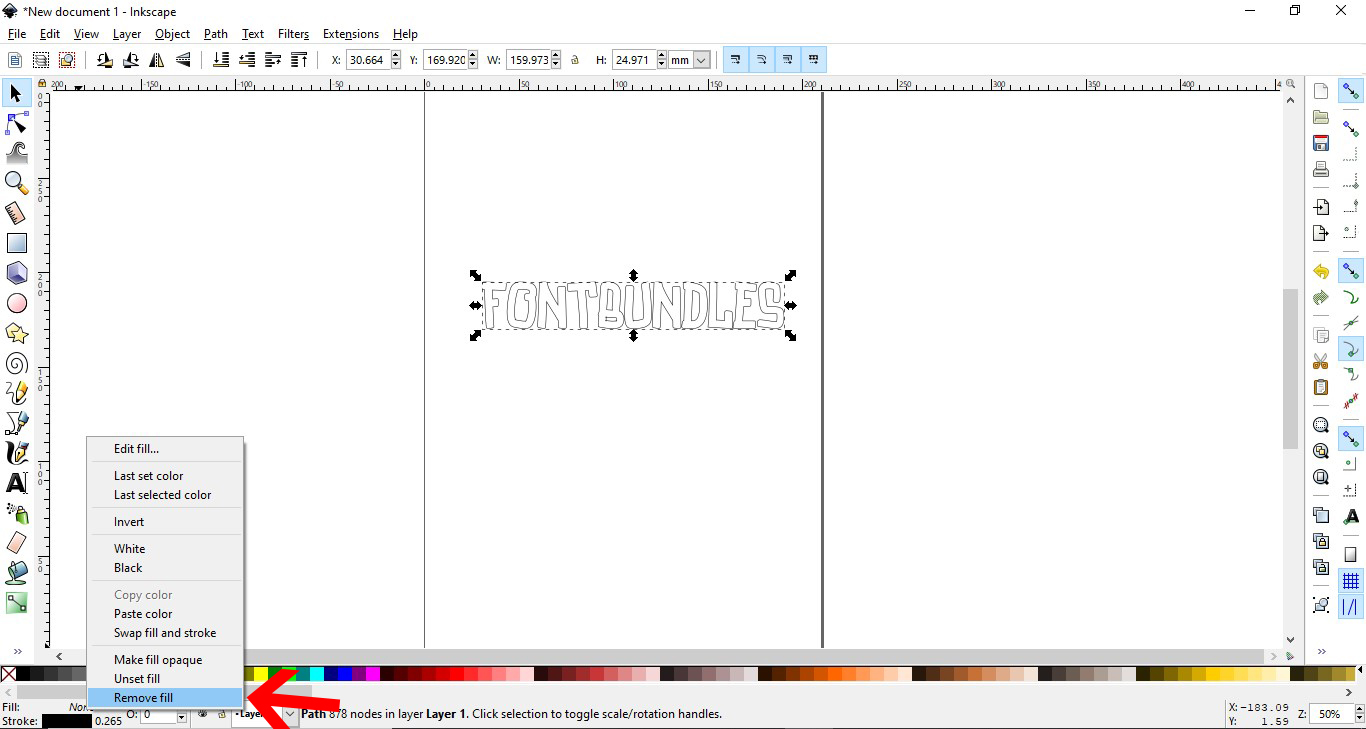
8- Go the extensions- axidraw utilities - hatch fill
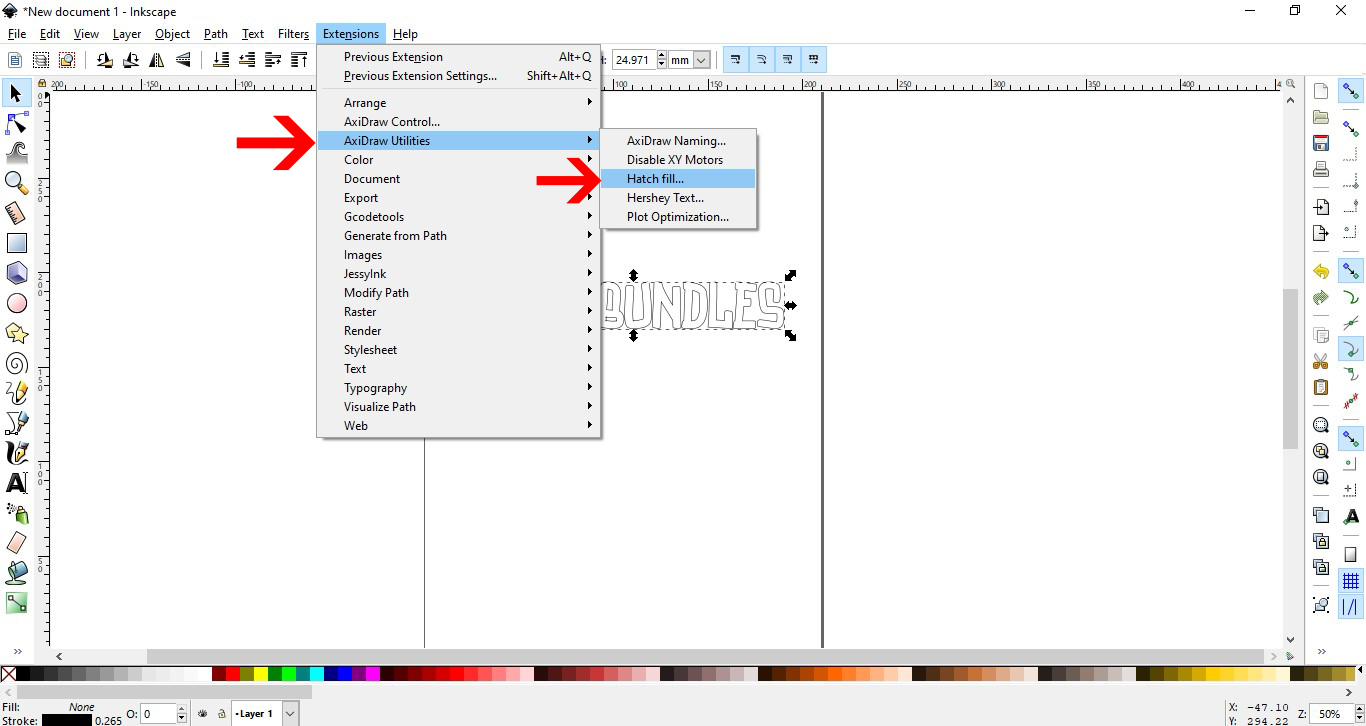
9- A new window will pop up. Click on live preview. Adjust the size of the fill and add crosshatch if needed. Click apply.
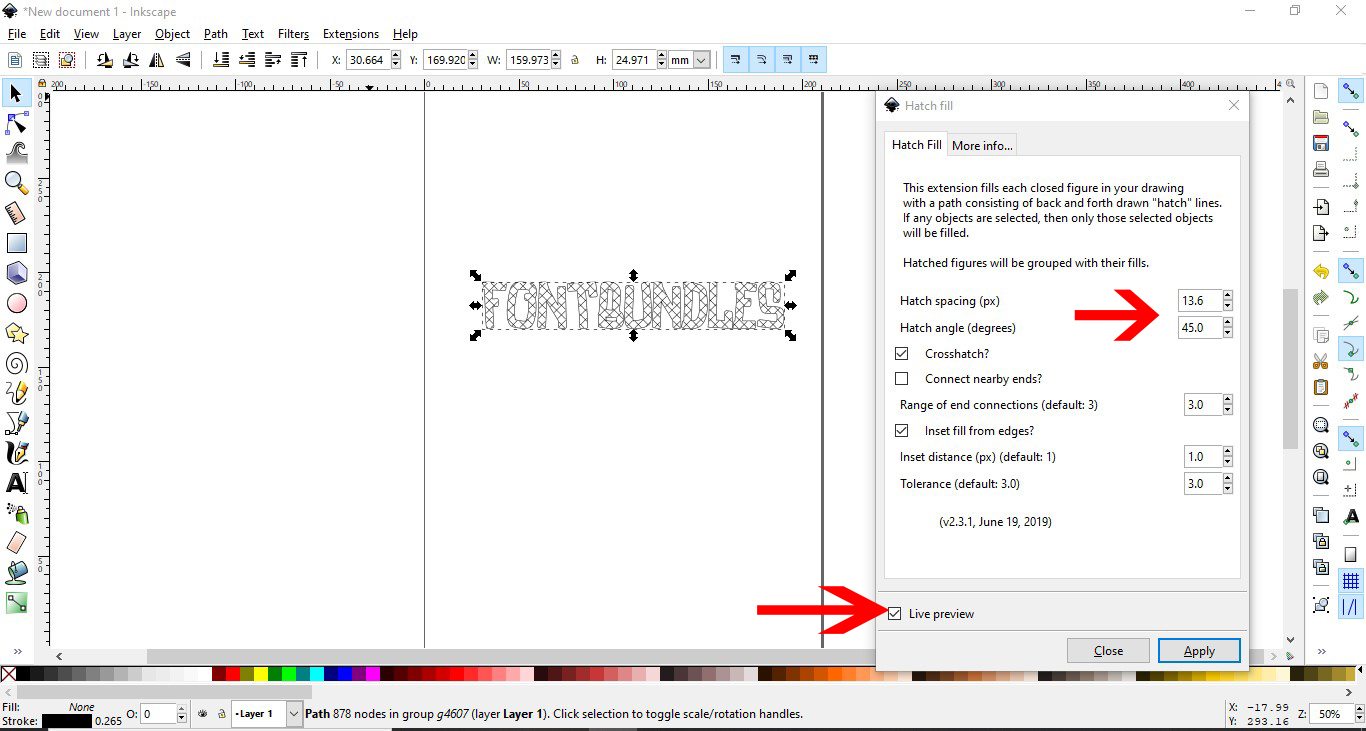
10- Once you are happy go to file- save as.
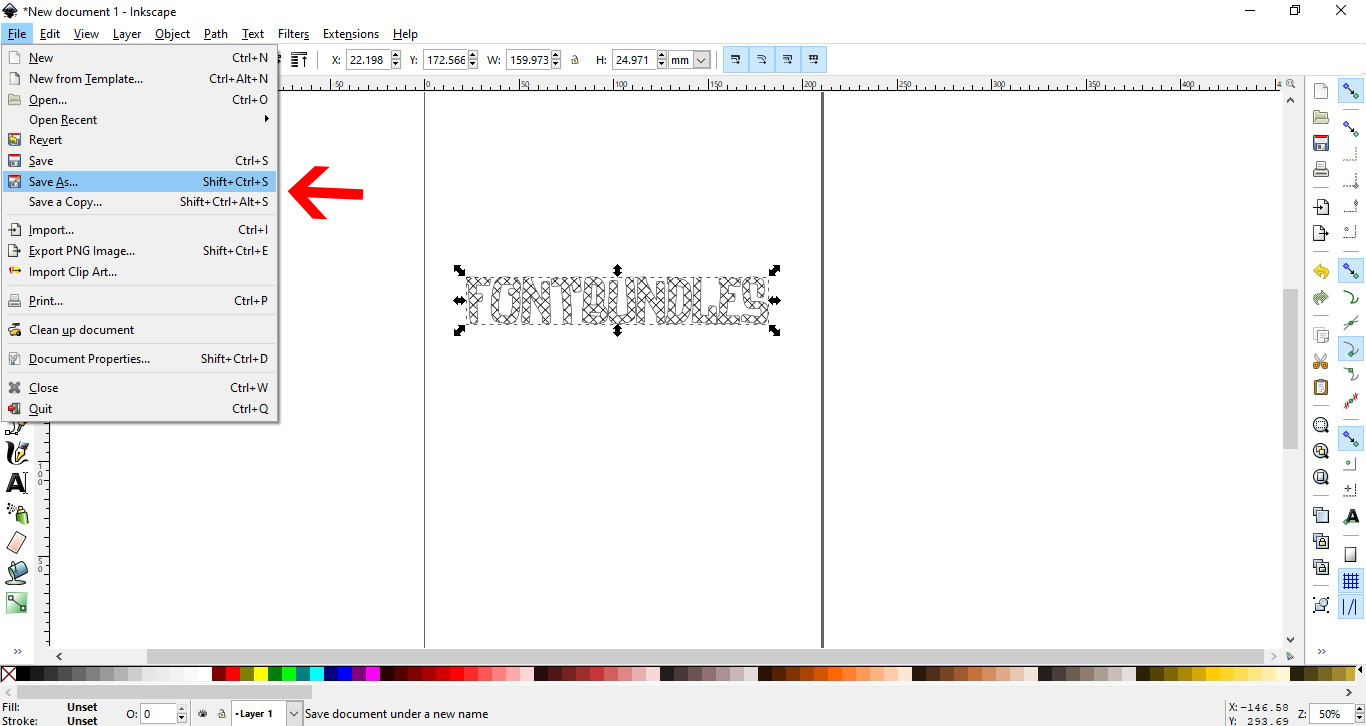
11- Save as a SVG file.
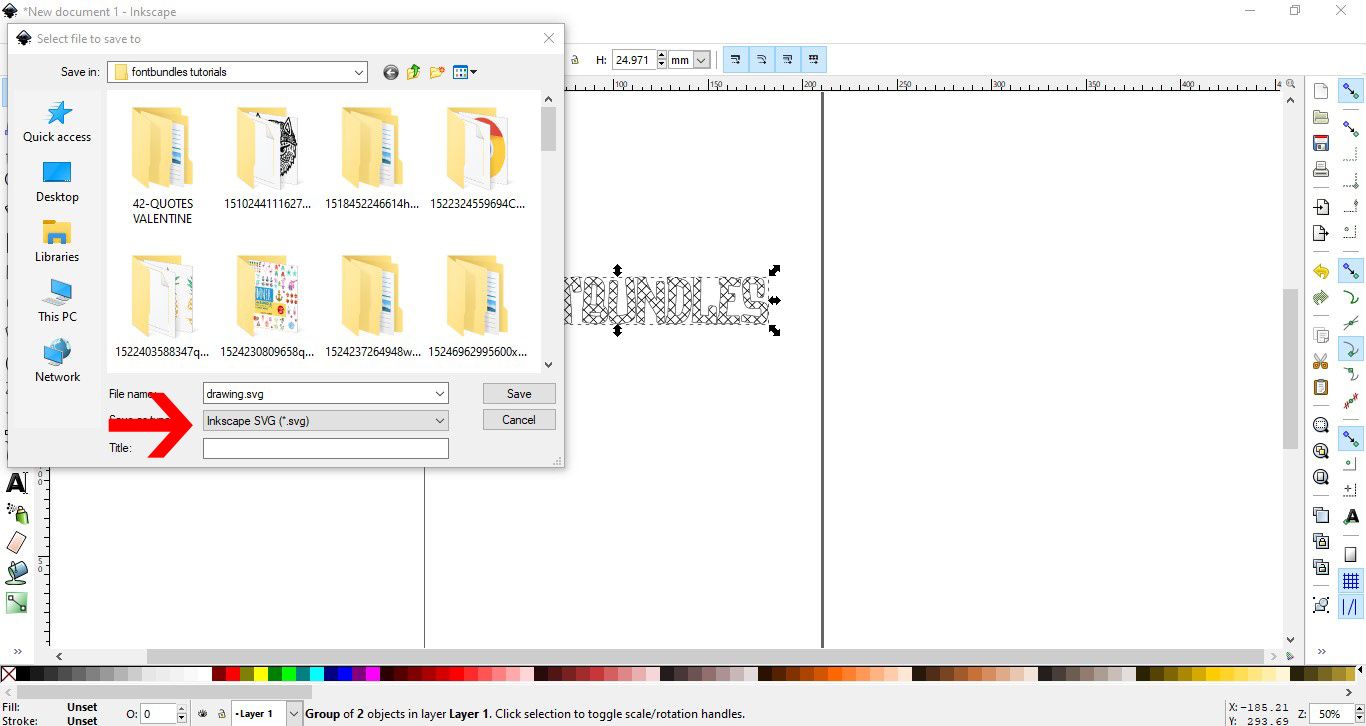
12- Open Cricut design space. Click upload.

13- Click on upload.

14- Click on browse.

15- upload your design. Save.
16- Click on the saved text and insert.
17- Your text will appear on the design space. Click on the line type option.

18- Select the draw option. Next Click attach.
19- Click make it. Check the text on the cutting mat and click continue.
20- Make sure you have selected the correct media on your dial, then click go.

21- Your design will start to foil.
22- Your text will now be filled.
Related Tutorials
Cricut Tutorials
How to thicken text for foiling using Inkscape and Cricut design space
Learn to thicken text for foiling using Inkscape and Cricut Design Space.
Cricut Tutorials
How to Fill a Shape in Cricut Design Space for Foiling
Learn how to fill a shape design for foiling in Cricut Design Space.
Cricut Tutorials
Filling text in Cricut Design Space using Silhouette Studio software
Learn how to fill text with a pattern using Silhouette Studio, then import to Cricut Design Space.
Cricut Tutorials
How to Curve Text in Cricut Design Space Mobile App
Today we’ll focus on how to curve Text in Cricut Design Space App....
Cricut Tutorials
How to Curve Text in Cricut Design Space
Discover how to quickly curve text in Cricut Design Space with this step by step tutorial
Cricut Tutorials
How to Use Pattern Fill in Cricut Design Space
Learn how to use the pattern fill feature in Cricut Design Space with this beginner tutorial.