By Christine Hattingh
How to Draw a Candy Cane
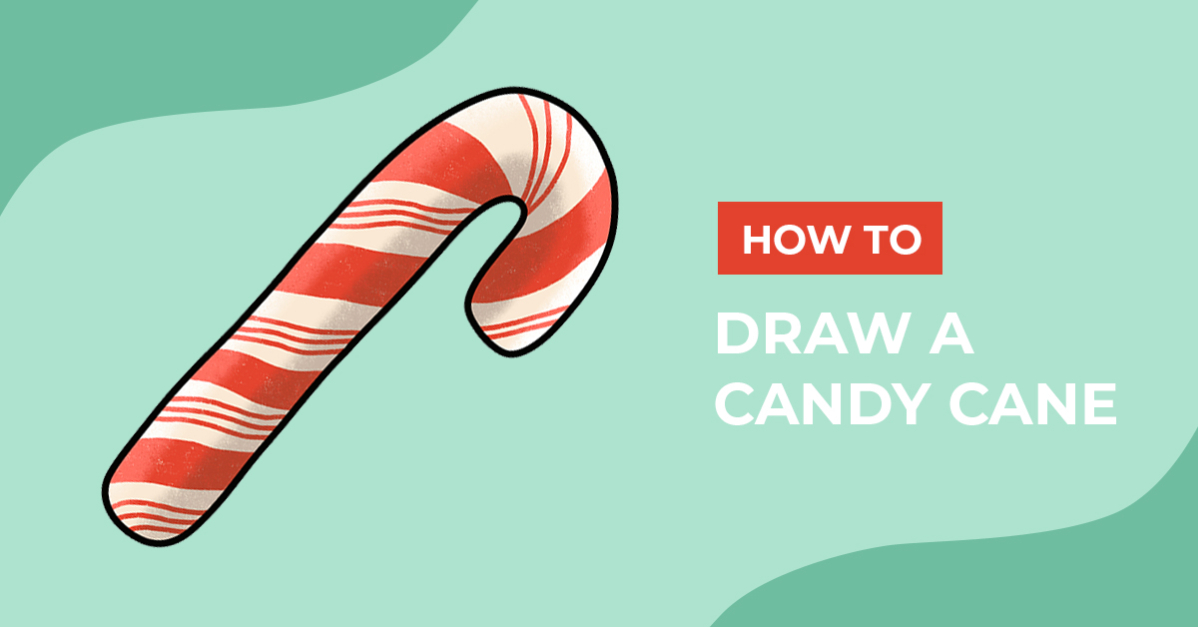
Today we are going to show you how to draw a candy cane. With a sweet taste and bright red colored stripes, these candies will make the perfect addition to your Christmas projects. Use them to craft greeting cards, stickers for home-baked treats, and sublimated Christmas mugs and ornaments.

To make your sweet snack drawing, gather the supplies you want to use. You can use any medium you have on hand to make your drawing and add color to your candy cane illustration.
Want to learn how to draw other festive designs to match your Christmas candy clipart? See how you can create a character using our elf drawing tutorial or learn how to draw a Christmas tree.
Step 1 - Roughly Sketch your Candy Cane
With a sketching medium like a pencil, roughly sketch your candy cane shape and stripes. If you do not have a pencil on hand, you can use any removable or light-colored medium in this step.
Create the shape of your candy cane by drawing a long rectangle that curves down at the top like a hook. As you sketch your shape, make sure your corners are rounded on the ends.

Next, add a couple of angled lines over the cane shape. These lines will be your guide when adding the iconic red coloring to your candy cane clipart.

Step 2 - Define your Candy Cane Shape
Switching to your outlining medium, trace over your outer sketch lines to make your candy cane outline. We used a monoline brush for Procreate but you can use any dark defining medium to make your outlines.
Do not outline or remove your stripe sketches, we will use them in the following step of our drawing guide.

Step 3 - Apply Color to your Candy Cane
You can leave your candy cane white and add red stripes, or add a cream or off-white color. We would recommend using the red on your stripes first. This way you can use your stripes sketch as your guide and get your red stripes placed the way you want.

In Procreate, we added our colors on two separate layers. We have a very helpful tutorial on how to use layers in Procreate to get you started. Then, using a clipping mask, we added highlight and shading on our candy cane clipart.

What a sweet twist to your Christmas art! Your Christmas crafts will look great with your candy decorated with holly, bows, or with buffalo plaid digital papers.
We hope you are inspired to create more Christmas clipart to add to your digital library. If you’re looking for more design options, check out this awesome collection of candy cane clipart for your next craft project.