By Design Bundles
Photoshop Tutorials5 min
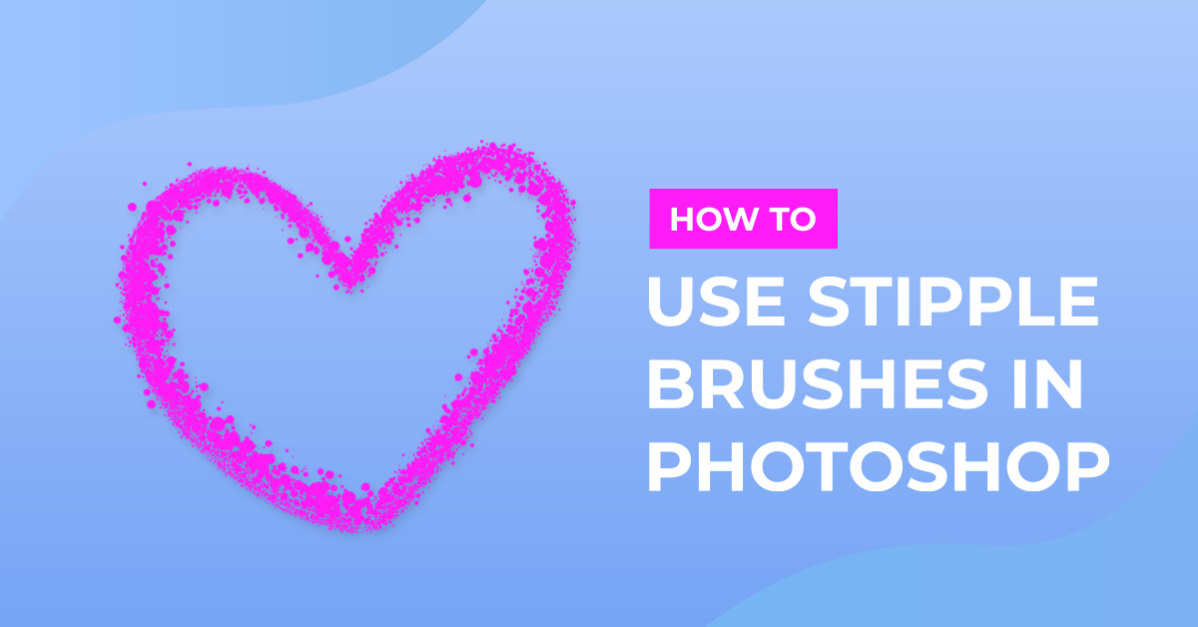
Use Stipple Brushes in Photoshop
For this tutorial, we will use some Free “Stipple” and/or “Manga” or “Sketch” Brushes found online. We will also use an image to apply the effect to.
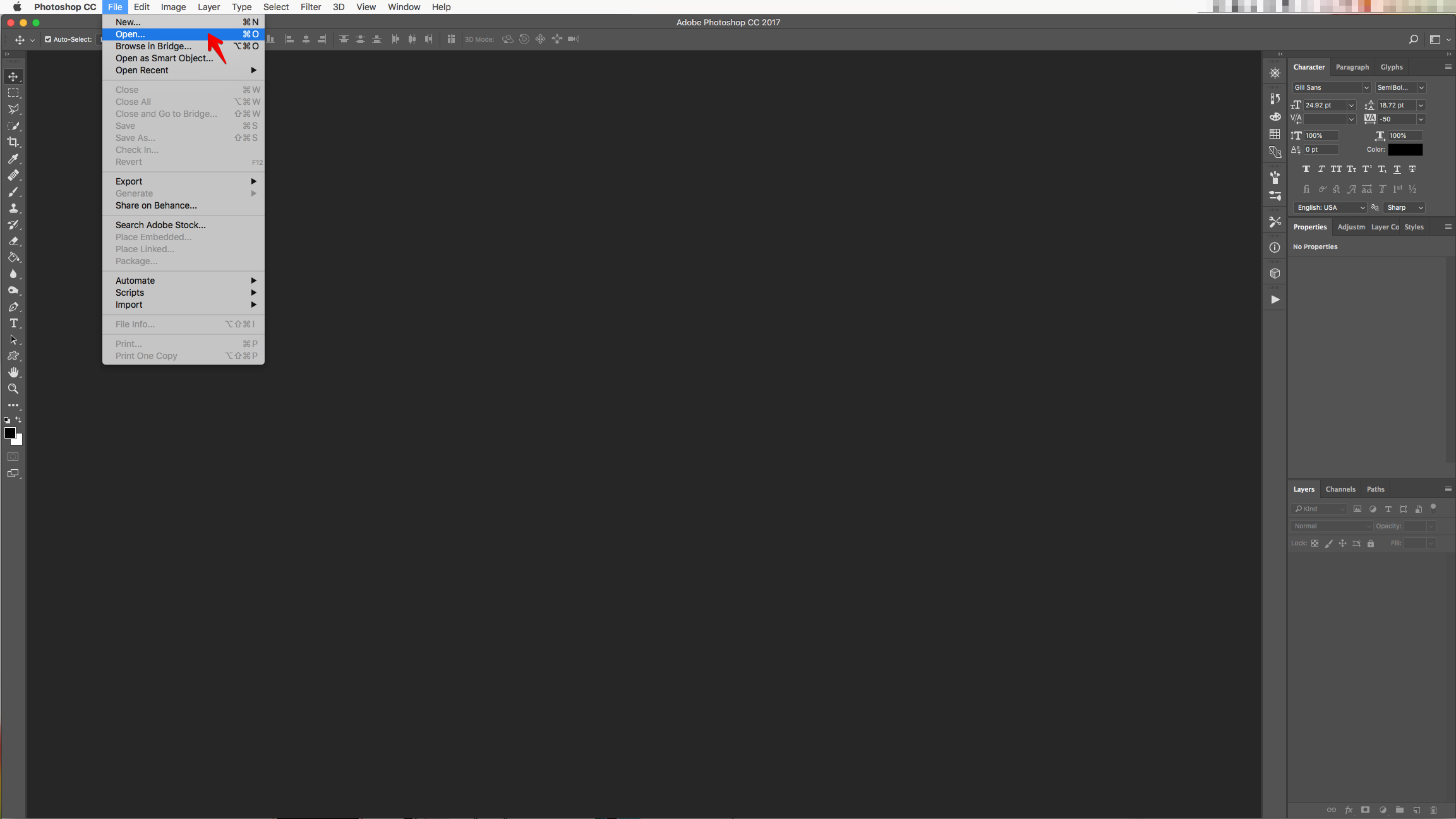
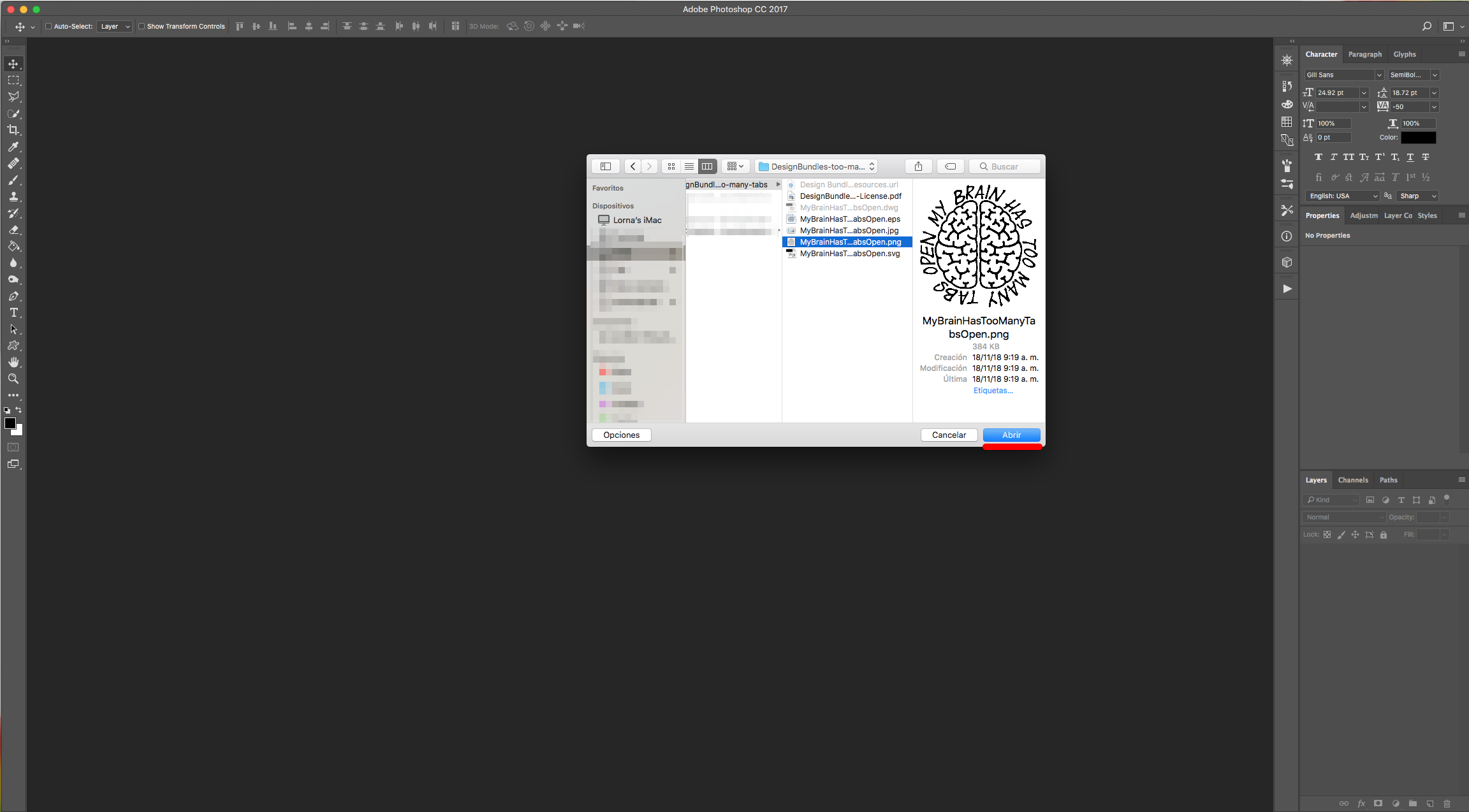
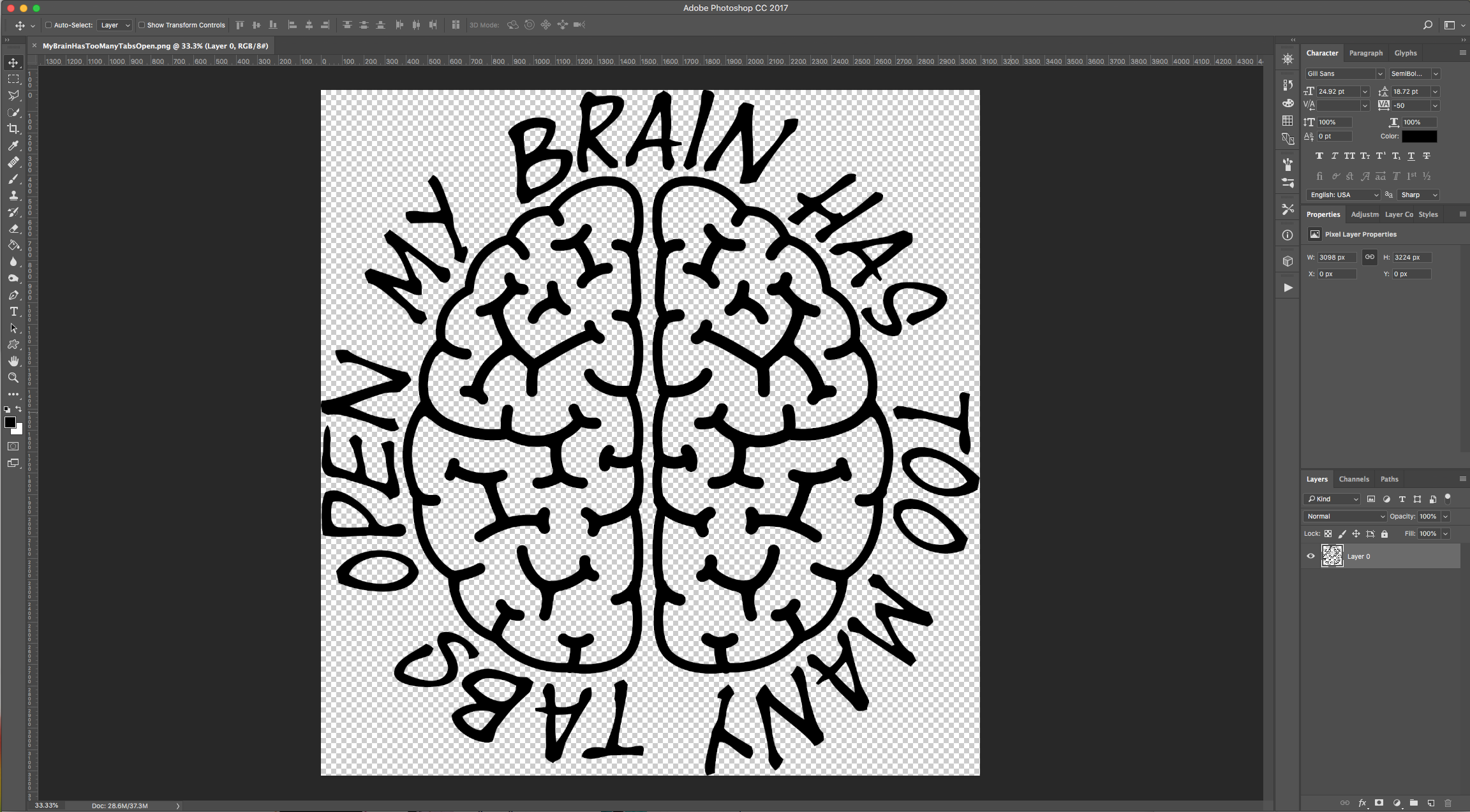
1 - In Photoshop, open the image you chose to work with. We chose the .PNG formatted file with a Transparent background. Unlock the Layer by double-clicking on top of its Thumbnail.
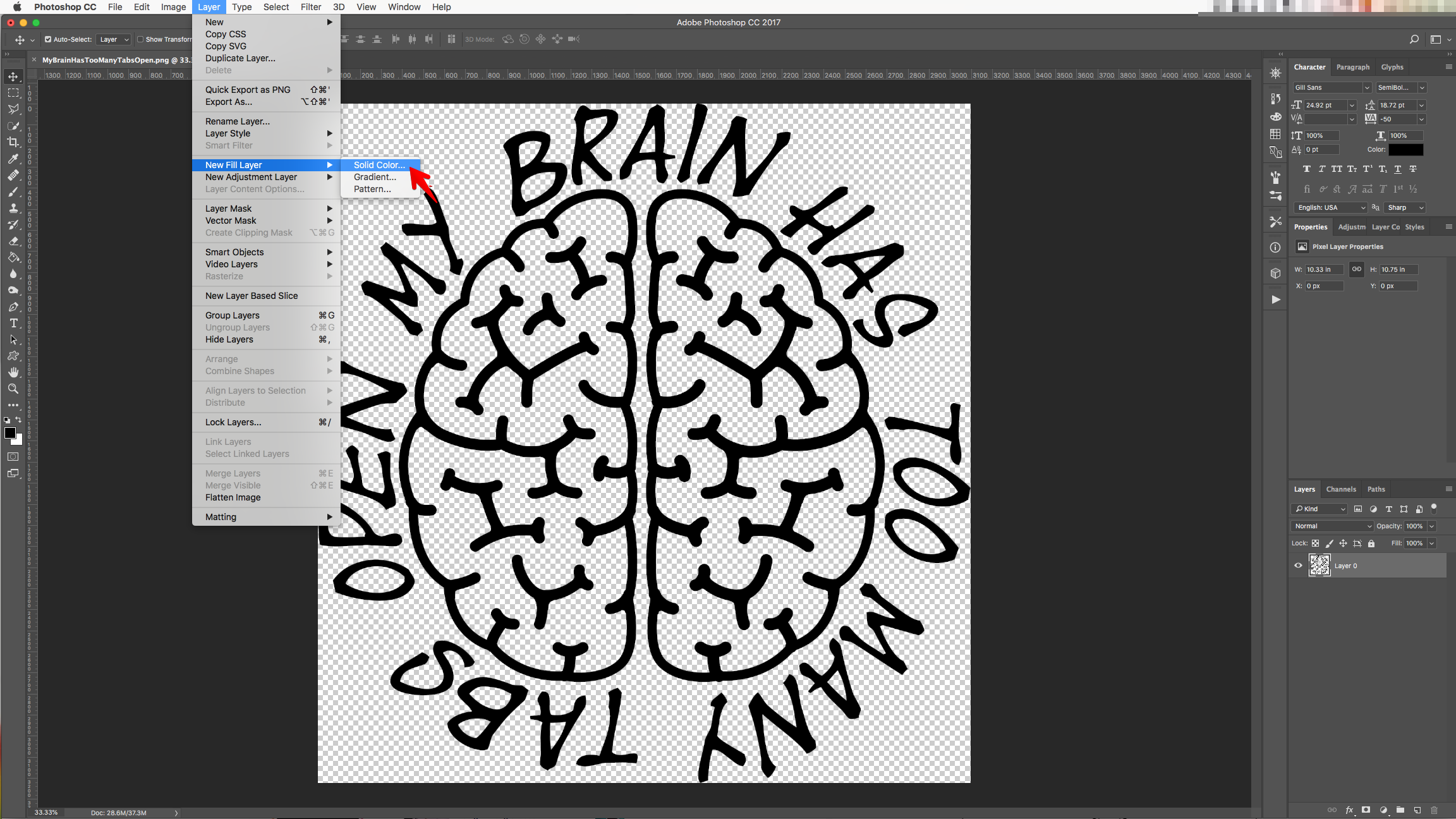
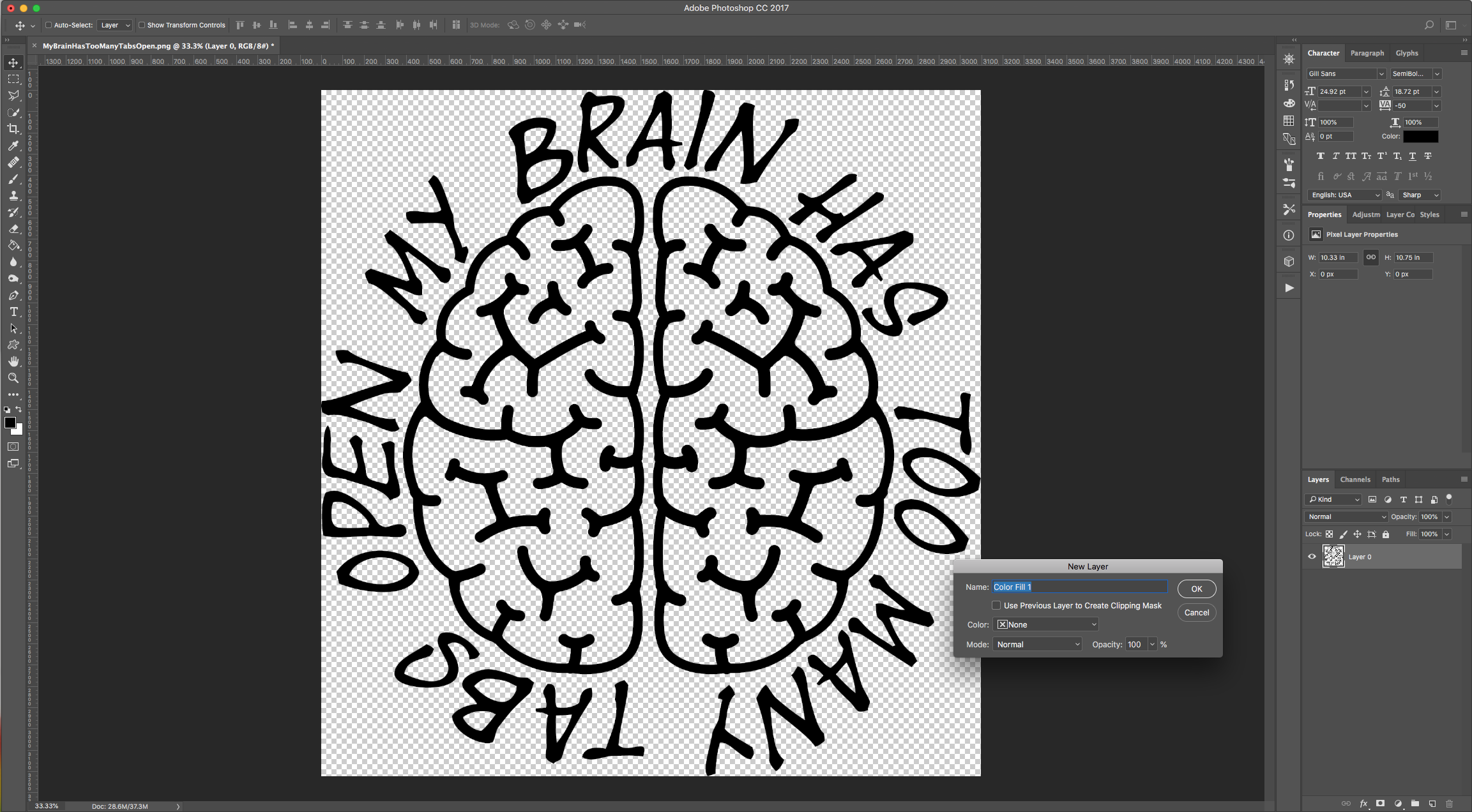
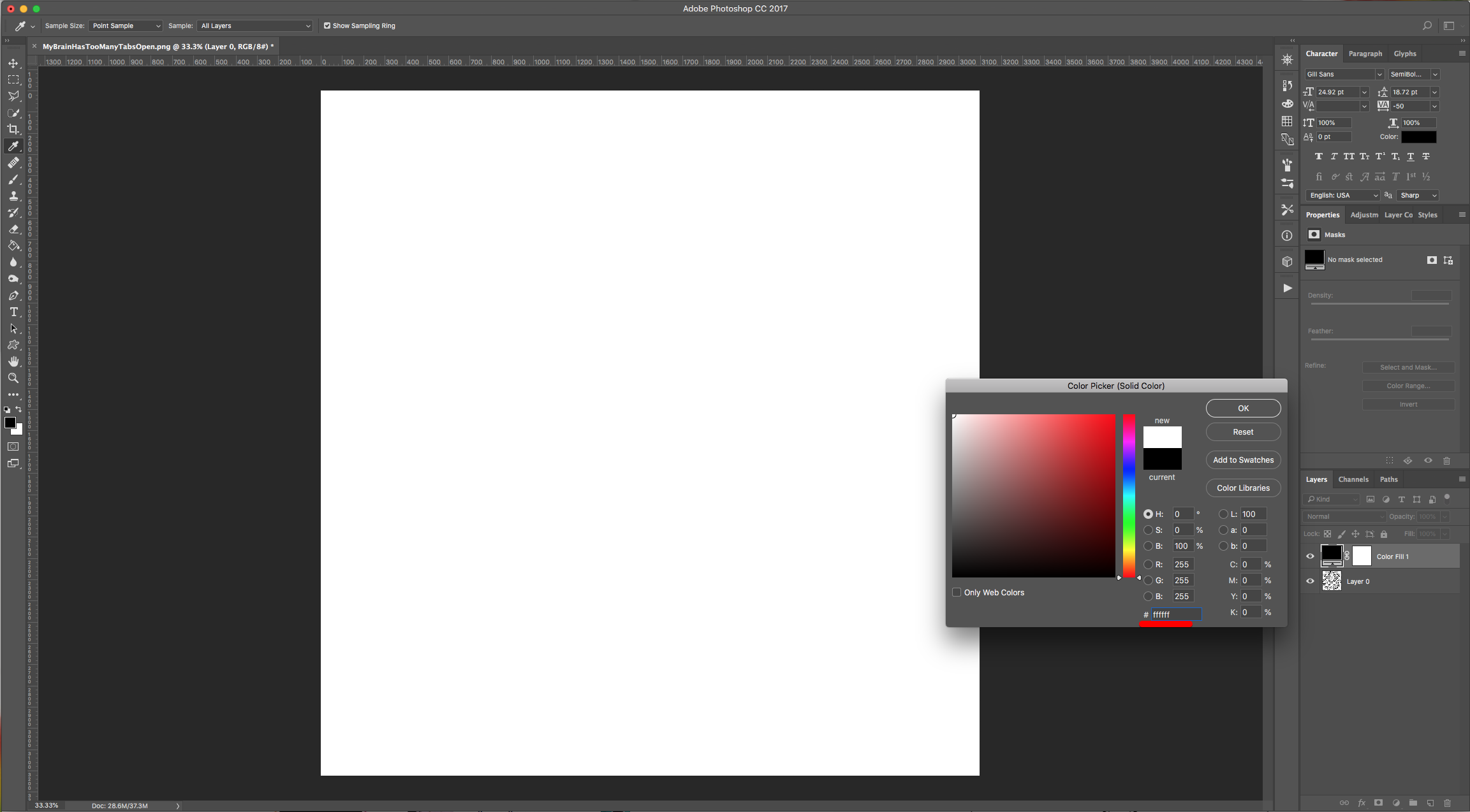
2 - Go to Layer > New Fill Layer > Solid Color, choose “None” for “Color” and click “OK”. Then use White (#ffffff) as fill color.
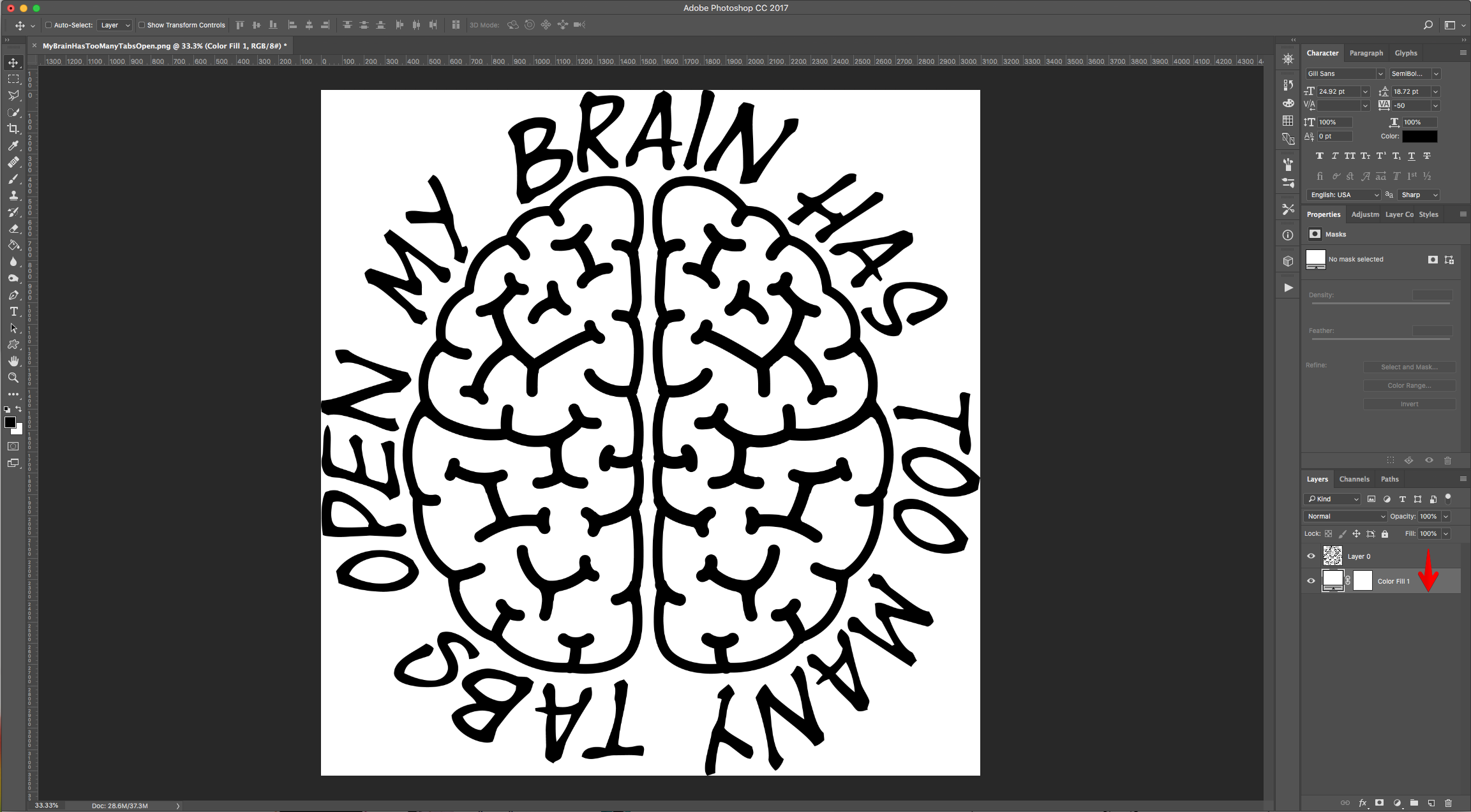
3 - Drag the “Color Fill” Layer down and place it under the original image.
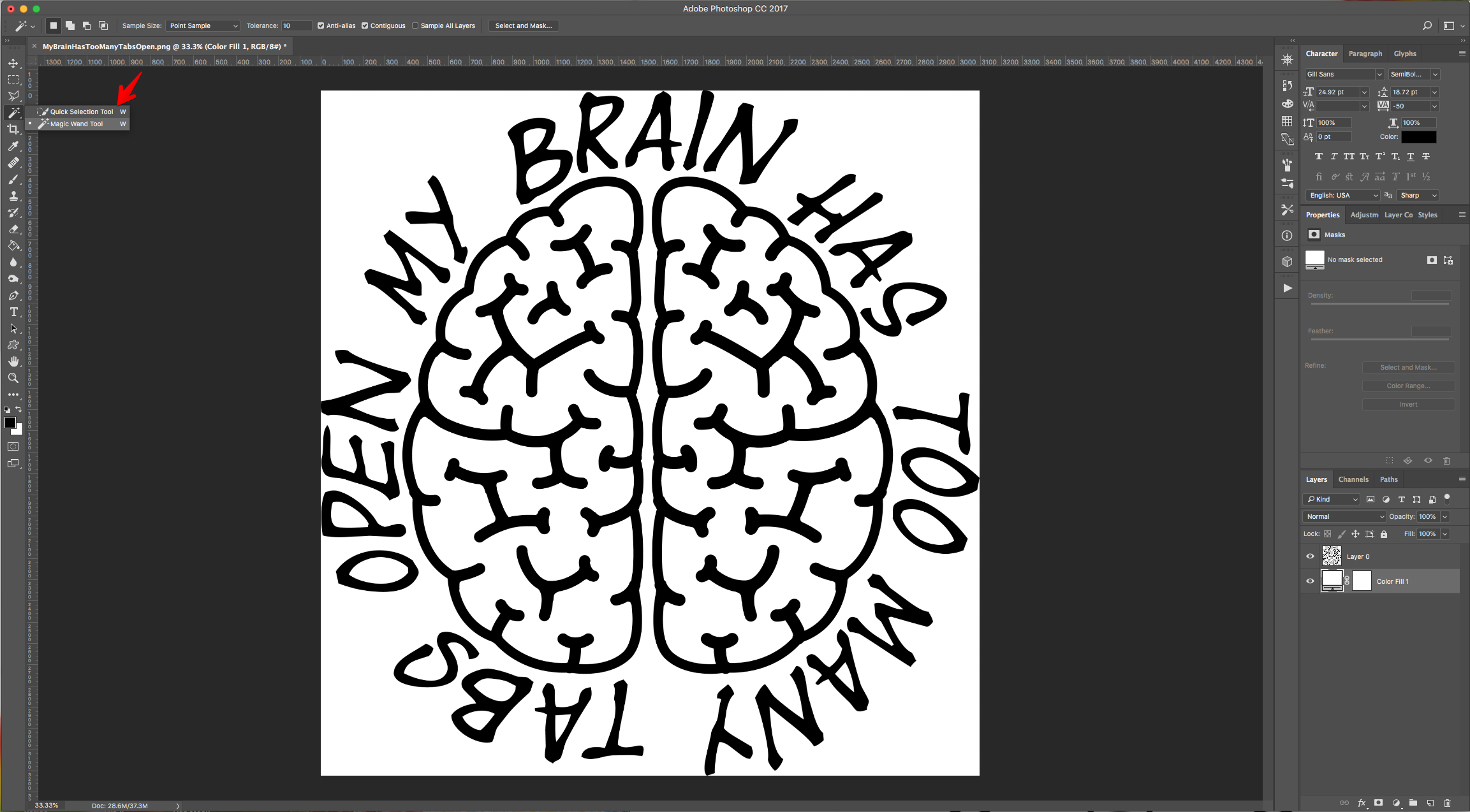
4 - Use the “Magic Wand Tool” (W) and select the portion of the image you want to use the brushes in.
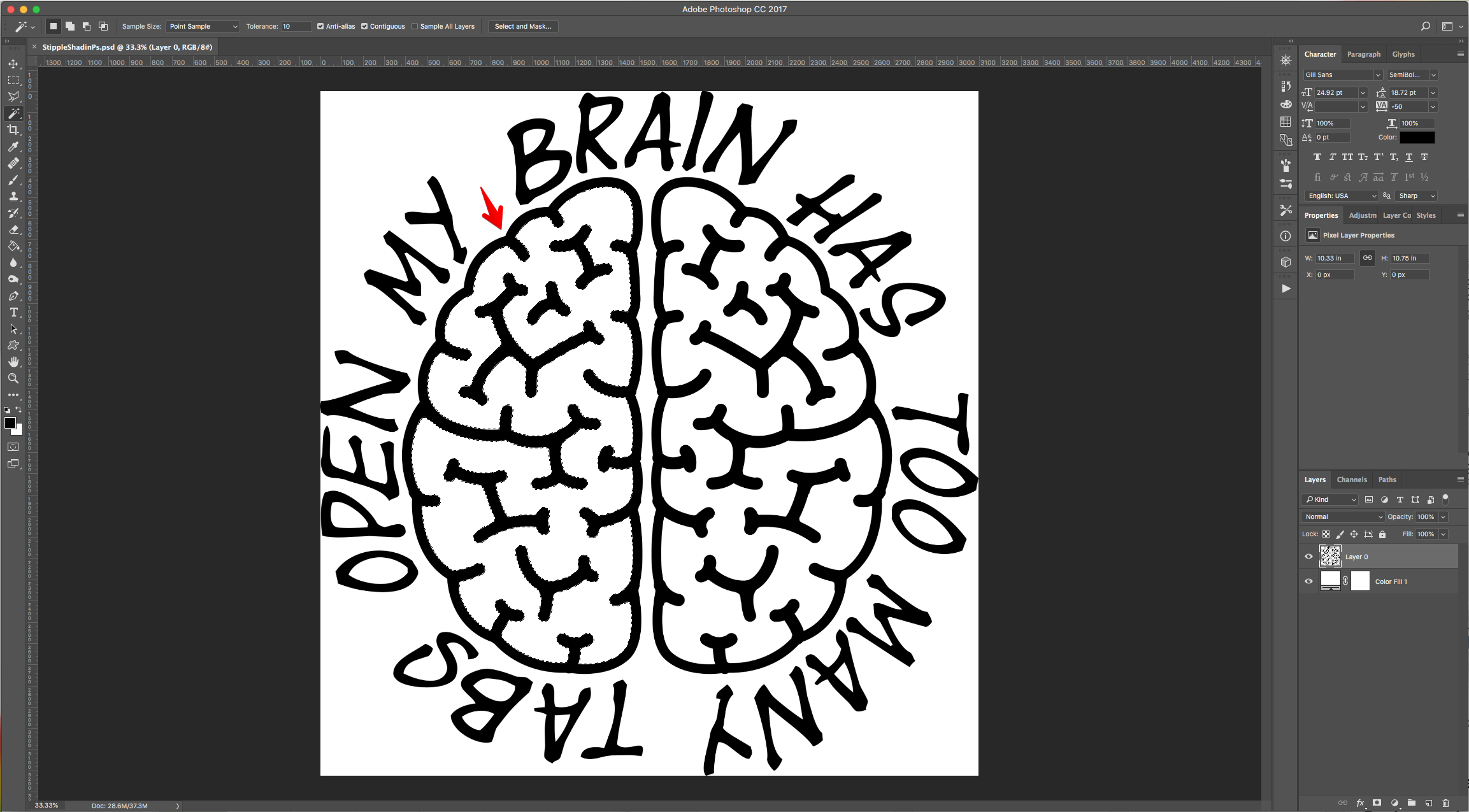
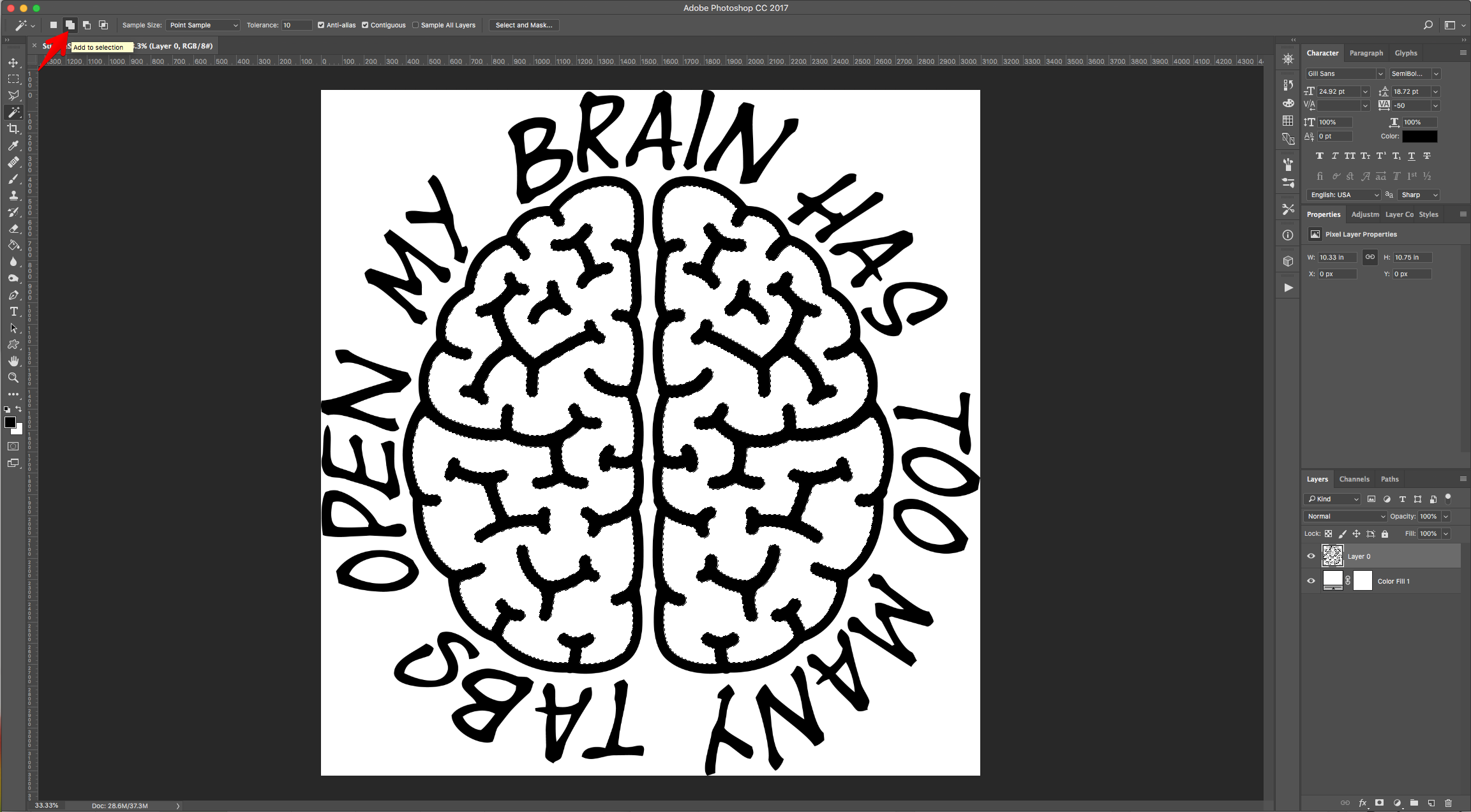
5 - Choose the “Add to Selection” in the Top Menu to add to your selection if needed.
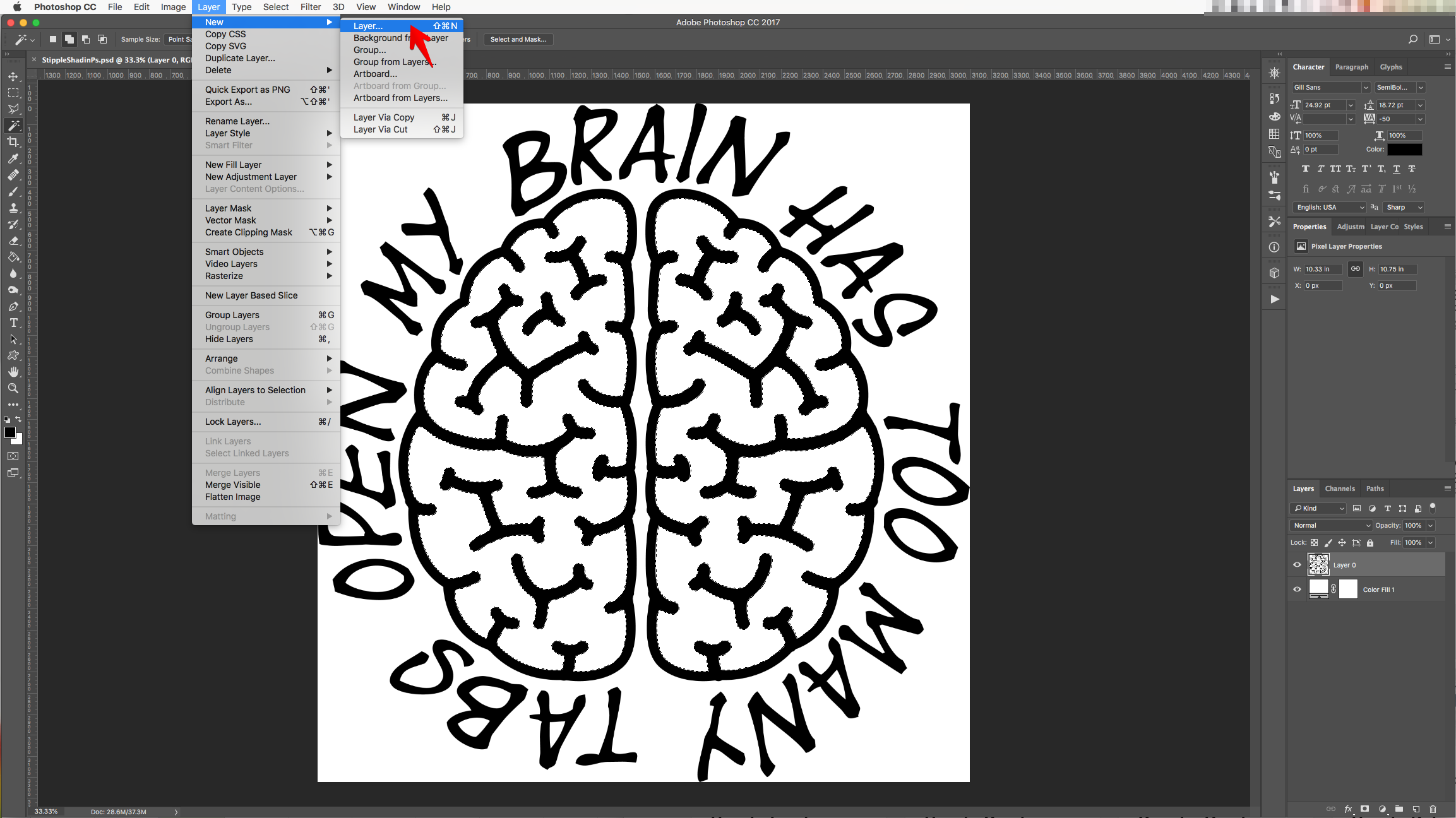
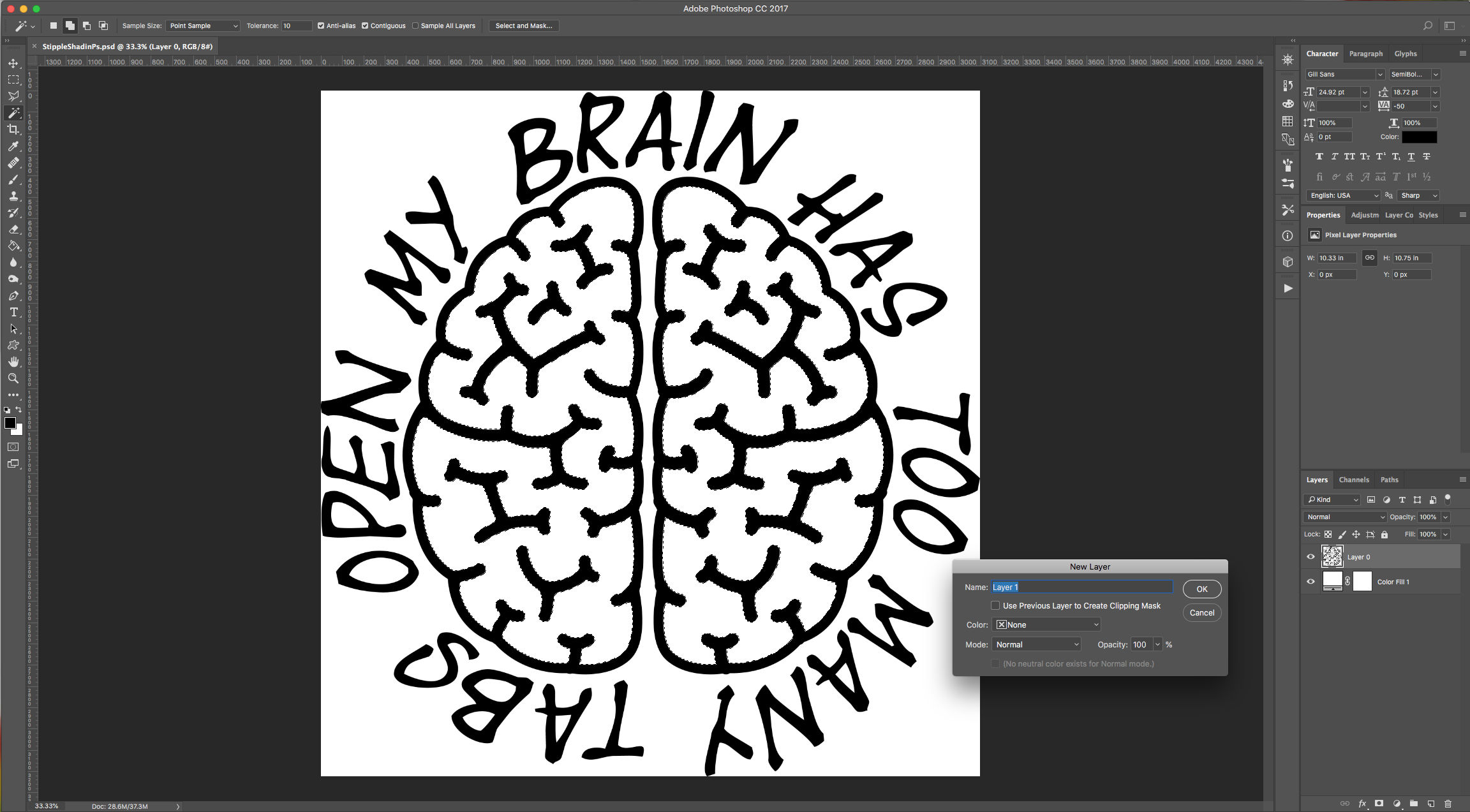
6 - With your selection still active, go to Layer > New Layer (Shift + Command/Control + N) to create a “New Layer” on top of everything, choose “None” for “Color” and click “OK”.
7 - Select the “Brush Tool” (B), click on the “Brushes Panel” and then in the small Menu icon on the Top-Right select “Load Brushes” and navigate to where you saved the Free Brushes and “Load” them. You can also select the “Assorted Brushes” from that same Menu and use some of them instead.
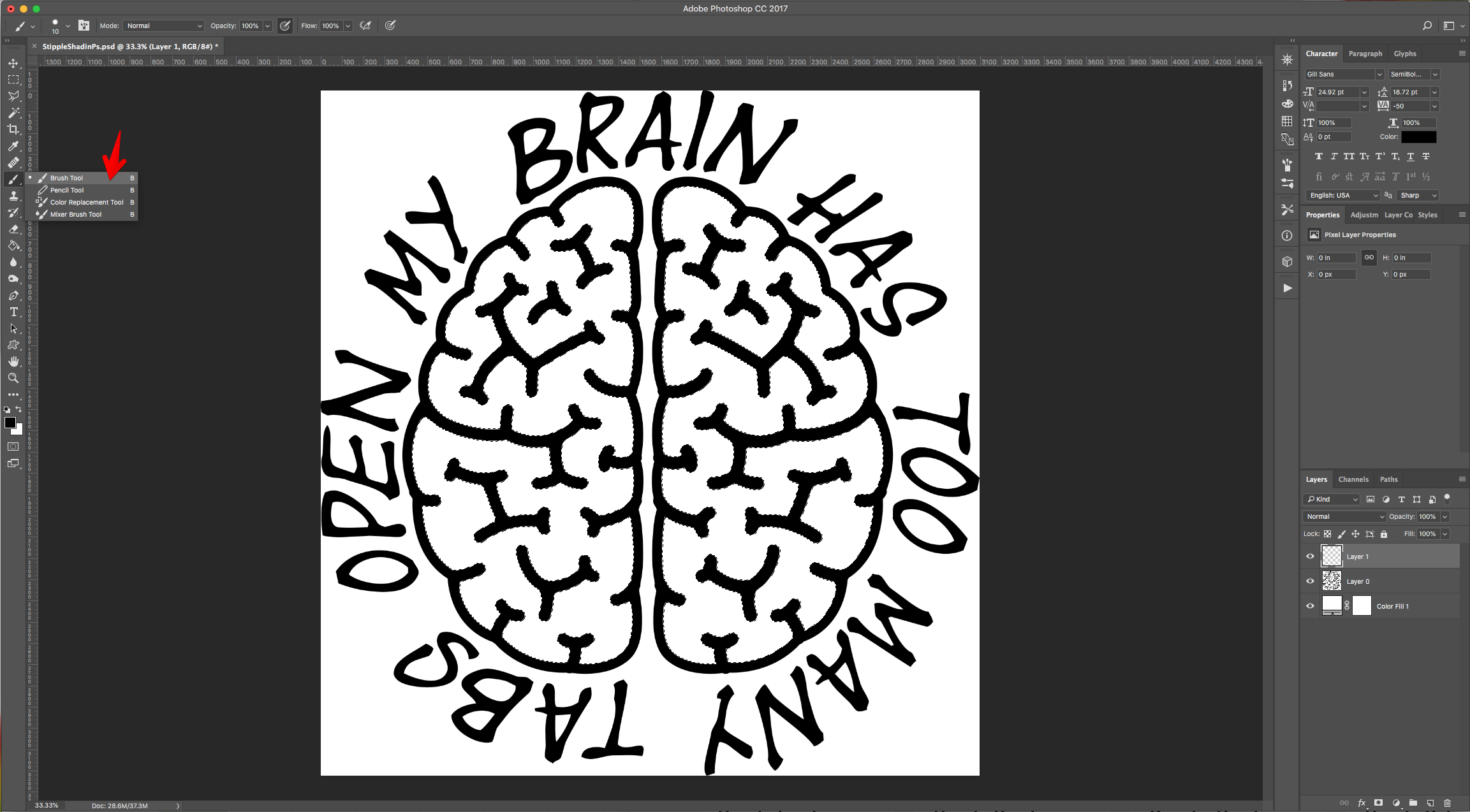
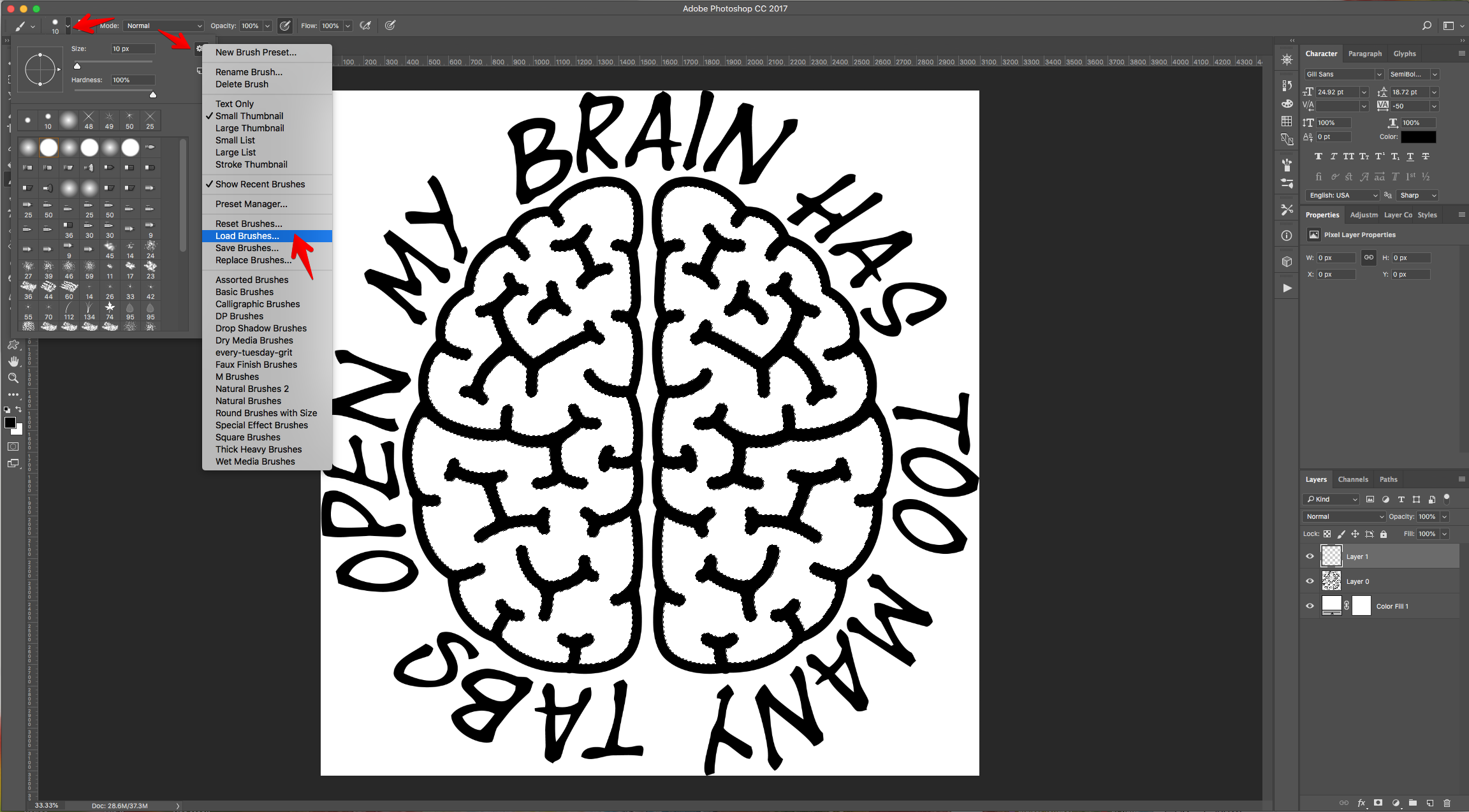
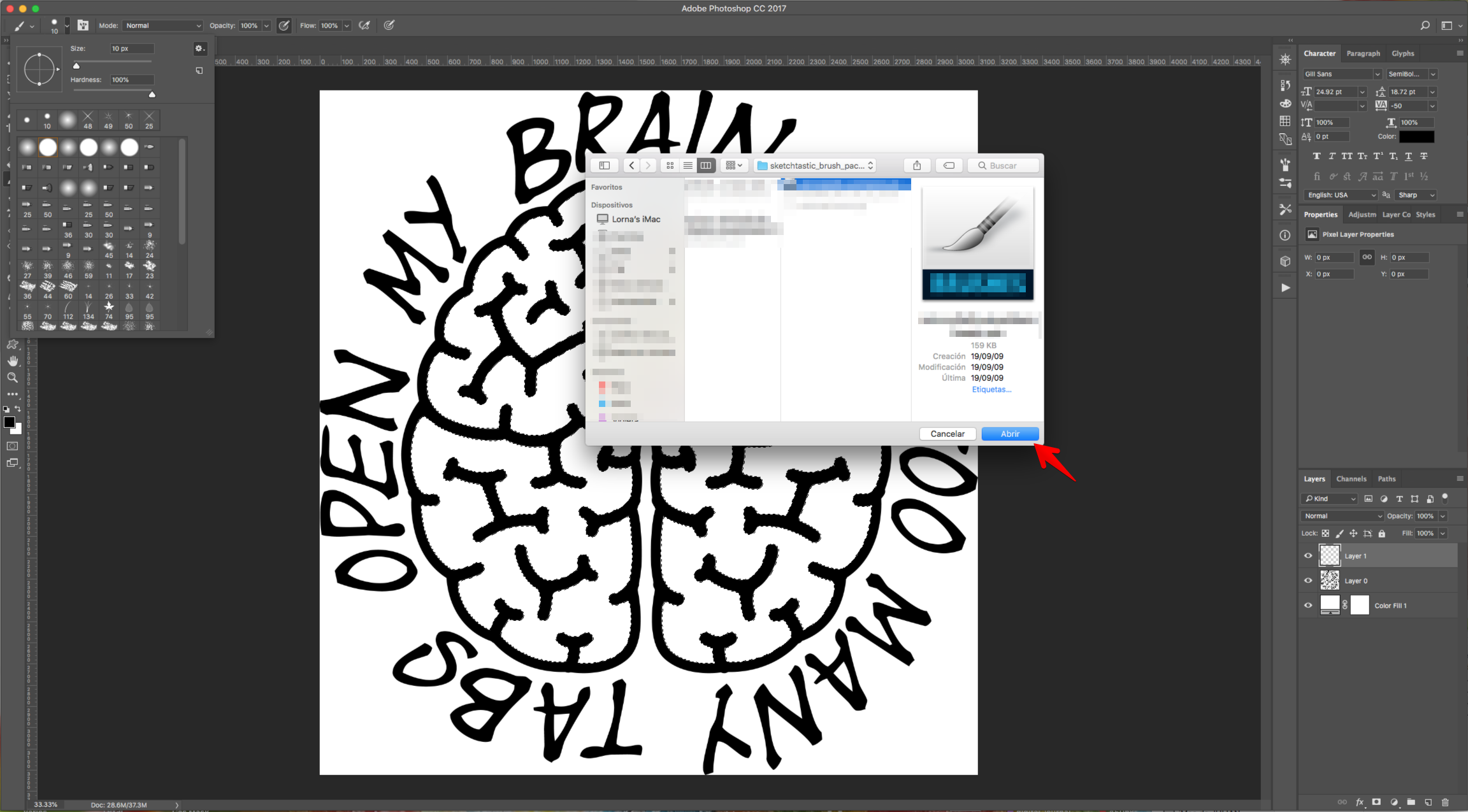
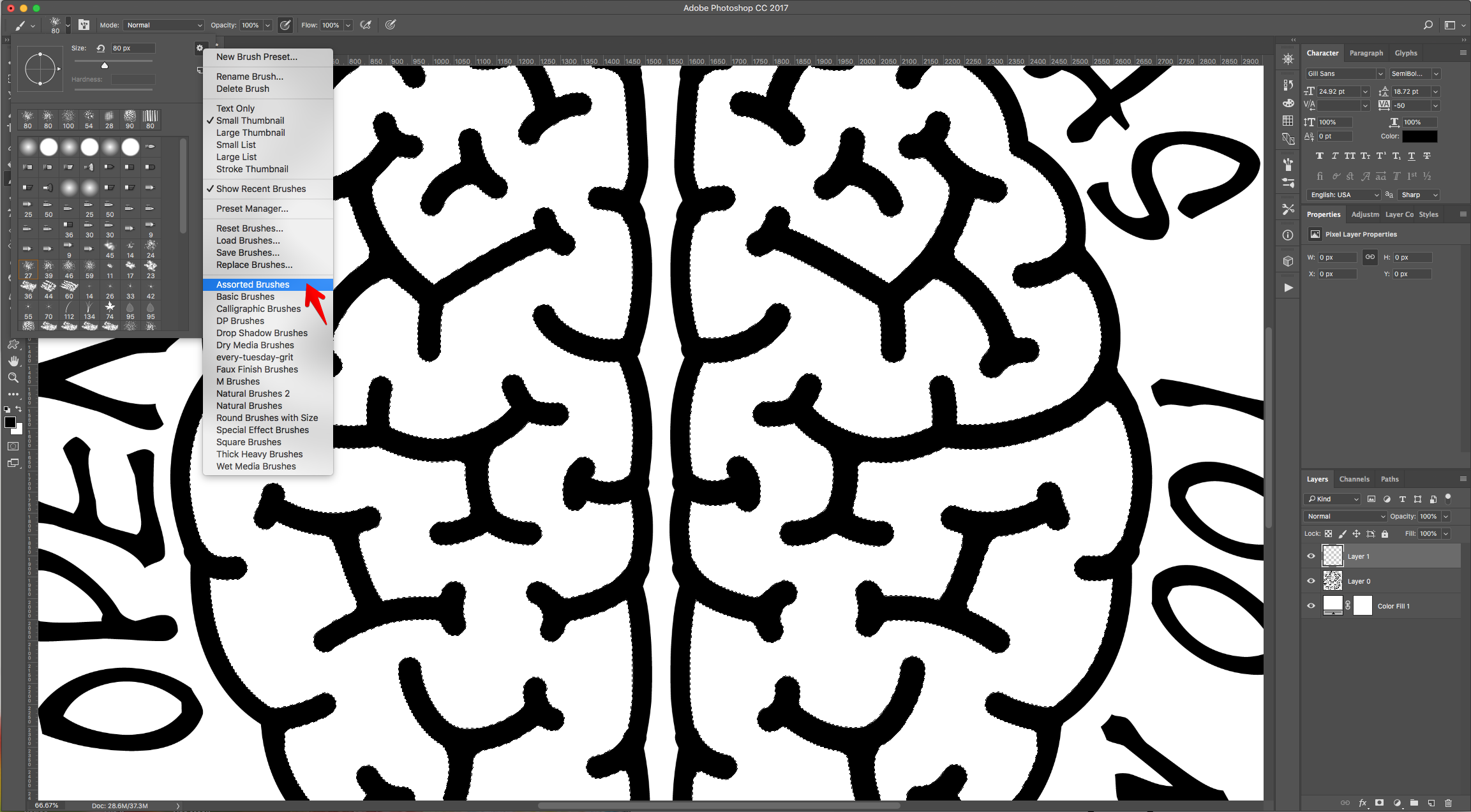
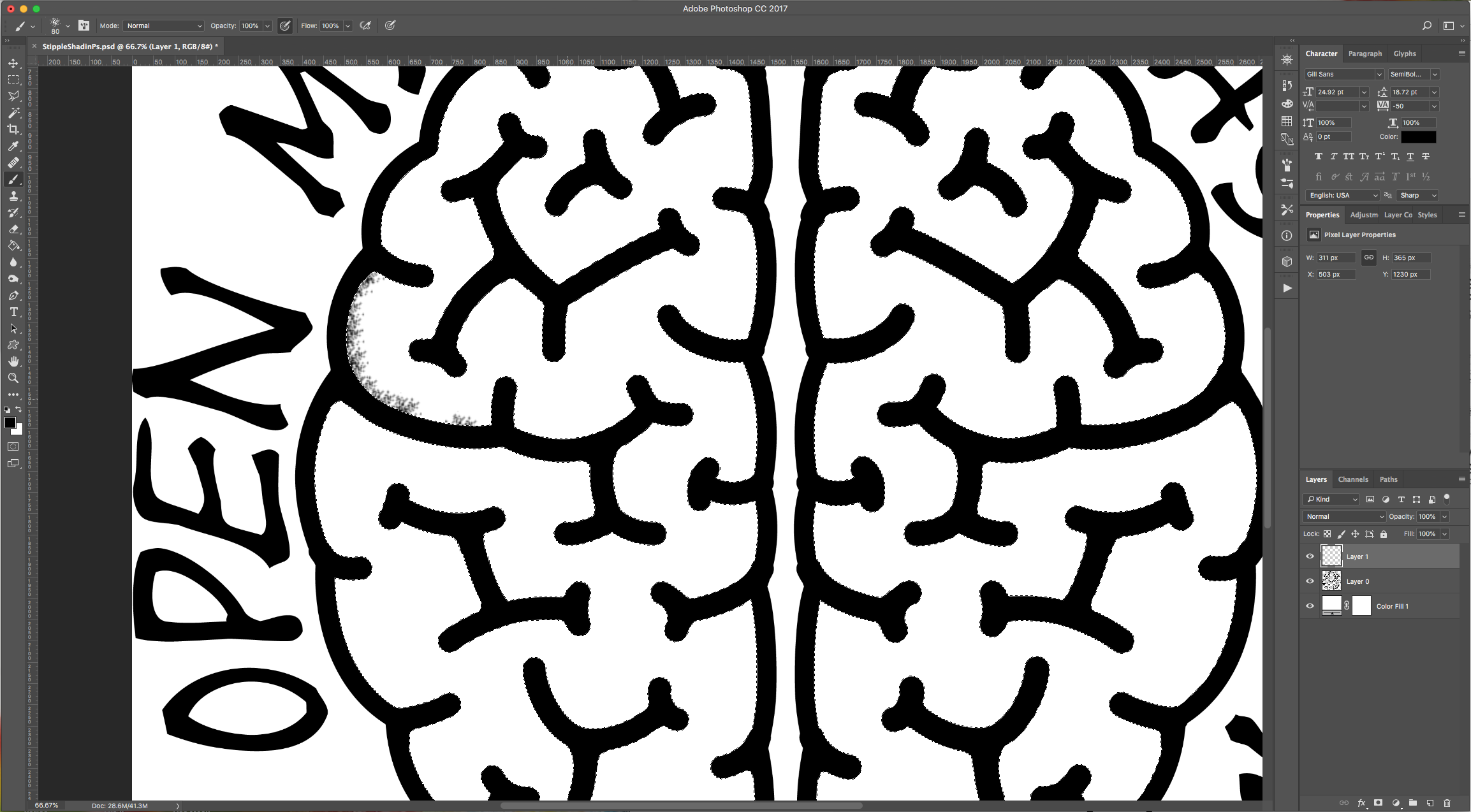
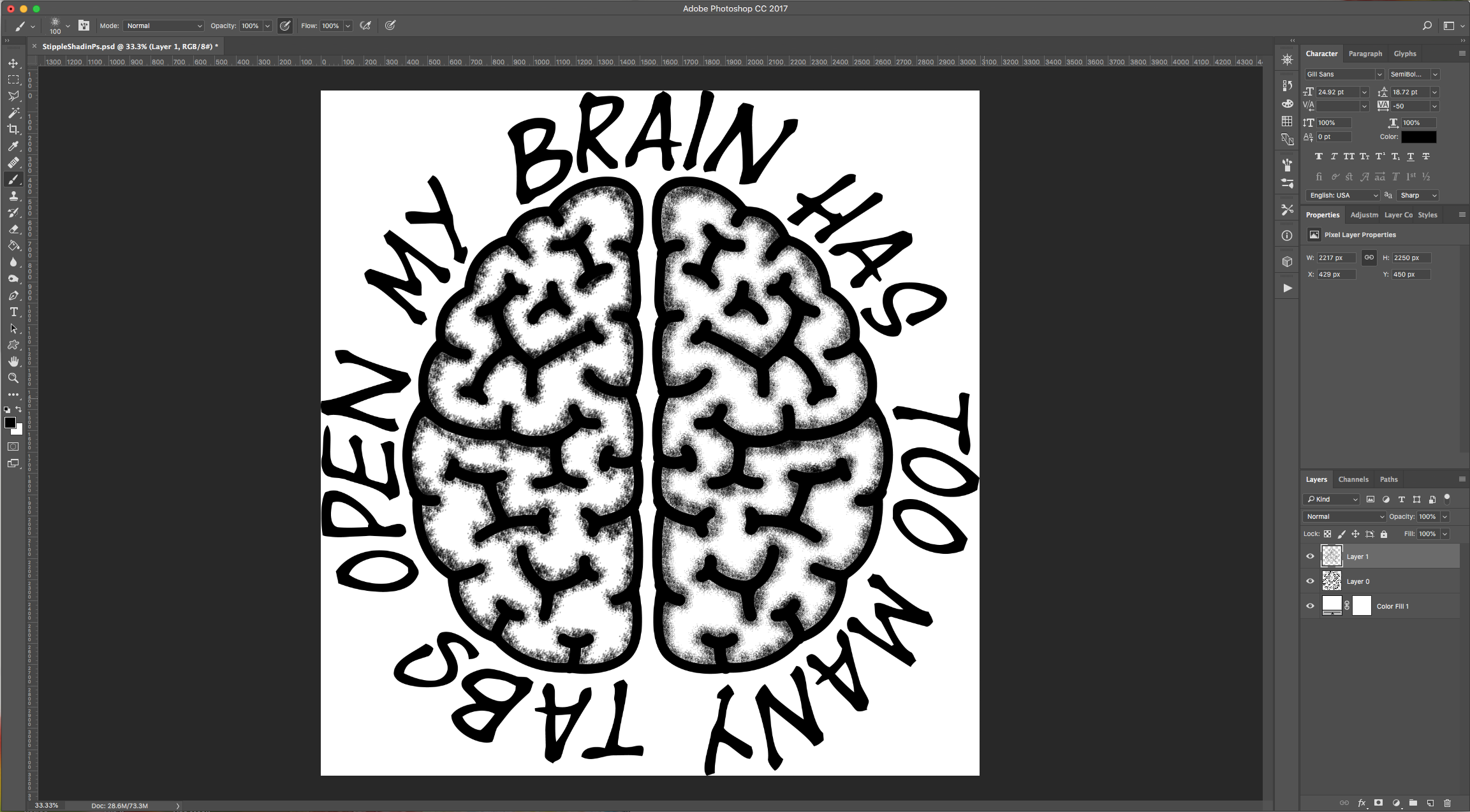
8 - Start painting some shading inside your selection to create the shading. You can use different brushes and/or sizes.
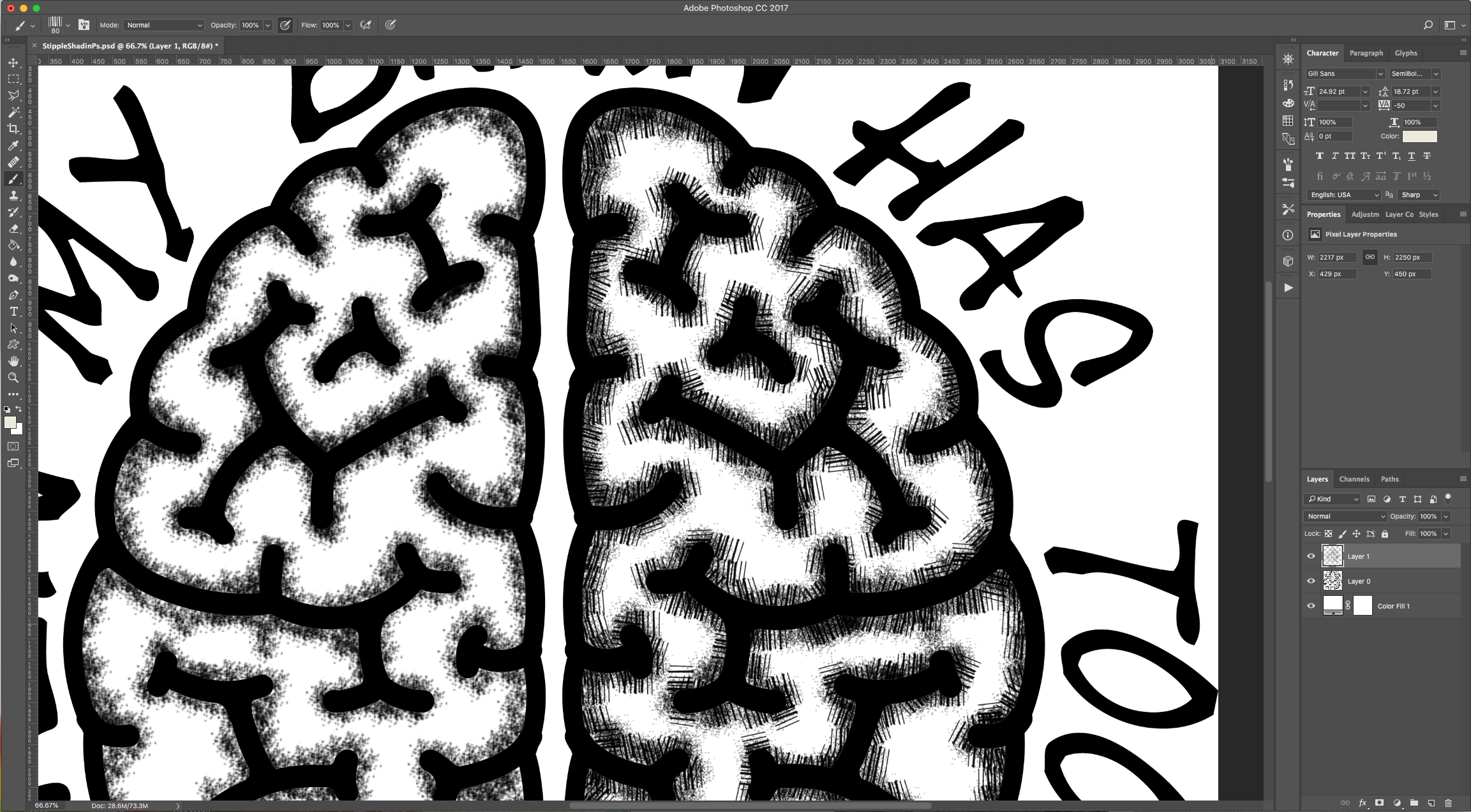
9 - You can also use a “Crosshatch” Brush to add some effects. Or overlap different brushes.
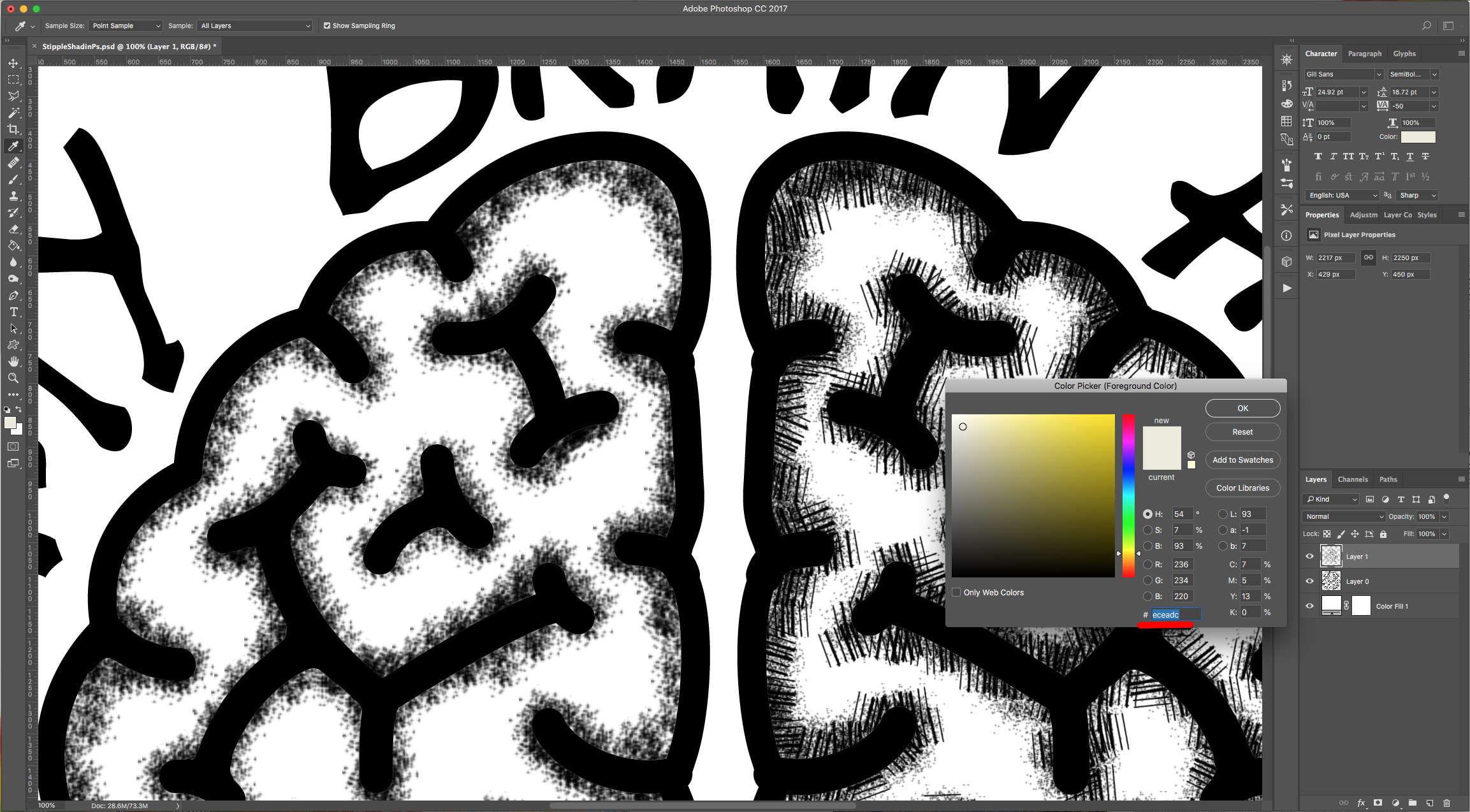
10 - Add another “Layer”, change the “Fill” color (we used #eceadc) and add more shading to achieve a different effect.
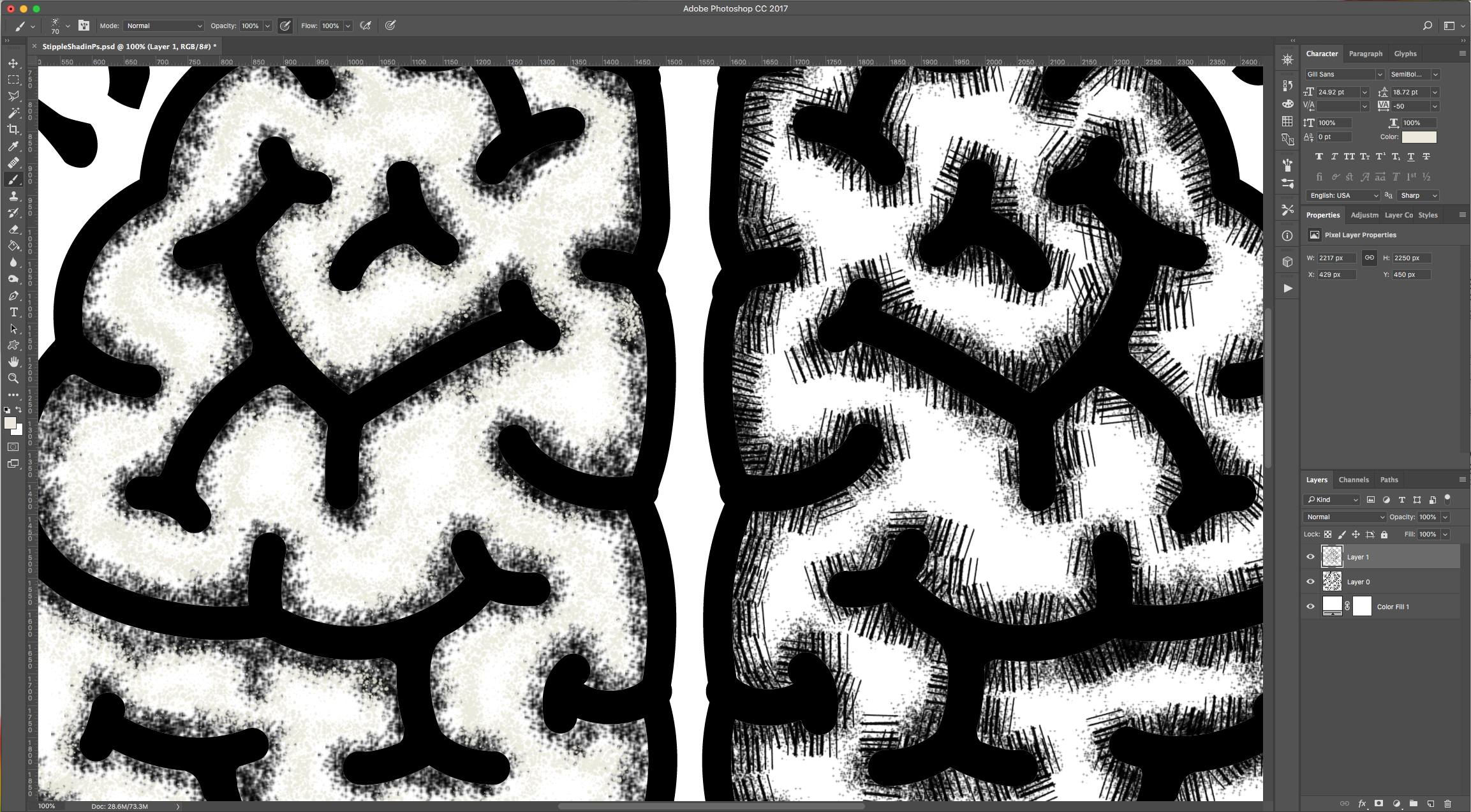
11 - Your image should be similar to this.
1 - In Photoshop, open the image you chose to work with. We chose the .PNG formatted file with a Transparent background. Unlock the Layer by double-clicking on top of its Thumbnail.
2 - Go to Layer > New Fill Layer > Solid Color, choose “None” for “Color” and click “OK”. Then use White (#ffffff) as fill color.
3 - Drag the “Color Fill” Layer down and place it under the original image.
4 - Use the “Magic Wand Tool” (W) and select the portion of the image you want to use the brushes in.
5 - Choose the “Add to Selection” in the Top Menu to add to your selection if needed.
6 - With your selection still active, go to Layer > New Layer (Shift + Command/Control + N) to create a “New Layer” on top of everything, choose “None” for “Color” and click “OK”.
7 - Select the “Brush Tool” (B), click on the “Brushes Panel” and then in the small Menu icon on the Top-Right select “Load Brushes” and navigate to where you saved the Free Brushes and “Load” them. You can also select the “Assorted Brushes” from that same Menu and use some of them instead.
8 - Start painting some shading inside your selection to create the shading. You can use different brushes and/or sizes.
9 - You can also use a “Crosshatch” Brush to add some effects. Or overlap different brushes.
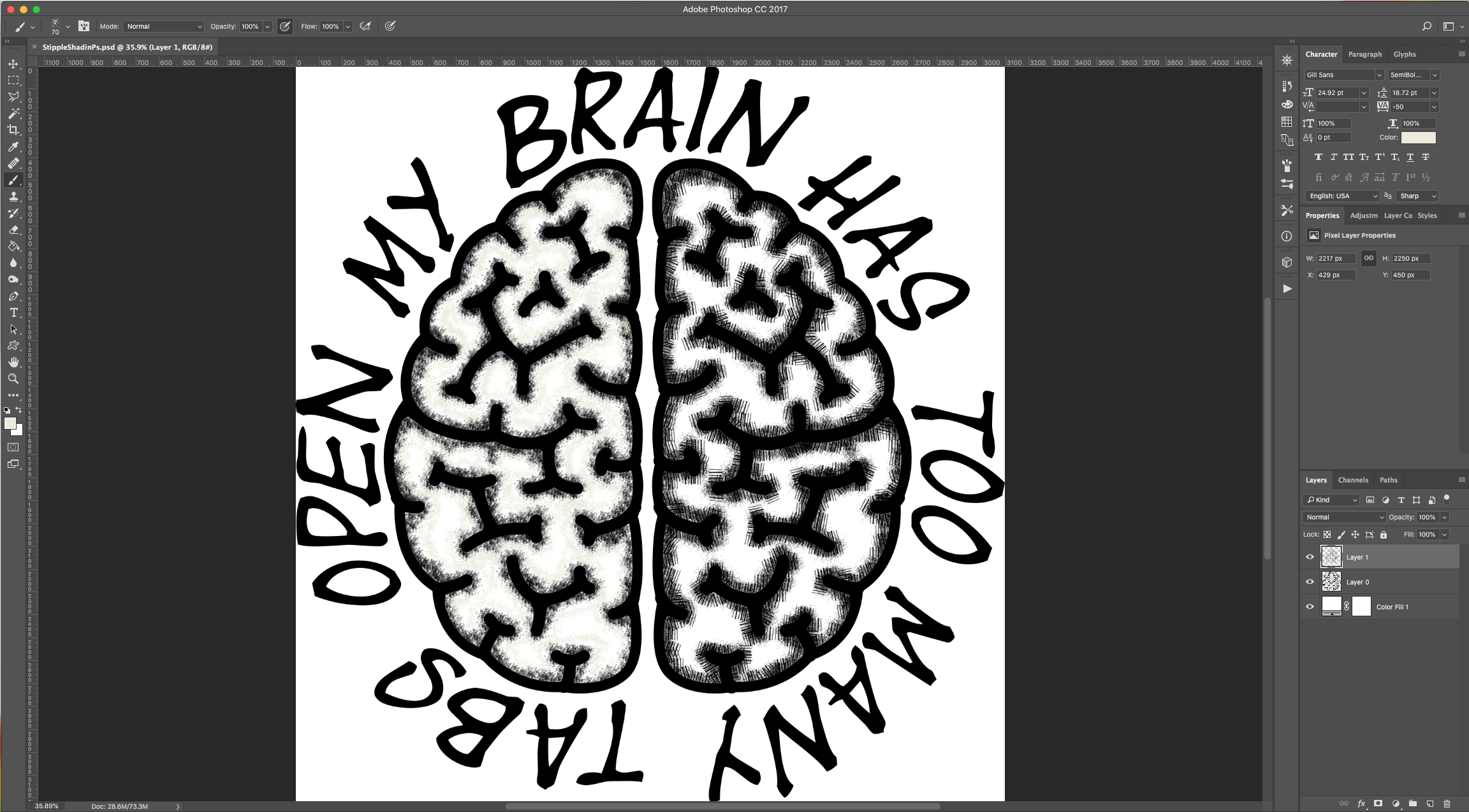
10 - Add another “Layer”, change the “Fill” color (we used #eceadc) and add more shading to achieve a different effect.
11 - Your image should be similar to this.
by @lornacane
Related Tutorials
Procreate Tutorials
How to Use Photoshop Brushes in Procreate
In this step by step tutorial we will show you how to use your Photoshop brushes in Procreate.
DesignScape Tutorials
How to Use Photoshop Brushes in DesignScape
In this quick tutorial we'll show you how easy it is to use Photoshop brushes in DesignScape.
Photoshop Tutorials
How to Use Text Effects in Photoshop
With Photoshop Text Effects, you can create text with impact in just a few steps.
Photoshop Tutorials
How to Use EPS Files in Photoshop
In this tutorial, learn how to use EPS files in Photoshop as Smart Objects to maintain image quality
Affinity Tutorials
How to Use Brushes in Affinity Designer
Learn how to use Affinity Designer brushes with this quick step by step tutorial.
Photoshop Tutorials