

By Design Bundles
SCAL Tutorials1 min
Create a jigsaw in Sure Cuts a Lot 4
*Note- SCAL4 Pro used.
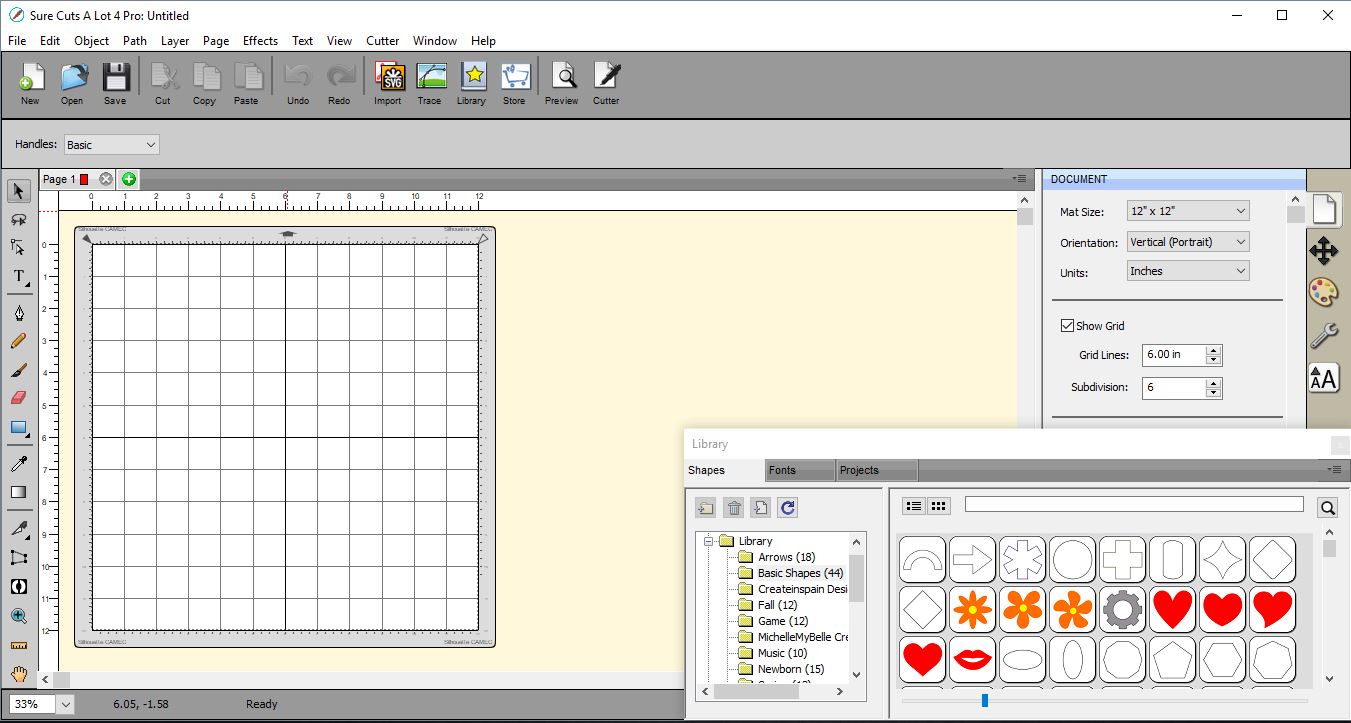
1- Open SCAL4 software.
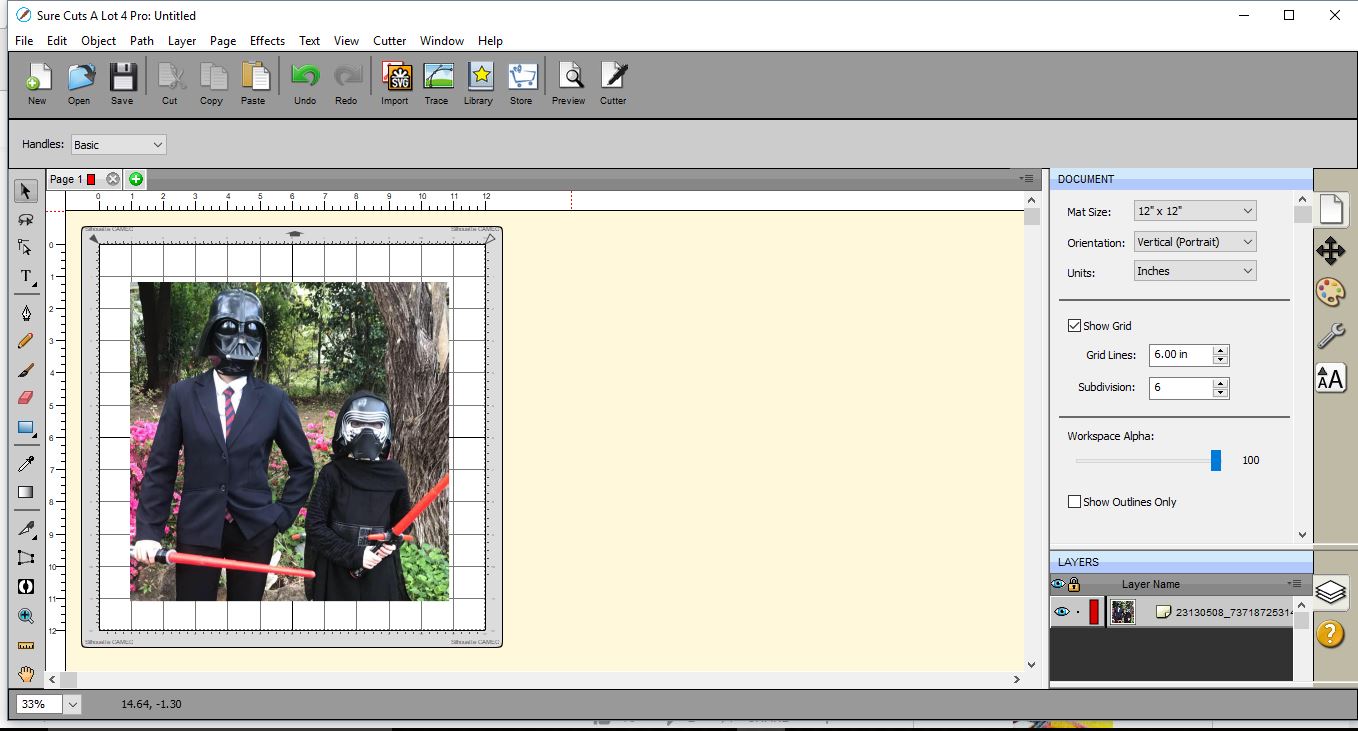
2- Insert your image. File > Place Image.
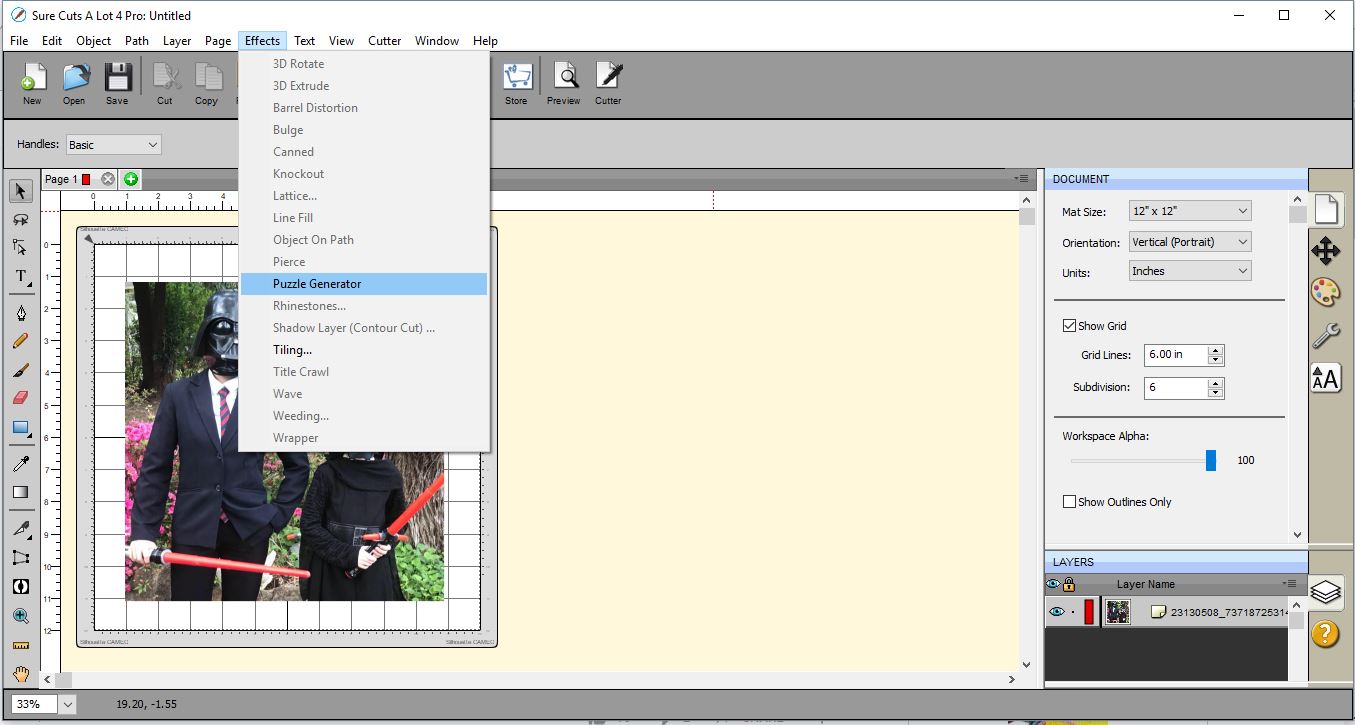
3- Go to Effects > Puzzle Generator.
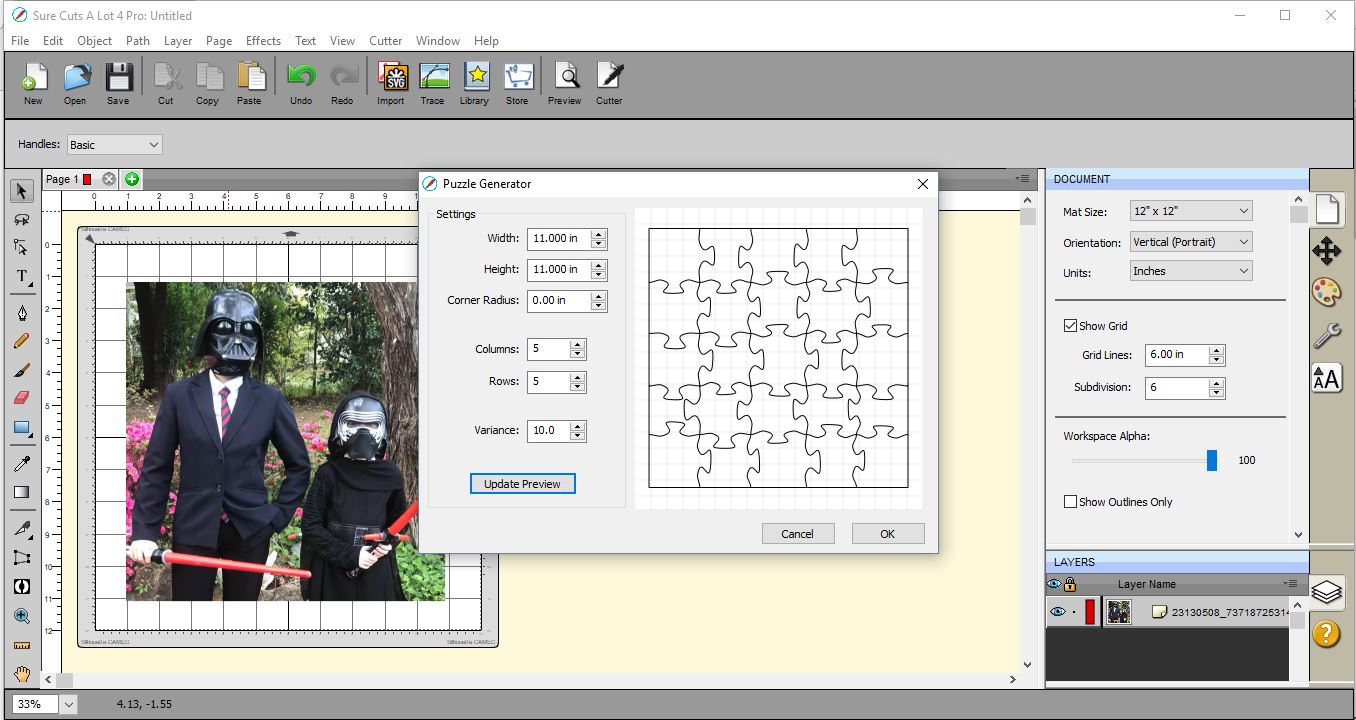
4- A new window will appear. Select the number of rows and columns you would like on your jigsaw. Click OK.
5- Resize the Jigsaw to fit your image.
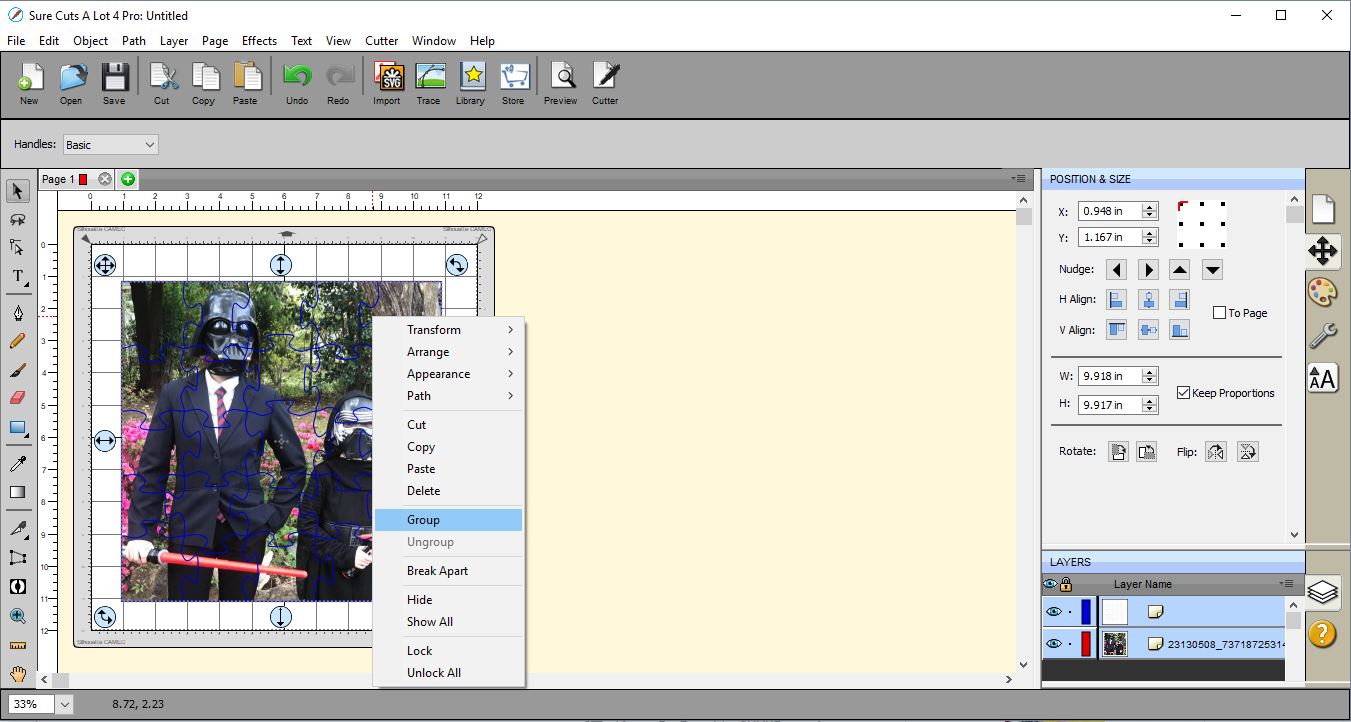
6- Select both the image and jigsaw and right click and group. You can now resize as you need and then print and cut.
1- Open SCAL4 software.
2- Insert your image. File > Place Image.
3- Go to Effects > Puzzle Generator.
4- A new window will appear. Select the number of rows and columns you would like on your jigsaw. Click OK.
5- Resize the Jigsaw to fit your image.
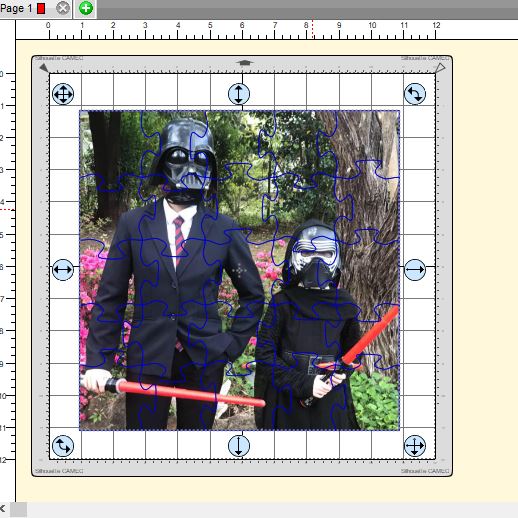
6- Select both the image and jigsaw and right click and group. You can now resize as you need and then print and cut.
Related Tutorials
SCAL Tutorials
How to create Curved text in Sure Cuts A Lot 4
SCAL Tutorials
How to Create a Monogram in Sure Cuts A Lot 4
SCAL Tutorials
Sure Cuts a Lot 4 Basics - Saving files
SCAL Tutorials