

By Design Bundles
SCAL Tutorials3 min
Sure Cuts a Lot 4 Basics - Multiple pages
Note- Sure Cuts a Lot 4 Pro used.
1- Open SCAL4 software.
2- Create your design.
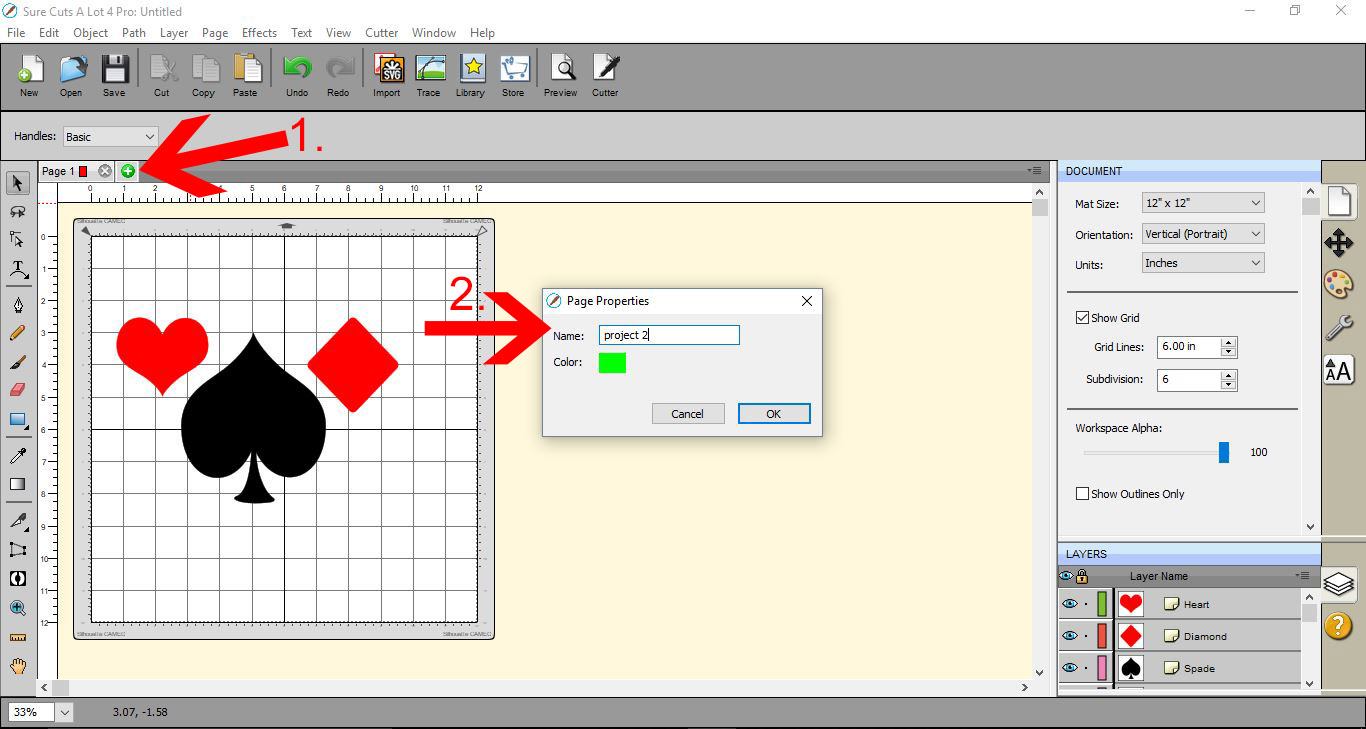
3- While creating your design, at any point you can add pages and create more than one design at a time. To create a 2nd design space, click on the + icon (1). A new window will appear. You can name the page and assign a color to it also. Click OK.
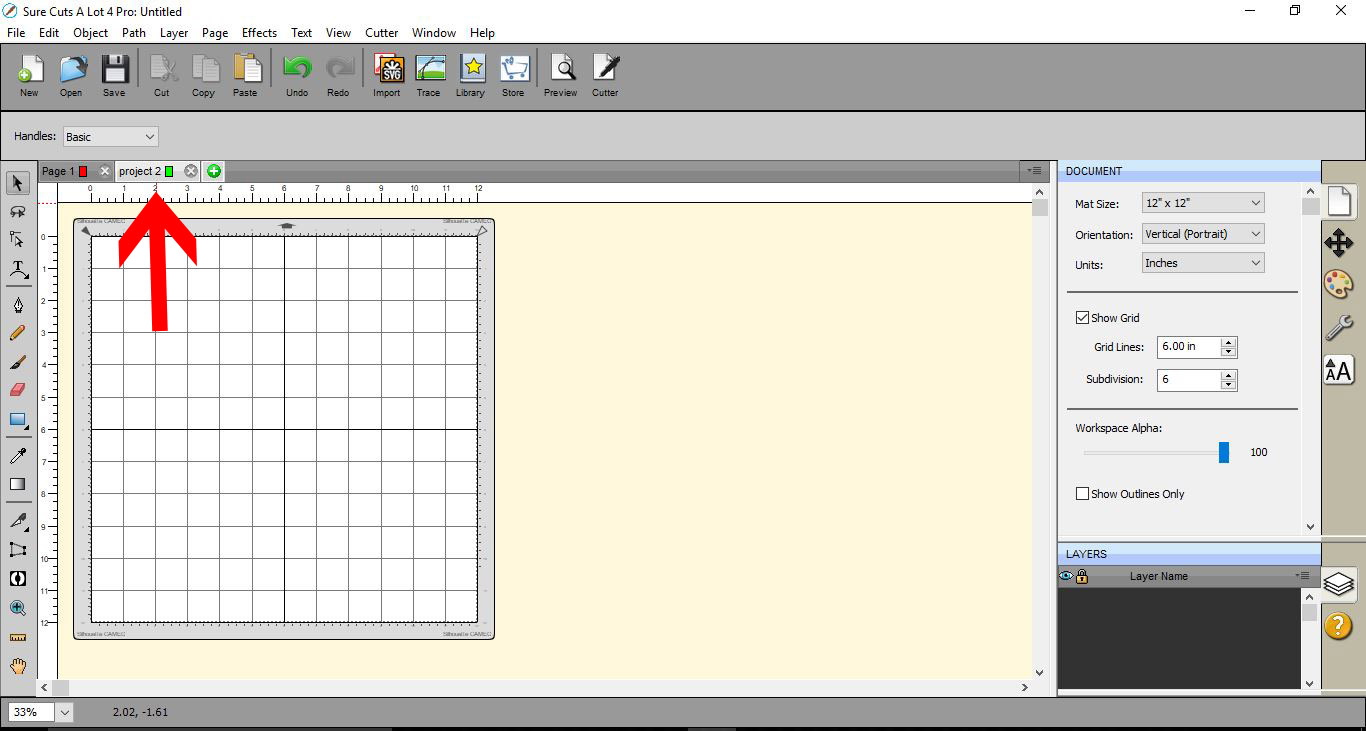
4- Your new page will be located next to the first page.
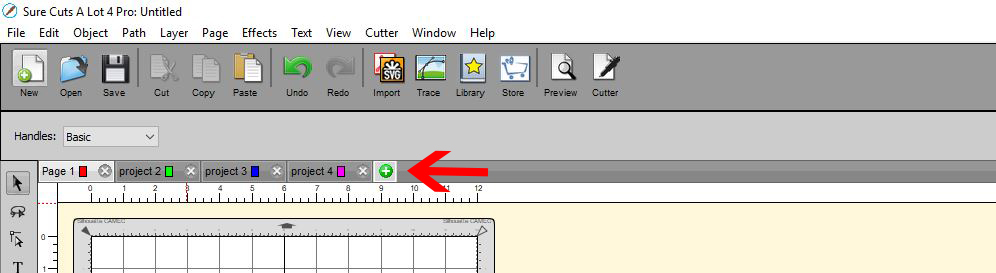
5- You can add as many extra pages as you like by clicking the + icon.
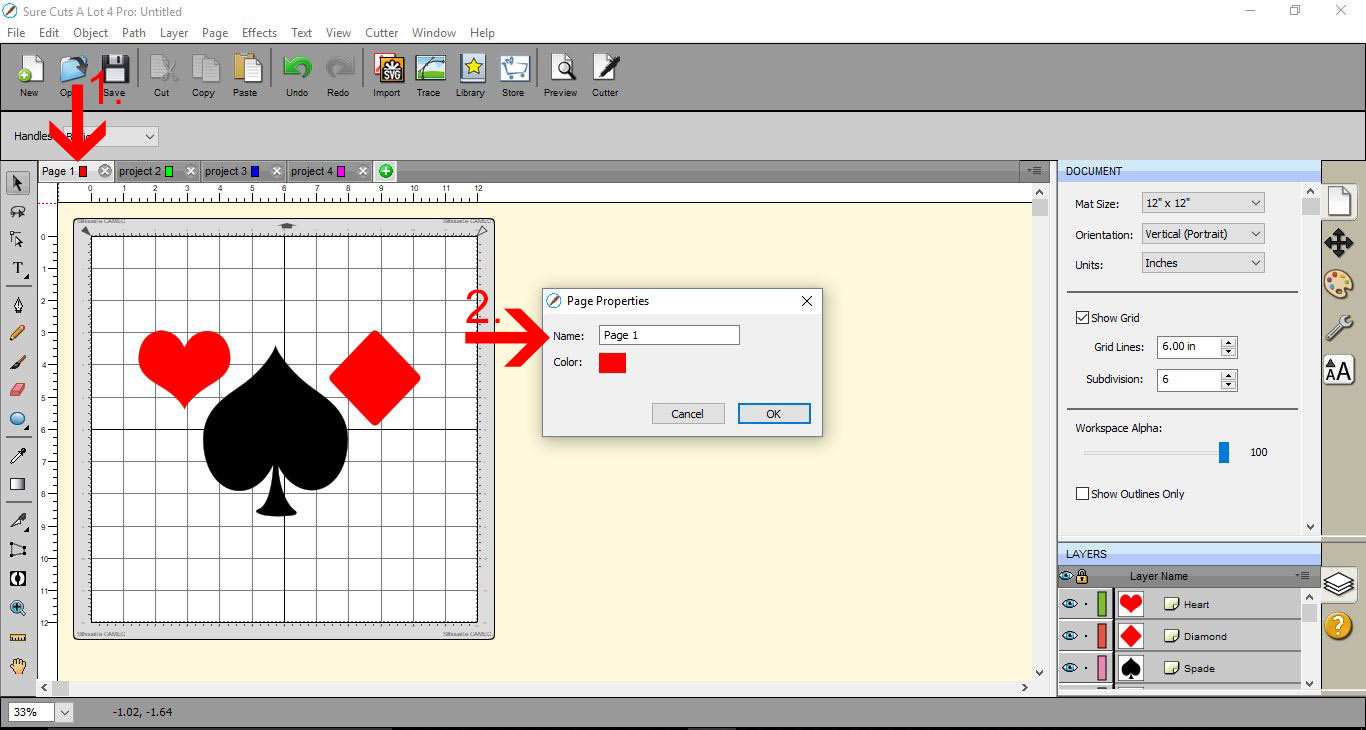
6-At any point you want to rename one of your pages, double click on the page name (1) then when the new window appears rename your page. and click OK.(2)
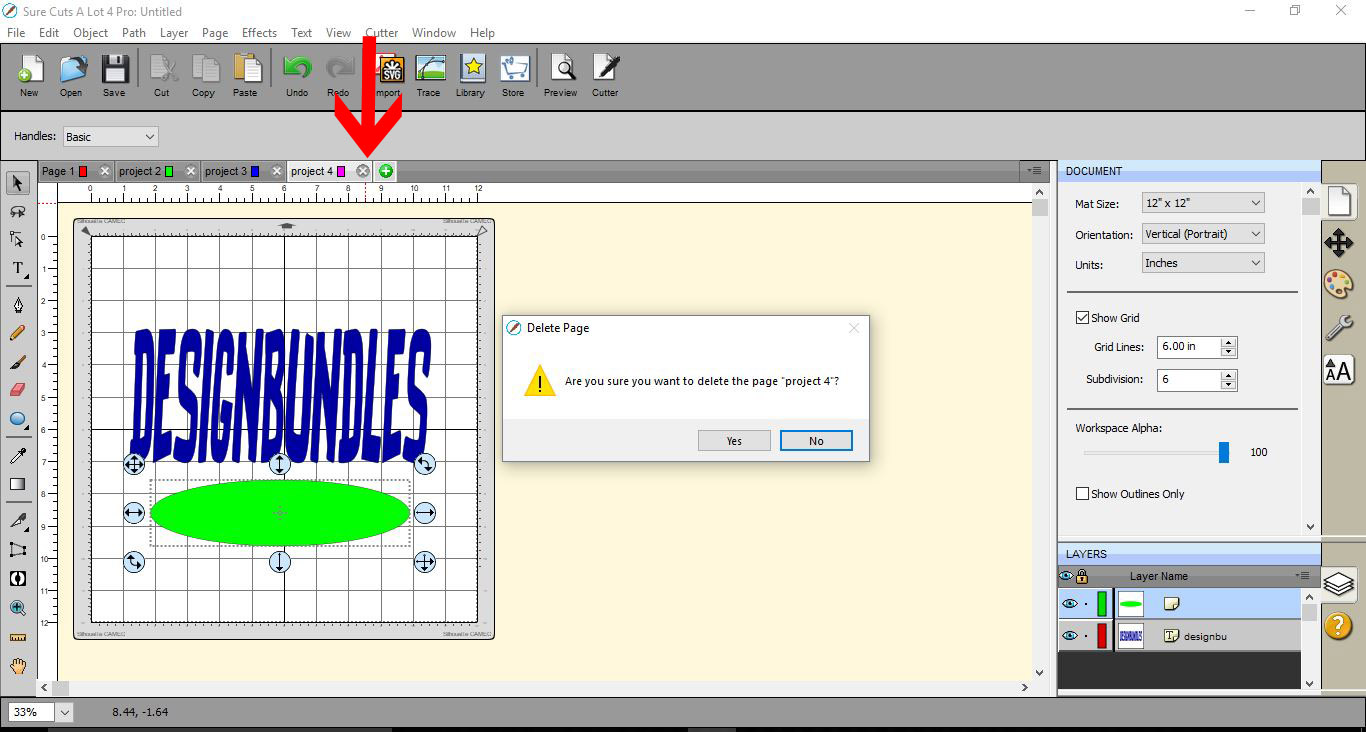
7- If you want to delete a page, click on the little x next to your page name. A new window will appear to confirm that you would like to delete it.
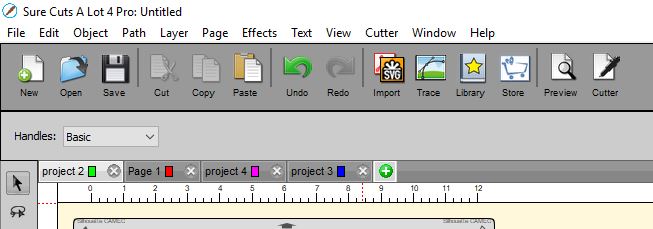
8- When you have multiple pages, you can click and drag the pages to rearrange them to the order you need.
1- Open SCAL4 software.

2- Create your design.
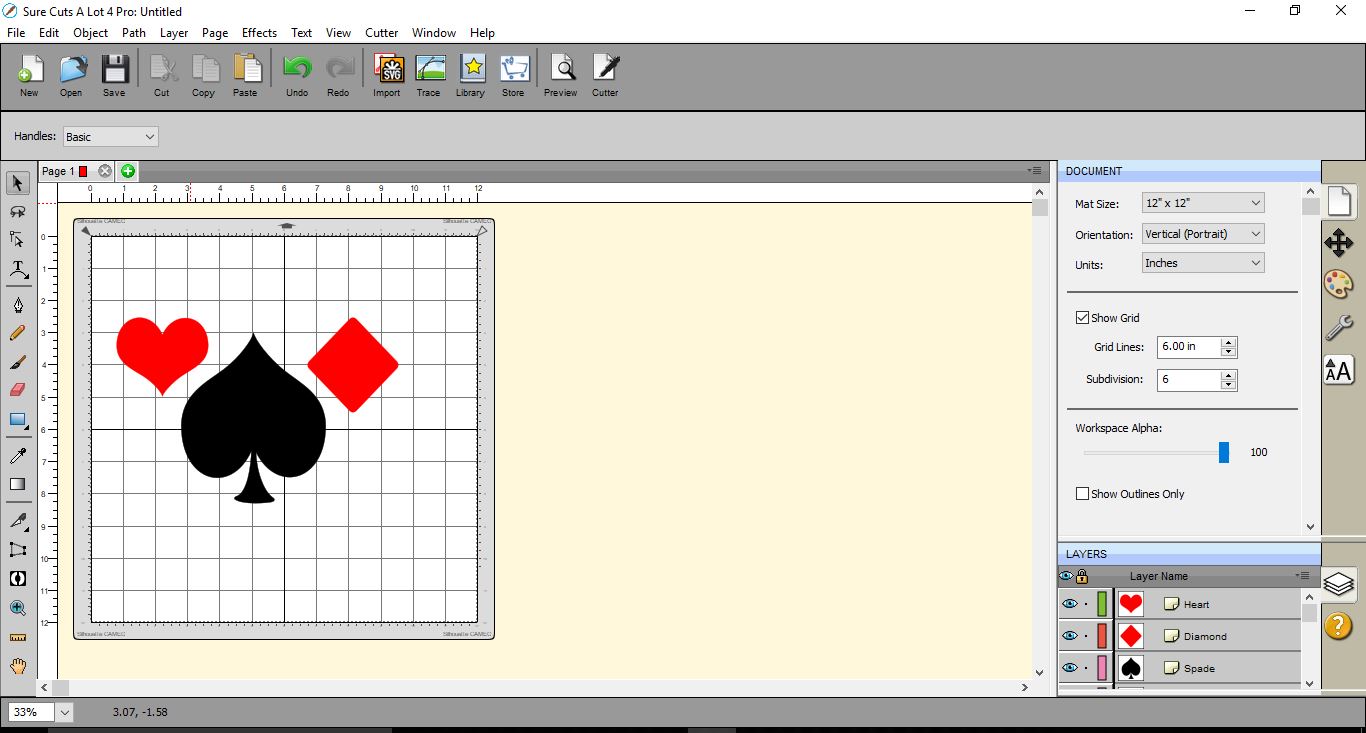
3- While creating your design, at any point you can add pages and create more than one design at a time. To create a 2nd design space, click on the + icon (1). A new window will appear. You can name the page and assign a color to it also. Click OK.
4- Your new page will be located next to the first page.
5- You can add as many extra pages as you like by clicking the + icon.
6-At any point you want to rename one of your pages, double click on the page name (1) then when the new window appears rename your page. and click OK.(2)
7- If you want to delete a page, click on the little x next to your page name. A new window will appear to confirm that you would like to delete it.
8- When you have multiple pages, you can click and drag the pages to rearrange them to the order you need.
Related Tutorials
SCAL Tutorials
Sure Cuts a Lot 4 Basics - Saving files
SCAL Tutorials
Sure Cuts A Lot 4 Basics - Tracing a colored image
SCAL Tutorials
Sure Cuts A Lot 4 Basics - Cutter set up
SCAL Tutorials
Sure Cuts A Lot 4 Basics - The Text tool
SCAL Tutorials
Sure Cuts a Lot 4 Basics - Font Preview function
SCAL Tutorials