By Design Bundles
Scan N Cut Tutorials4 min
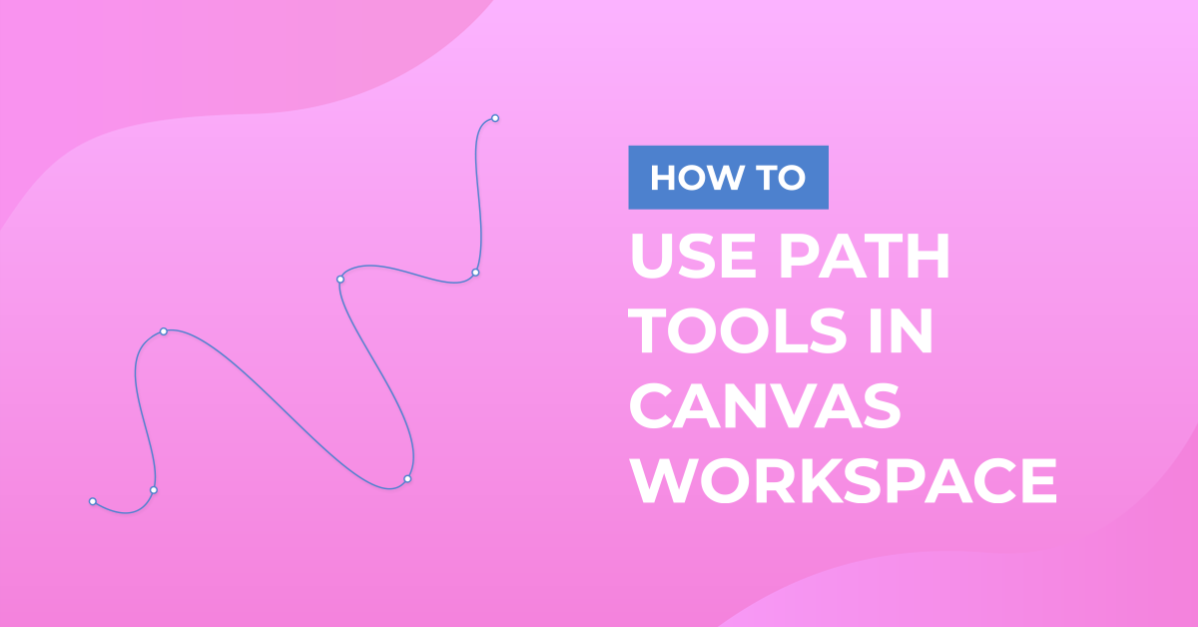
Canvas Workspace Path tools
* Formally Brother Scan and Cut Canvas
** Note That this new software is downloadable to your PC or laptop.
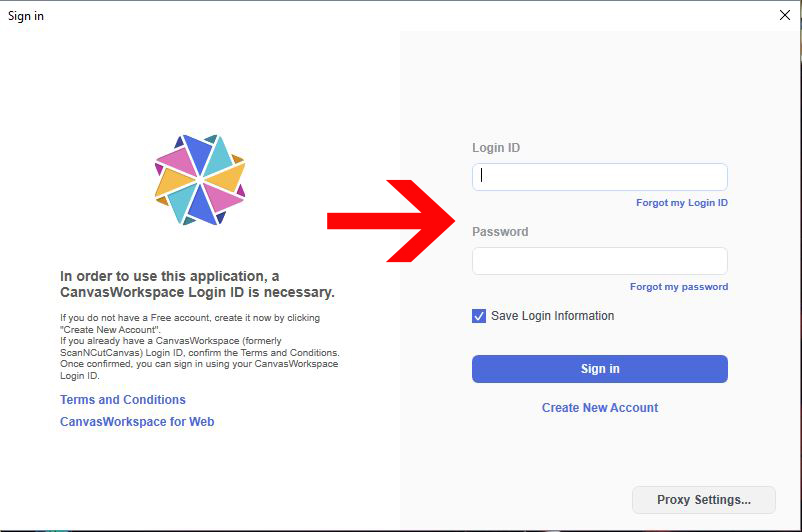
1- Log into the Canvas workspace software.
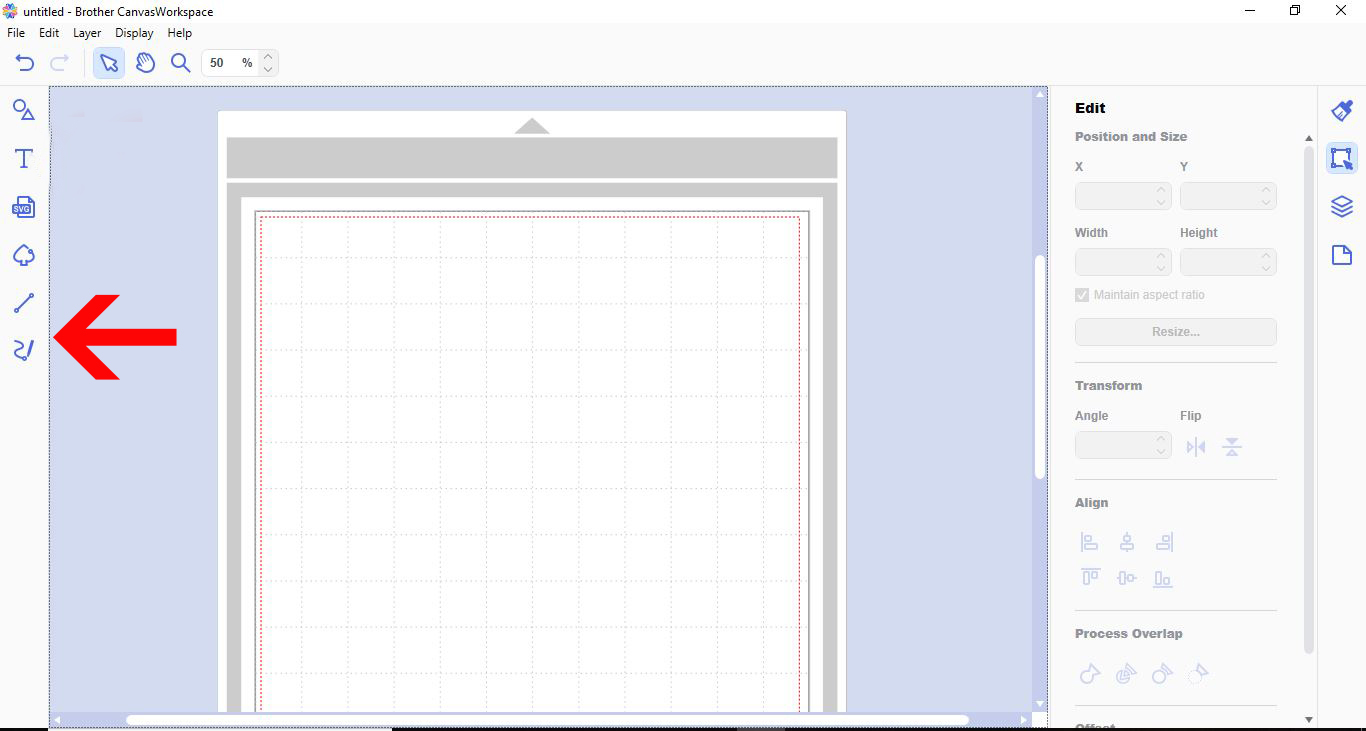
2- There are 2 path options. Tap on the top one.
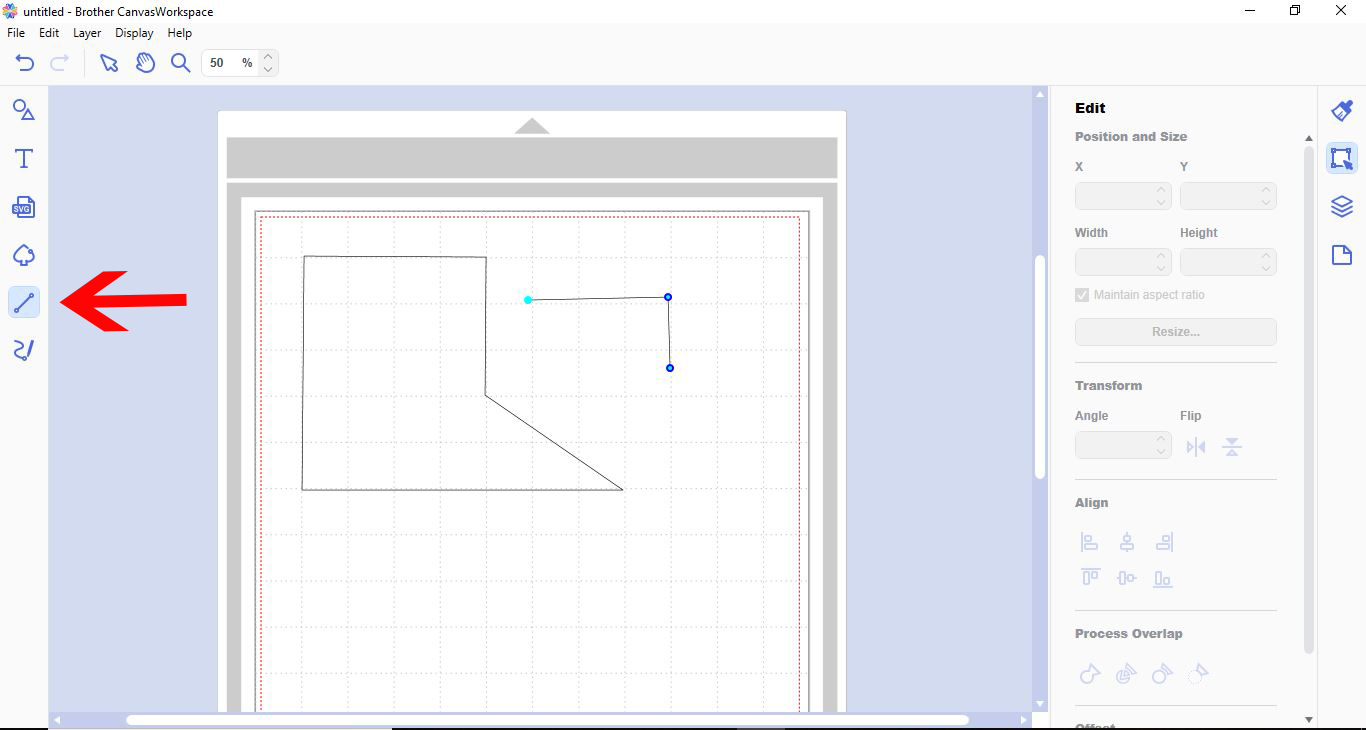
3- The path tool will allow you to create new shapes with straight lines. Click on the path tool, then click on the workspace. continue clicking where you want each corner till you have your shape. You can close the shape by finishing at your starting point.
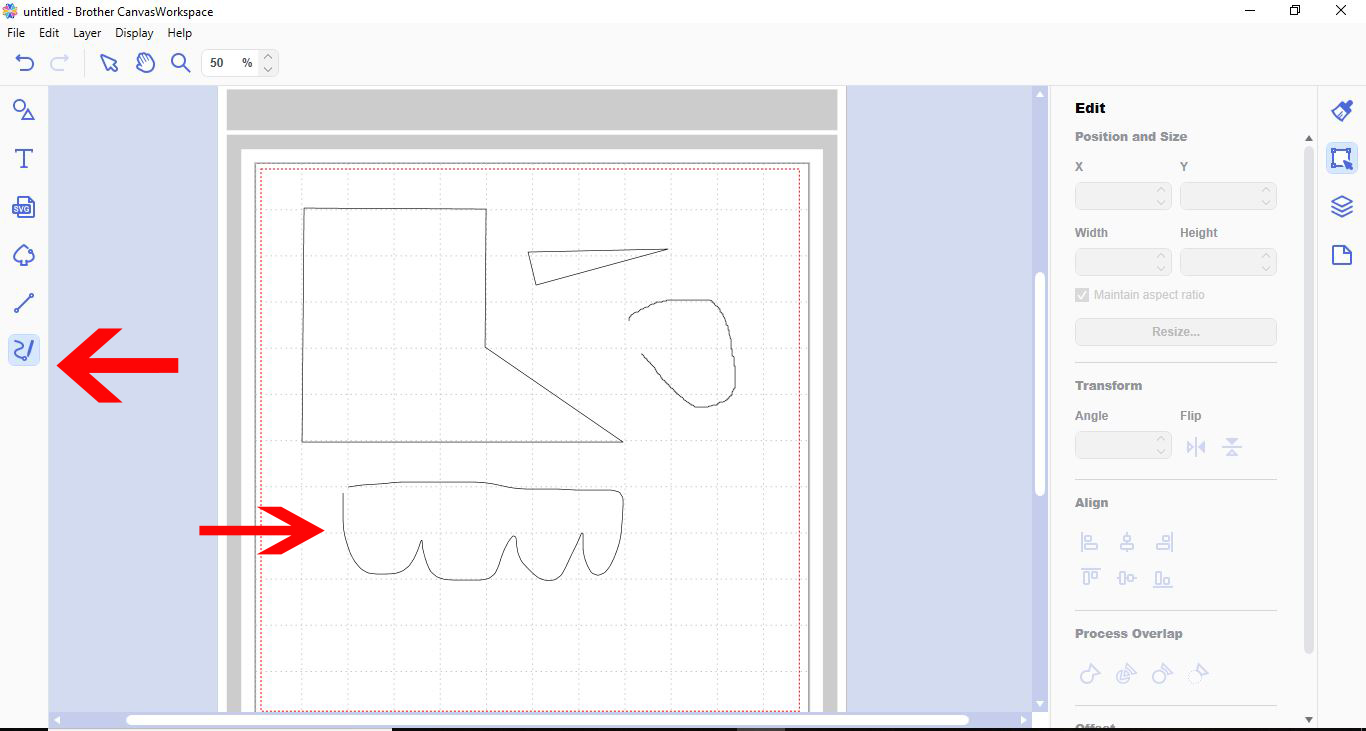
4- The freehand path too works in the same way except that you can draw any way as you would a pencil. you can connect the shape as a whole by finishing your shape at the start point.
5- If you want to alter your path lines, double click the line you want to change.
6- In the path editing tools you can add a node.
7- You can also remove nodes from your design to change cut points.
8- Another feature is that you can Close an outline.
9- You can also open a closed outline.
10- You can also adjust curved shapes.
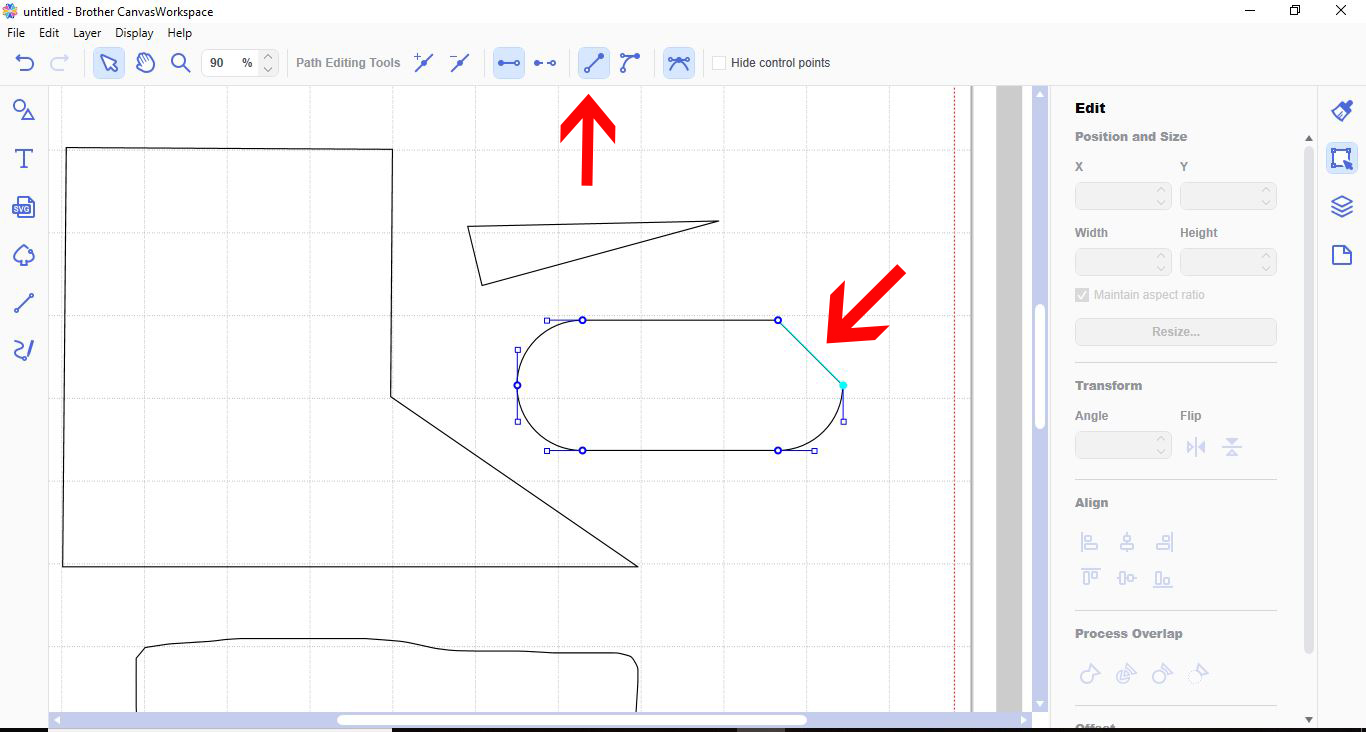
11- You can use the straight node tool to straighten a curved line.
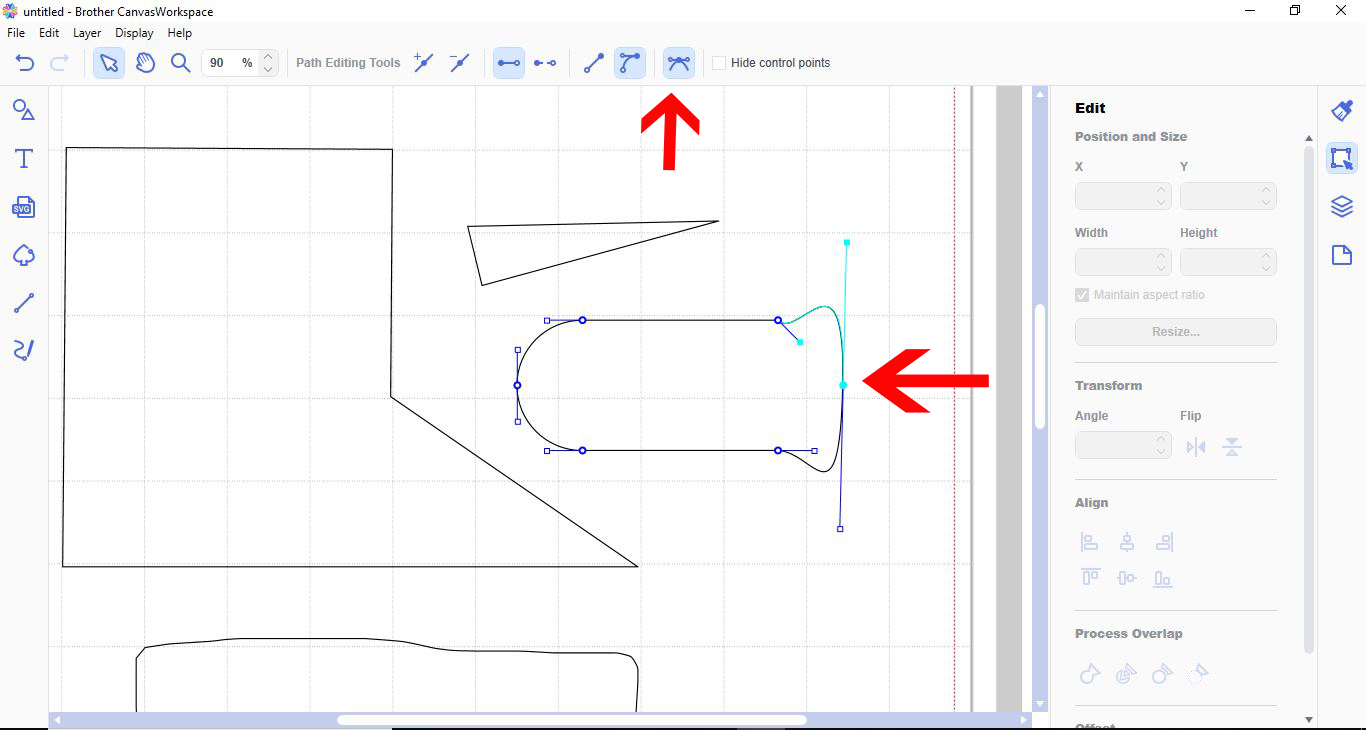
12- you can also change a straight line to a curved line.
** Note That this new software is downloadable to your PC or laptop.
1- Log into the Canvas workspace software.
2- There are 2 path options. Tap on the top one.
3- The path tool will allow you to create new shapes with straight lines. Click on the path tool, then click on the workspace. continue clicking where you want each corner till you have your shape. You can close the shape by finishing at your starting point.
4- The freehand path too works in the same way except that you can draw any way as you would a pencil. you can connect the shape as a whole by finishing your shape at the start point.
5- If you want to alter your path lines, double click the line you want to change.
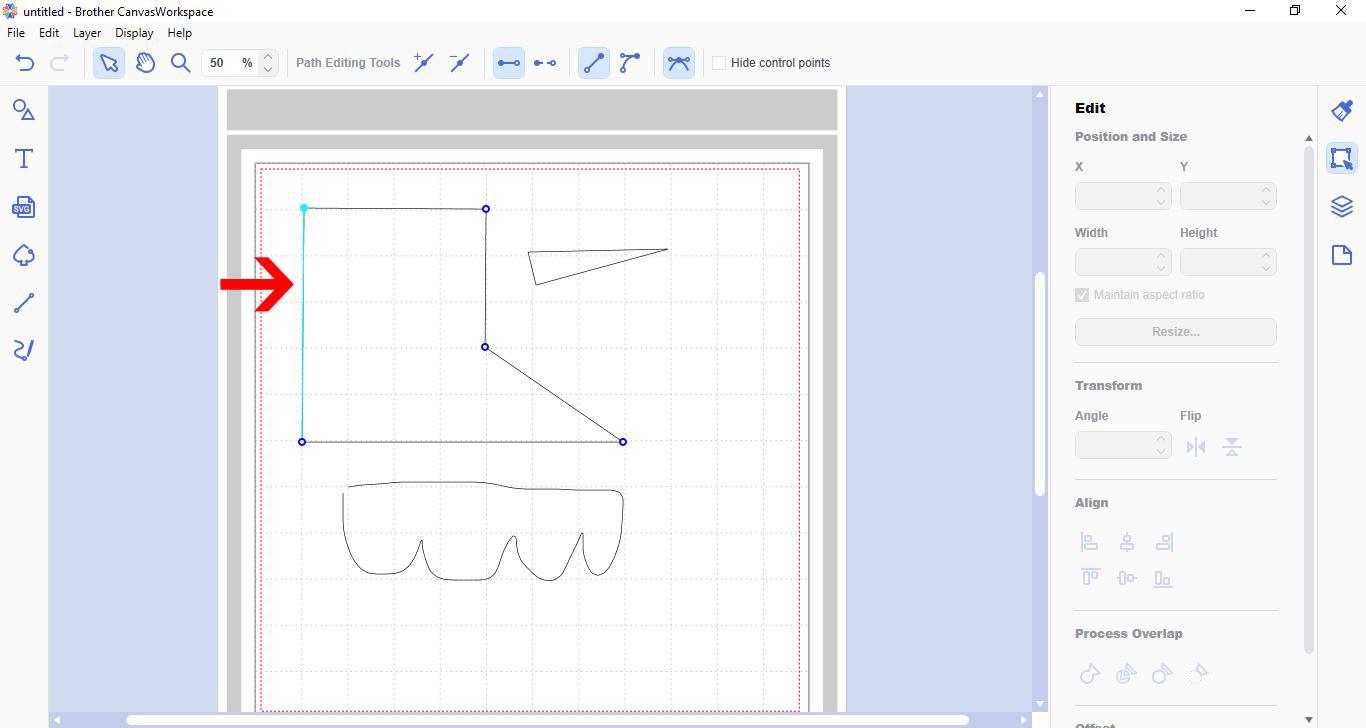
6- In the path editing tools you can add a node.
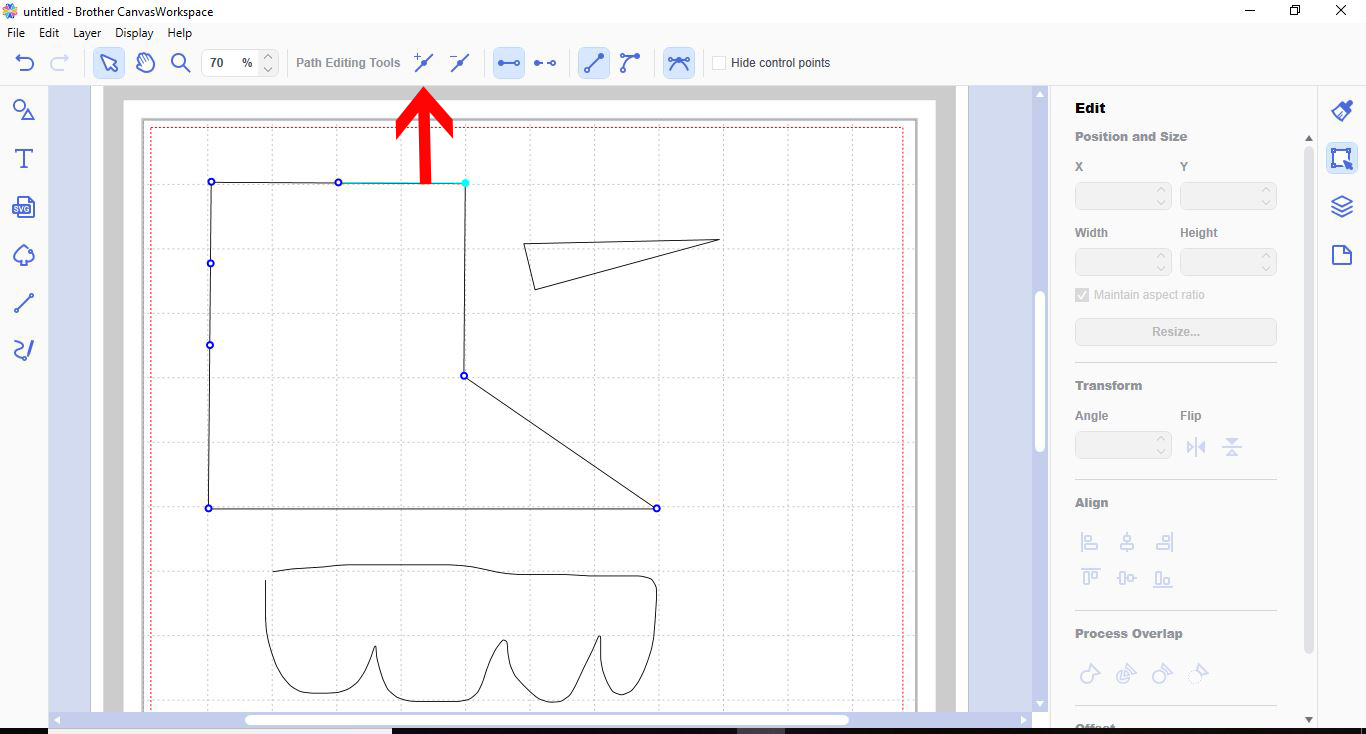
7- You can also remove nodes from your design to change cut points.
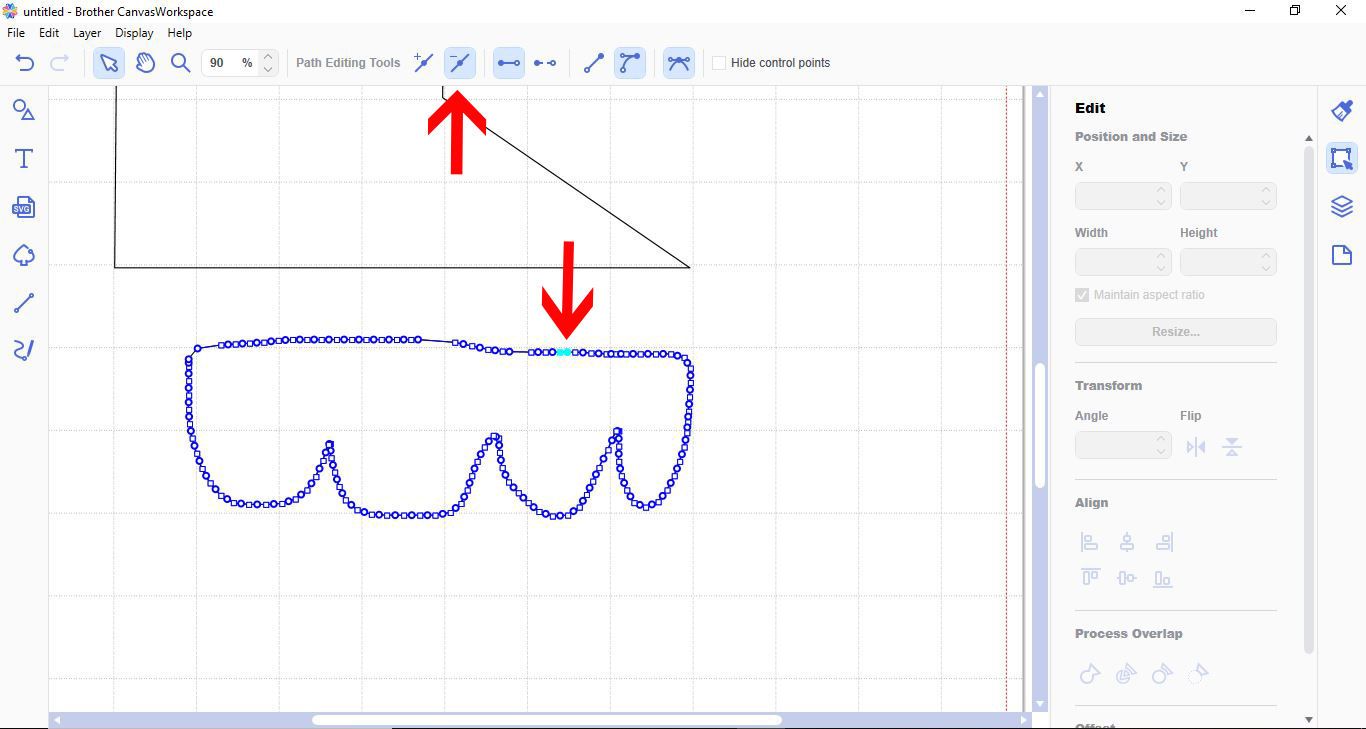
8- Another feature is that you can Close an outline.
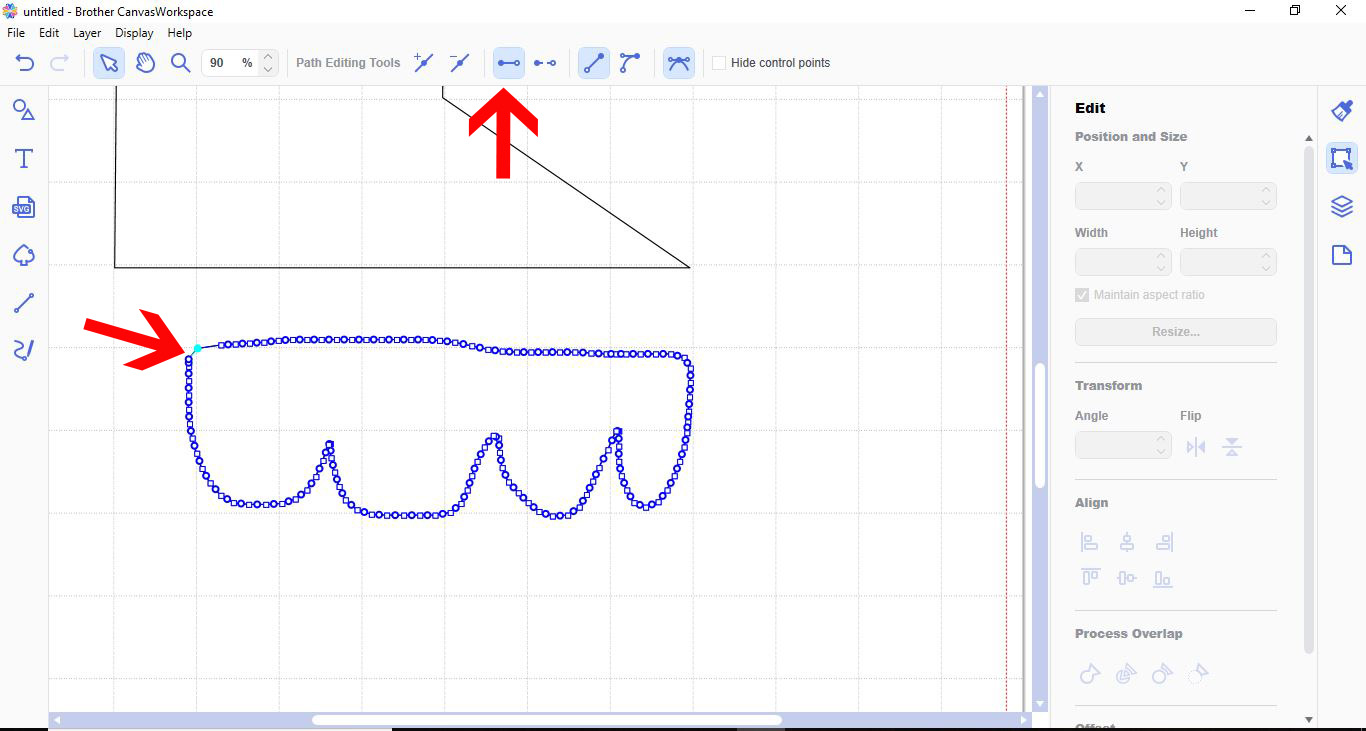
9- You can also open a closed outline.
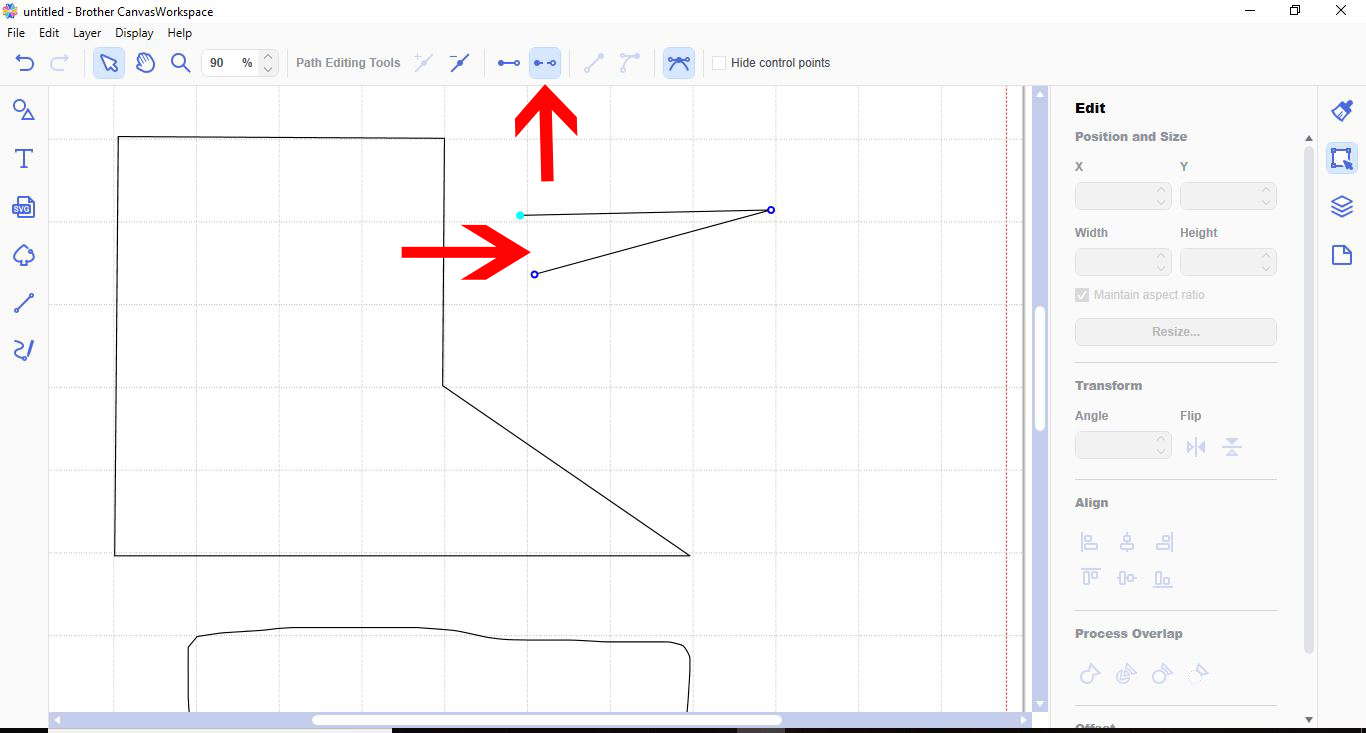
10- You can also adjust curved shapes.
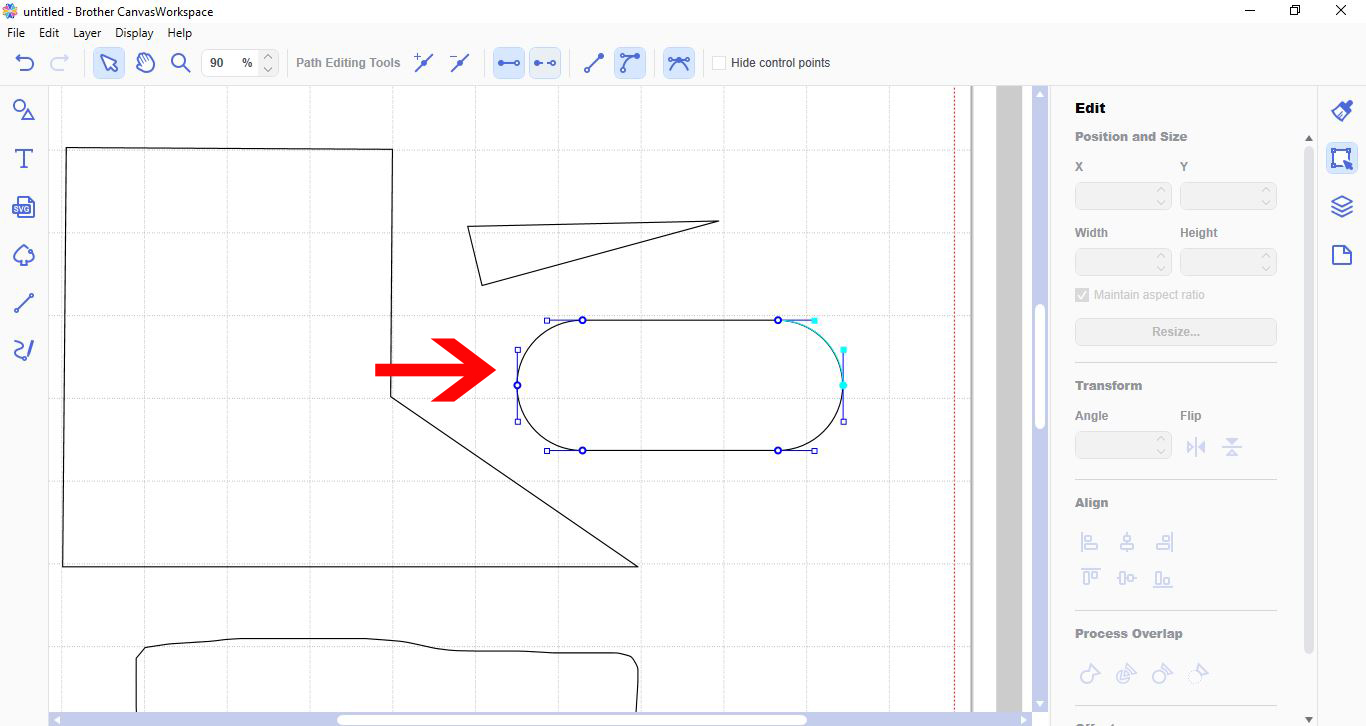
11- You can use the straight node tool to straighten a curved line.
12- you can also change a straight line to a curved line.
Related Tutorials
Scan N Cut Tutorials
How to create curved text in brother scan and cut canvas workspace
Learn how to curve text in Brother Scan N Cut
Scan N Cut Tutorials
Tracing basics in Canvas Workspace
DesignScape Tutorials
How to Use Path Modification Tools in DesignScape
In this step by step tutorial learn how to use the path modification tools in DesignScape.
Scan N Cut Tutorials
How to make a image larger than your cutting mat in Brother Scan N Cut canvas workspace
Learn how to cut designs larger than your cutting mat in Brother Scan N Cut canvas.
Scan N Cut Tutorials