By Design Bundles
Silhouette Tutorials2 min
How to Create a Basic Cookie Cutter in Silhouette Alta 3D Printer
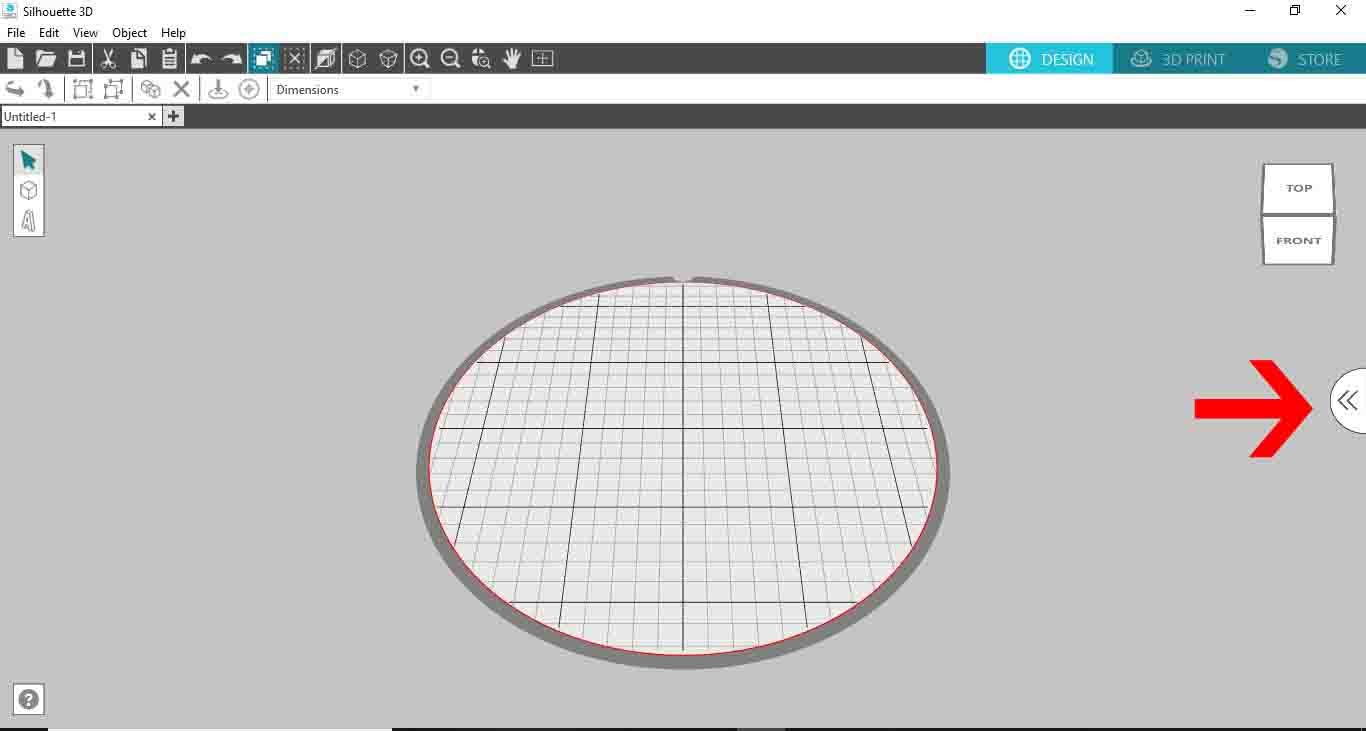
1- Open Silhouette Alta 3D software. Click on the right tab to access the library.
2- Click on the library.
3- Select a basic 2D file. Double click on it.
4- A new window will appear. Select the cookie cutter option.
5- Your design will appear directly as a cookie cutter shape.
6- Adjust the size and height to your needs. click on the 3D print option. Your design will start to create a sliced design to print.
7- Once complete you can click on the print icon. this will print your design.
2- Click on the library.

3- Select a basic 2D file. Double click on it.

4- A new window will appear. Select the cookie cutter option.

5- Your design will appear directly as a cookie cutter shape.

6- Adjust the size and height to your needs. click on the 3D print option. Your design will start to create a sliced design to print.

7- Once complete you can click on the print icon. this will print your design.

Related Tutorials
Silhouette Tutorials
How to Add Embossing Effect to Cookie Cutter Using a SVG file In Silhouette Alta 3D Printer Software
In only 4 steps, discover how to make an embossed cookie cutter with the Silhouette Alta 3D printer.
Silhouette Tutorials
Using Silhouette Studio to Create Text for the Silhouette Alta 3D Printer Software
Silhouette Tutorials
How to Unload Filament in the Silhouette Alta 3D printer
Silhouette Tutorials
How to Create a Basic Stencil in Silhouette Alta
Silhouette Tutorials
How to Alter Designs in Silhouette Alta 3D Printer Software
Silhouette Tutorials