Get Unlimited Access to Millions of Craft Designs, Templates, Fonts and More! Start Creating for Free Now

DesignBundles.NET
Pricing
DesignBundles.NET

Categories

New

Account

Start Free Trial
How to Use the Slice Tool in Cricut Design Space Mobile App

By Design Bundles

How to Use the Slice Tool in Cricut Design Space Mobile App

Discover how to slice in Cricut Design Space Mobile App using the Slice Tool.

Today we’ll focus on how to use the Slice tool in Cricut Design Space App. If you're using the desktop version of Cricut, make sure to check out this guide on slicing in Design Space on the desktop.

Step 1. Create a New Project

After signing in, create a new Cricut Design Space project. You can easily do this by clicking on the blue rectangle box that is labeled New Project.
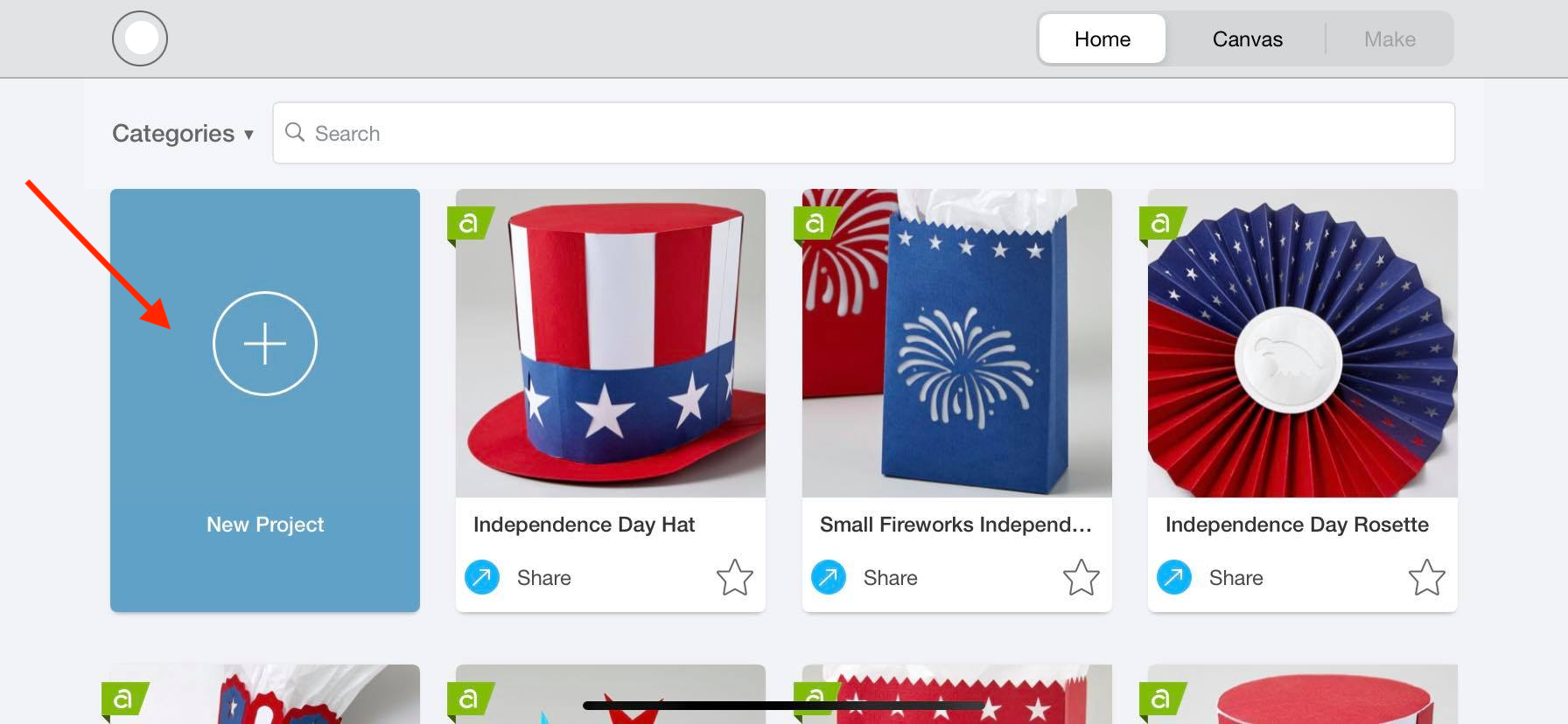
New Project-Design Space app

 Step 2. Insert Your Shape

Today I'll be creating a circle using the Shapes Icon in Cricut. This will be one of the items we use to slice. Remember that this process can be used for your uploaded items as well.

Shape Icon-Design Space

Step 3. Type out Your Text

Click on the big “T” at the bottom of your screen to type out your text. Today I'll be using a handwritten font called Farmland.
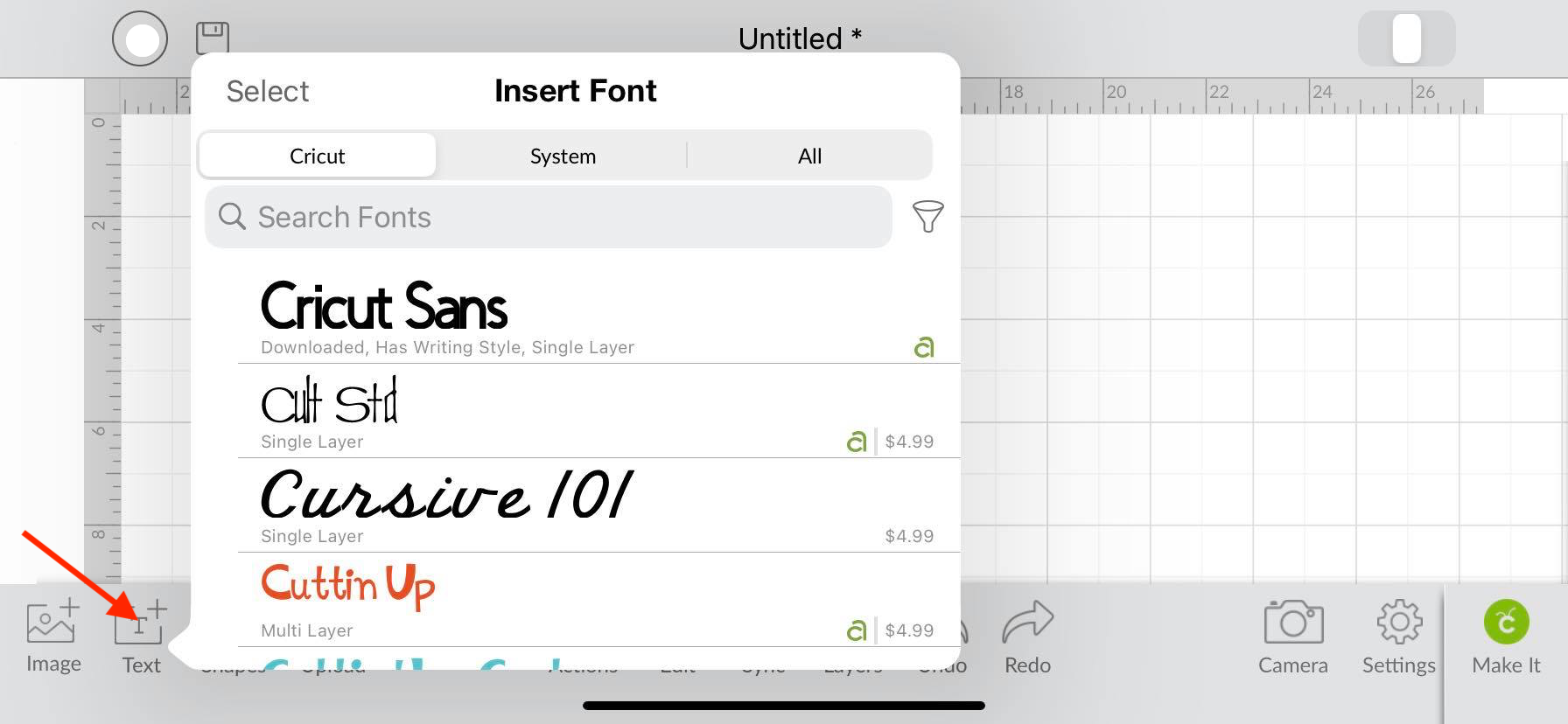
Text Tool-Design Space app

After creating your text, lay it in the center of the circle. Please note that this process will still work even if the text is underneath the circle.

Layer objects-Design Space

Step 4. Slice Objects

Select both objects and slice. To slice, first, click on the Action icon located on the bottom toolbar. Once you do this, another toolbar will appear right above it, and you can now click on the slice icon.

Action Icon- Design Space App

Your objects are now sliced. Pull layers apart and delete unwanted items on your canvas screen.

Slice-Design Space app

If you liked this tutorial, make sure to check out our other Cricut tutorials, such as making stickers and creating a distressed design.

Related Tutorials

Cricut Tutorials

How To Use The Slice Tool In Cricut Design Space To Split Images

Learn how easily to Split Images in Cricut Design Space using the Slice Tool.
Cricut Tutorials

Using the Actions Tool in Cricut Design Space Mobile App

Today, learn how to use the Actions tool in the Cricut Design Space mobile app.
Cricut Tutorials

Altering Images Using the Contour Tool in Cricut Design Space Mobile App

Discover how to alter images using the Contour Tool in Cricut Design Space.
Cricut Tutorials

How to Use the Layers Toolbar in Cricut Design Space Mobile

Discover how to use the Layers Toolbar in the Cricut Design Space Mobile App.
Cricut Tutorials

How to Curve Text in Cricut Design Space Mobile App

Today we’ll focus on how to curve Text in Cricut Design Space App....

Keep going

You may also like

All cricut tutorials
The weekly drop

Fresh tutorials, trends & free files.

Join 6 million makers getting our best craft guides and exclusive freebies straight to their inbox.

No spam. Unsubscribe anytime.