By Design Bundles
Cricut Tutorials2 min
Foiling acetate using the foil quill in cricut design space
Open Cricut design space. Create a new project.
3- Click on upload image.
4- Select browse.
5- Upload your design. I am using cute christmas clan foil files by CleanCutCreative. Click save.
6- Select your saved file and upload.
7- Your file will upload.
8- With the file selected, right click and ungroup.
9- Select the images you want to foil. Delete any images not needed.
10- Resize your images. Click on line type and select draw. Click on make it.
11- Click continue.
12- Select custom on the dial on your machine.
13- Click on browse all materials.
14- Search acetate.
15- Click go.
16- With the acetate you will need to make sure that the foil is well secured. Because the acetate is a little slippery the foil can move when the foil quill starts drawing.
17- Your design is foiled.

2- Click on the upload icon.

3- Click on upload image.
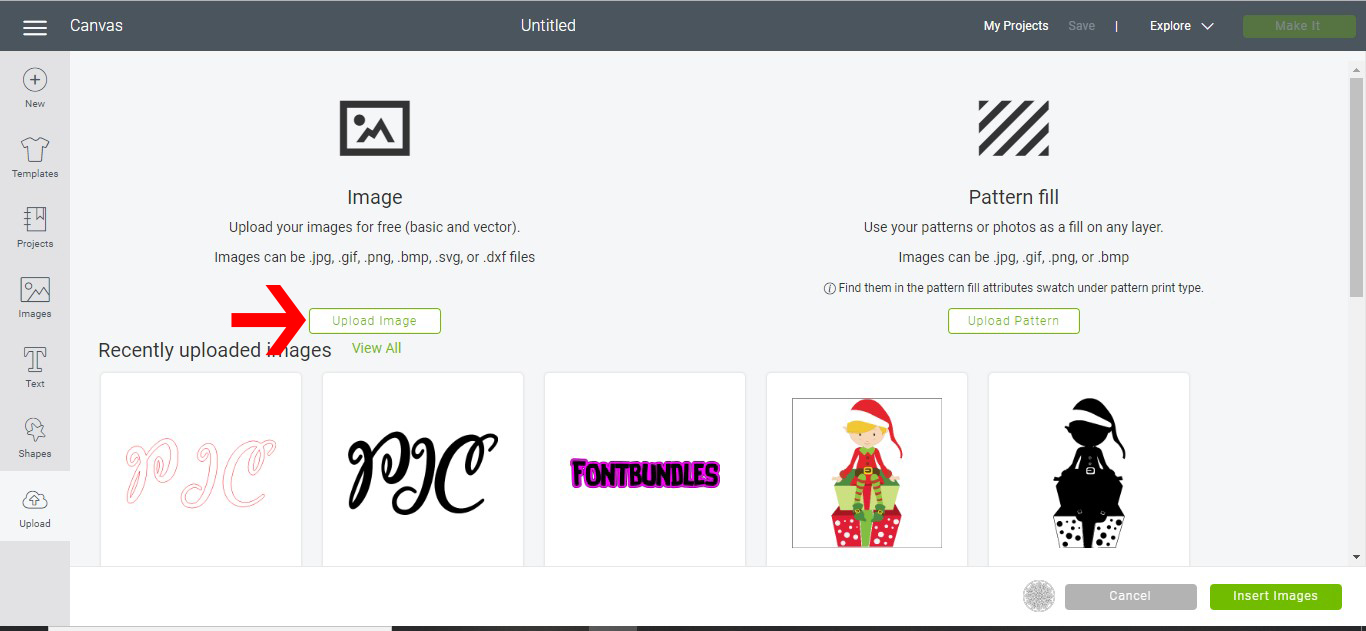
4- Select browse.

5- Upload your design. I am using cute christmas clan foil files by CleanCutCreative. Click save.

6- Select your saved file and upload.

7- Your file will upload.

8- With the file selected, right click and ungroup.

9- Select the images you want to foil. Delete any images not needed.
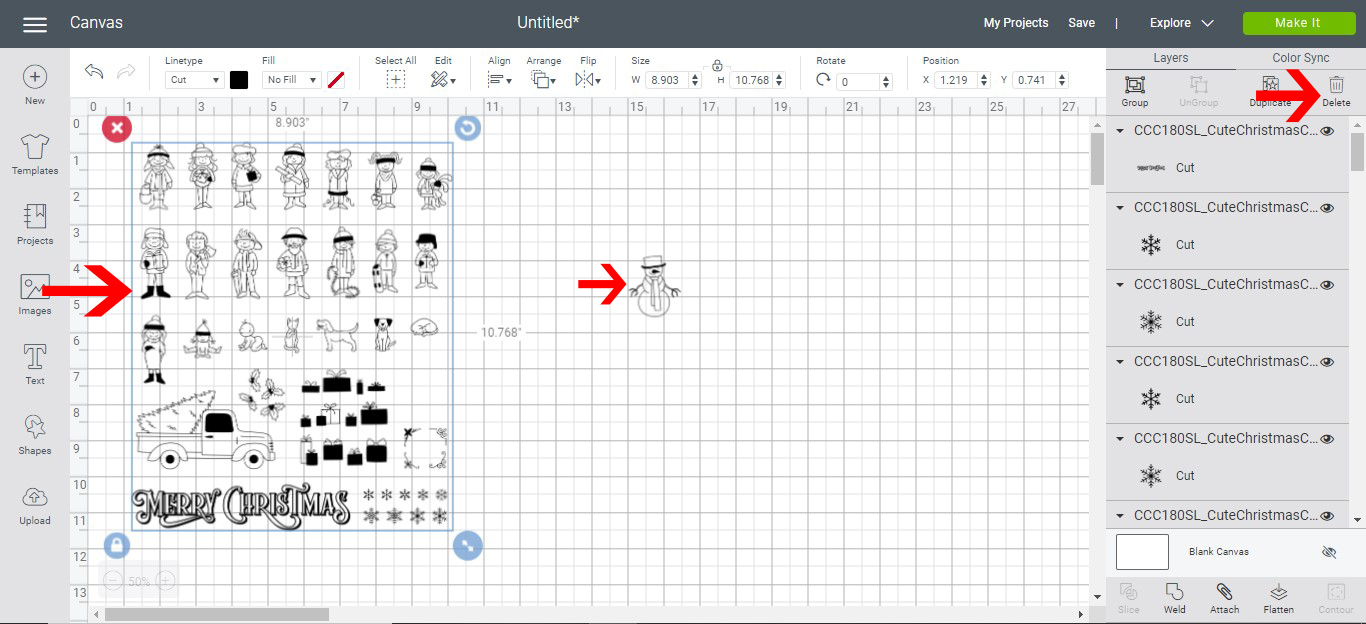
10- Resize your images. Click on line type and select draw. Click on make it.

11- Click continue.

12- Select custom on the dial on your machine.

13- Click on browse all materials.

14- Search acetate.
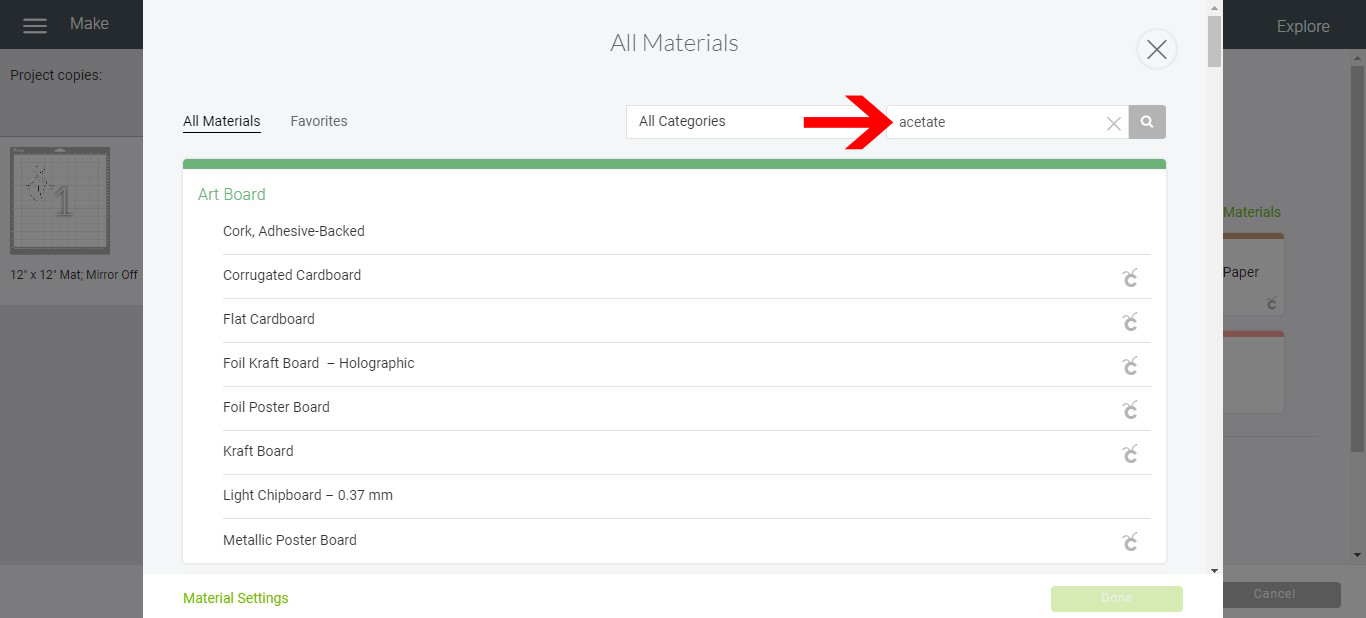
15- Click go.
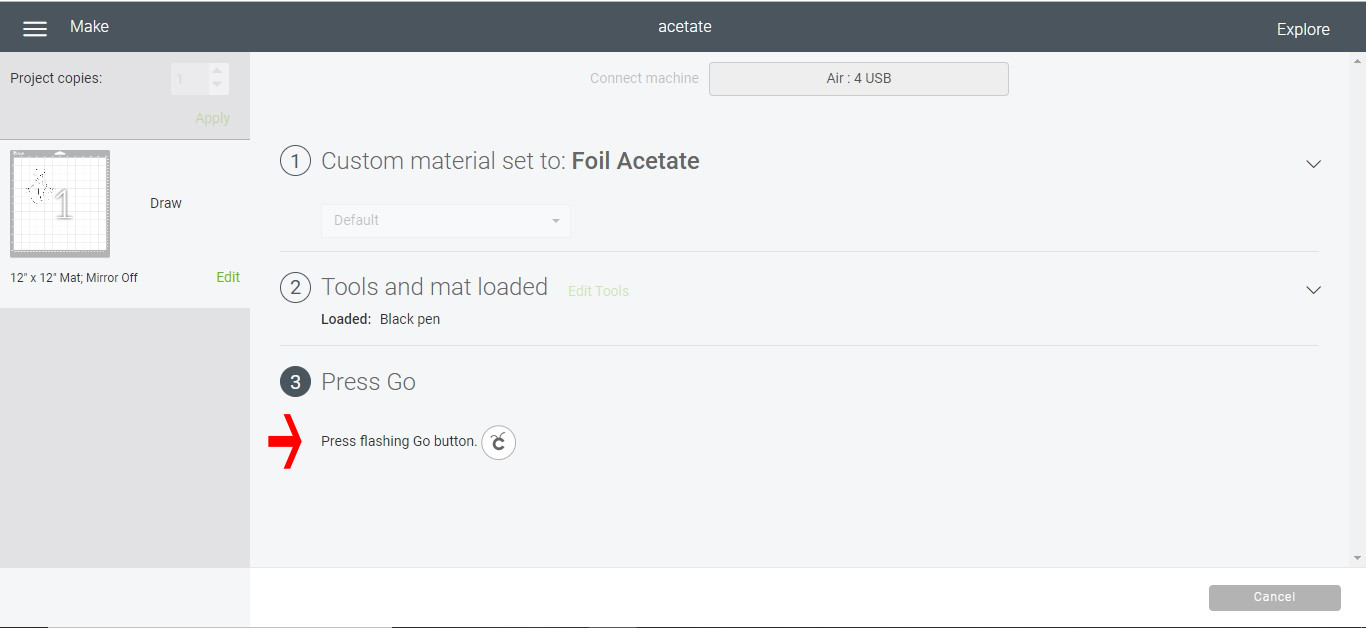
16- With the acetate you will need to make sure that the foil is well secured. Because the acetate is a little slippery the foil can move when the foil quill starts drawing.

17- Your design is foiled.

Related Tutorials
Cricut Tutorials
Foiling a SVG file in cricut design space using the foil quill
Cricut Tutorials
How to draw your first line in cricut design space using the foil quill
Learn to draw your first line in Cricut Design Space with this beginner step by step tutorial.
Cricut Tutorials
Creating decorative borders in Cricut Design Space using the foil quill
Learn how to to make unique borders for cards or other craft projects!
Cricut Tutorials
Using a Jpeg with the foil quill in cricut design space
Cricut Tutorials