By Design Bundles
Photoshop Tutorials4 min
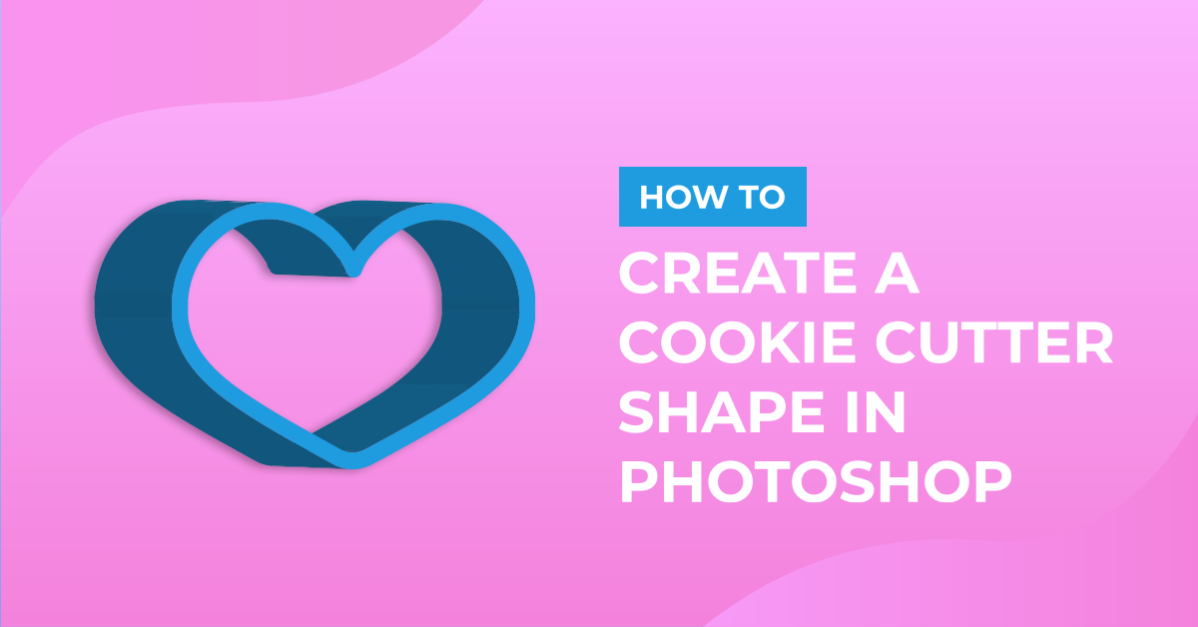
Cookie Cutter Shape in Photoshop
For this tutorial, we will use some Vector Shapes for the “Cookie Cutter”.
1 - In Photoshop, create a “New Document”. Make it 15 cm x 15 cm @300 dpi with a “White” Background.

2 - In Illustrator, open the Vector Shape you want to use and “Copy” it (Command/Control + C). Head to Photoshop and “Paste” it (Command/Control + V).


3 - Choose “Shape Layer” as Paste option.


4 - Use the “Path Selection Tool” (A) to select the Shape and change the “Fill” color to one of you liking.


5 - With the “Shape Layer” selected go to 3D > New 3D Extrusion from Selected Layer. You may be asked to switch to the “3D Workspace”, click OK. To go back just choose your former “Workspace”.


6 - In the “Properties Panel” decrease the “Extrusion Depth” to 250 px.

7 - Choose “Rotate the 3D Object” from the Top Menu and rotate the shape slightly to one side.


8 - In the “3D Panel” expand “Shape1” to show its contents, then select the first one and head to the “Properties Panel”. In the “Materials” window choose “Plastic Glossy (Blue)”. Repeat for each one of the contents of “Shape1”.


9 - Go to 3D > Render 3D Layer. You may need to wait for a bit.

10 - Once you are done, click on the “Background” layer to hide the “Grid”. Check out your work!

1 - In Photoshop, create a “New Document”. Make it 15 cm x 15 cm @300 dpi with a “White” Background.
2 - In Illustrator, open the Vector Shape you want to use and “Copy” it (Command/Control + C). Head to Photoshop and “Paste” it (Command/Control + V).
3 - Choose “Shape Layer” as Paste option.
4 - Use the “Path Selection Tool” (A) to select the Shape and change the “Fill” color to one of you liking.
5 - With the “Shape Layer” selected go to 3D > New 3D Extrusion from Selected Layer. You may be asked to switch to the “3D Workspace”, click OK. To go back just choose your former “Workspace”.
6 - In the “Properties Panel” decrease the “Extrusion Depth” to 250 px.
7 - Choose “Rotate the 3D Object” from the Top Menu and rotate the shape slightly to one side.
8 - In the “3D Panel” expand “Shape1” to show its contents, then select the first one and head to the “Properties Panel”. In the “Materials” window choose “Plastic Glossy (Blue)”. Repeat for each one of the contents of “Shape1”.
9 - Go to 3D > Render 3D Layer. You may need to wait for a bit.
10 - Once you are done, click on the “Background” layer to hide the “Grid”. Check out your work!
by @lornacane
Related Tutorials
Illustrator Tutorials
Cookie Cutter Shapes in Illustrator
Photoshop Tutorials
How to Fill a Shape with Text in Photoshop
Learn how to fill a shape with text in Photoshop in seven quick steps.
Silhouette Tutorials
How to Create a Basic Cookie Cutter in Silhouette Alta 3D Printer
Silhouette Tutorials
How to Add Embossing Effect to Cookie Cutter Using a SVG file In Silhouette Alta 3D Printer Software
In only 4 steps, discover how to make an embossed cookie cutter with the Silhouette Alta 3D printer.
Photoshop Tutorials
Cookie Text in Photoshop
Photoshop Tutorials