By Design Bundles
Photoshop Tutorials2 min
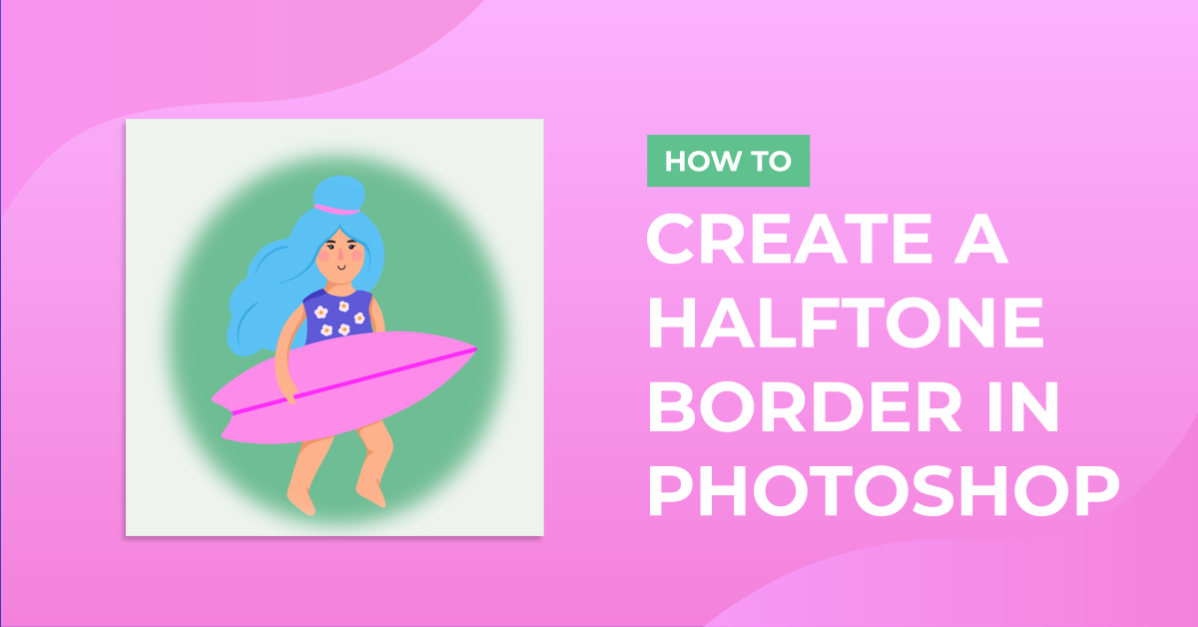
Create a half tone border in Photoshop
1- Open Photoshop.

2- Select your photo.

3- Create a new layer.Layer > New > Layer.
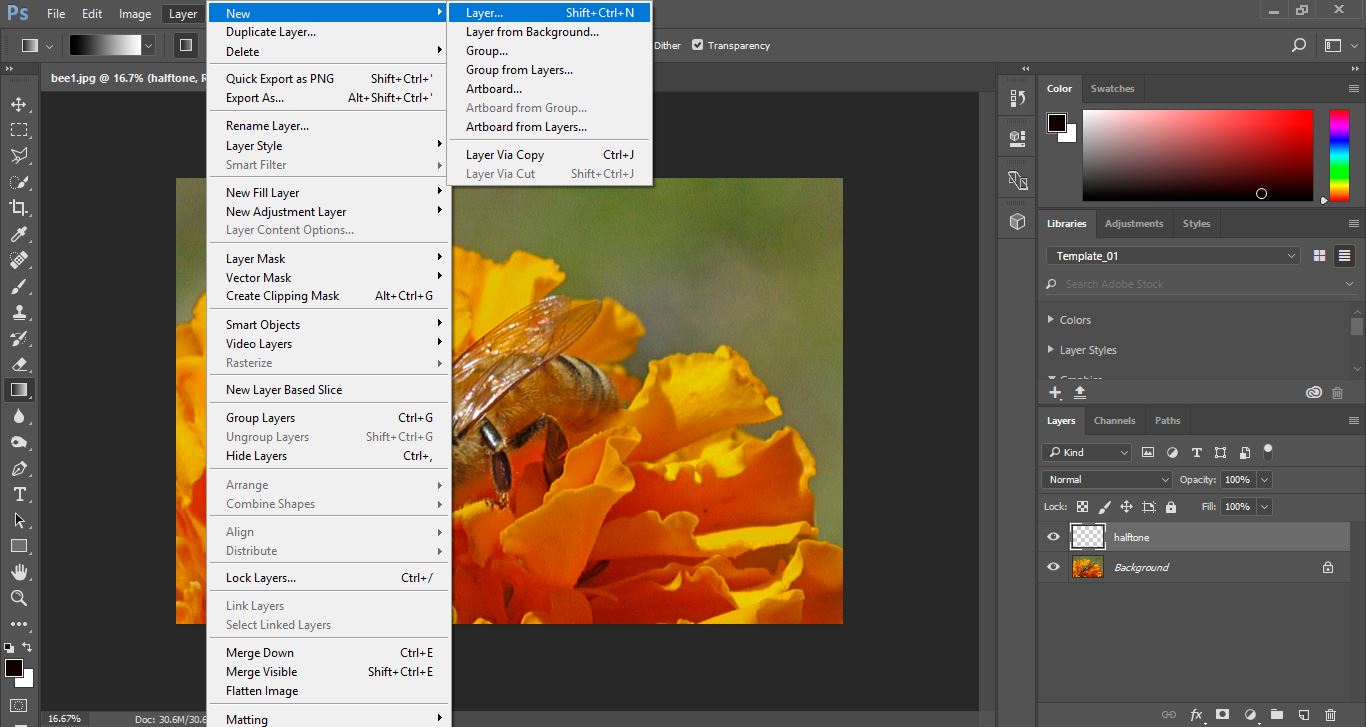
4-We now need to fill the layer. Edit > Fill.
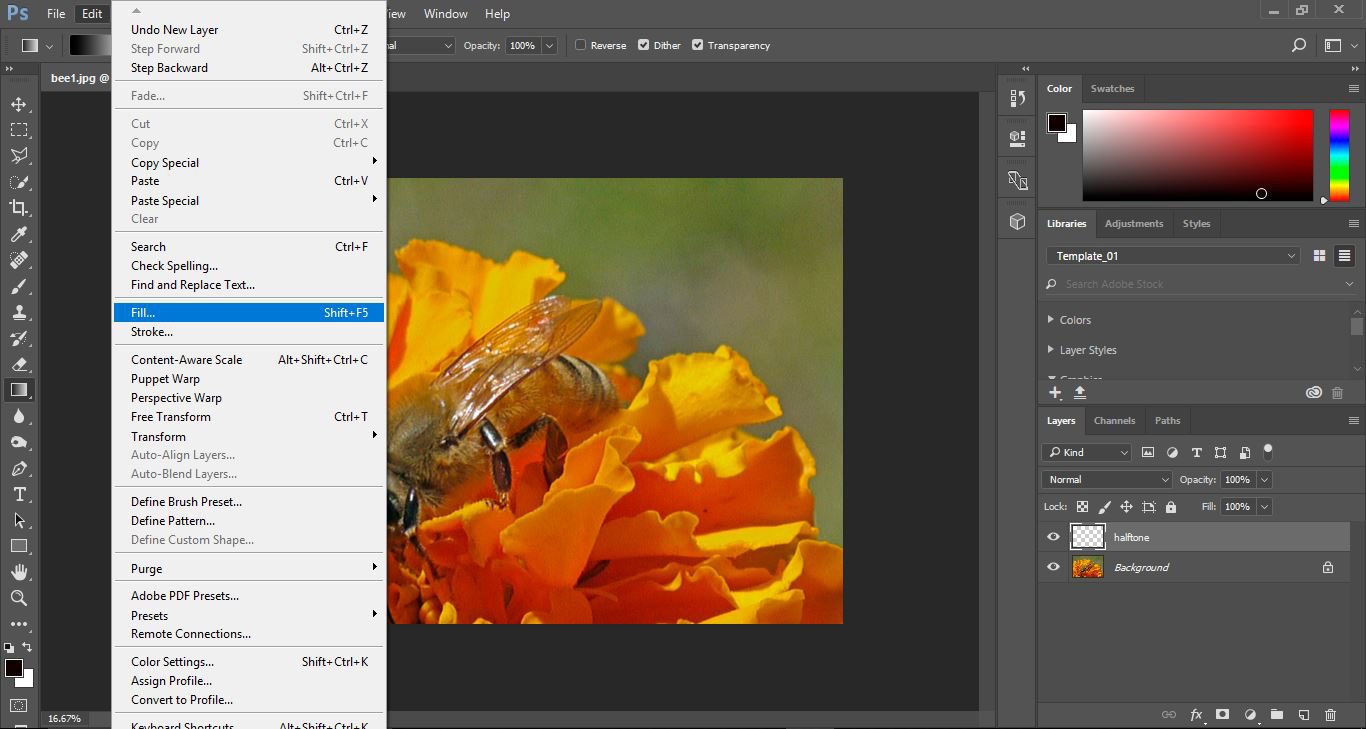
5-Select the fill colour as white.

6-Select the rectangle tool.
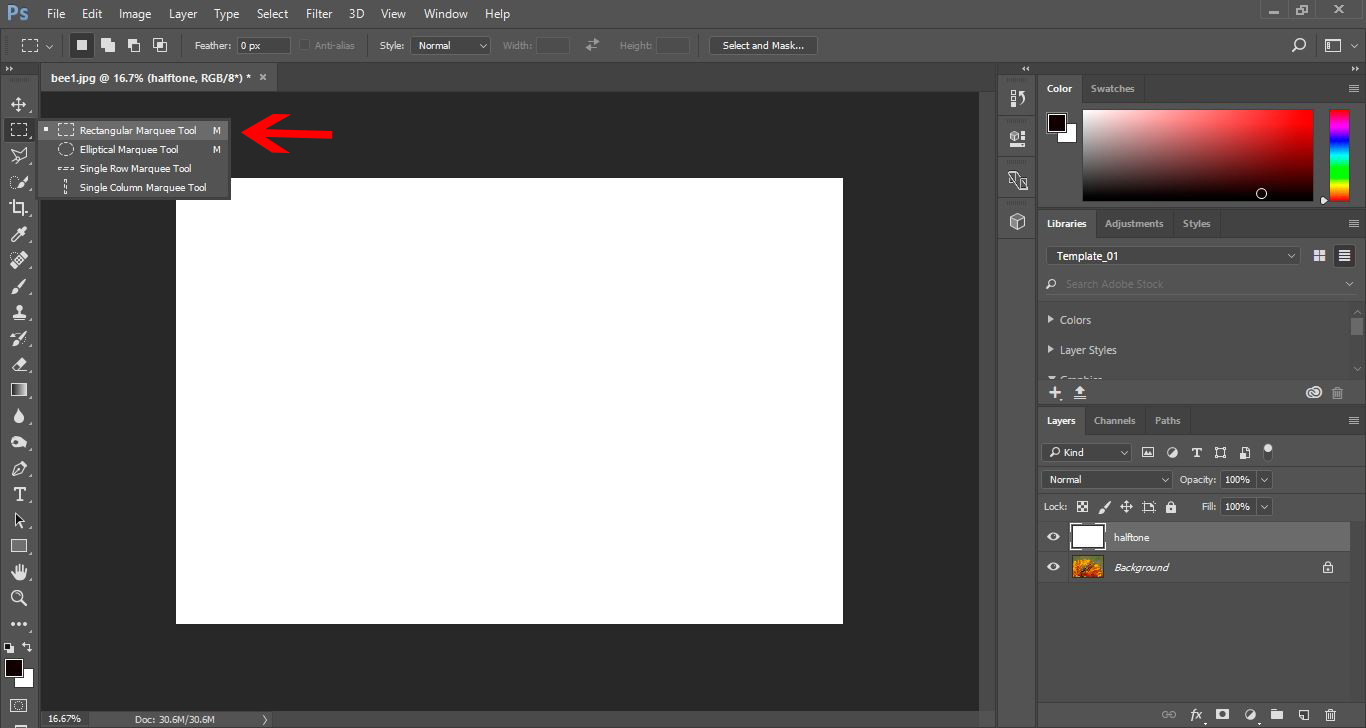
7- Draw a rectangle over your white fill layer.

8- Right click on the rectangle and select fill.
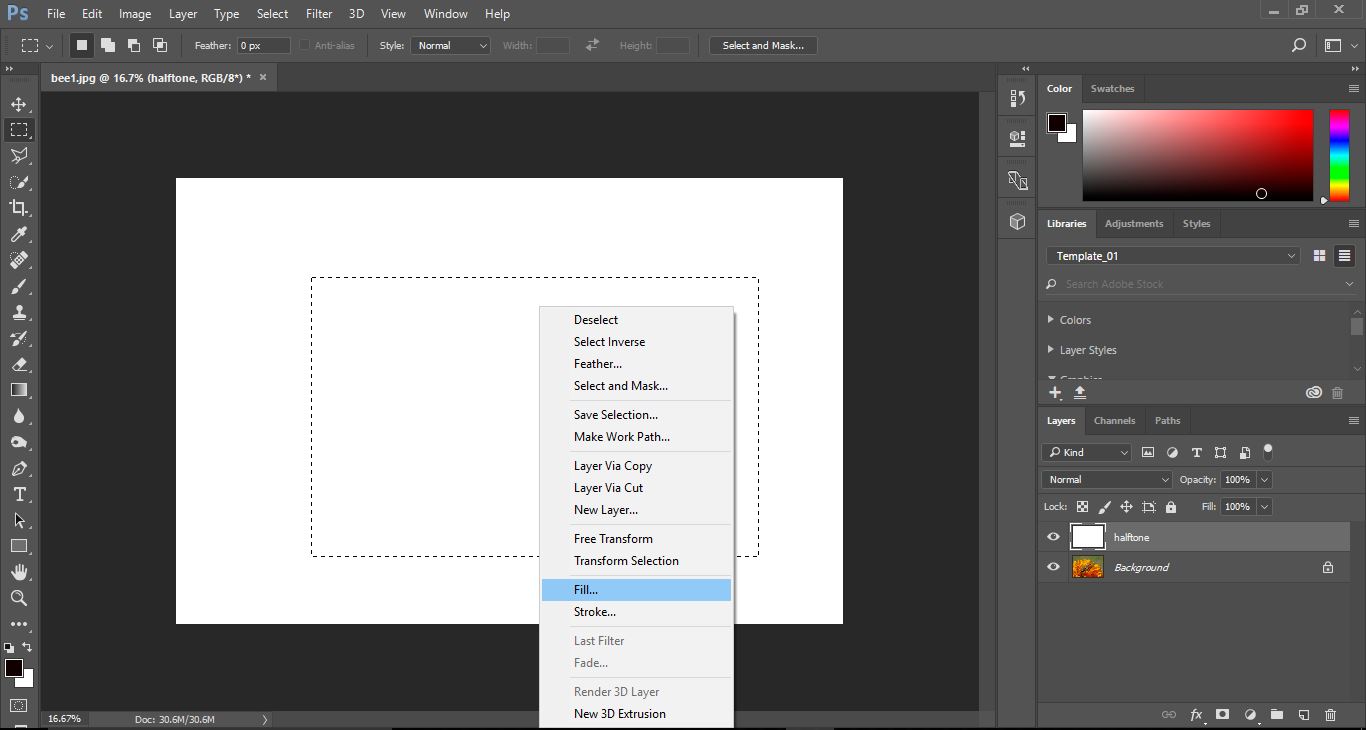
9-This time fill the rectangle black.
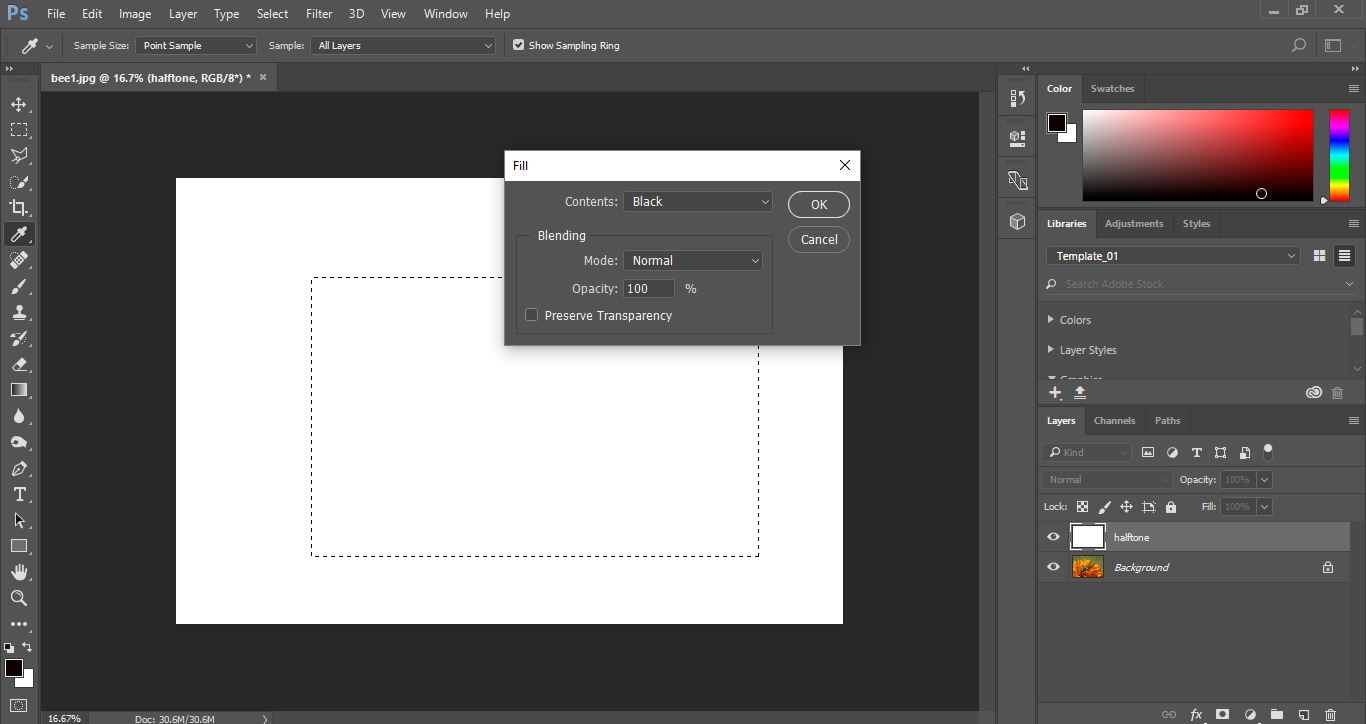
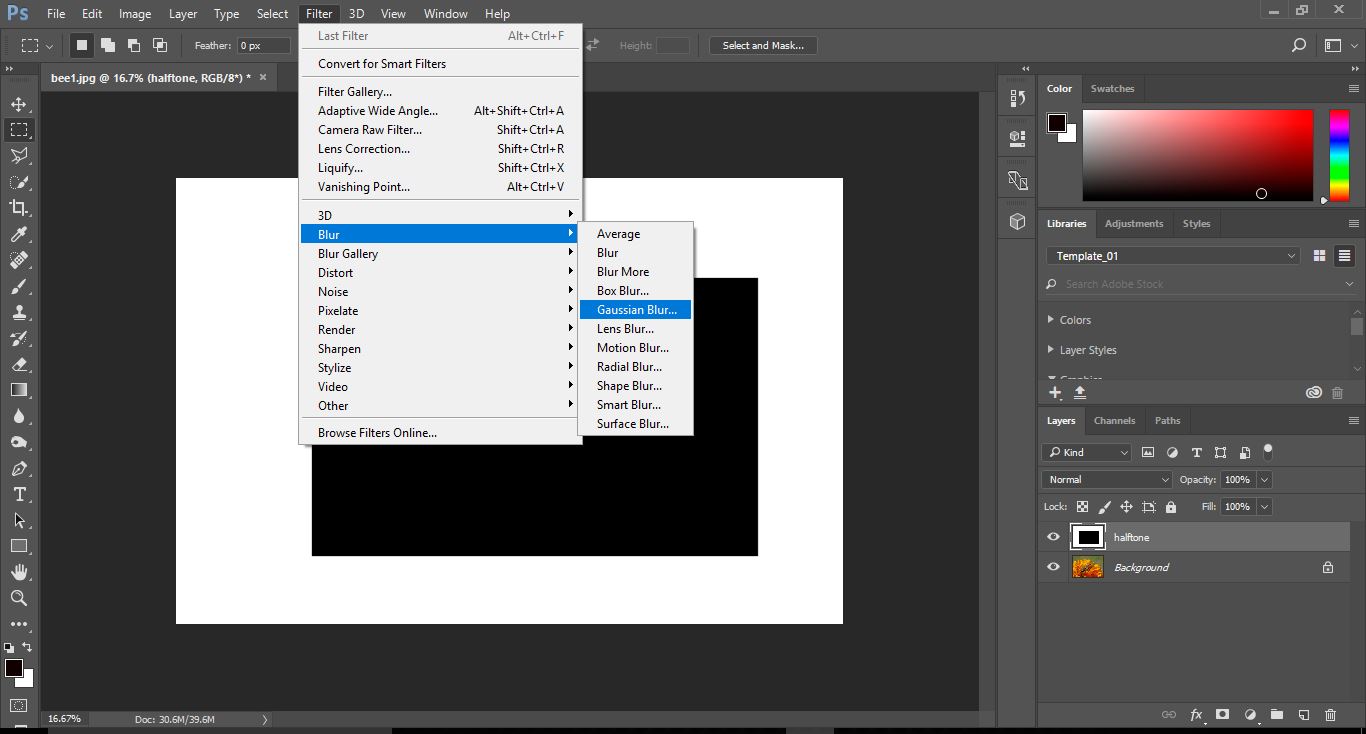
10-We now need to blue the black rectangle to make the edges merge into the white.
Filter > Blue > Gaussian Blur.
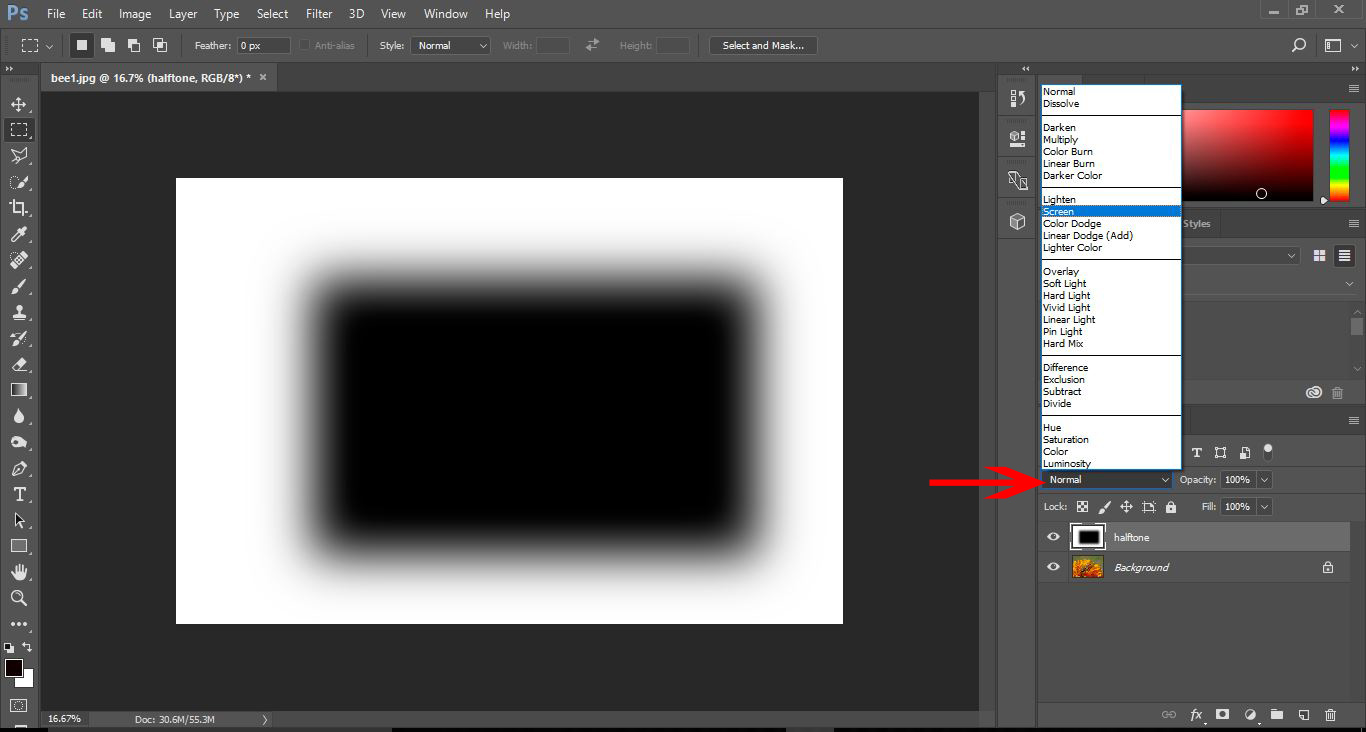
11- Once you have the blue to your liking Select the Blending mode in the layers palette and select Screen.
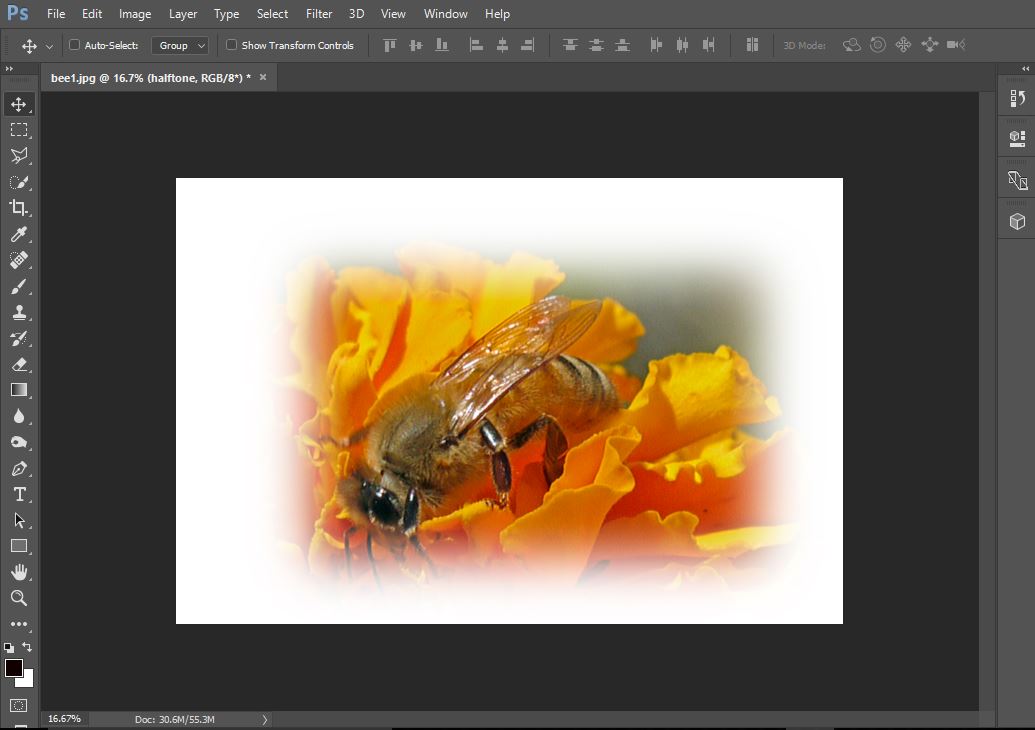
12-The image will now appear where the black rectangle was, now with a 1/2 tone border in place.
Related Tutorials
Photoshop Tutorials
How to Create Speech Bubbles in Photoshop
Learn how to create and edit fun speech bubbles in Photoshop using custom shapes.
Photoshop Tutorials
How to Create a Dusty Texture in Photoshop
Learn how to create a dust texture in Photoshop with this step by step tutorial.
Photoshop Tutorials
How to Create Distressed Edges in Photoshop
Learn how to create distressed edges from scratch in Photoshop using an eraser brush.
Photoshop Tutorials
How to Make a Halftone Effect in Photoshop
Learn how to make a halftone effect in Photoshop and how to change the colors of the halftone effect
Photoshop Tutorials
How to Create a Holographic Text Effect in Photoshop
Discover how to create a holographic text effect in Photoshop with this step by step tutorial.
Photoshop Tutorials
How to Create a Faded Blur Effect in Photoshop
Create a faded blur effect in Photoshop using these technique and add mystery to your images.