

By Design Bundles
SCAL Tutorials1 min
How to Create a Monogram in Sure Cuts A Lot 4
*Note- SCAL4 pro used.
1- Open Sure Cuts a Lot 4 software.
3- Type the letters you want for your monogram.
4- Select your text, right-click and ungroup.
5- Select the two outside letters and resize them.
6- Align the smaller letters around the larger letter.
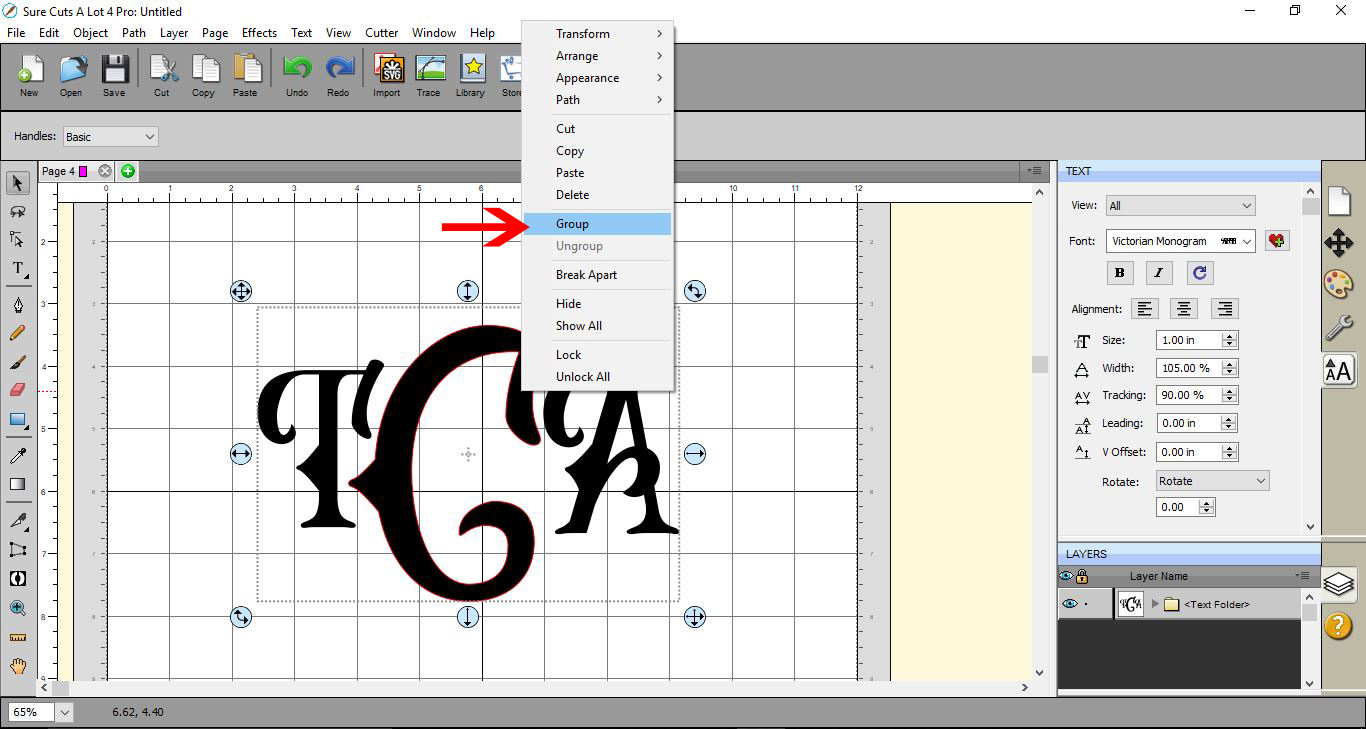
7- Select all of your letters, right-click, and select group. Your monogram is complete.
1- Open Sure Cuts a Lot 4 software.
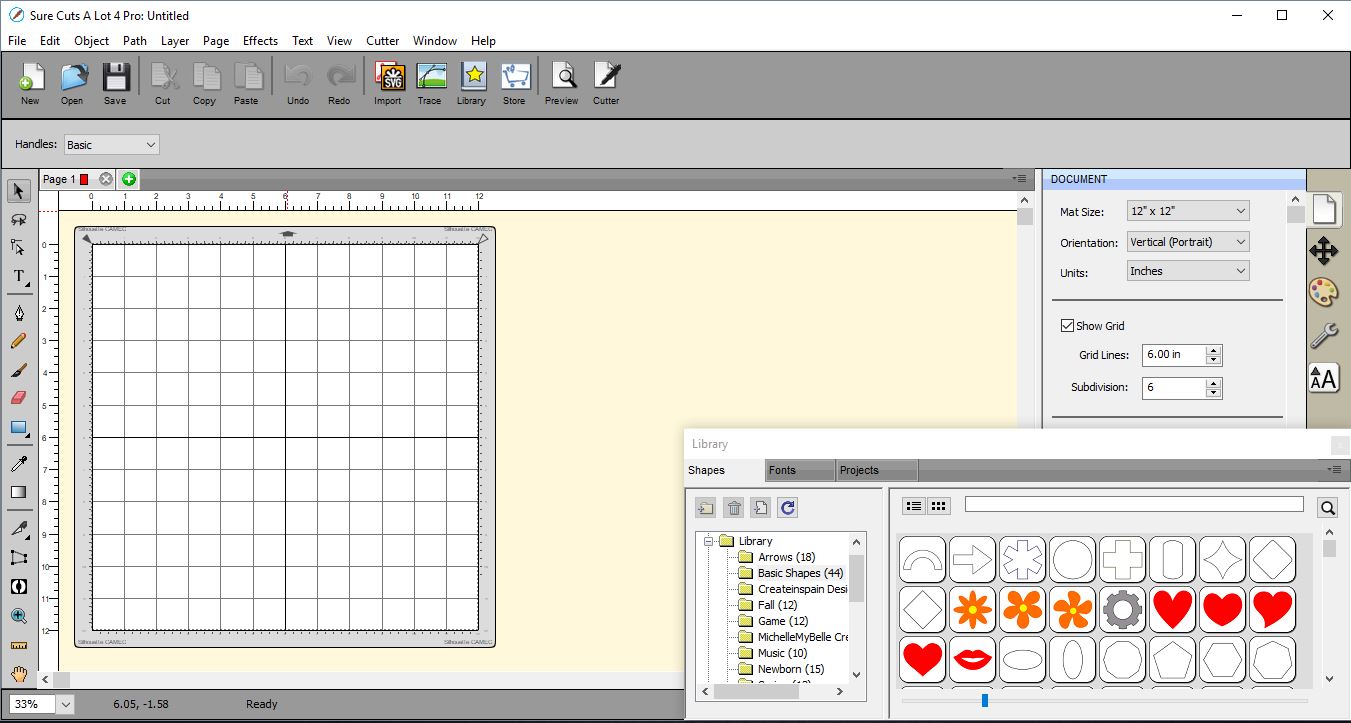
2- Select the font you want to use. Modern serif fonts are great fonts to use for monograms.
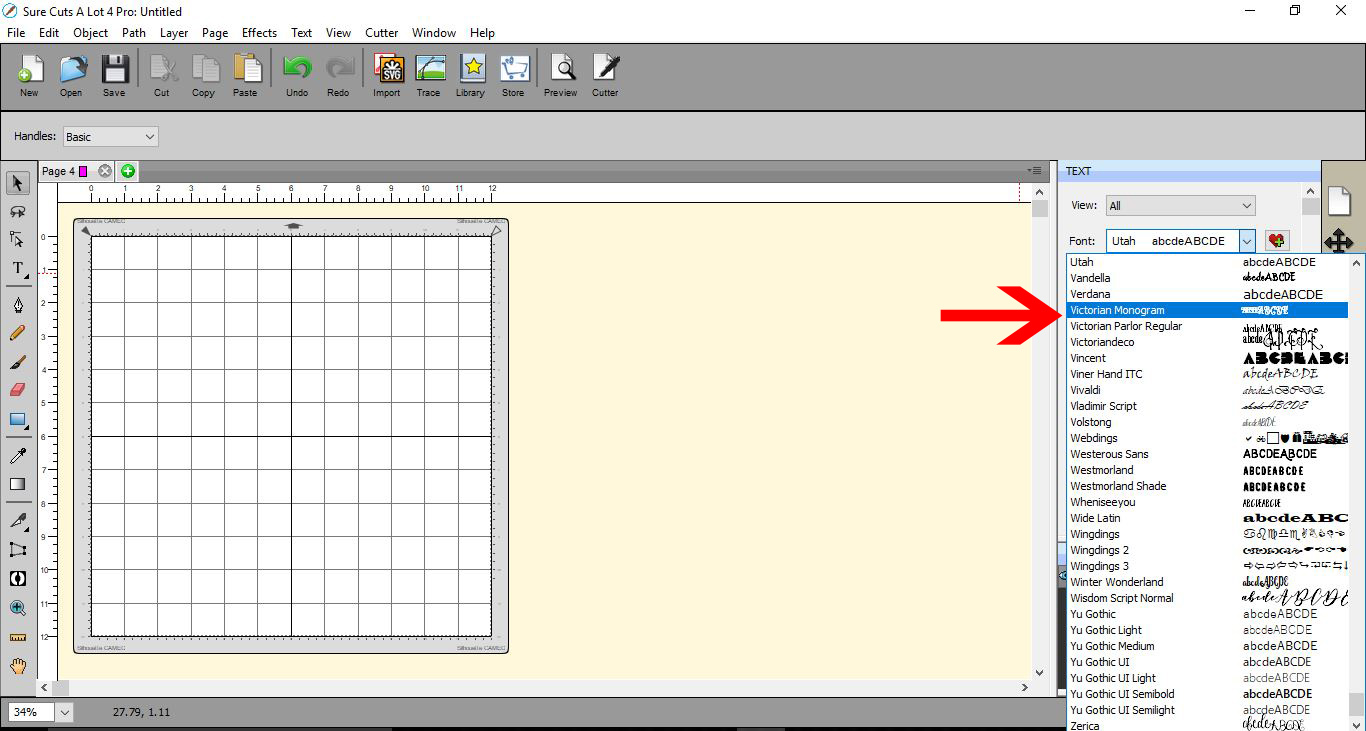
3- Type the letters you want for your monogram.

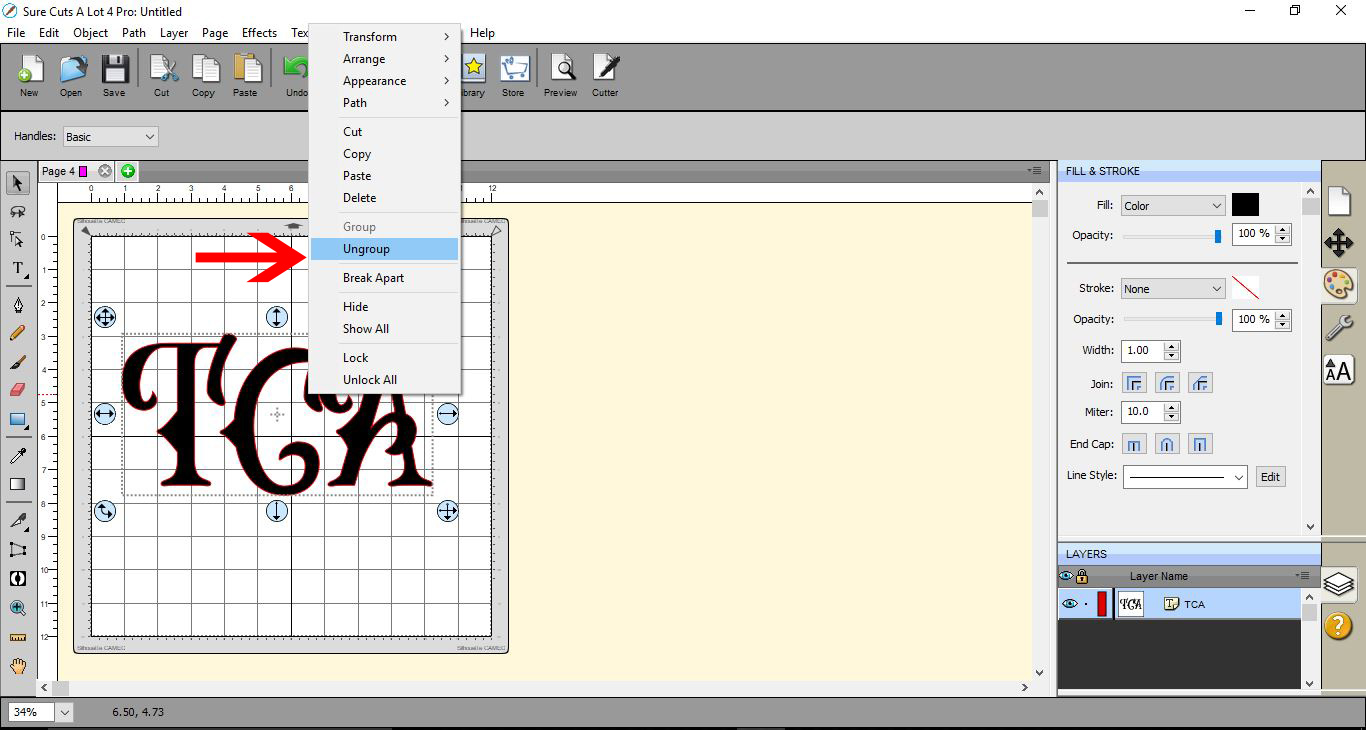
4- Select your text, right-click and ungroup.
5- Select the two outside letters and resize them.
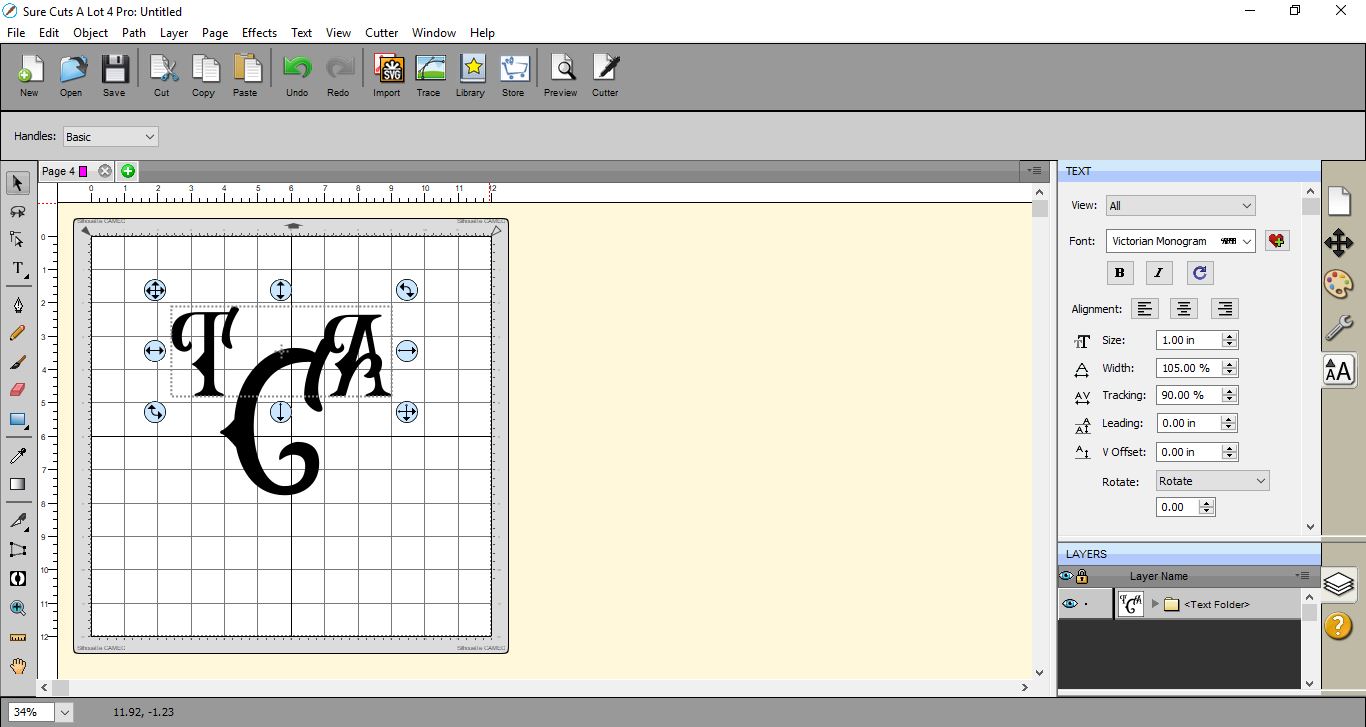
6- Align the smaller letters around the larger letter.
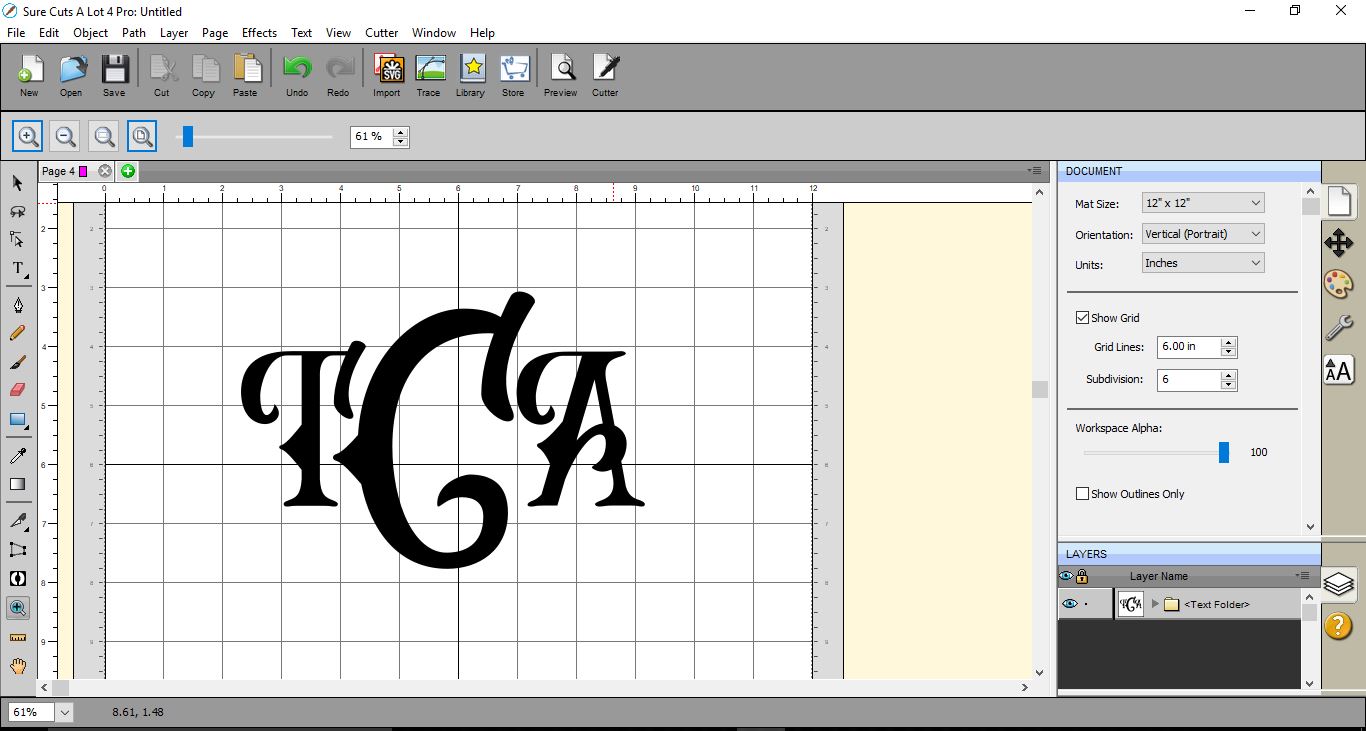
7- Select all of your letters, right-click, and select group. Your monogram is complete.
Related Tutorials
SCAL Tutorials
How to create Curved text in Sure Cuts A Lot 4
SCAL Tutorials
Create a jigsaw in Sure Cuts a Lot 4
SCAL Tutorials
Sure Cuts a Lot 4 Basics - Saving files
SCAL Tutorials