By Design Bundles
Silhouette Tutorials5 min
How to fill text using the foil quill with silhouette studio designer and business edition
*Silhouette Cameo 3 used.
1- Open silhouette studio and click on the text icon.
2- Type your text.
3- You can change your font. I am using luducudu font from fontbundles.net
4- Click on the sketch tool.
5- As you can see there are a lot of sketch options in the designer and business editions of silhouette studio.
6- Click on a sketch style. I have selected the cross hatch.
7- You can add a edge on your text.
8- You can also select a circular sketch fill to give a different effect and adjust the spacing.
9- In the business edition you have advanced sketch options also. click the advanced icon.
10- With the advanced options you can adjust the outline of the text you can make 3D effects or scribbles. Click on a edge effect.
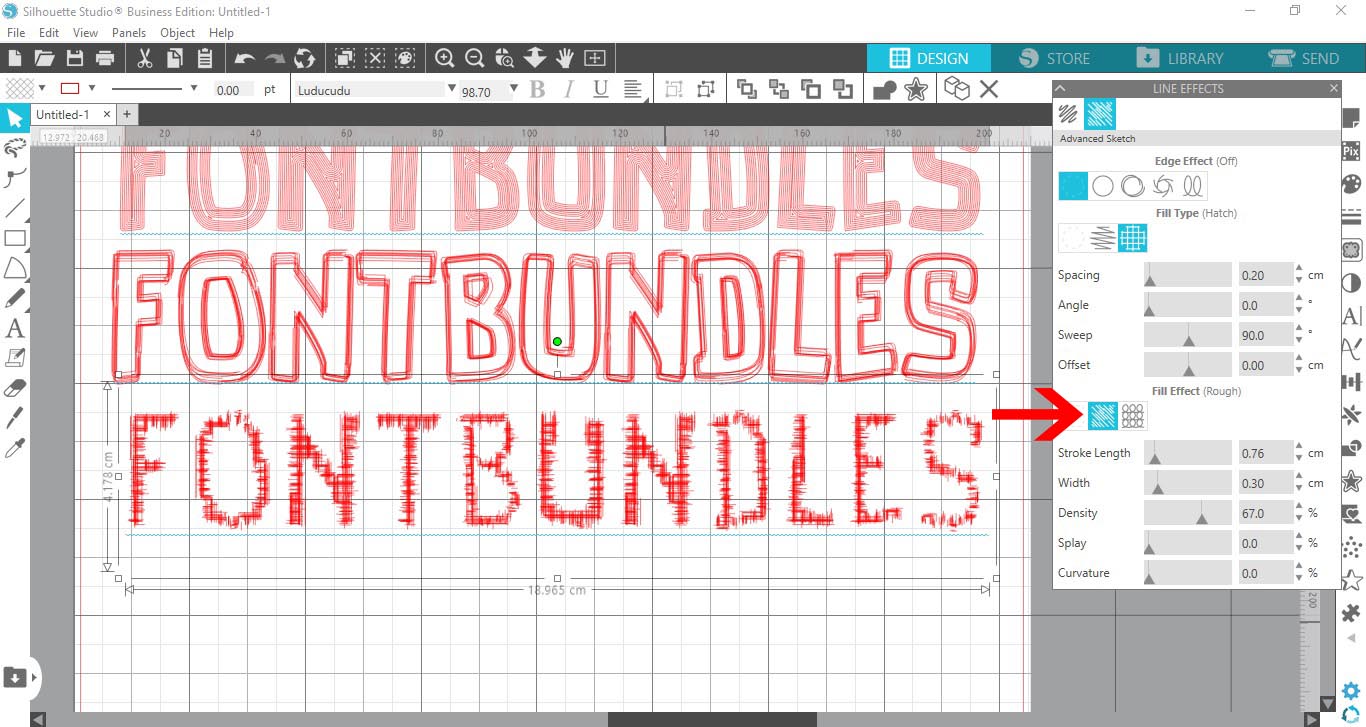
11- You can also change your fill type in the advanced options.
12- When selecting a fill type in advanced options you can then go a step further and change the fill effect. There is a collection of adjustments you can use to change the length, width density and curvature of your fill.
13- Click on the send icon. Change your tool to the sketch tool. change the media, then speed to 5, force to 4 and passes to 1. Click send.
14- Your foil quill will draw your text.
15- As you can see the text is now transferred on to the card with foil.
16- The different types of fill effect in the sketch tool create great looks for your text. To totally fill the text, decrease the spacing on the effect so it fills the text.
1- Open silhouette studio and click on the text icon.

2- Type your text.

3- You can change your font. I am using luducudu font from fontbundles.net

4- Click on the sketch tool.

5- As you can see there are a lot of sketch options in the designer and business editions of silhouette studio.

6- Click on a sketch style. I have selected the cross hatch.
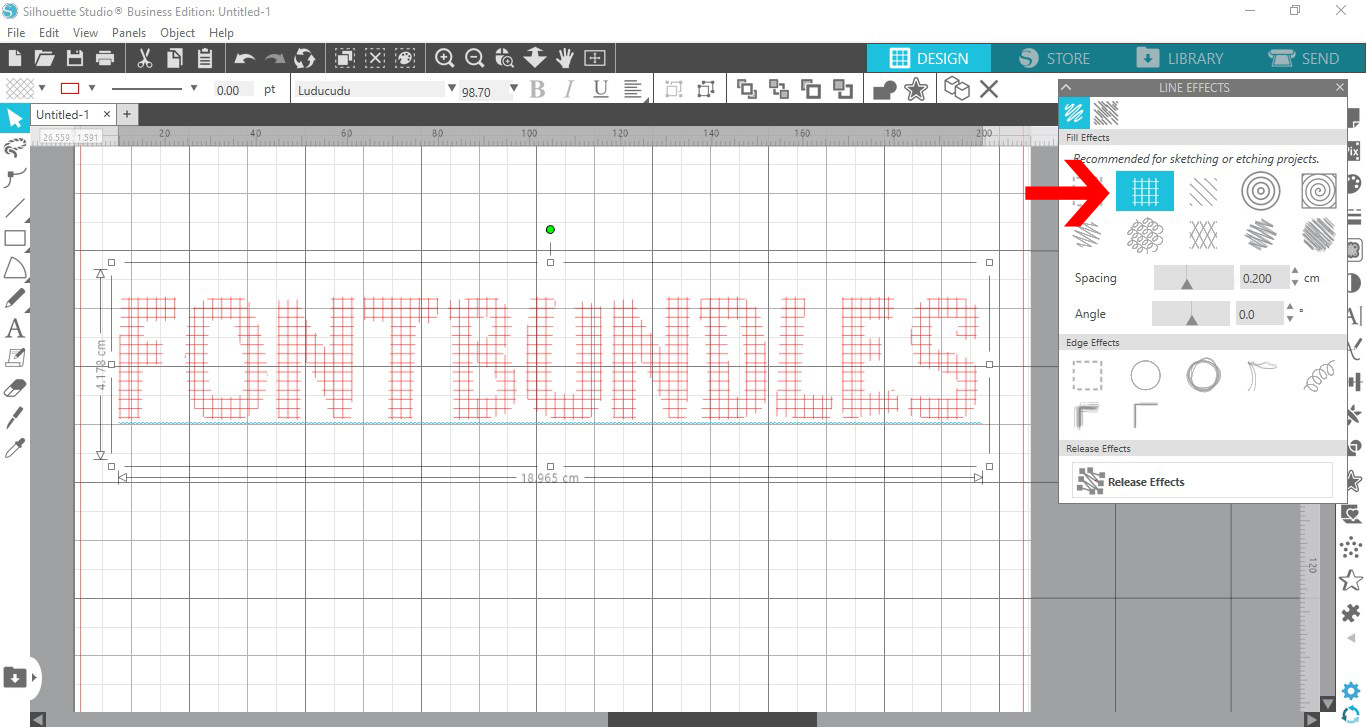
7- You can add a edge on your text.
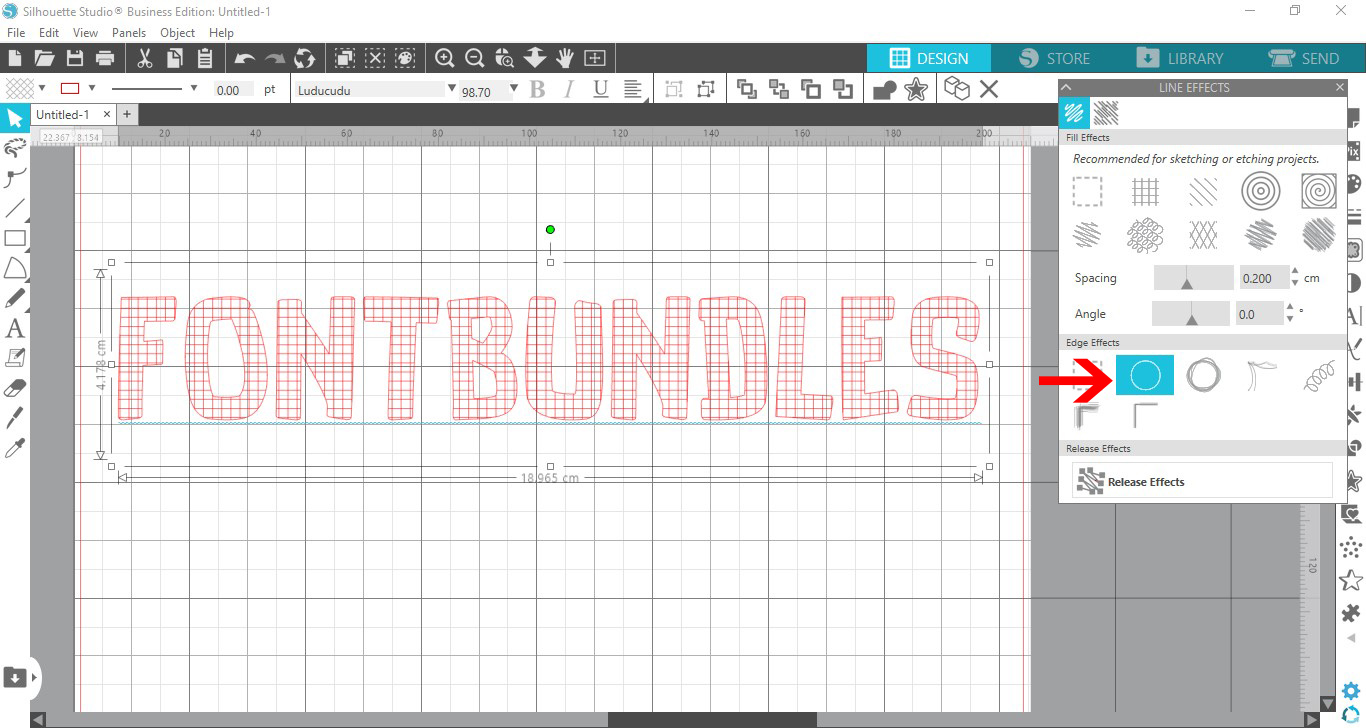
8- You can also select a circular sketch fill to give a different effect and adjust the spacing.

9- In the business edition you have advanced sketch options also. click the advanced icon.

10- With the advanced options you can adjust the outline of the text you can make 3D effects or scribbles. Click on a edge effect.
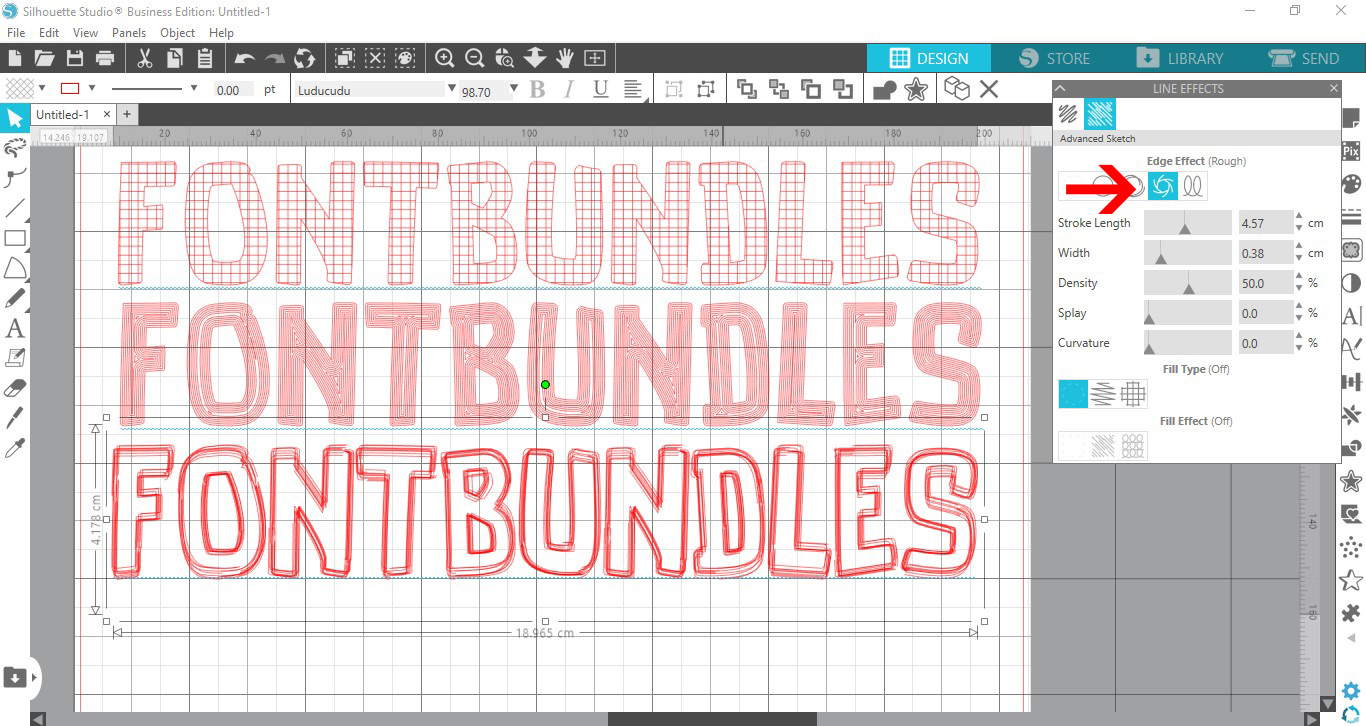
11- You can also change your fill type in the advanced options.

12- When selecting a fill type in advanced options you can then go a step further and change the fill effect. There is a collection of adjustments you can use to change the length, width density and curvature of your fill.
13- Click on the send icon. Change your tool to the sketch tool. change the media, then speed to 5, force to 4 and passes to 1. Click send.
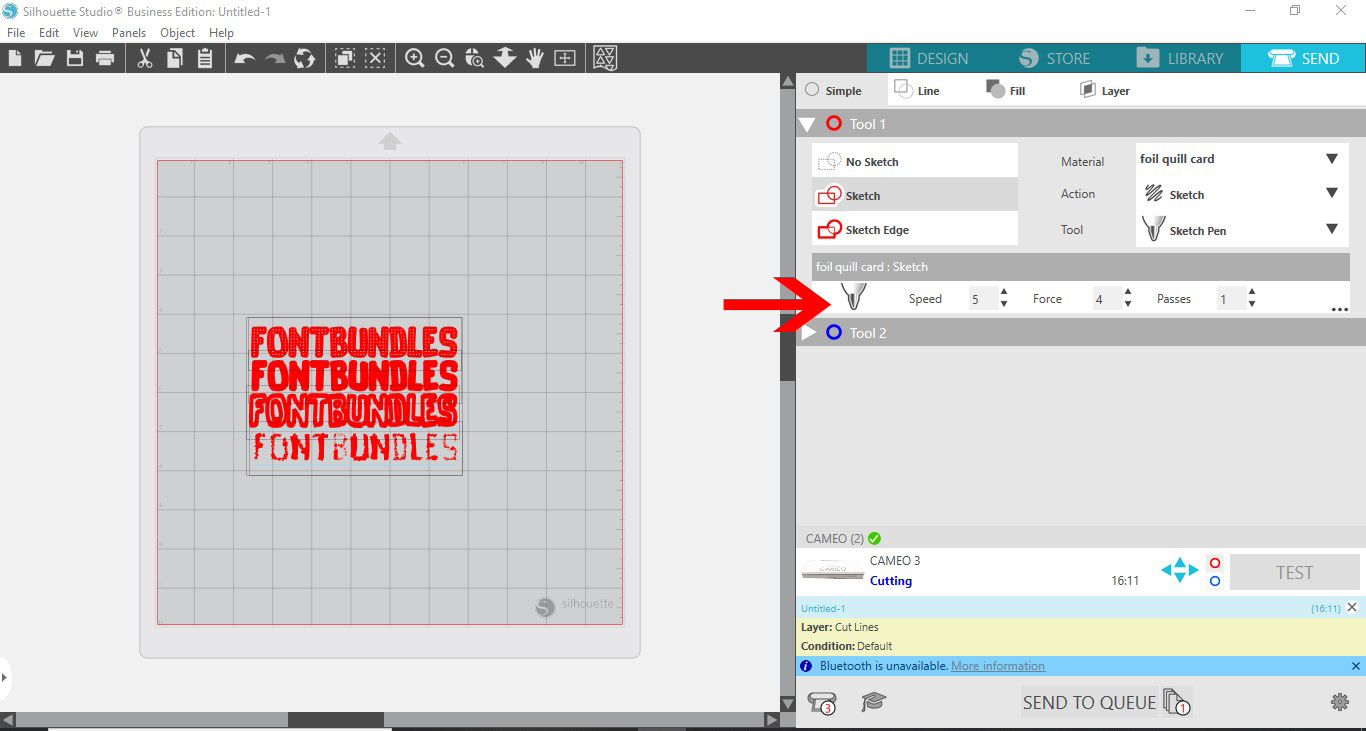
14- Your foil quill will draw your text.

15- As you can see the text is now transferred on to the card with foil.

16- The different types of fill effect in the sketch tool create great looks for your text. To totally fill the text, decrease the spacing on the effect so it fills the text.

Related Tutorials
Silhouette Tutorials
How to fill text with the foil quill in silhouette studio free edition
In 4 easy steps learn two ways to fill text with the Foil Quill in Silhouette Studio Free Edition.
Silhouette Tutorials
Foiling leather using the foil quill and silhouette studio
Silhouette Tutorials
How to Use Text With the Foil Quill in Silhouette Studio
SCAL Tutorials
How to Fill Text for the Foil Quill using SCAL4
Silhouette Tutorials
How to use the foil quill on a candle using silhouette studio
Silhouette Tutorials