
By Design Bundles
Cricut Tutorials3 min
How to Alter Images With The Contour Tool
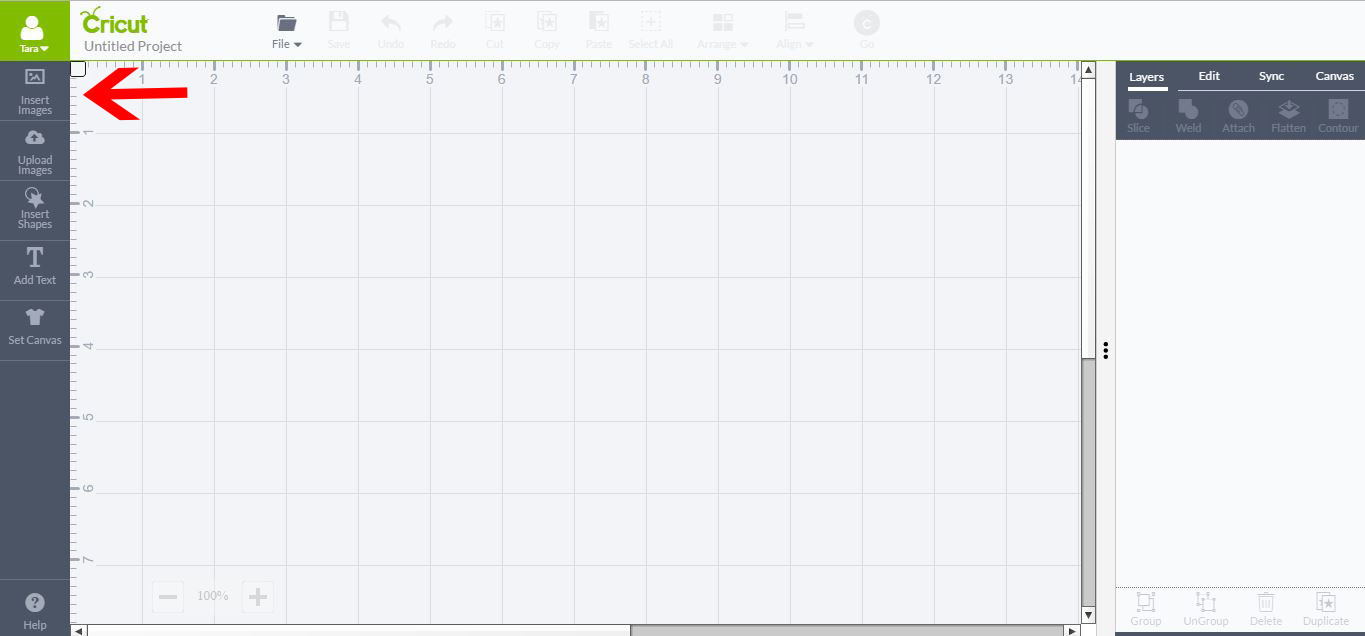
1- Open Cricut Design Space and Insert image.
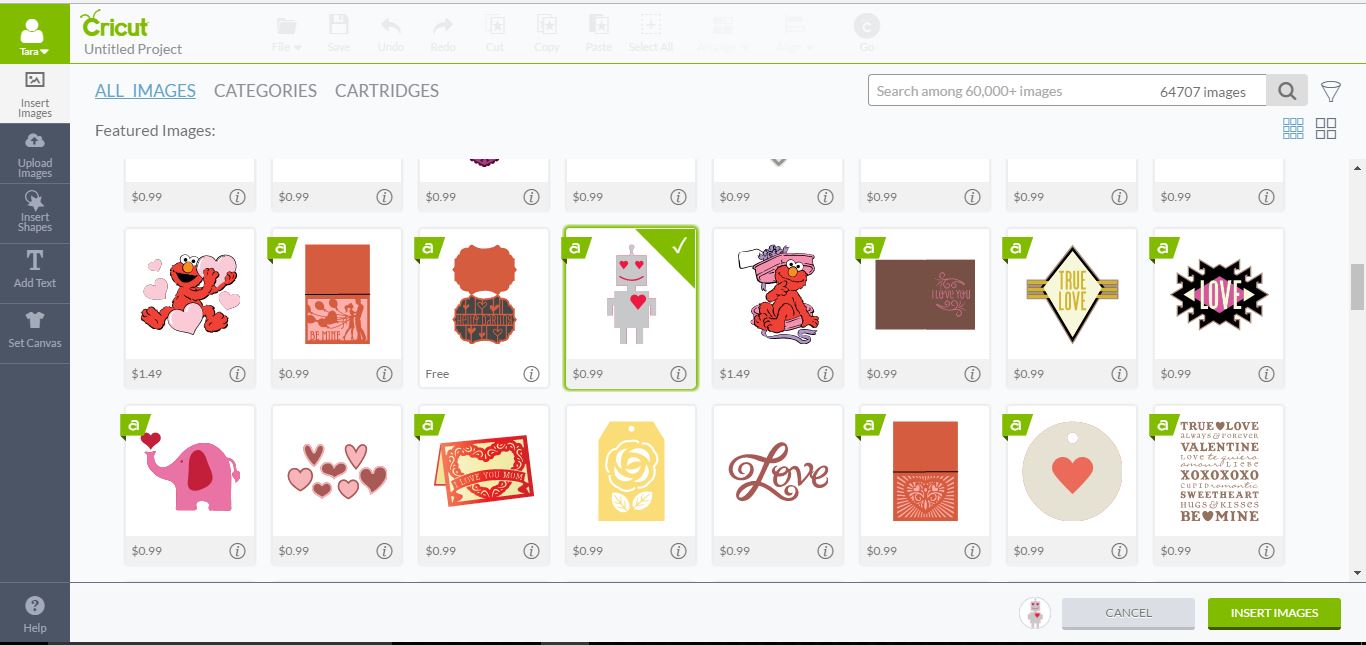
2- Pick the image you would like to use and select inset image.
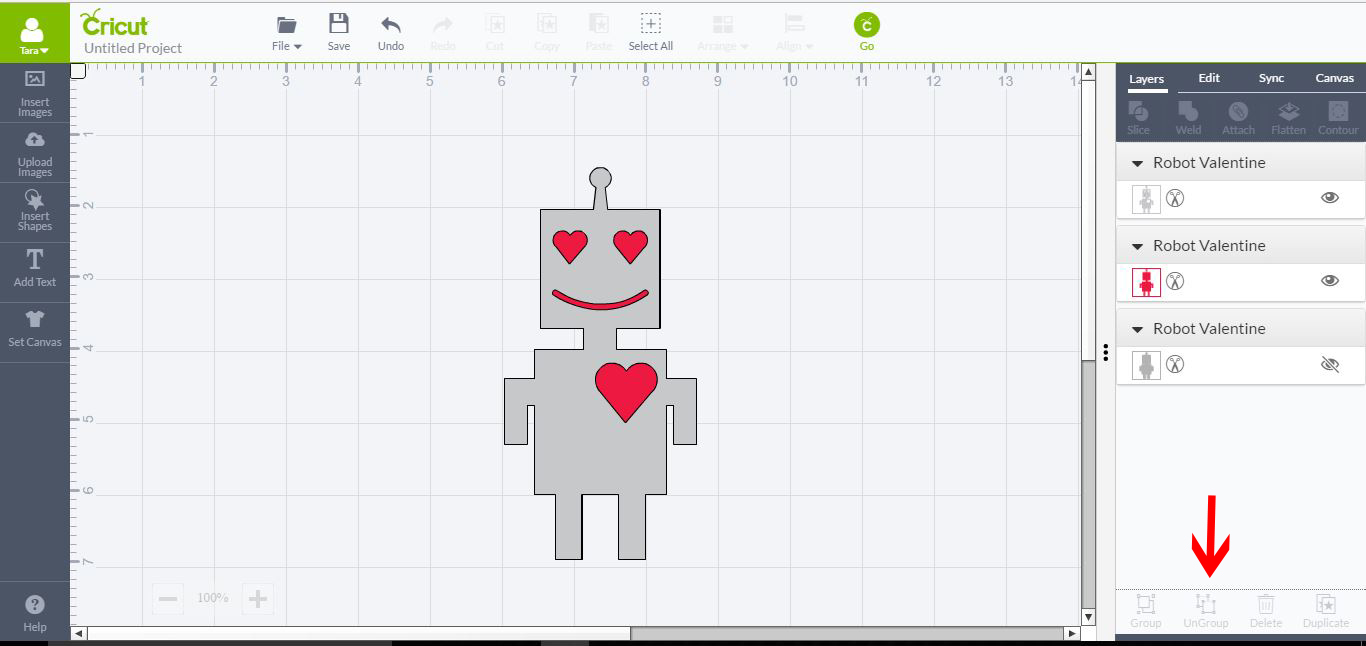
3- Select your image and then click on Ungroup.
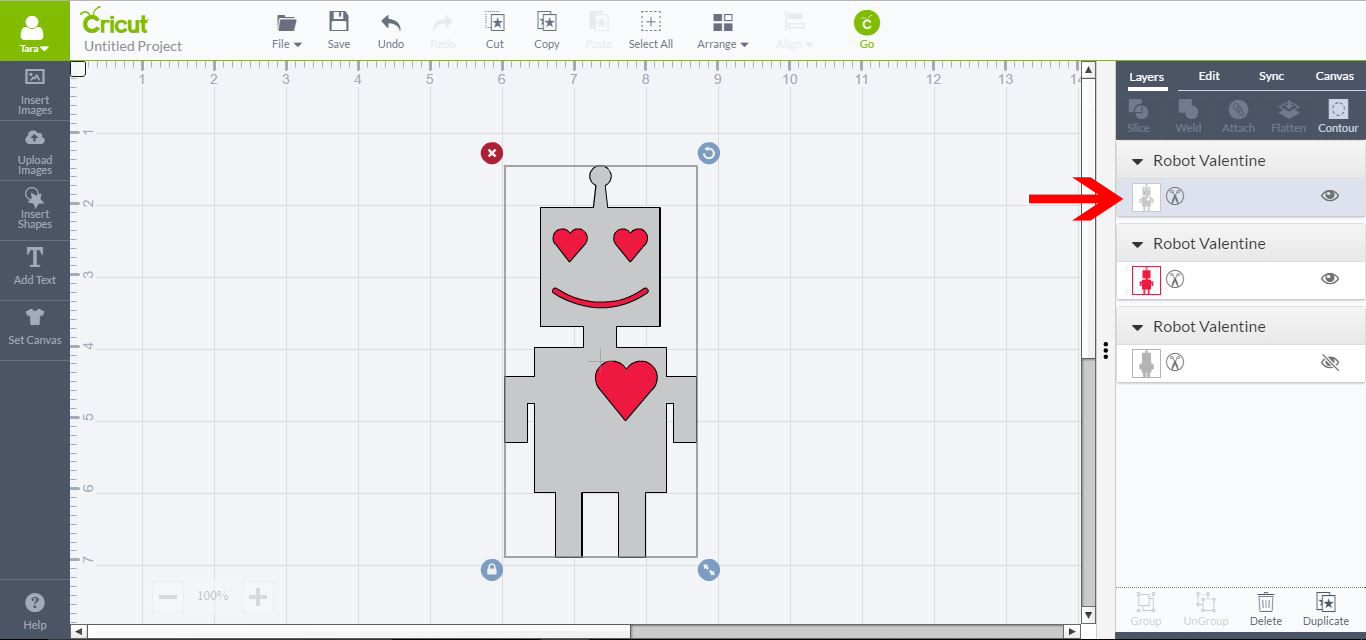
4- Select the image layer you want to edit.
5- Select Contour (in layers tab) All images will fade and only the layer we want to adjust will be seen in blue.
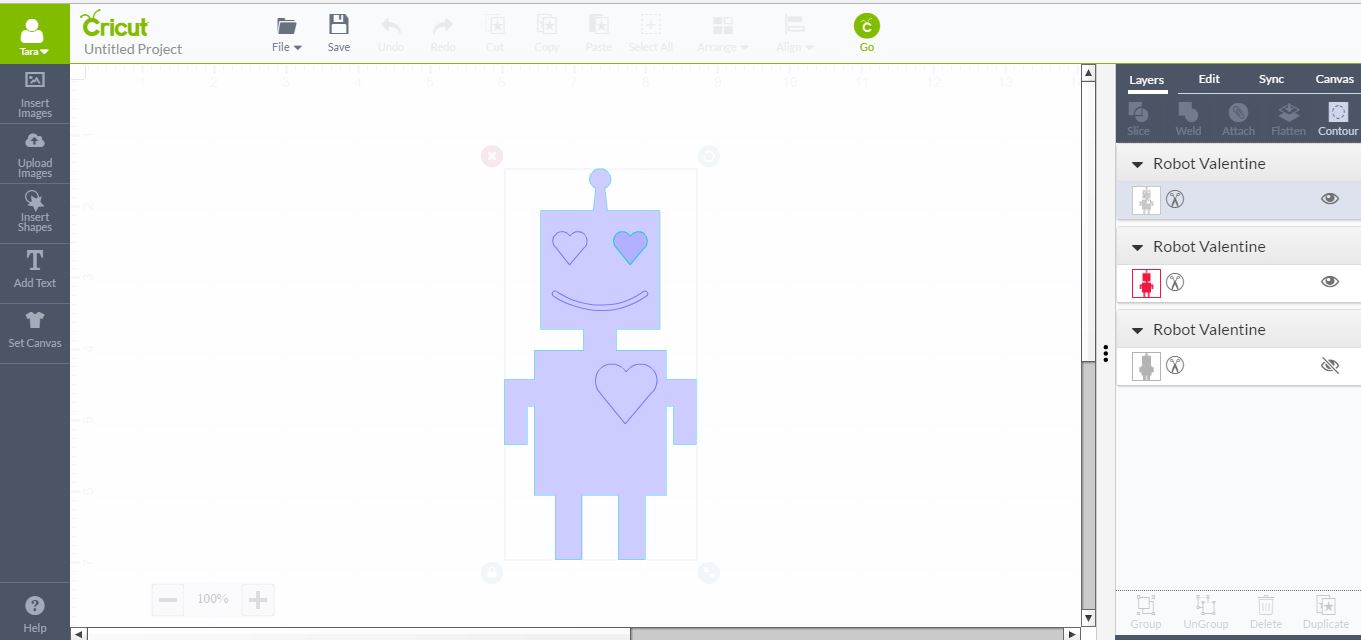
6- Each blue line is a cut line. We can select each one individually. If you want to stop a particular part cut click on that line. It will change colour letting you know the line is now turned off and will not cut.
7- If you click outside of your layer the image will return to the original layer. You can see that the cut line we selected in contour mode is no longer visible. This will no longer cut until you re enter contour mode and re select it.
This function is great if you want to adjust only part of a layer in Cricut design space.
2- Pick the image you would like to use and select inset image.
3- Select your image and then click on Ungroup.
4- Select the image layer you want to edit.
5- Select Contour (in layers tab) All images will fade and only the layer we want to adjust will be seen in blue.
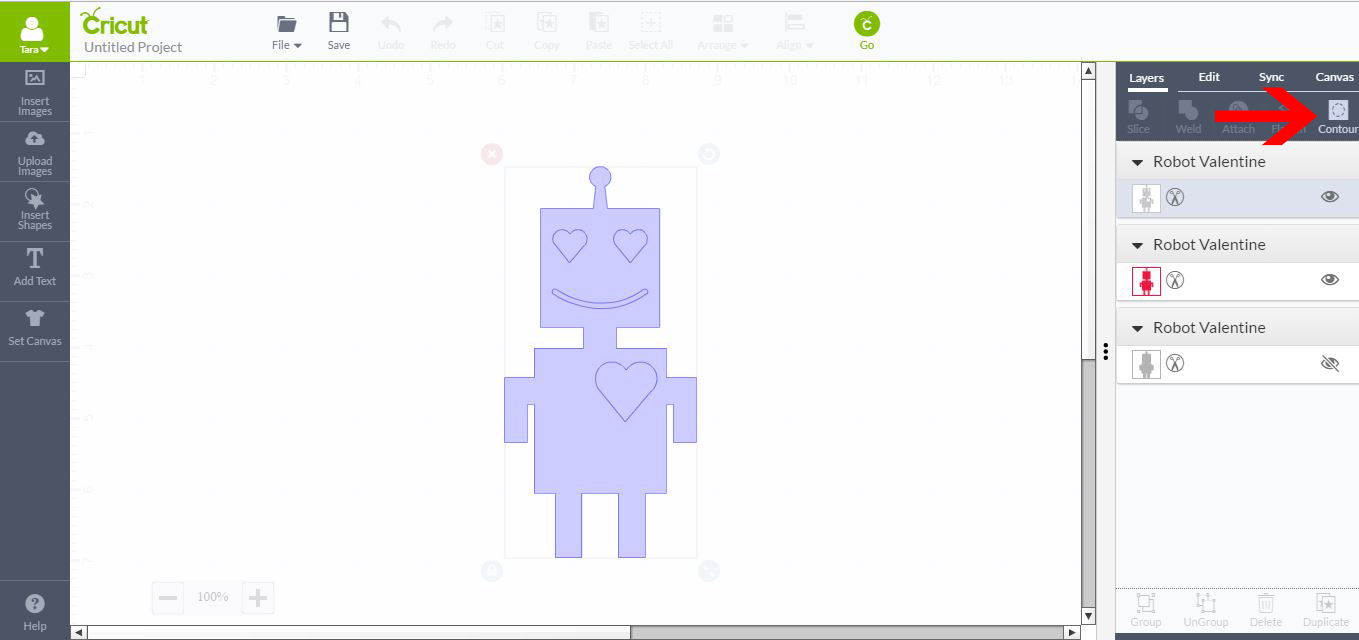
6- Each blue line is a cut line. We can select each one individually. If you want to stop a particular part cut click on that line. It will change colour letting you know the line is now turned off and will not cut.
7- If you click outside of your layer the image will return to the original layer. You can see that the cut line we selected in contour mode is no longer visible. This will no longer cut until you re enter contour mode and re select it.
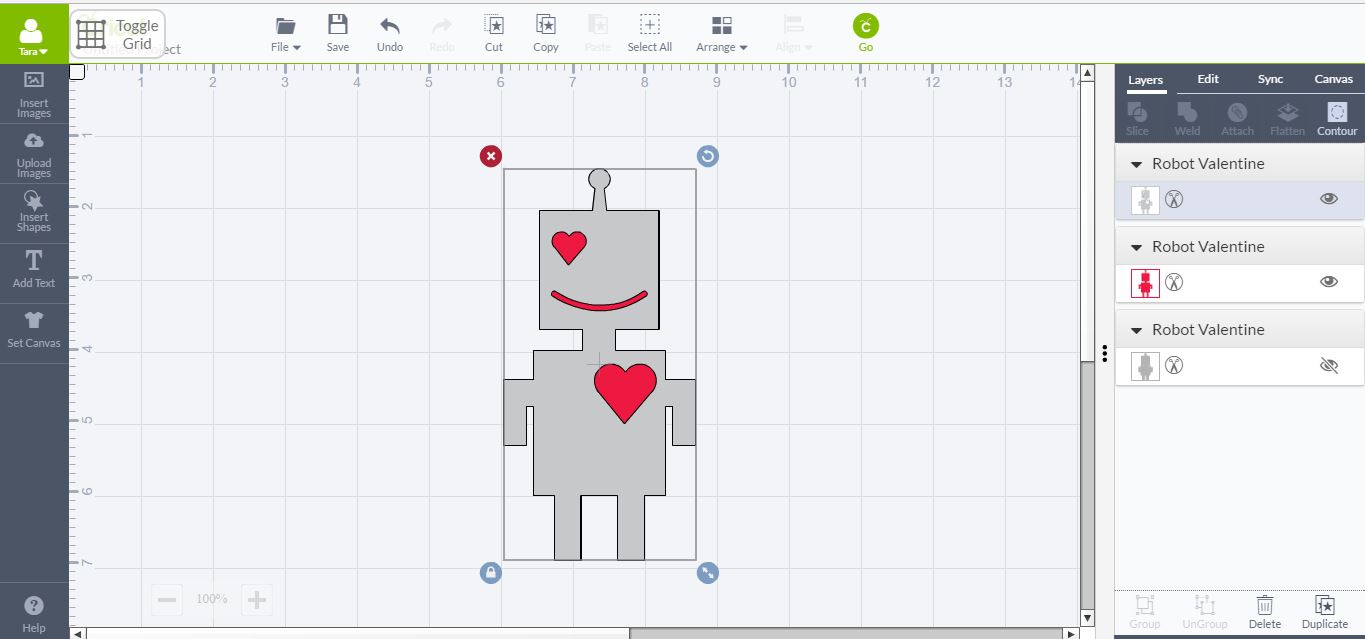
This function is great if you want to adjust only part of a layer in Cricut design space.
Related Tutorials
Cricut Tutorials
Altering Images Using the Contour Tool in Cricut Design Space Mobile App
Discover how to alter images using the Contour Tool in Cricut Design Space.
Cricut Tutorials
How To Use The Slice Tool In Cricut Design Space To Split Images
Learn how easily to Split Images in Cricut Design Space using the Slice Tool.
Affinity Tutorials
How to Use the Contour Tool in Affinity Designer
Use the Contour Tool in Affinity Designer to create offsets around your text or design.
Inkscape Tutorials
How to Use the Bezier Curve Tool in Inkscape
In this tutorial, learn how to create lines and curves in Inkscape with the Bezier Curve Tool!
Cricut Tutorials
Editing Images in Cricut Design Space
Crop, Erase or completely change a design with multiple tools for editing made easy.
Illustrator Tutorials
Place Images Inside Text in Adobe Illustrator
In this Adobe Illustrator tutorial, learn how to quickly place images inside text.