Get Unlimited Access to Millions of Craft Designs, Templates, Fonts and More! Start Creating for Free Now

DesignBundles.NET
Pricing
DesignBundles.NET

Categories

New

Account

Start Free Trial
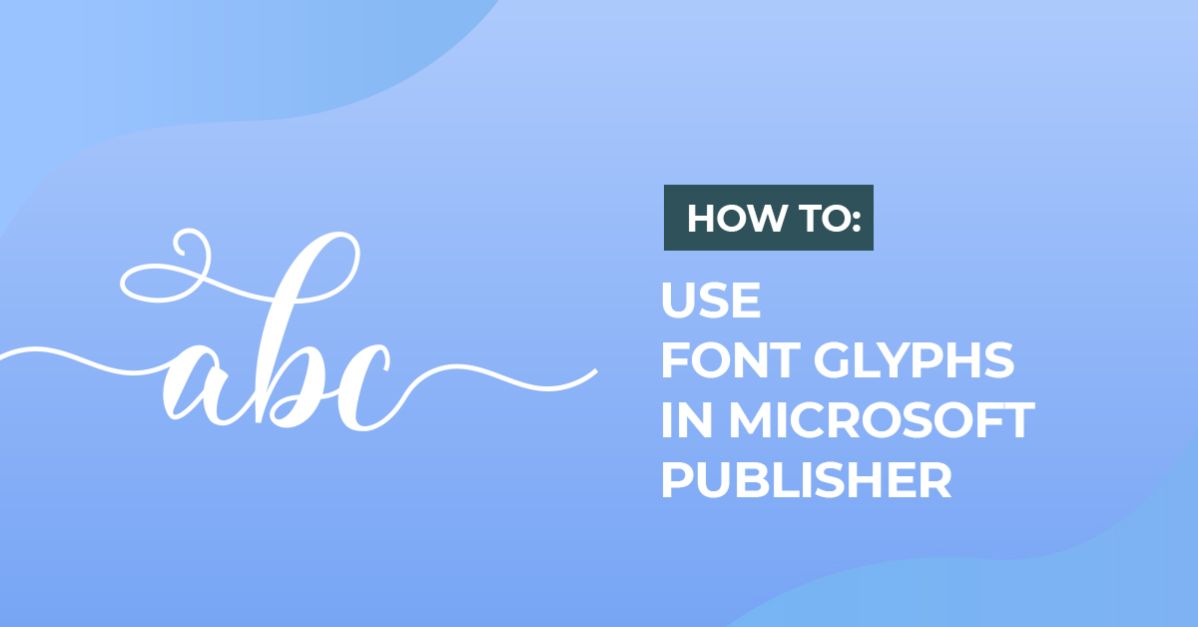
How to Use Fonts and Glyphs in Microsoft Publisher

By Design Bundles

Font TutorialsBeginner4 min

How to Use Fonts and Glyphs in Microsoft Publisher

Discover how to use font glyphs and swashes in Microsoft Publisher today to beautiful font designs.

In this tutorial we will show you how to use Font Glyphs and swashes in Microsoft Publisher.

Step 1: Open up Publisher

Then create a new document.

Step 2: Draw a Text Box
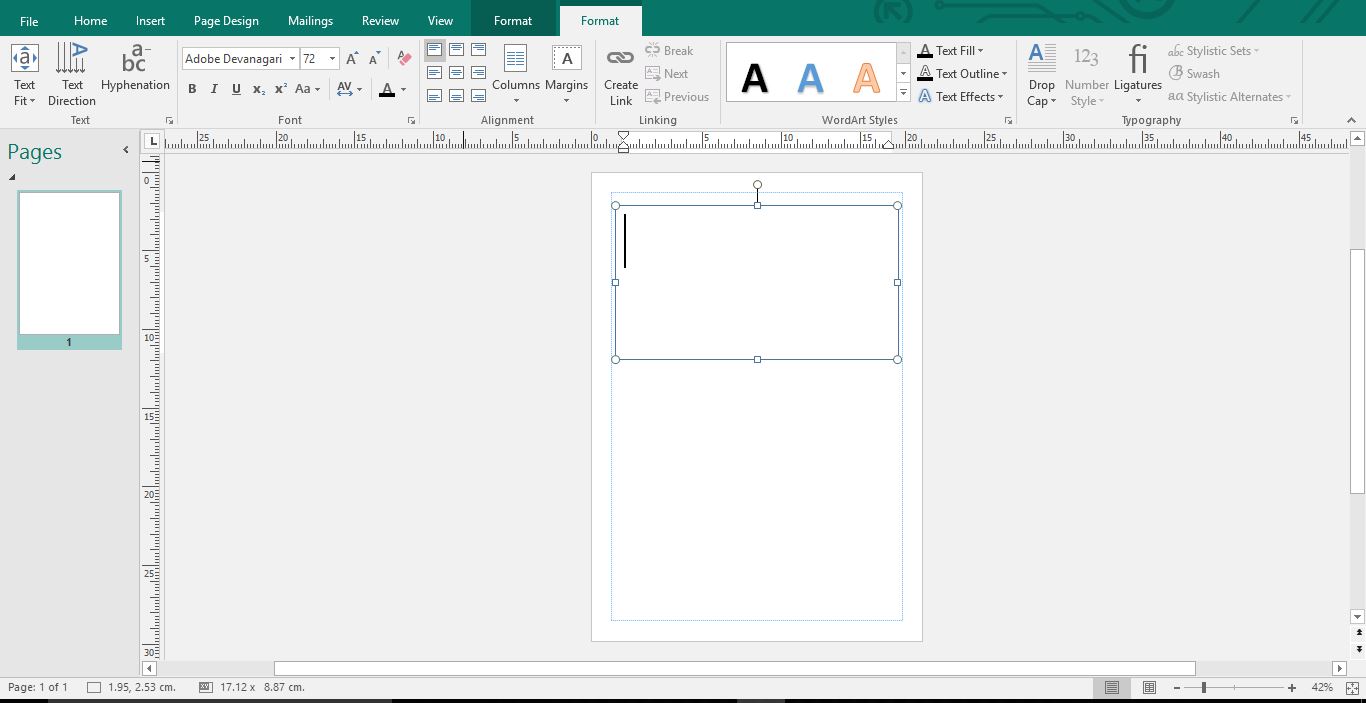
Step 3: Change the Font

Click the drop down and change the font to one you'd like to use.

Step 4: Open Character Map

If you are on a PC open your Character Map.

Select the Font You're Using

Once you have that open, click the drop down arrow and select the font you are using.

Step 5: Change the Character Map View

Make sure that the Advance view is selected (1). Then go to Group by and select Unicode Subrange (2).
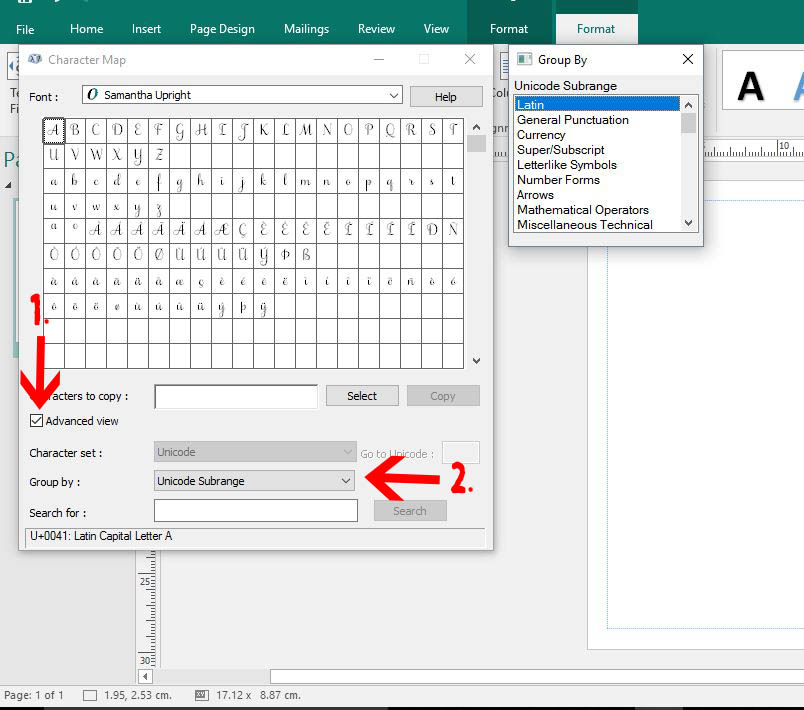
A new window will pop up. Scroll down and and select Private Use Characters.

Step 6: Copy Your Glyphs

Your glyphs will now appear. Select the glyph you would like (1). Then click on the Select icon (2) to make it appear in the Characters to copy section. Finally click on the copy icon (or Ctrl+C).

Step 7: Paste Your Glyphs

Click back to your workspace. Then click Ctrl+ V to paste in your Glyph. You can now continue to type your text.
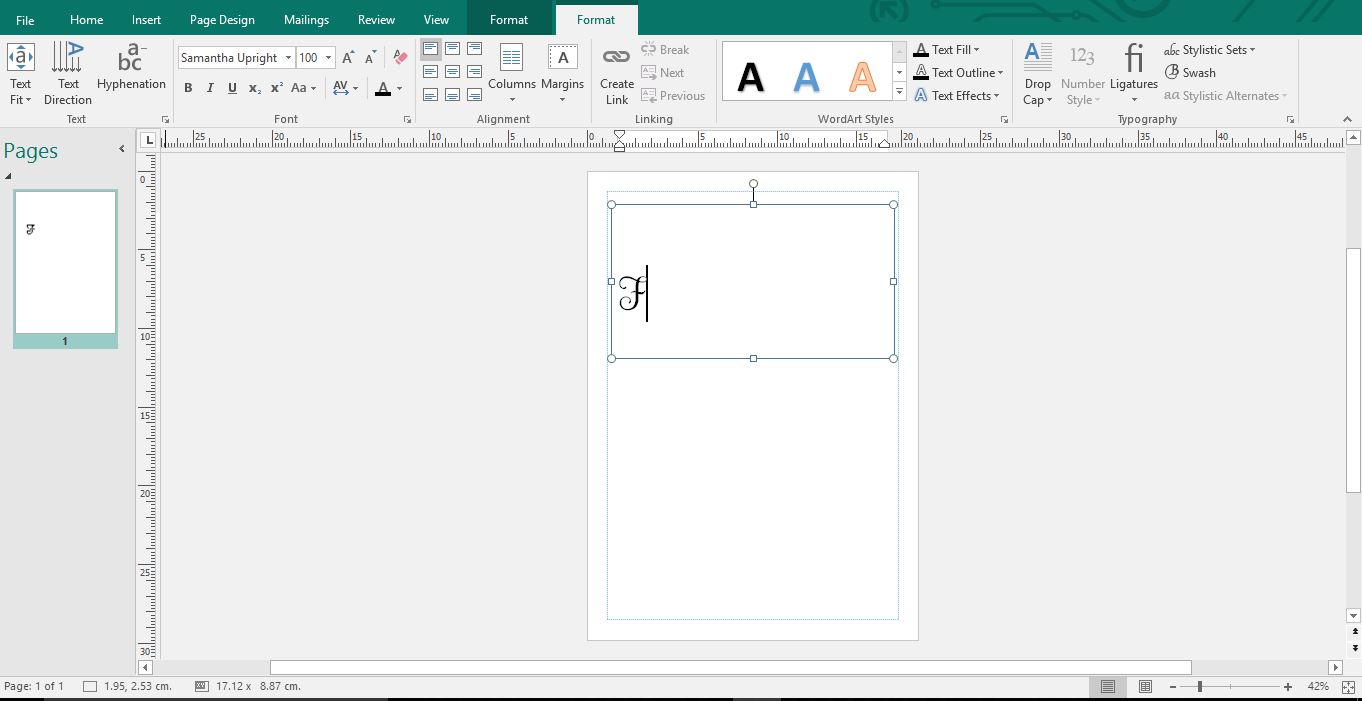
Continue to add your text. If you need another Glyph repeat the above steps.

Related Tutorials

Canva Tutorials

How to Use Alternate Glyphs in Canva

Learn how to add alternate font characters or swashes in Canva to create a unique design.
Font Tutorials

How to Access and Use Font Glyphs on a Windows PC

Learn how to access and use font glyphs on a Windows PC with this tutorial.
Cricut Tutorials

How to use Glyphs in Cricut Design Space

Discover how to use font glyphs/alternate characters in Cricut Design Space.
Canva Tutorials

How to Use Your Purchased Fonts in Canva

In a few steps you'll be using your brand font, or any other custom font perfect for your project!
Illustrator Tutorials

How to use Glyphs in Adobe Illustrator

If you want to learn how to use glyphs in Illustrator, we'll show you how in this beginner tutorial.

Keep going

You may also like

All font tutorials
The weekly drop

Fresh tutorials, trends & free files.

Join 6 million makers getting our best craft guides and exclusive freebies straight to their inbox.

No spam. Unsubscribe anytime.
Use Font Glyphs in Microsoft Publisher | Design Bundles