By Design Bundles
How to resize an image without losing quality in Adobe Illustrator
Learn how to resize an image without losing quality in Ai.
Step 1- Open Adobe Illustrator.

Step 2 - Open your image.
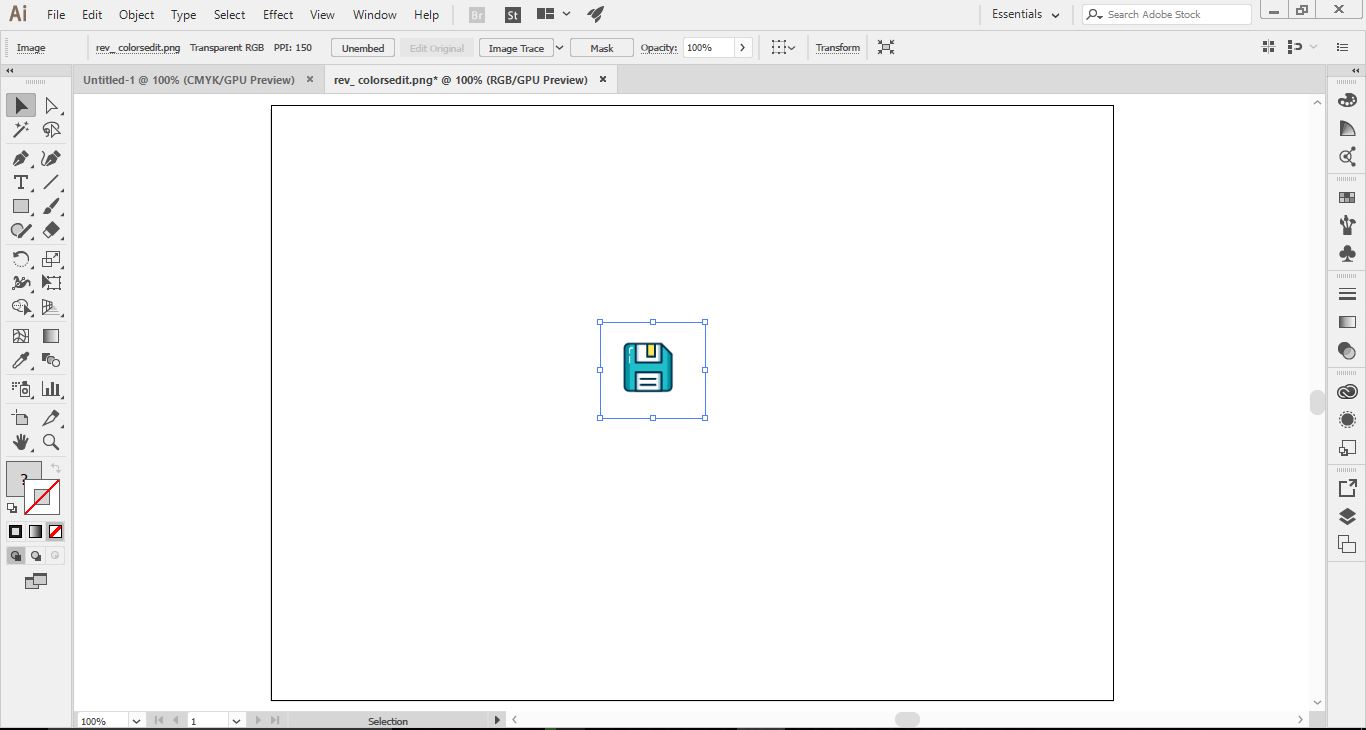
Step 3 - When you resize some images you will find that they become pixelated.

Step 4 - A way to stop this from happening you can do the following.
Select the image, in the top toolbar select image trace drop down box. Select high fidelity photo.

Step 5 - Next select Expand in the top toolbar.

Step 6 - This will have adjusted your image. Hold the shift down and drag your image bigger.

Step 7- As you ca now see there are no pixelated edges.

It is good to note that this technique will not work on every image but it is good to try to improve the quality of your images. You can also use SVG images which do not lose quality with scale.
Image is from Design Bundles and the image set is called customizable outline icons. You could also try our Login Icons, Sage Green Icons, or these Camera App Icons, the choice is yours!
Related Tutorials
Illustrator Tutorials
Place Images Inside Text in Adobe Illustrator
In this Adobe Illustrator tutorial, learn how to quickly place images inside text.
Inkscape Tutorials
How to resize an image in Inkscape
Discover how to resize an image in Inkscape in this tutorial perfect for beginners.
Affinity Tutorials
How to Resize an Image in Affinity Photo
Learn how to resize an image four ways in Affinity Photo with this quick step by step tutorial.
Illustrator Tutorials
How to Create SVGs in Adobe Illustrator
In this tutorial, learn how to create and save a SVG in Adobe Illustrator.
Illustrator Tutorials
How to Crop an Image to a Shape in Illustrator
Learn how to crop an image to a shape in this step by step Illustrator tutorial.
Illustrator Tutorials
How to use Glyphs in Adobe Illustrator
If you want to learn how to use glyphs in Illustrator, we'll show you how in this beginner tutorial.