By Design Bundles
How to Make 2D Flowers Using Polar Grid in Illustrator
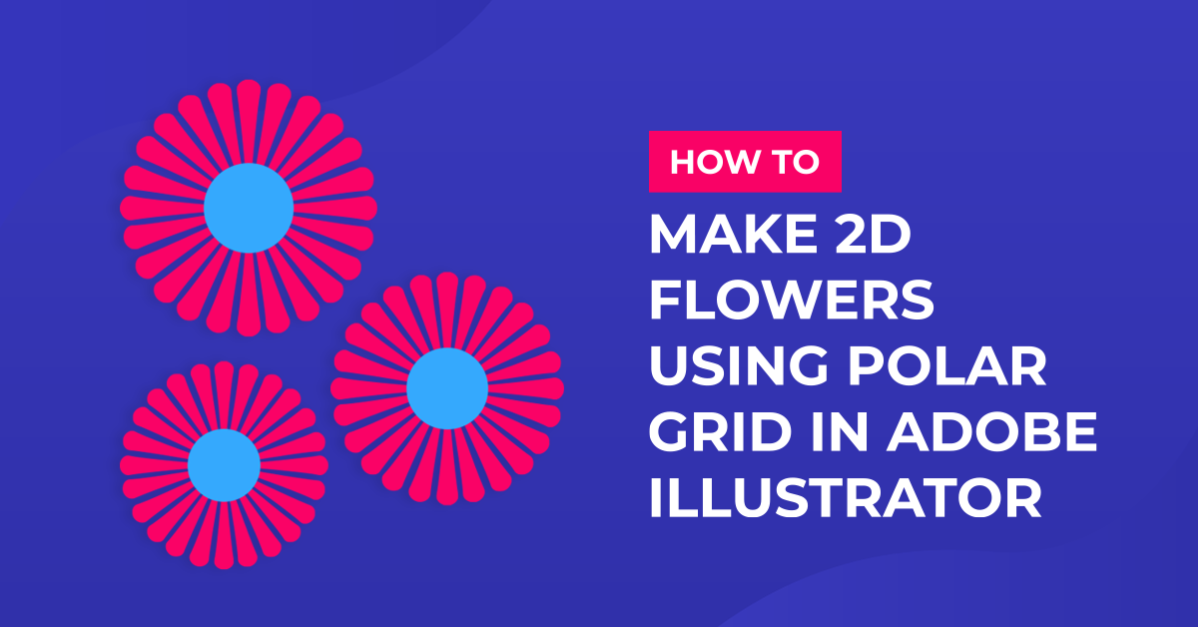
In this tutorial, you will learn how to create 2D flowers using the Polar Grid in Adobe Illustrator.
1 - In Illustrator, create a “New Document”.

2 - Select the “Line Segment Tool” (\) and draw a 15 cm long line on the top part of your document. Hold the “Shift” key to make sure the line is straight, use Black as “Stroke” color. Leave the “Weight” at 1 pt.


3 - Select The “Width Tool” (Shift + W), then click on the right-most point and drag down to enlarge that side to about 48 pt. Select the middle of the line and make it slimmer and then the left-most point and drag it in to 0. You may want to make the right side larger (we made it almost 75 pt).


4 - Open the “Width Profile Presets Panel” and click the “Add to Profiles” button at the bottom. Give it the name you want.


5 - Select the “Polar Grid Tool” (right-click on top of the “Line Segment Tool” and scroll down), click inside your “Canvas” and input a “Width” and “Height” value of 15 cm and use a value of 60 for “Radial Dividers”.


6 - Right-click on top of your Shape and choose “Ungroup”, then select the outer circle and delete it.


7 - Open the “Width Profile Presets Panel” and choose your “New Width Profile”.


8 - Change the “Stroke” size to 6 pt (or make it as thick as you want) and maybe choose “Round Cap” in the “Stroke Panel”.


9 - Select the “Ellipse Tool” (L) and make a White Circle and place it centered on top of your Shape to mimic empty space.


10 - You can make the “Caps” flat again and use the shapes as “Zoom” lines for your Artwork. You can change the colors of the “Strokes” and the “Fill” of the circles.


11 - You can also the colors of the sizes and add stems and leaves and use the shapes as flowers.

2 - Select the “Line Segment Tool” (\) and draw a 15 cm long line on the top part of your document. Hold the “Shift” key to make sure the line is straight, use Black as “Stroke” color. Leave the “Weight” at 1 pt.
3 - Select The “Width Tool” (Shift + W), then click on the right-most point and drag down to enlarge that side to about 48 pt. Select the middle of the line and make it slimmer and then the left-most point and drag it in to 0. You may want to make the right side larger (we made it almost 75 pt).
4 - Open the “Width Profile Presets Panel” and click the “Add to Profiles” button at the bottom. Give it the name you want.
5 - Select the “Polar Grid Tool” (right-click on top of the “Line Segment Tool” and scroll down), click inside your “Canvas” and input a “Width” and “Height” value of 15 cm and use a value of 60 for “Radial Dividers”.
6 - Right-click on top of your Shape and choose “Ungroup”, then select the outer circle and delete it.
7 - Open the “Width Profile Presets Panel” and choose your “New Width Profile”.
8 - Change the “Stroke” size to 6 pt (or make it as thick as you want) and maybe choose “Round Cap” in the “Stroke Panel”.
9 - Select the “Ellipse Tool” (L) and make a White Circle and place it centered on top of your Shape to mimic empty space.
10 - You can make the “Caps” flat again and use the shapes as “Zoom” lines for your Artwork. You can change the colors of the “Strokes” and the “Fill” of the circles.
11 - You can also the colors of the sizes and add stems and leaves and use the shapes as flowers.
by @lornacane
Related Tutorials
Illustrator Tutorials
How to Make an Isometric Grid in Illustrator
Discover how to create perspective type with this step by step Adobe Illustrator tutorial.
Illustrator Tutorials
How to Make a Wavy Line in Illustrator
In this tutorial learn a super quick and easy way to draw a wavy line in Adobe Illustrator.
Affinity Tutorials
How to Make GIFs Using Affinity Designer
In just 3 easy steps you will learn how to create animated GIFs using Affinity Designer.
Illustrator Tutorials
How to Make a Seamless Instagram Carousel in Illustrator
Create stunning Instagram Carousels using Adobe Illustrator.
Illustrator Tutorials
How to Make Sparkles in Illustrator
In this tutorial you'll learn how to make trendy sparkles in Adobe Illustrator.
Illustrator Tutorials
How to Make a Knockout Design in Illustrator
Using Adobe Illustrator, you can create a Knockout Text Effect.