By Design Bundles
Photoshop Tutorials3 min
Saving a Silhouette File as PDF to open in Photoshop
Discover how easy it is to save a Silhouette file as a PDF in only a few steps.
1- Open silhouette studio. Click on the file icon.
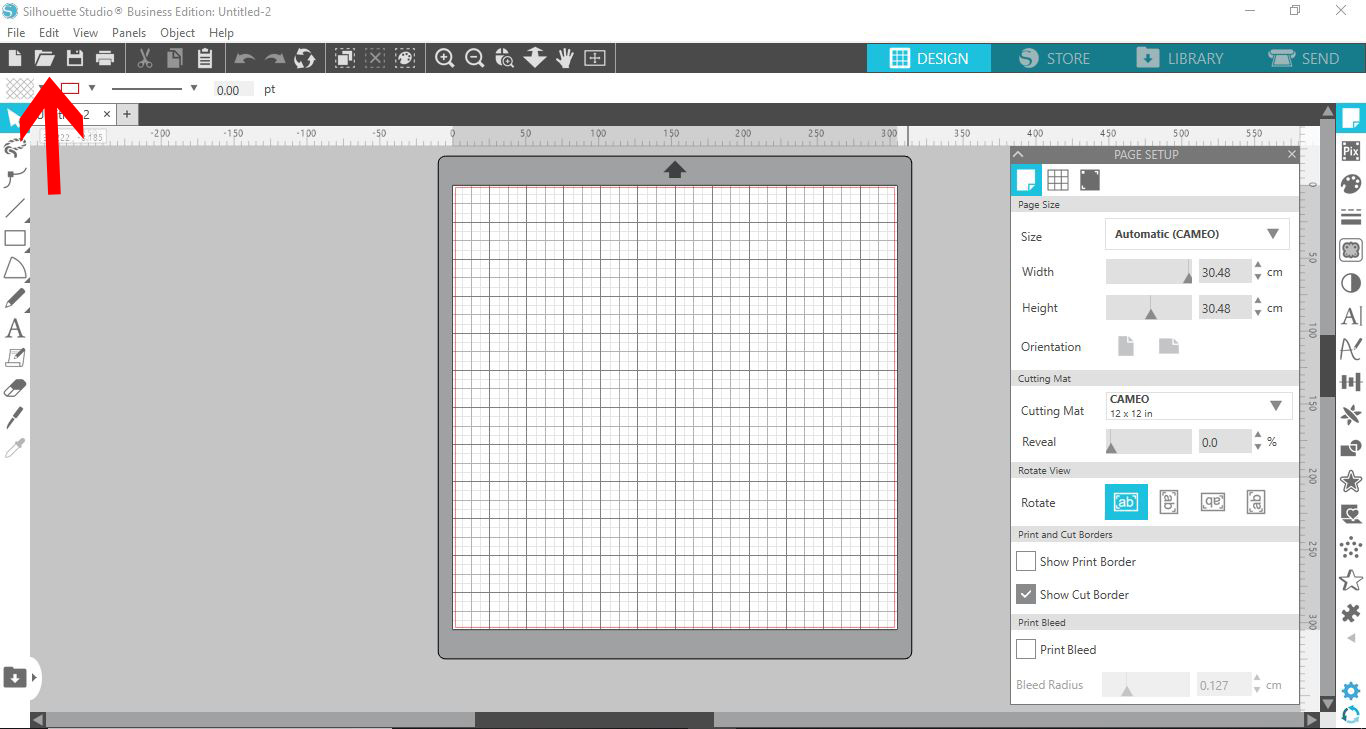
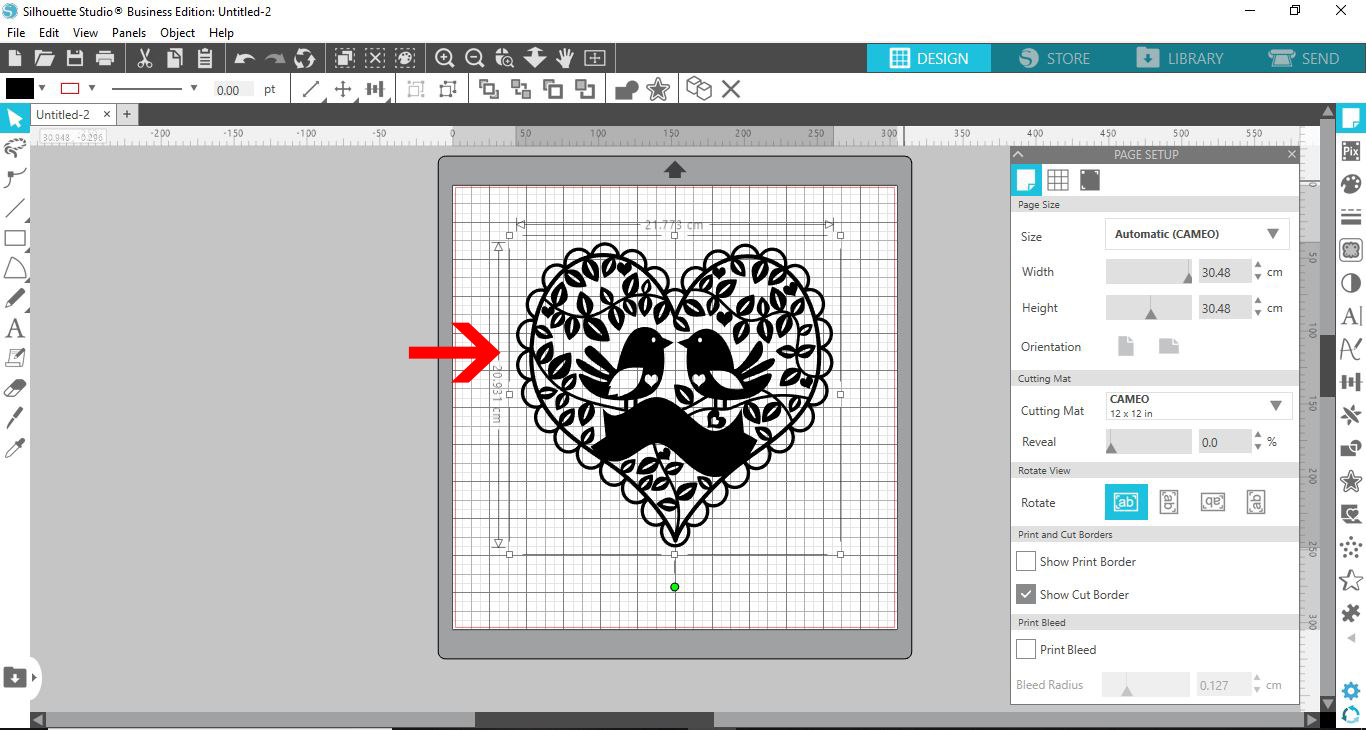
2- Place your design onto your design space. I am using Bird Heart Paper Cut SVG by Digital Gems.
3- You will need to have a PDF creator installed into your pc. I use PDF creator which is a free program.
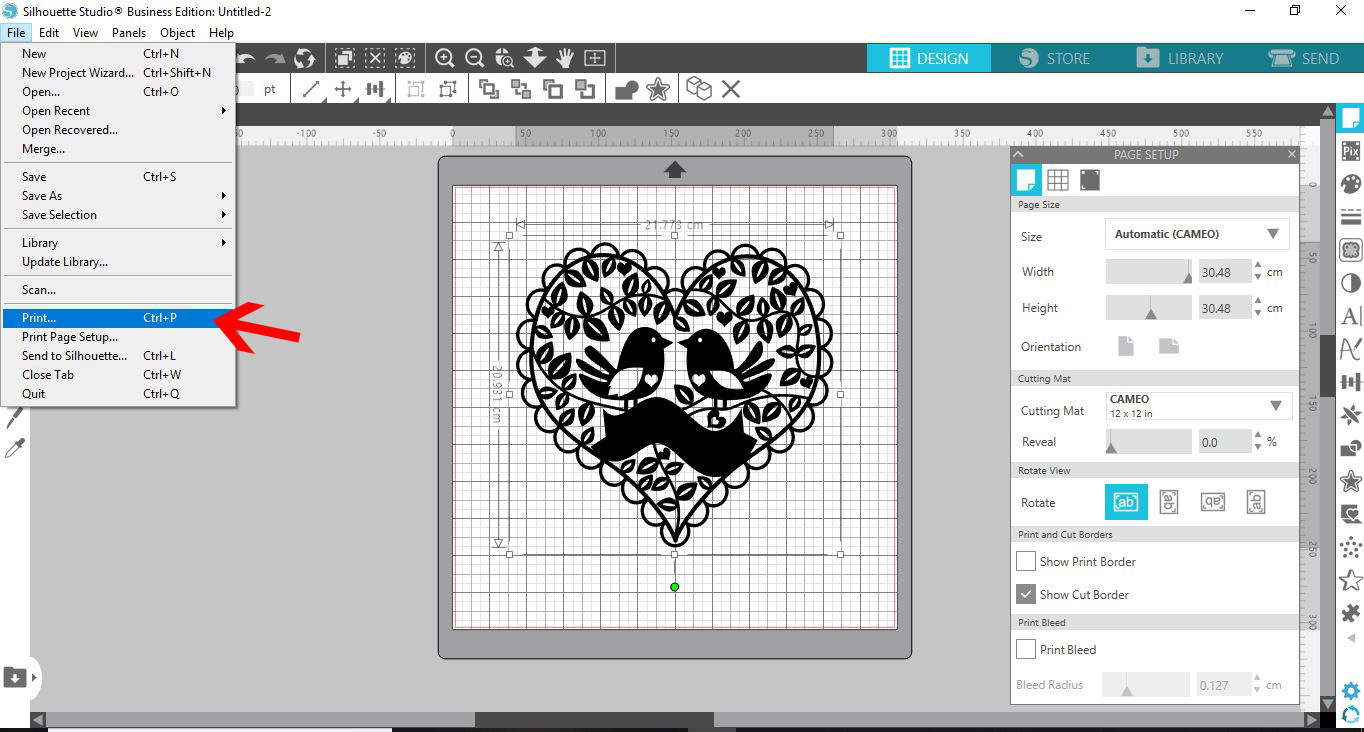
4- Once you have finished your design, go to File - Print.
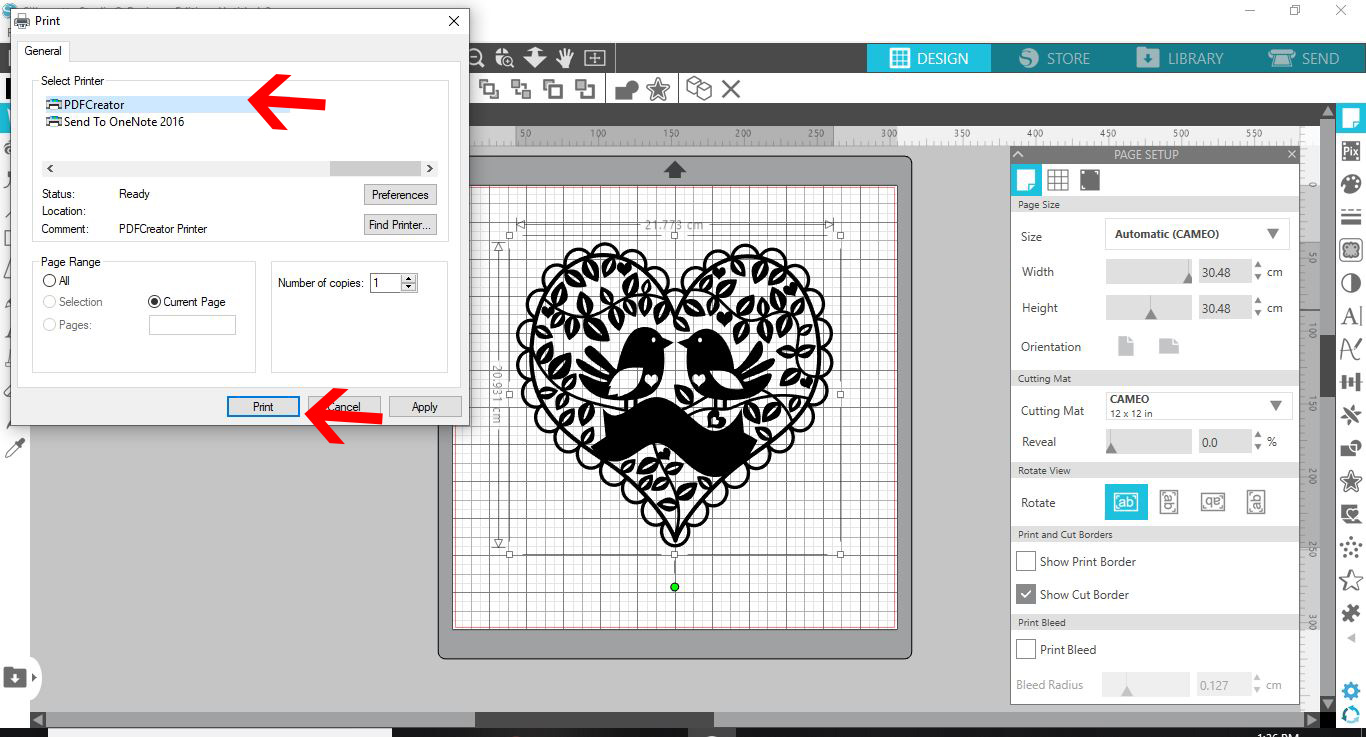
5- On the print screen. Select your PDF creator. Click print.
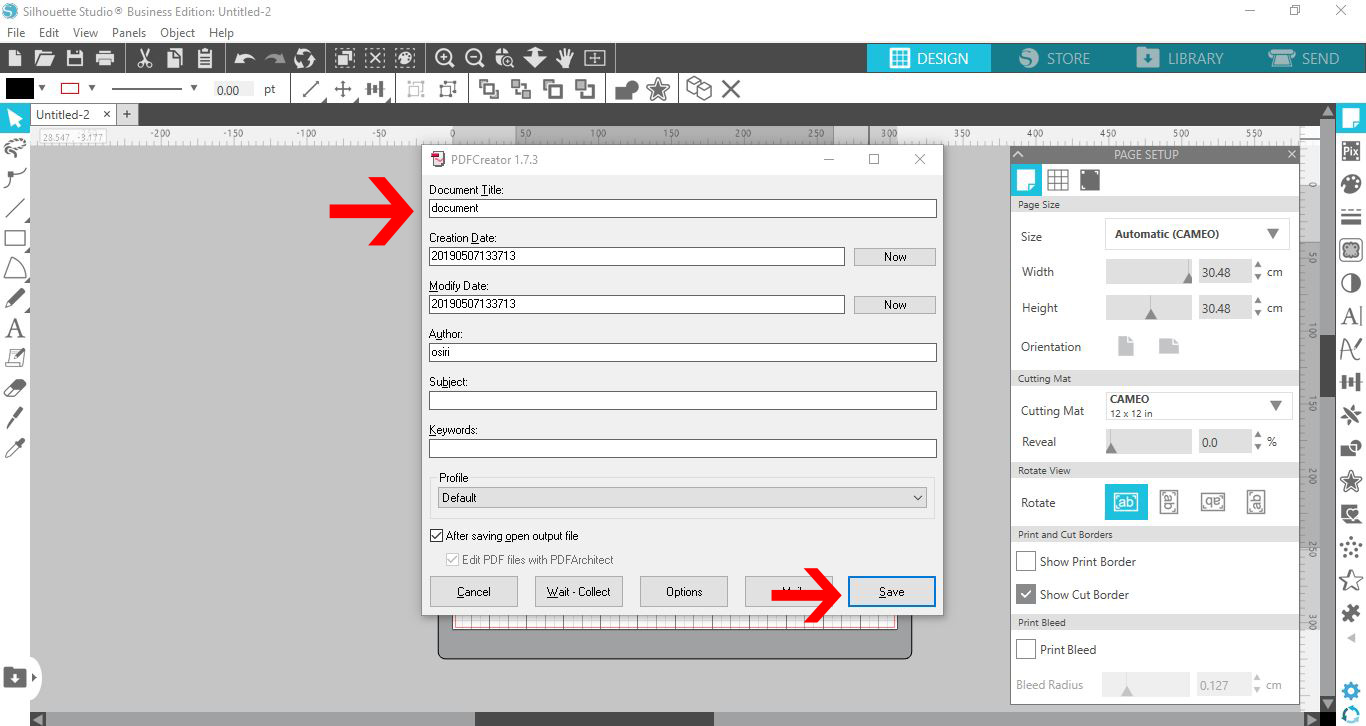
6- A new window will appear. Change the document name and then click on save.
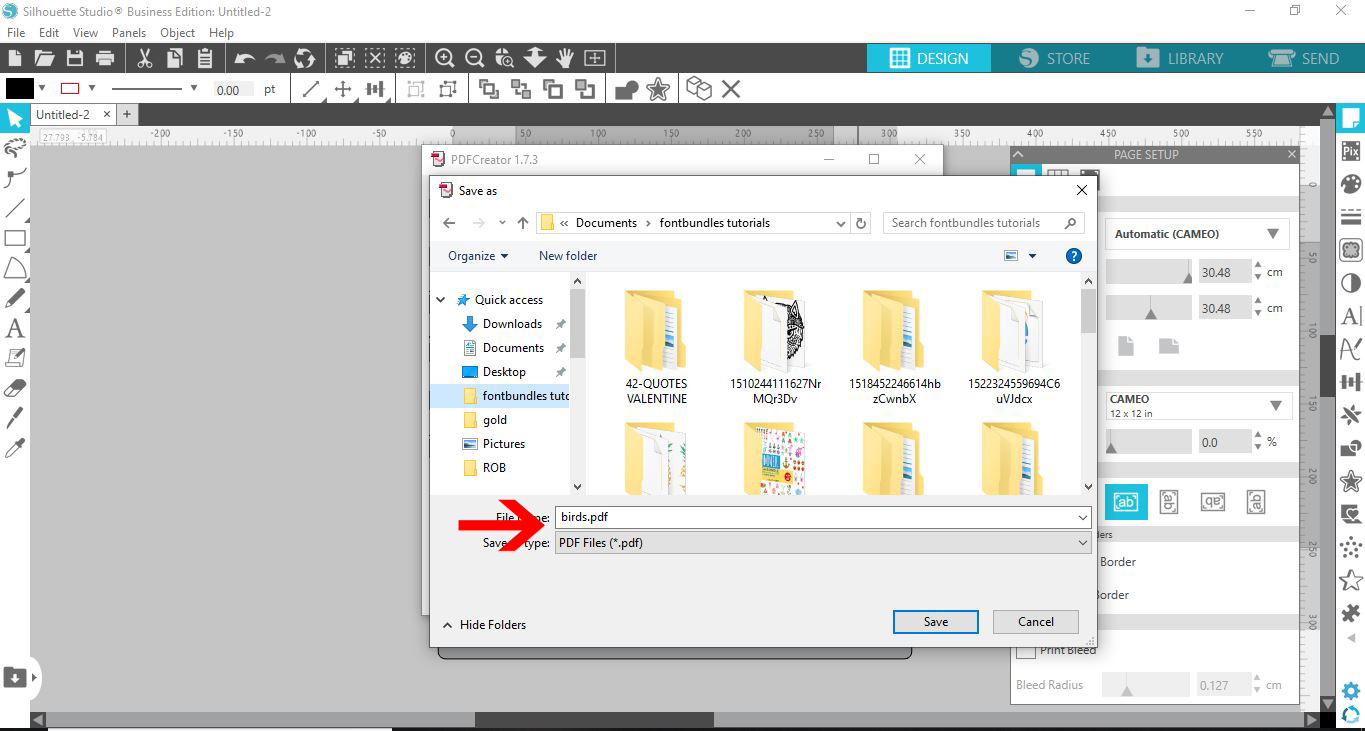
7- A second window will appear. save your PDF where you need to keep it.
8-Once saved. the design will be a PDF. You can open the PDF below so ensure it is how you need it and then at a later time open in Photoshop and use it.
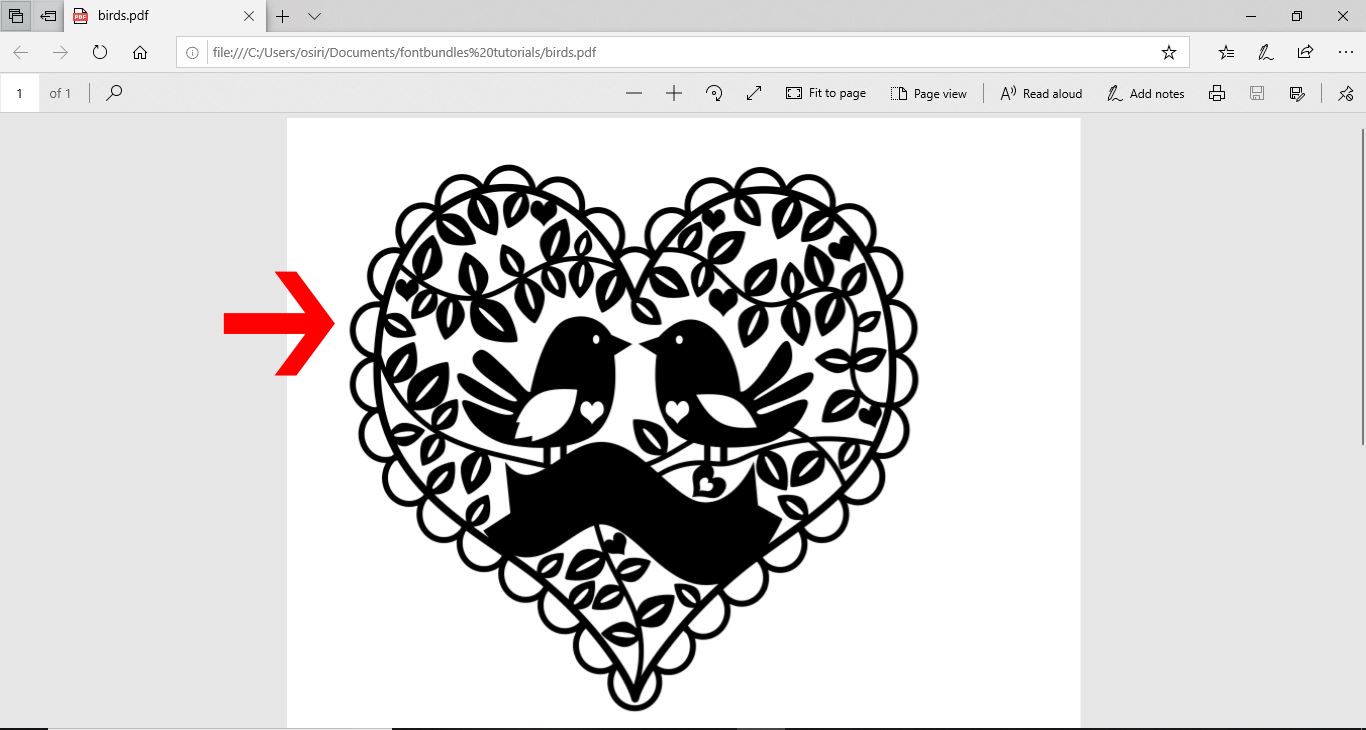
That's how easy it is to save a Silhouette file as a PDF.
Related Tutorials
Silhouette Tutorials
Opening a SVG file in Silhouette V4.1 Free edition
Cricut Tutorials
How to Use a PDF File in Cricut Design Space
In this tutorial we guide you through the steps on using a PDF file in Cricut Design Space.
Inkscape Tutorials
How to open and save a PDF in Inkscape
Photoshop Tutorials
How to use an SVG file in Adobe Photoshop
Silhouette Tutorials
How To Convert and Cut an EPS file in Silhouette Studio
In this tutorial we will show you two methods to convert and cut an EPS file in Silhouette Studio.
Pixascape Tutorials
How to Open and Save Files in Pixascape
Learn how to open and save photos in this photo editing software!