
By Design Bundles
Silhouette Tutorials2 min
Foiling on vellum with silhouette studio and the foil quill
1- Open silhouette studio. Open up your design or you can type text.
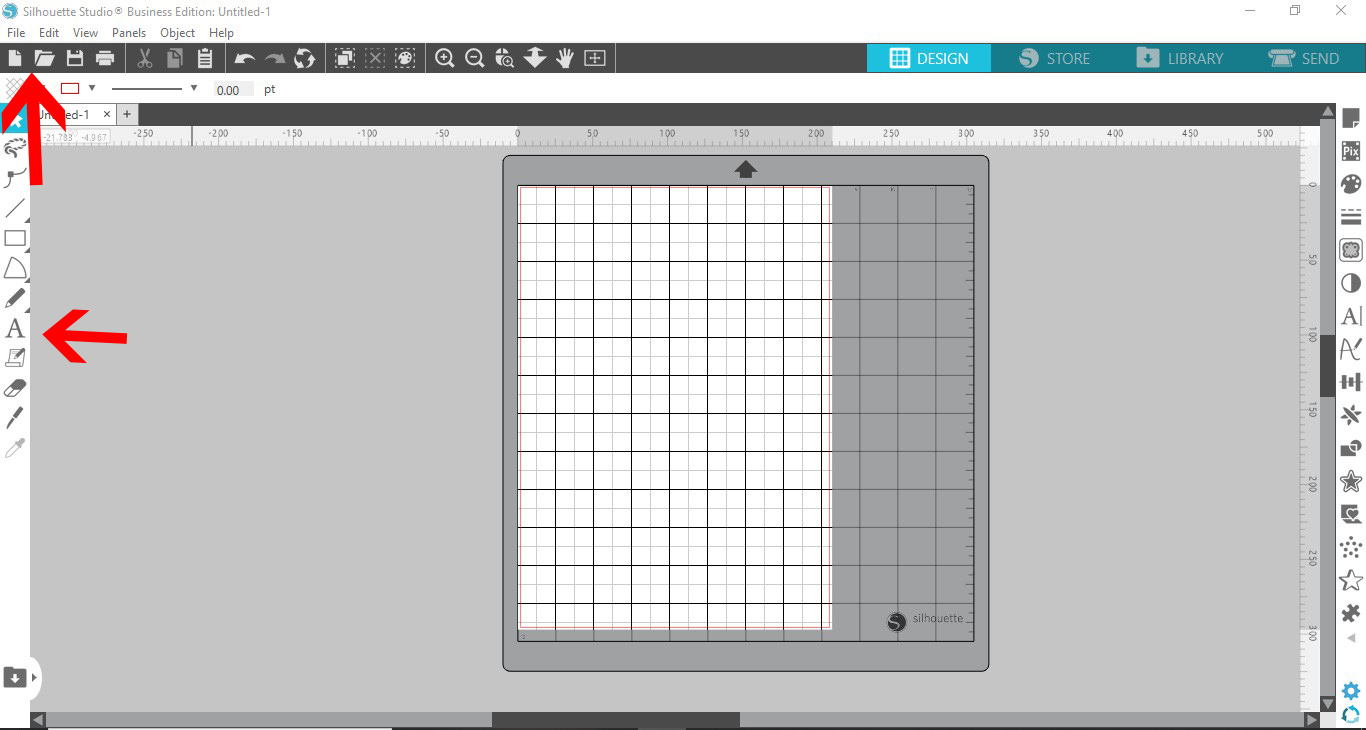
2- I have chosen to use text. Type your text.

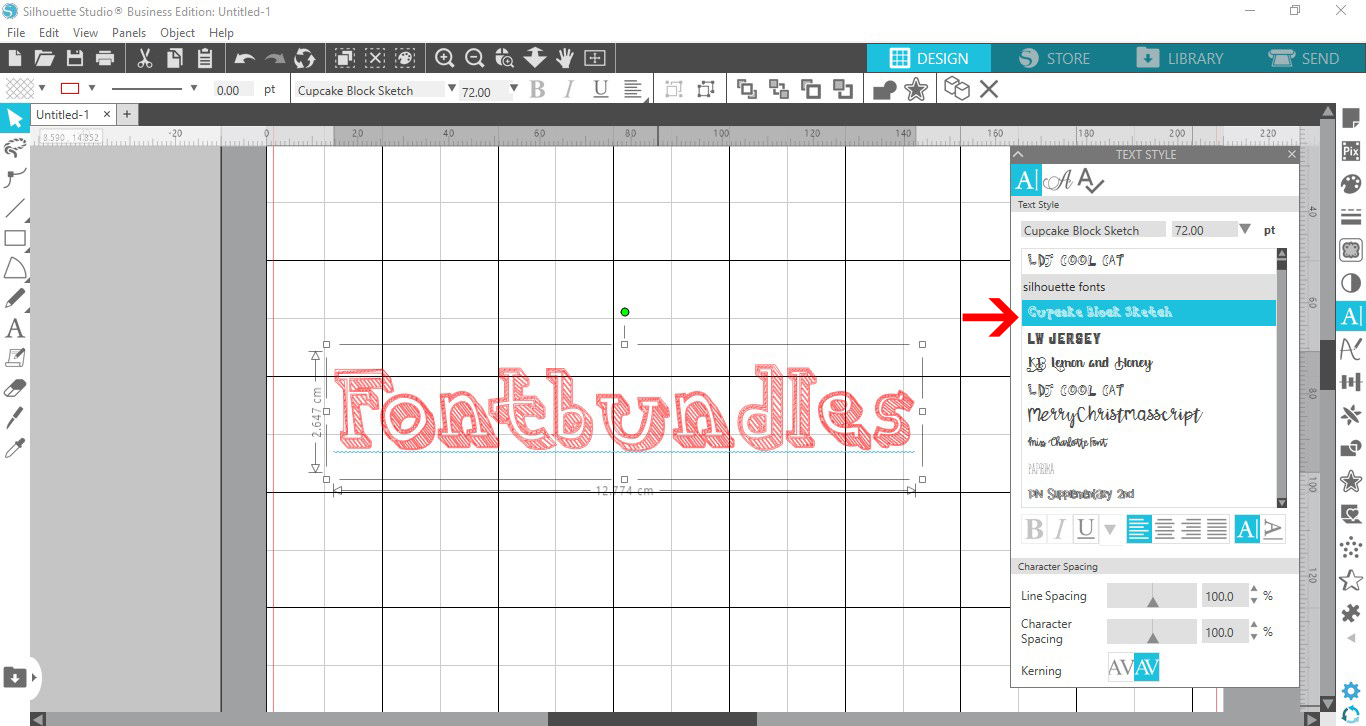
3- Change your font to either a single line font or a font you can sketch fill.
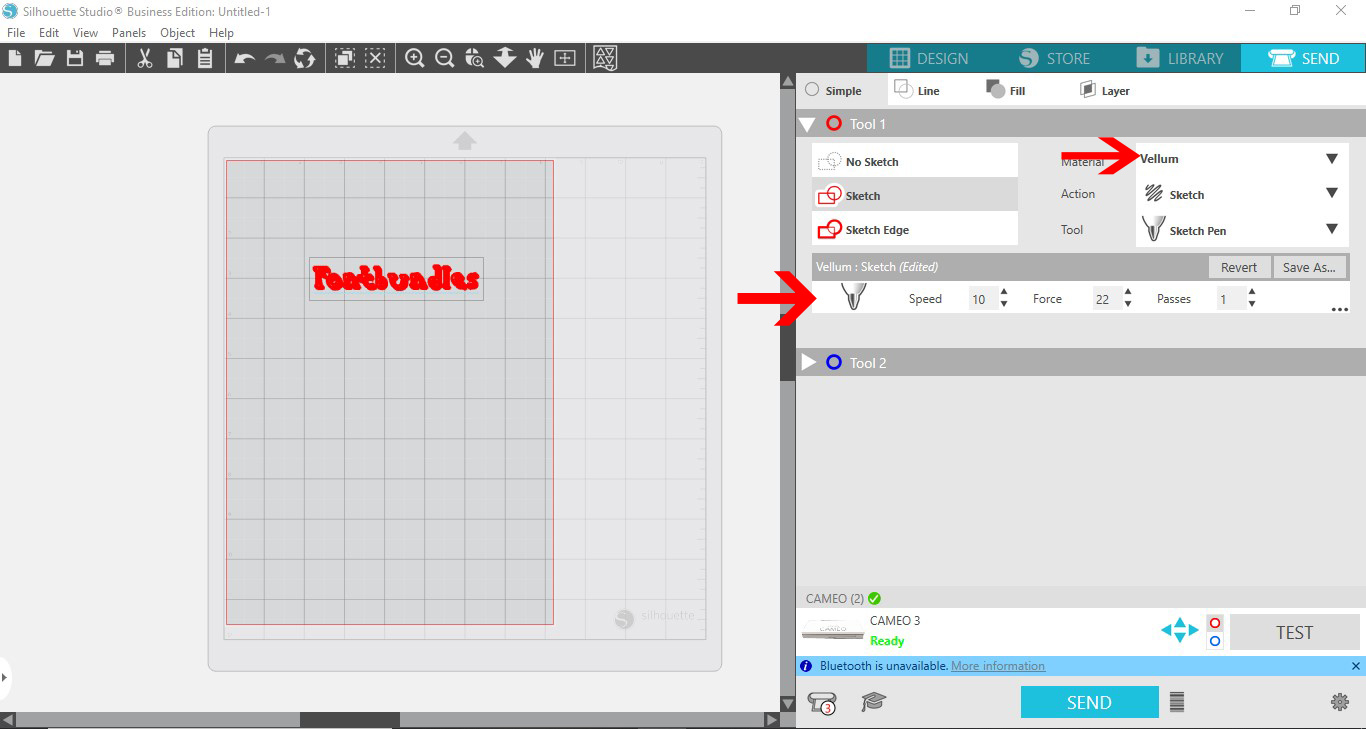
4- Go to the send screen when your design is finished. Choose vellum as the medium. Set the tool to sketch pen, and the speed to 10 ,force to 22 and pass 1. With vellum it can easily rip, so getting the force and speed right makes all the difference.
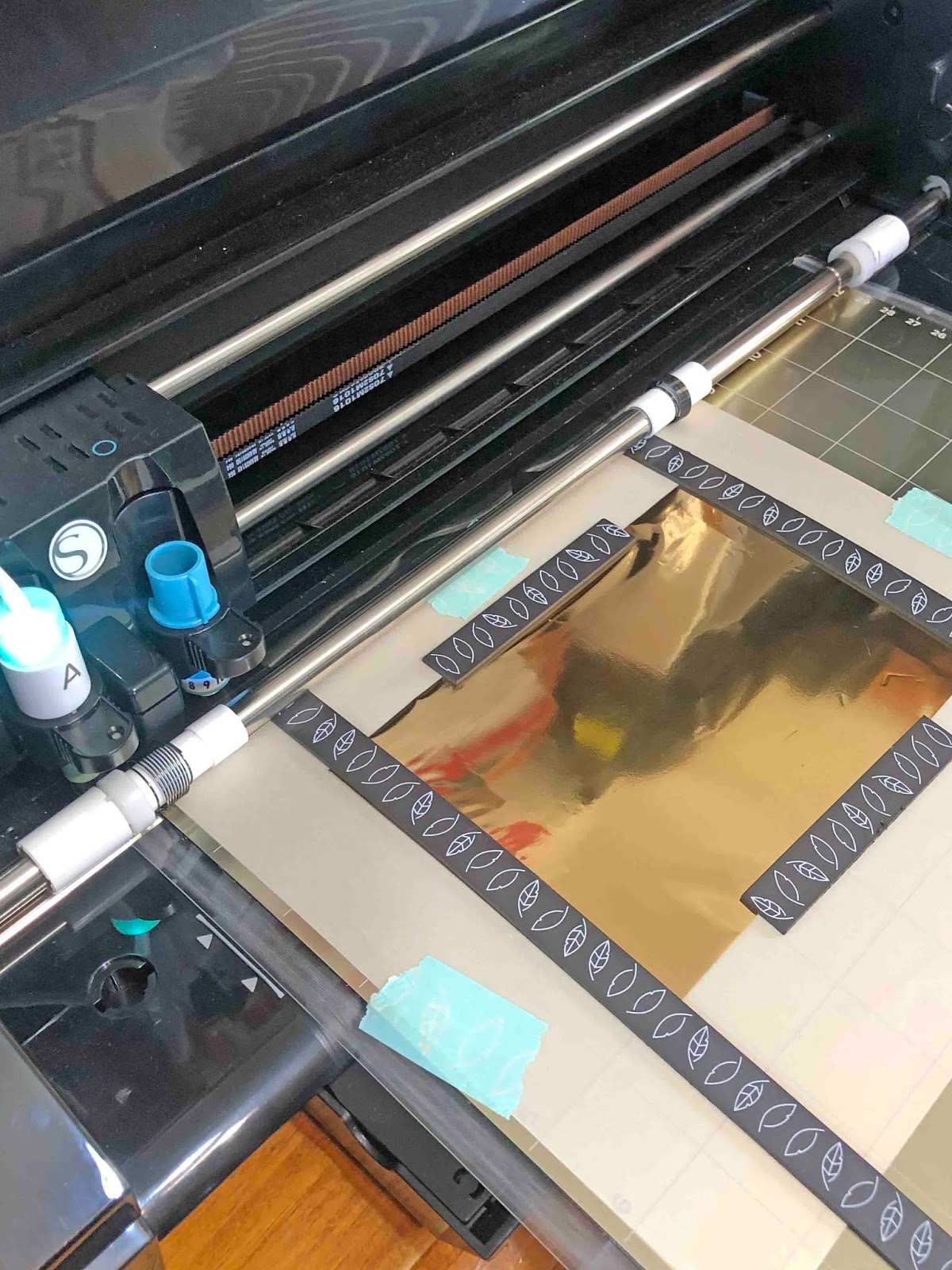
5- Send to your machine. Make sure the vellum is attached flat so the foil tip will not catch on the vellum.
6- Your design is now foiled. The design should not rub off from the vellum.


Related Tutorials
Silhouette Tutorials
Foiling on ribbon with the foil quill and silhouette studio
Silhouette Tutorials
Foiling leather using the foil quill and silhouette studio
Silhouette Tutorials
How to Use the Foil Quill on Acetate in Silhouette Studio
In this tutorial learn how to use the Foil Quill on Acetate using Silhouette Studio in just 3 Steps!
Scan N Cut Tutorials
Foiling on vellum in brother scan and cut machine using the foil quill
Silhouette Tutorials
How to use the foil quill on a candle using silhouette studio
Silhouette Tutorials
Multi color foiling in Silhouette Studio with the Foil Quill
Add beautiful Multi Colored Foil Accents to your design using the Foil Quill in Silhouette Studio.