
By Design Bundles
How to Activate Your Silhouette Studio Upgrade
Do you need a guide on how to activate your Silhouette Studio upgrade? Then follow this tutorial as we show you how quick and easy it is to upgrade. Upgrades can open up additional features that enhance your cutting experience with your machine. So let’s take a look at activating your purchased upgrade.
We have a great guide on the software upgrade comparison if you need more information on features.
Step 1 - Access Upgrade Studio Option
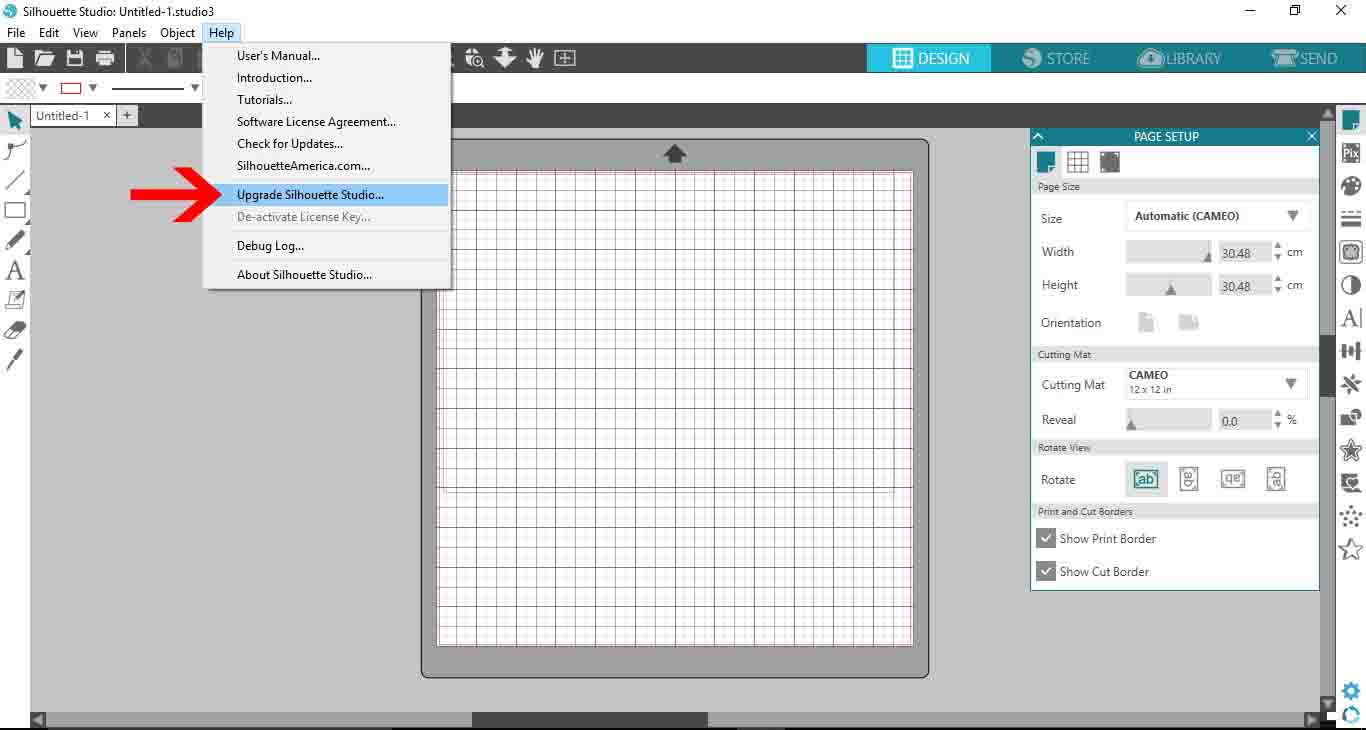
Open Silhouette Studio then go to Help > Upgrade Silhouette Studio.
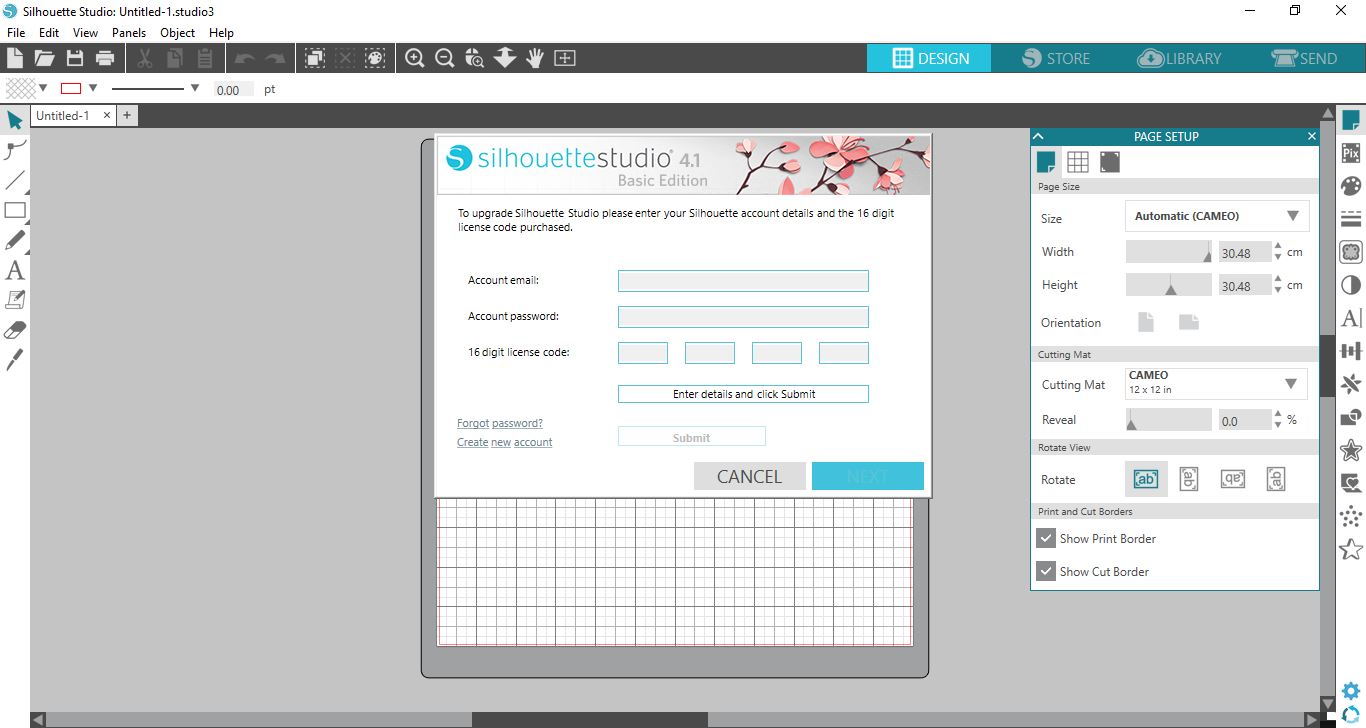
You will see a new window appear requesting information before proceeding.
Step 2 - Enter in Registration Code
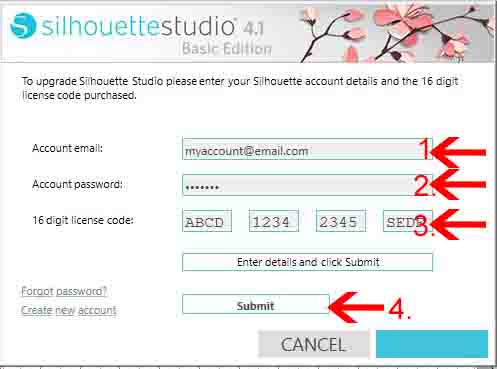
Fill in the requested information starting with the email address you use for the Silhouette Store. Next, input the password for the account. Then add the sixteen digit code you received after purchasing the upgrade.
Finally, once everything is filled in, click on Submit. You will need an internet connection to submit the upgrade code.
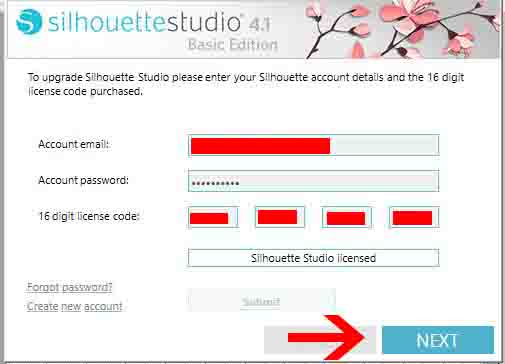
Silhouette Studio will then verify your information with an internet connection. Once done, the blue button icon bottom right will change to Next. Click on this to go to the next step.
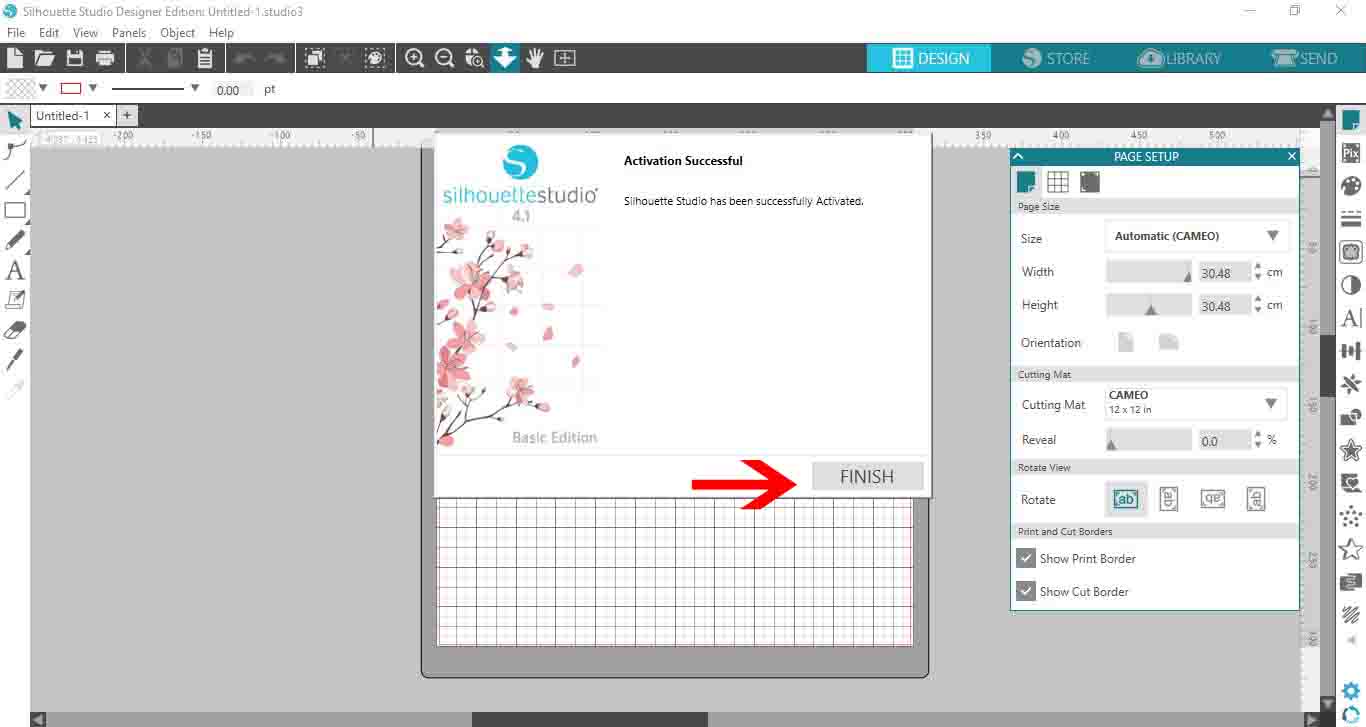
A window with Activation Successful will now appear. You can click on the Finish icon bottom right to complete the upgrade.
You can easily find your upgrade code by going to your Silhouette Store account. Click on the profile icon, then click on the tab for License Keys. Any and all license keys used will be stored here.
Well done on upgrading your Silhouette Studio! We hope that you enjoy all of the new features that are now available to you.