Get Unlimited Access to Millions of Craft Designs, Templates, Fonts and More! Start Creating for Free Now

DesignBundles.NET
Pricing
DesignBundles.NET

Categories

New

Account

Start Free Trial
How to Remove Duplicate Files From the Silhouette Library

By Design Bundles

How to Remove Duplicate Files From the Silhouette Library

In this tutorial, learn how to remove duplicate files in the Silhouette library.

Removing duplicate files from your Silhouette library is a quick and simple task. This option can be found in all of the Silhouette Studio versions including the free edition. There are various reasons that you may have duplicates but not know how to remove them. Follow our tutorial on how to remove duplicate files from the Silhouette Library.

Step 1 - Open your Library

Once you have opened Silhouette Studio, click on the Library icon top right of the screen.
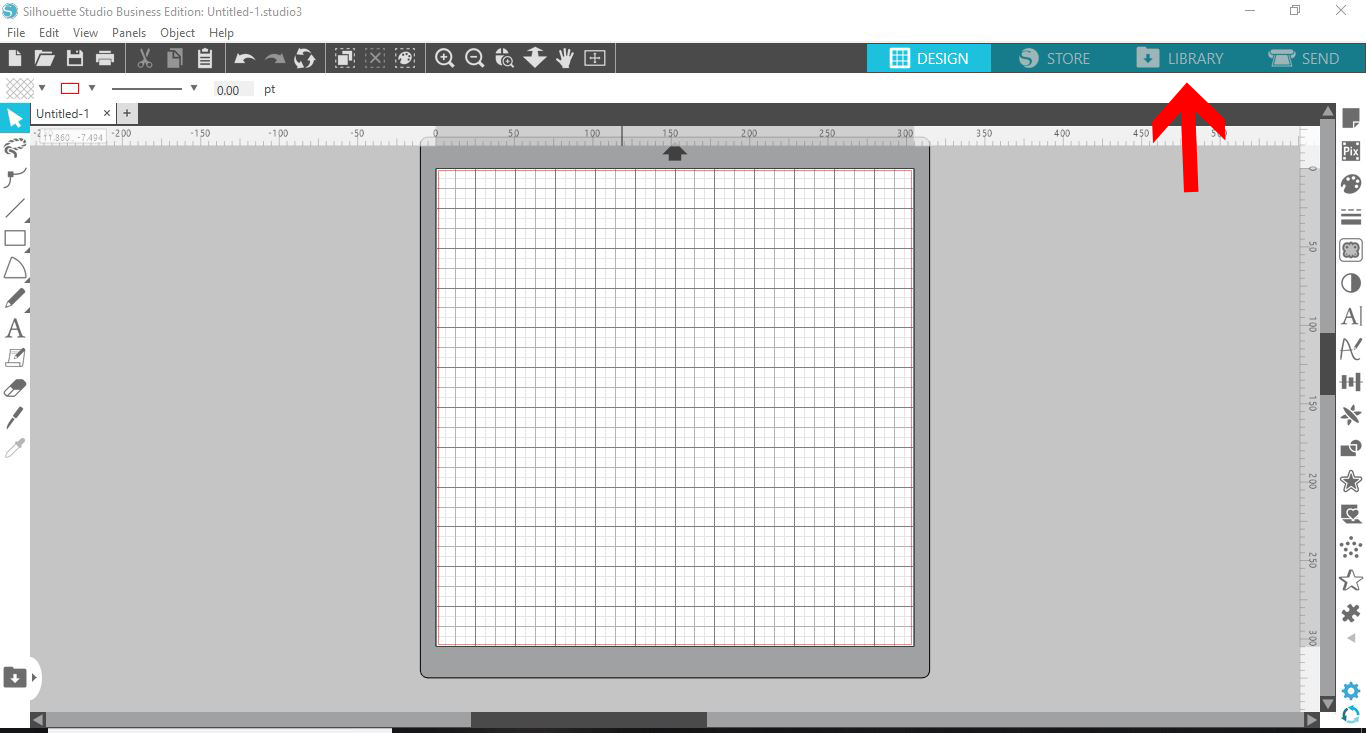
In the library, click on the setting icon in the bottom right corner. It looks like a little cogwheel.
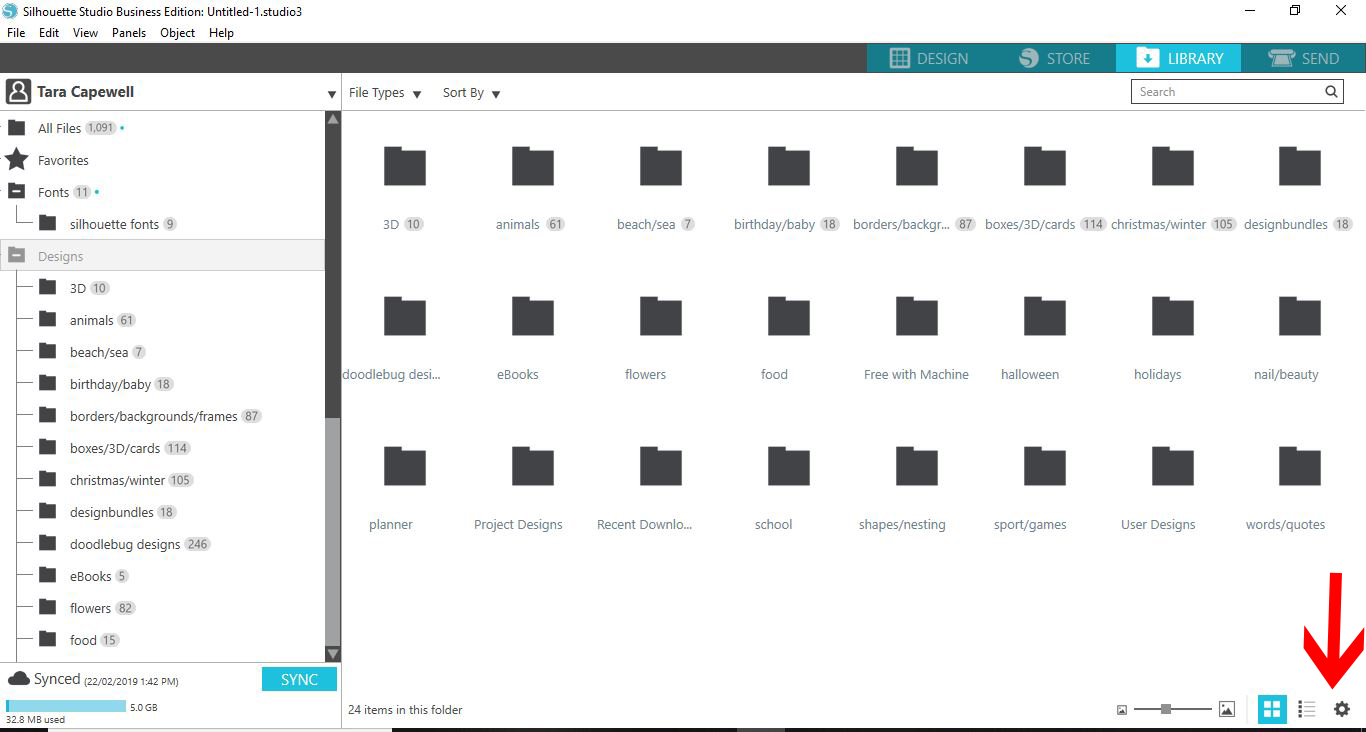
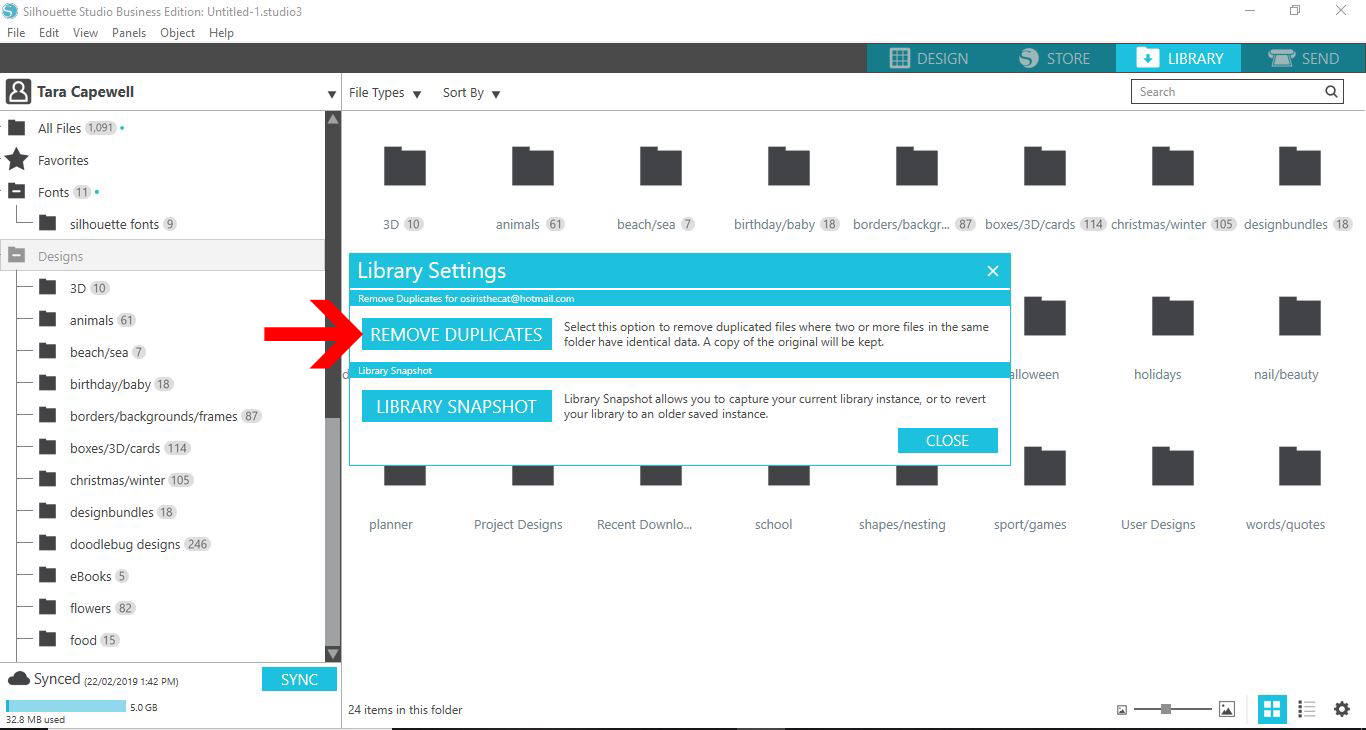
Step 2 - Click on Remove Duplicates icon

A new window will appear with the Library Settings. Here you have two choices. One is to Remove Duplicates and the second to take a Library Snapshot. The Library Snapshot takes a quick snapshot of everything as it is. You can revert back to that snapshot should you have an issues with your Library.

For this tutorial, we are going to click on Remove Duplicates. Depending on the amount of files, this function may take a few minutes to process.
Once the software has completed the task, another window will appear. This will tell you. Click OK to finish.
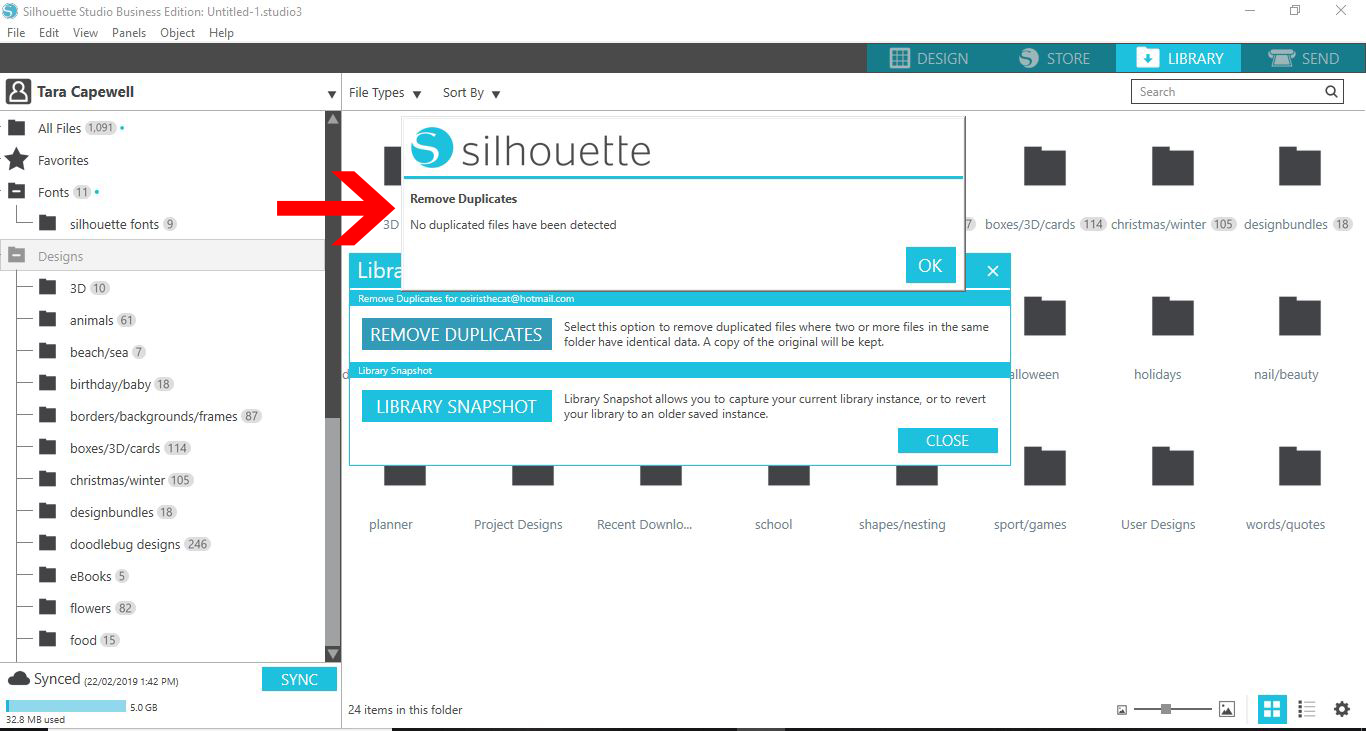
It's that easy to clean up your library of unwanted duplicates. If you enjoyed this tutorial we have many more for you to browse such as using Silhouette Cloud and importing patterns to your library in Silhouette Studio.


Related Tutorials

Silhouette Tutorials

How to Bulk Import Files into Silhouette Studio Library

In this tutorial you will learn how to bulk import files into the Silhouette Studio Library.
Silhouette Tutorials

Print bleed function in Silhouette Studio

In this easy to follow tutorial learn how to use the Print Bleed function in Silhouette Studio.
Silhouette Tutorials

How to fill text with the foil quill in silhouette studio free edition

In 4 easy steps learn two ways to fill text with the Foil Quill in Silhouette Studio Free Edition.
Silhouette Tutorials

Using the Font Creator in Silhouette Studio

Discover how to use the Font Creator in Silhouette Studio to make your own fonts!
Silhouette Tutorials

How to Thicken Fonts in Silhouette V4.1

Learn how to thicken fonts in Silhouette Studio with this quick tutorial.
Silhouette Tutorials

How to Use Silhouette Files in Cricut Design Space

Discover how you can use your Silhouette Studio file in Cricut Design Space.

Keep going

You may also like

All silhouette tutorials
The weekly drop

Fresh tutorials, trends & free files.

Join 6 million makers getting our best craft guides and exclusive freebies straight to their inbox.

No spam. Unsubscribe anytime.