By Design Bundles
How to use Samantha Font and Accessing Glyphs
Ensure that your file has been downloaded and unzipped to use.
1- Open the program you want to use. I am using Silhouette Studio, but the following procedure to use the Character Map app to access your Glyphs will be the same in most programs.

2- Type your text in your program.

3-Select the font in yourtext/font drop-down box.

4- When your text is in the correct font, open up the Character Map app/program.

5- In the top drop-down box select your font.
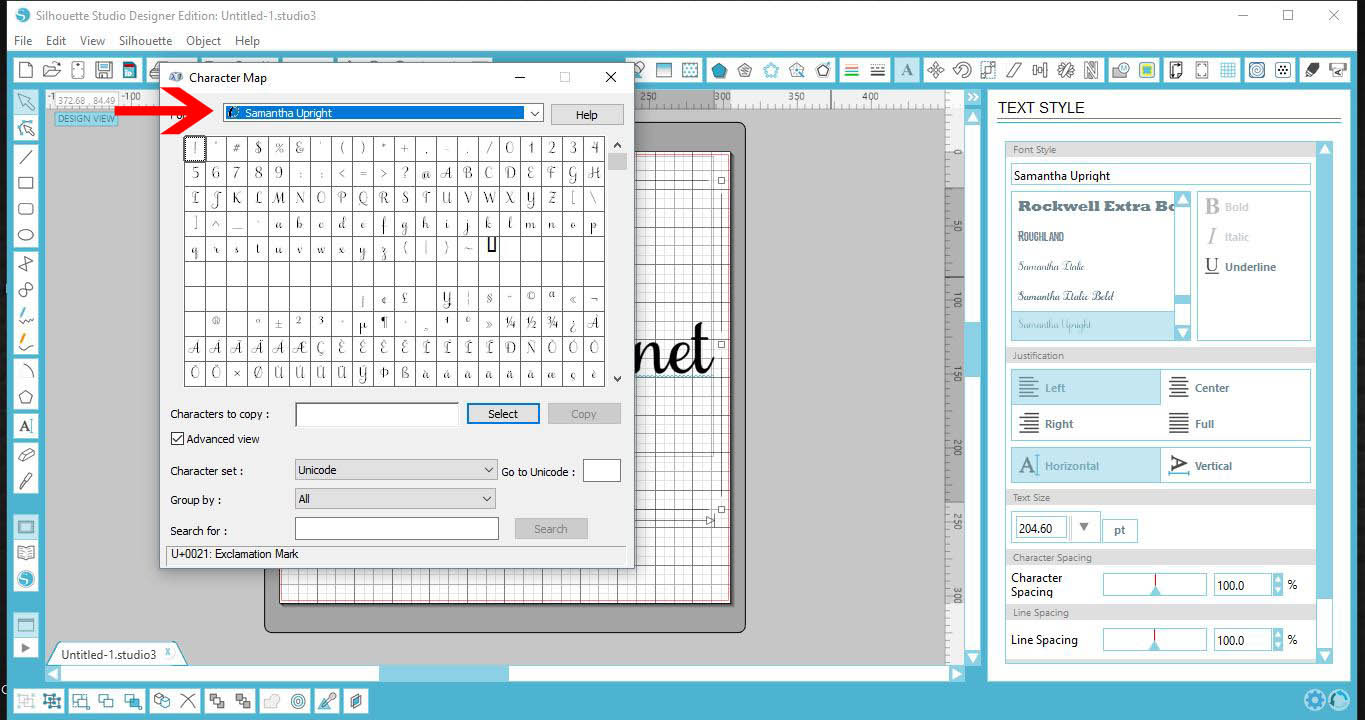
6-Ensure that the Advance View is selected (1). Then in the Group by drop-down box, select Unicode Sub-range (2).
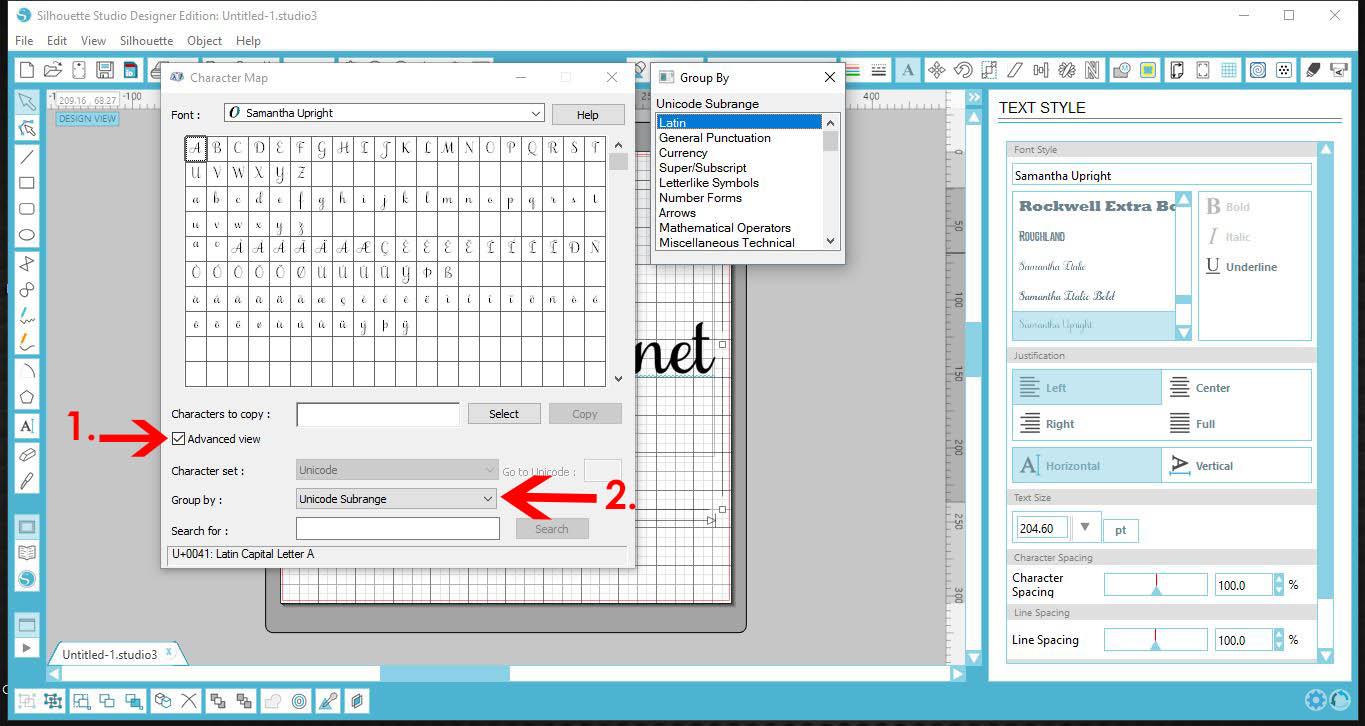
7-A new window will appear. Scroll down and select Private Use Characters.
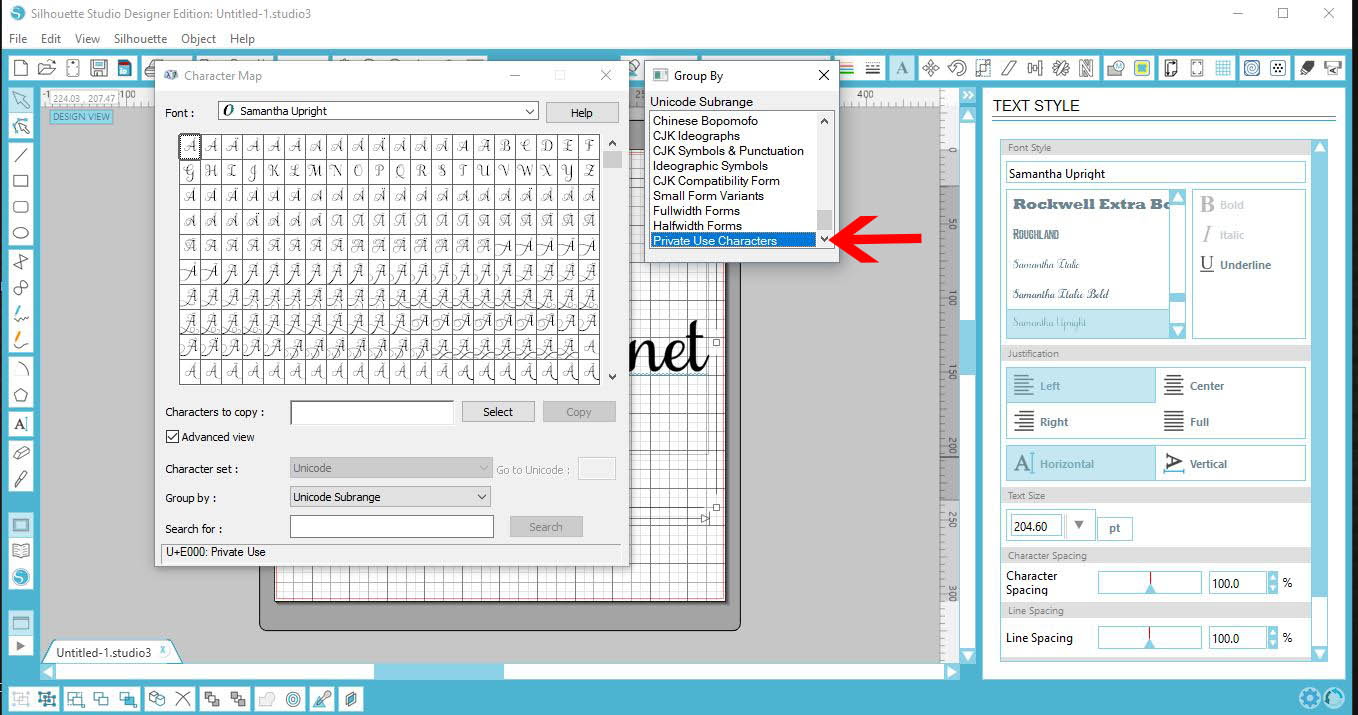
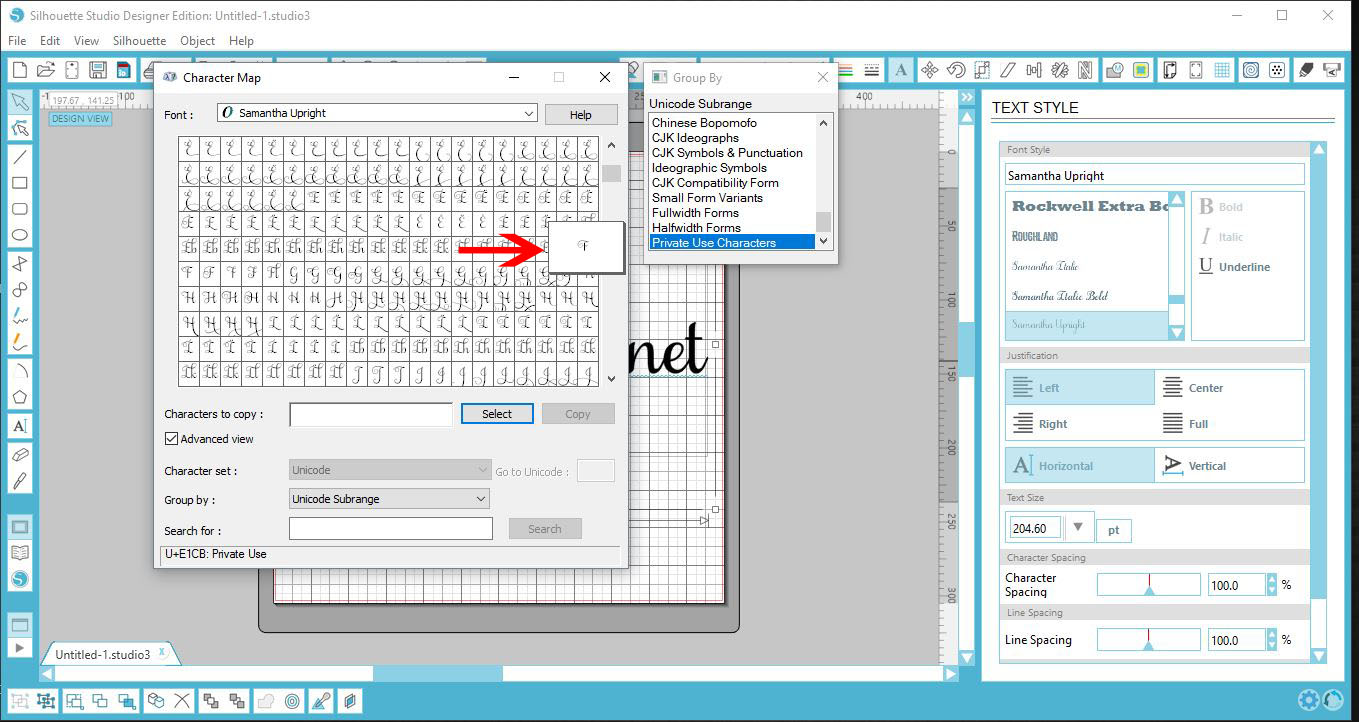
8- You will see all the gylphs appear in the Character Map window. Scroll through the glyphs and select the one you would like to use.
When you click on the glyph a little pop-up will come and you can see the glyph more clearly.
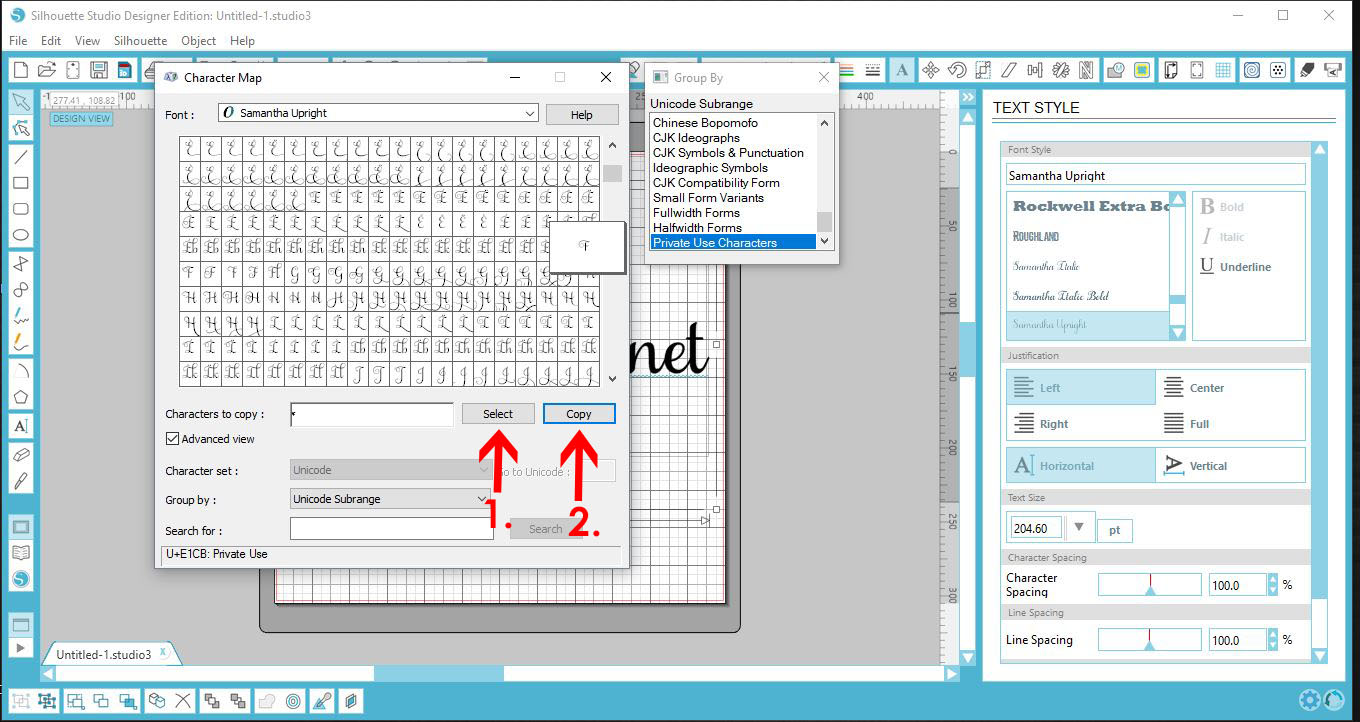
9- When you are happy with your choice, click Select (1). then click Copy (2).
10-Click back onto your workspace. Select your text and delete the letter you would like to replace with a glyph.
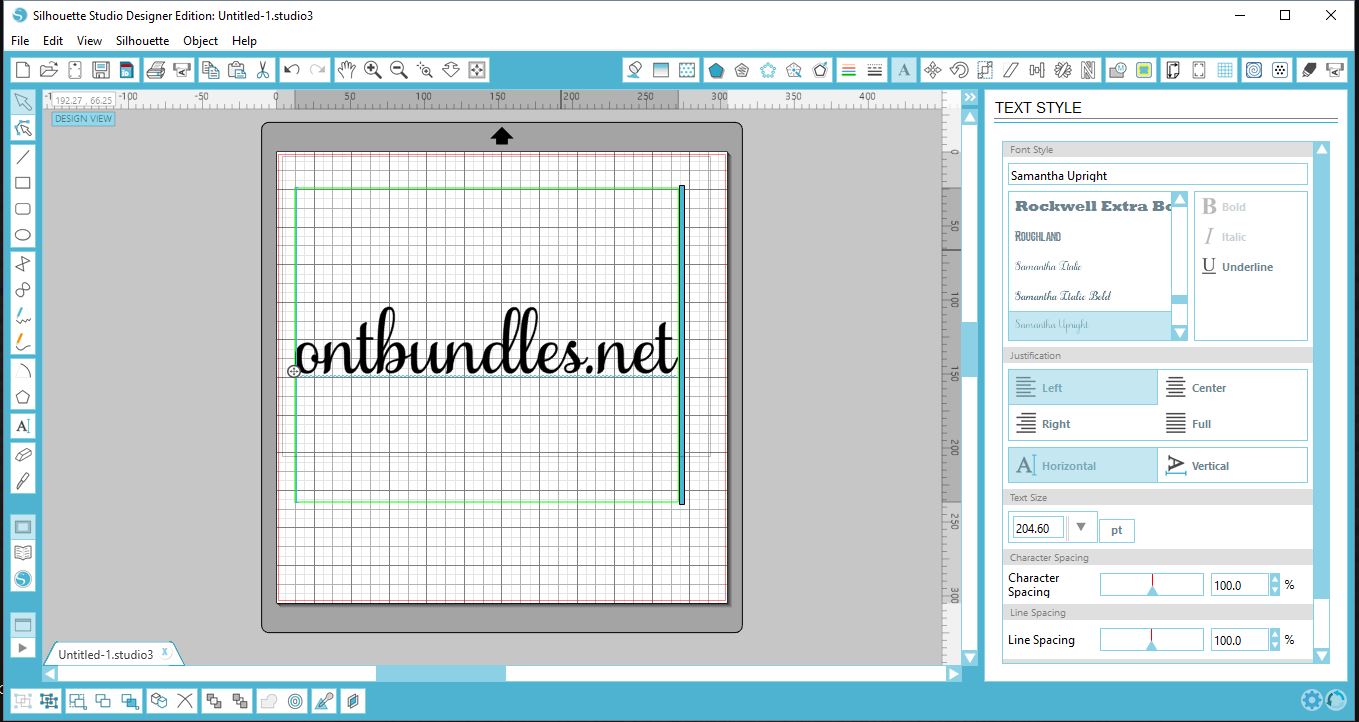
11- Once the letter is deleted, press Ctrl V to paste the Glyph you copied from the Character Map app onto your Text.

12- Repeat the process to add any more Glyphs in your text.Below I have added an "s" glyph and a "t" glyph also.