By Design Bundles
How to Download and Install Design Space
Cricut Design Space is the software used with your cutting machine. In order to use your machine, you first need to download and install Design Space. The same applies to new computers. We will walk you through the steps on how to download and install Cricut Design Space.
In this tutorial we will show you how to download and install for both Windows and a Mac.
Mac Download
Step 1 - Download Design Space for Mac
The software can be downloaded from Cricut's website. Open your browser and go to Design.Cricut.com. Cricut will automatically detect whether you have a Mac or Windows system.
Once on the page, Agree to Cricut Terms of Use by clicking the little square box next to it. You will now be able to click the Download button.

On the top right hand corner of your browser locate your Download button. Once you click on it a pop-up will appear. Double click on the Cricut Design Space.dmg file.

Step 2 - Install Cricut Design Space
At this point, another box will appear on your screen to start the installation process. Simply click on the Cricut Image and drag it over to the Applications icon. Double click on the Application icon.

This will take you to your application screen. Locate the Cricut Design Space icon once more and double click on it.
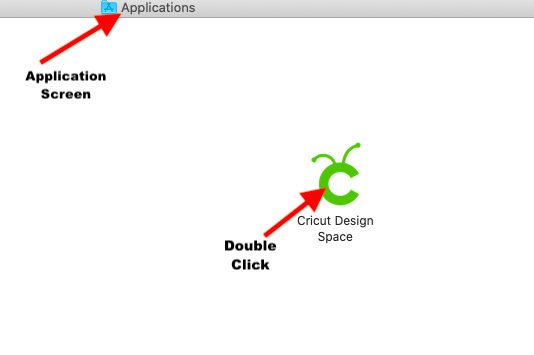
Click the blue Open button to complete the Cricut Design Space App install.

Once you click open, you are finally able to set up your new machine or simply log in to your account.

Windows Download
Go to the website mentioned in Step 1 for the Mac download. We used Google Chrome for this download. As with the Mac download, tick the terms of use agreement box then click Download.
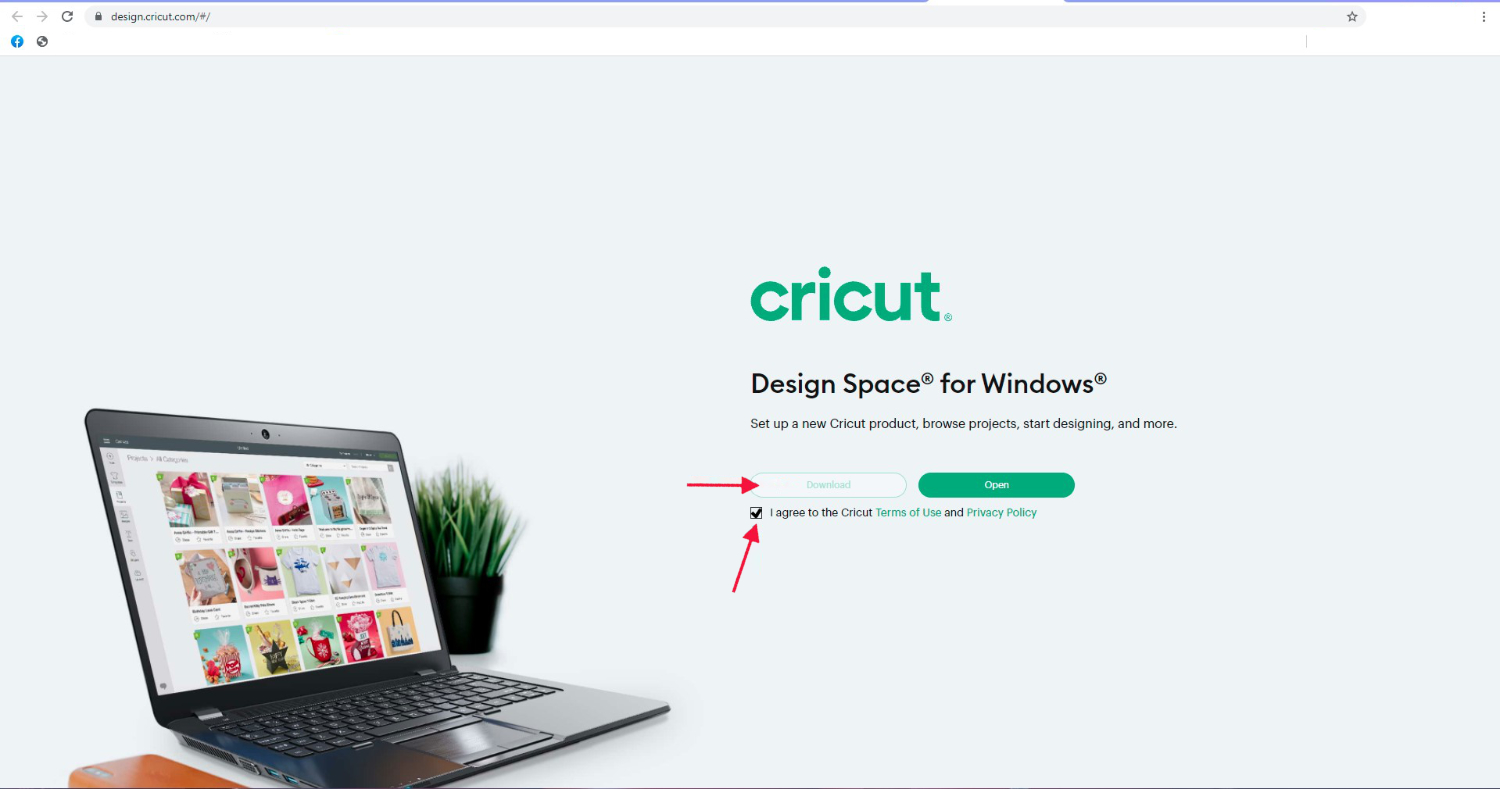
The download status will show at the bottom of the browser screen. Once downloaded, click to start the installation process.

For Windows, an installation screen will show with the progress.
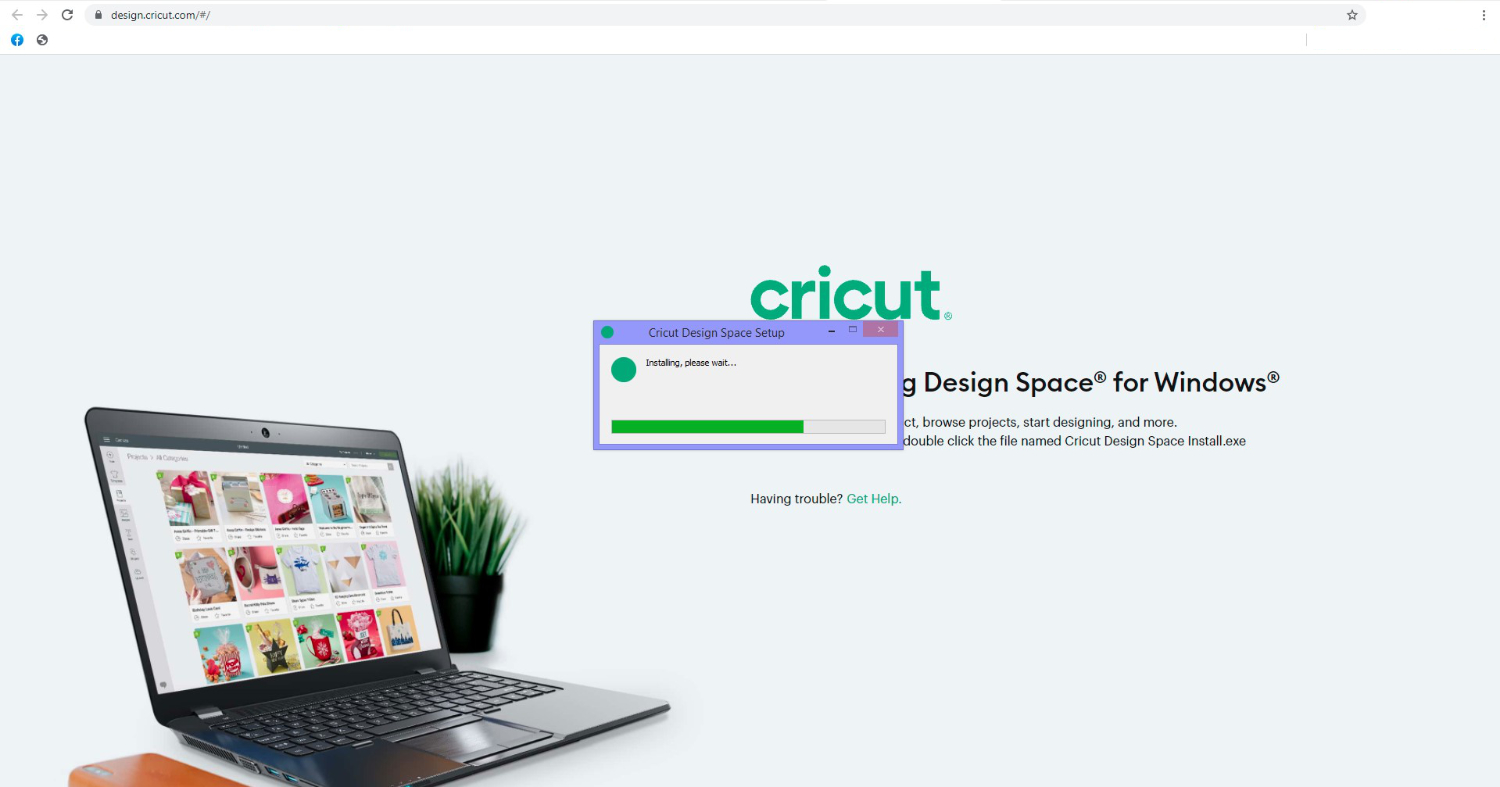
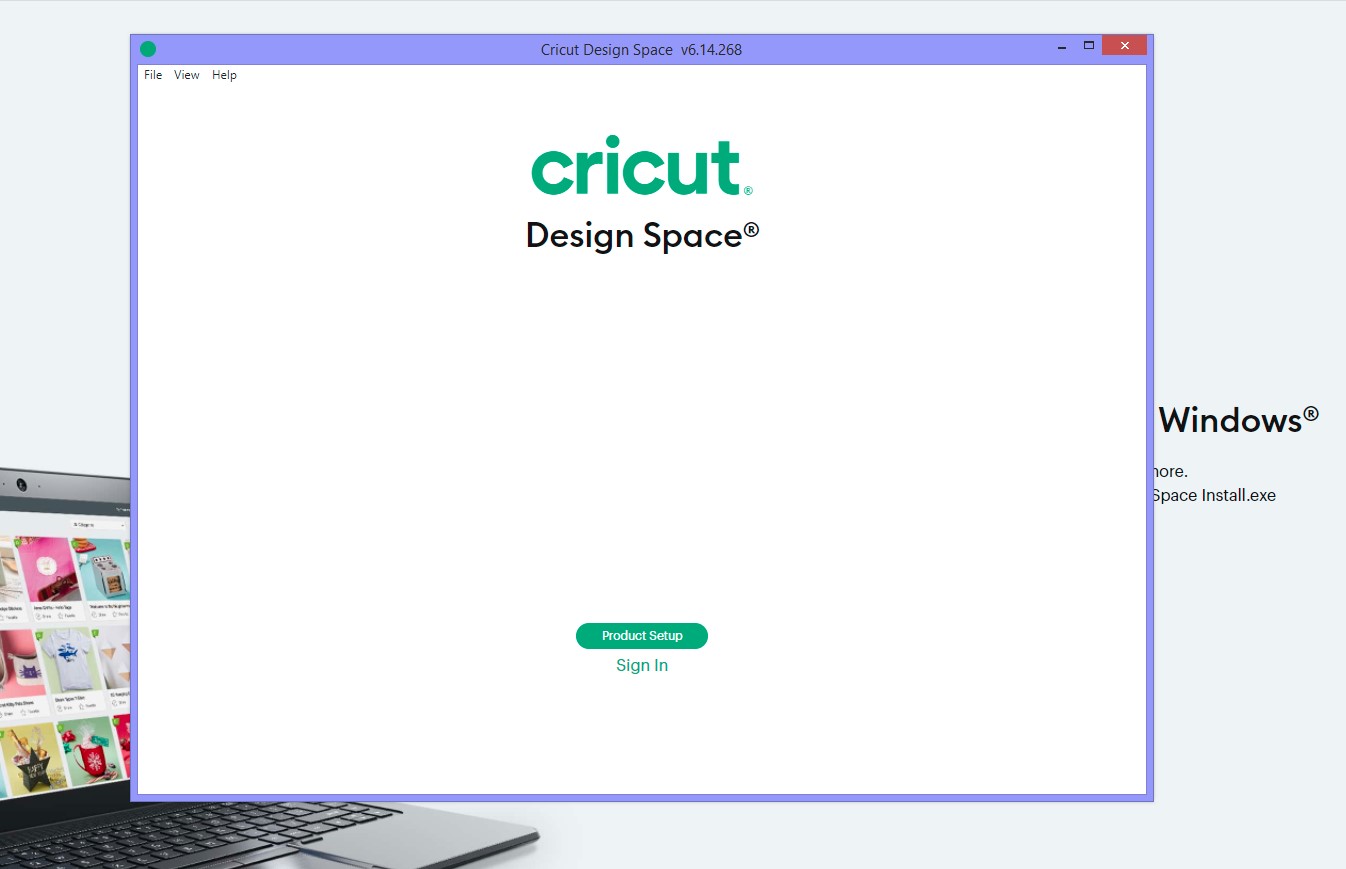
When the installation process is complete, the Cricut Design Space window will appear. Here you can set up your machine or sign in.
Now that you've got Design Space installed, check out the rest of our Cricut Design Space Tutorials.