Get Unlimited Access to Millions of Craft Designs, Templates, Fonts and More! Start Creating for Free Now

DesignBundles.NET
Pricing
DesignBundles.NET

Categories

New

Account

Start Free Trial
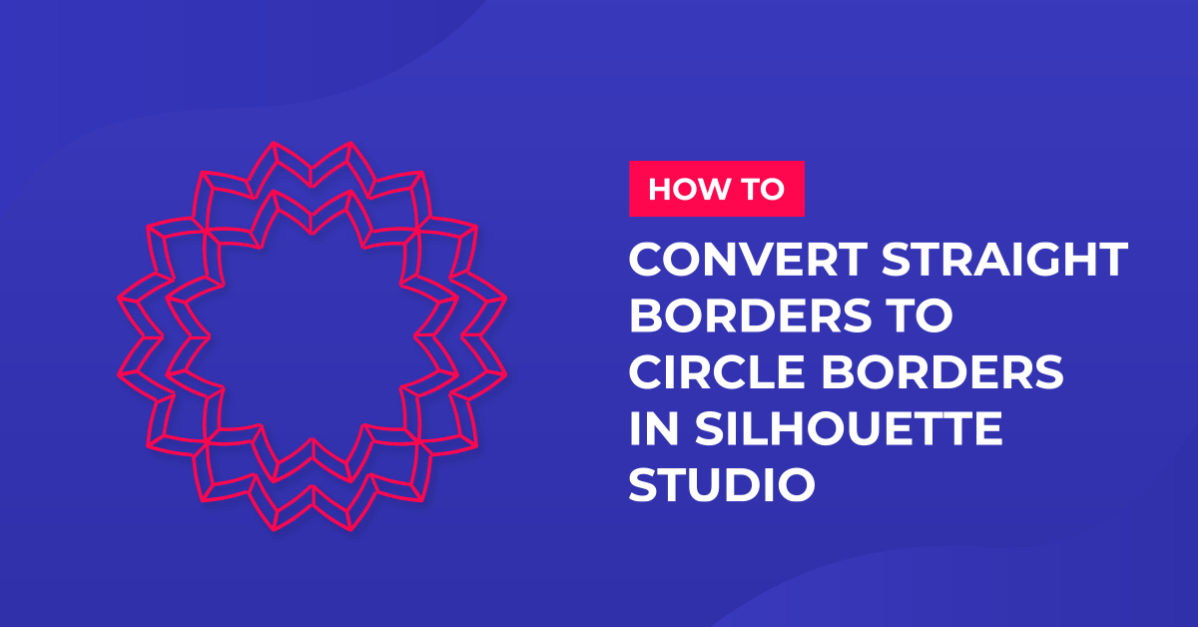
Converting Straight Borders to Circle Borders in Silhouette Studio

By Design Bundles

Converting Straight Borders to Circle Borders in Silhouette Studio

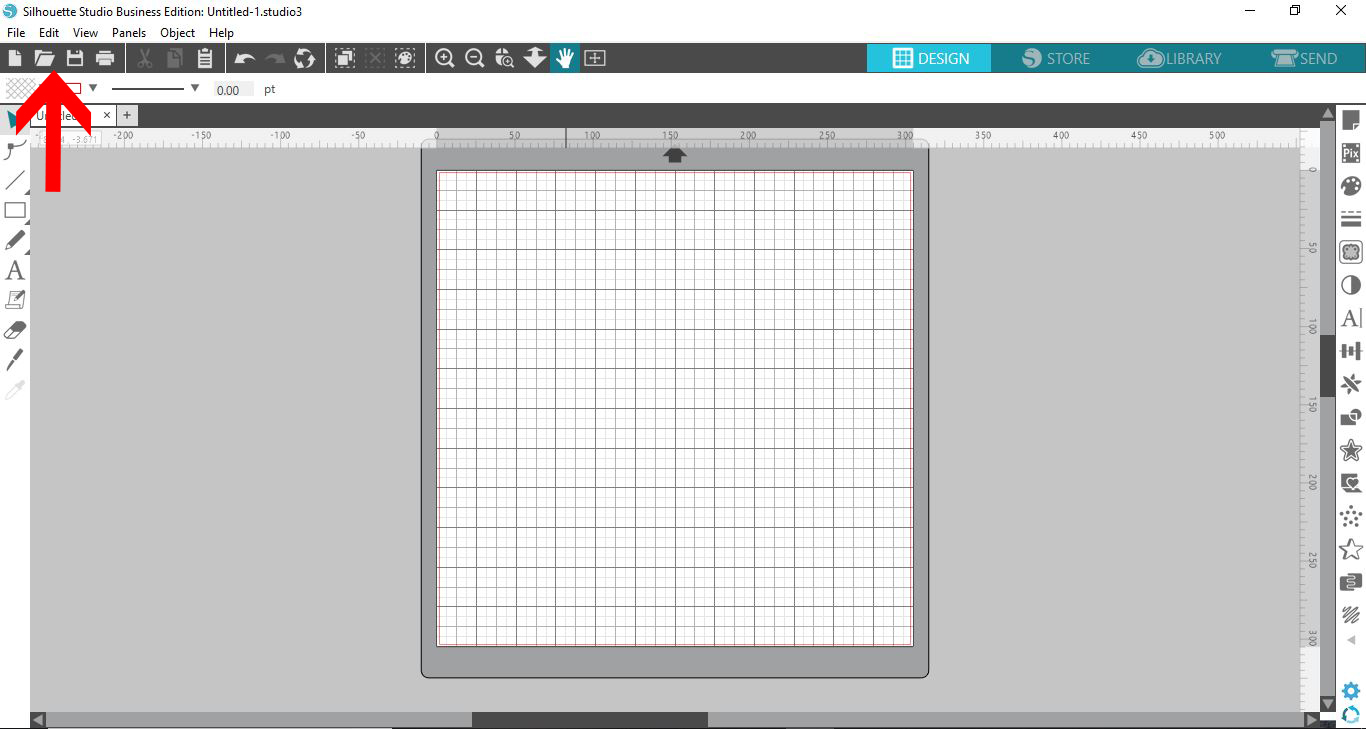
1- Open Silhouette Studio and open the border file.
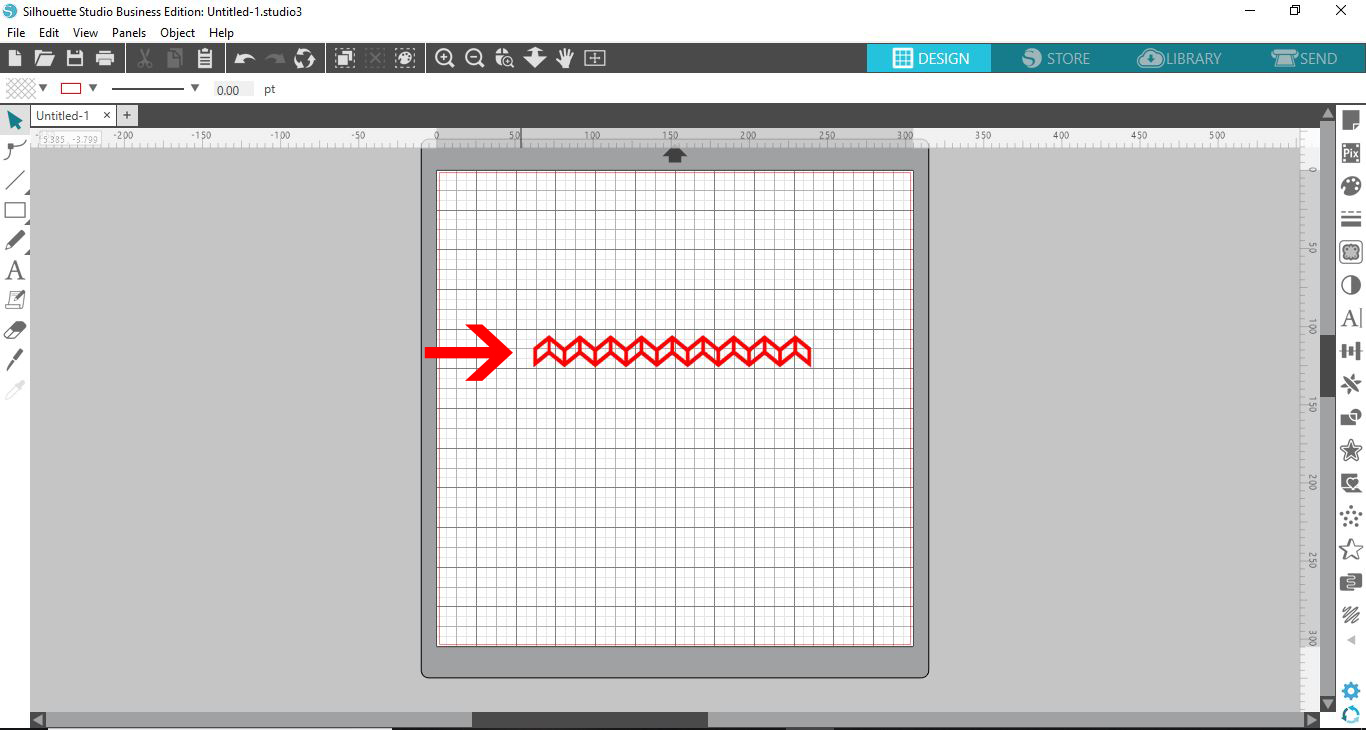
2- Fill your border with colour to help when altering it.
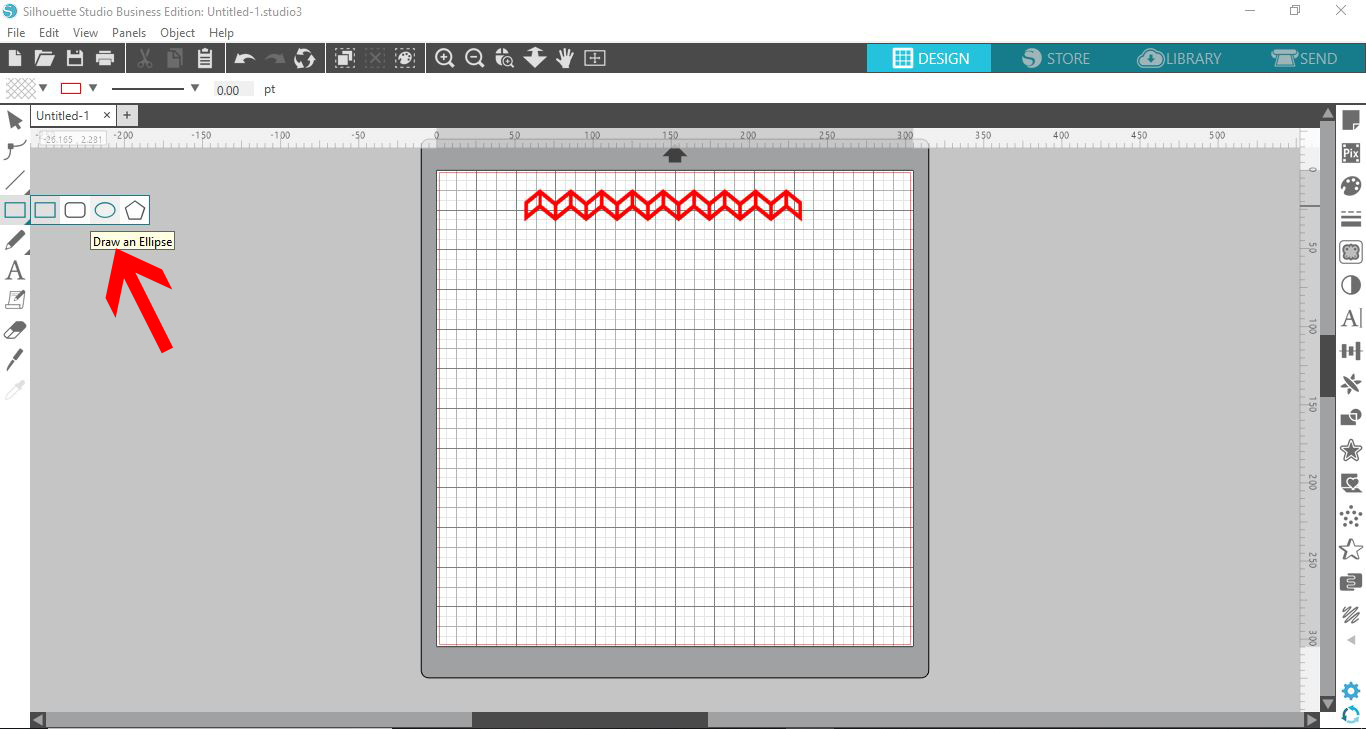
3- Select the shape tool.
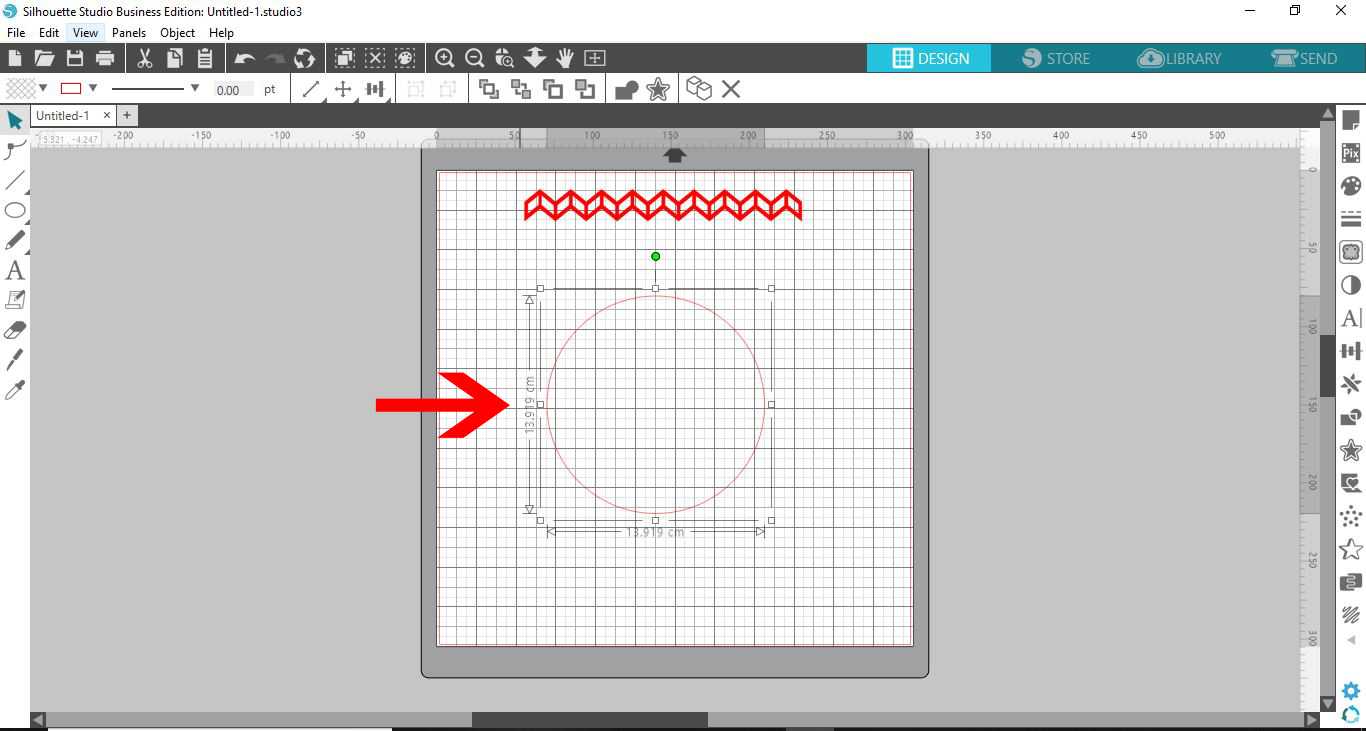
4- Adjust the circle to the size you would like your border to be.
5- Using the knife tool cut one complete section from your straight border.
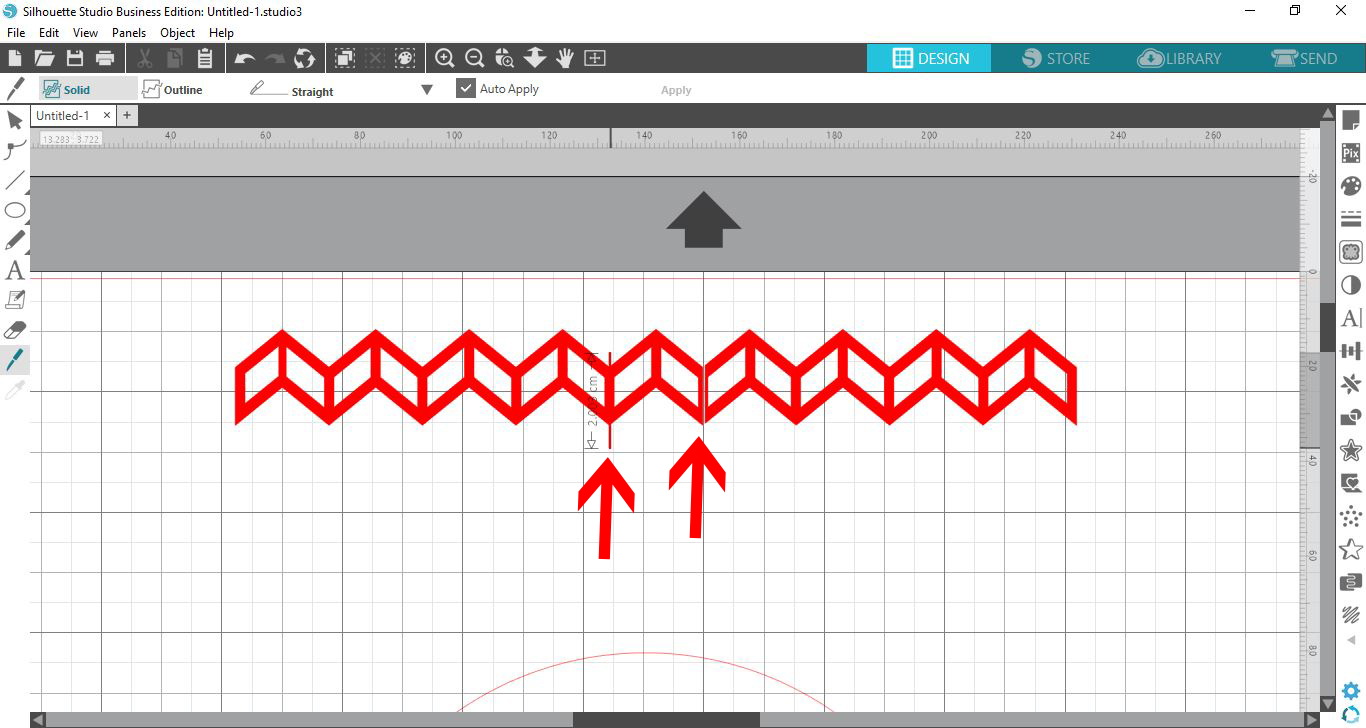
6- Place the section of your border onto the circle.
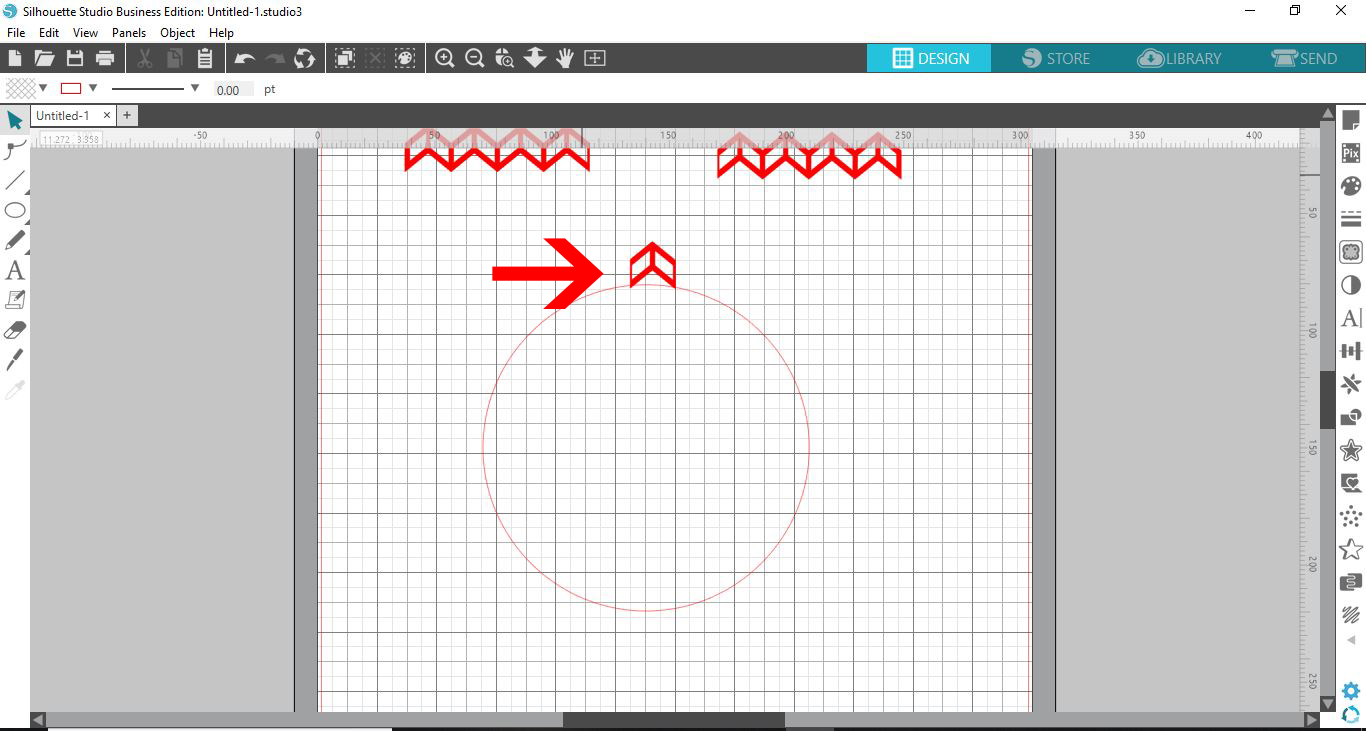
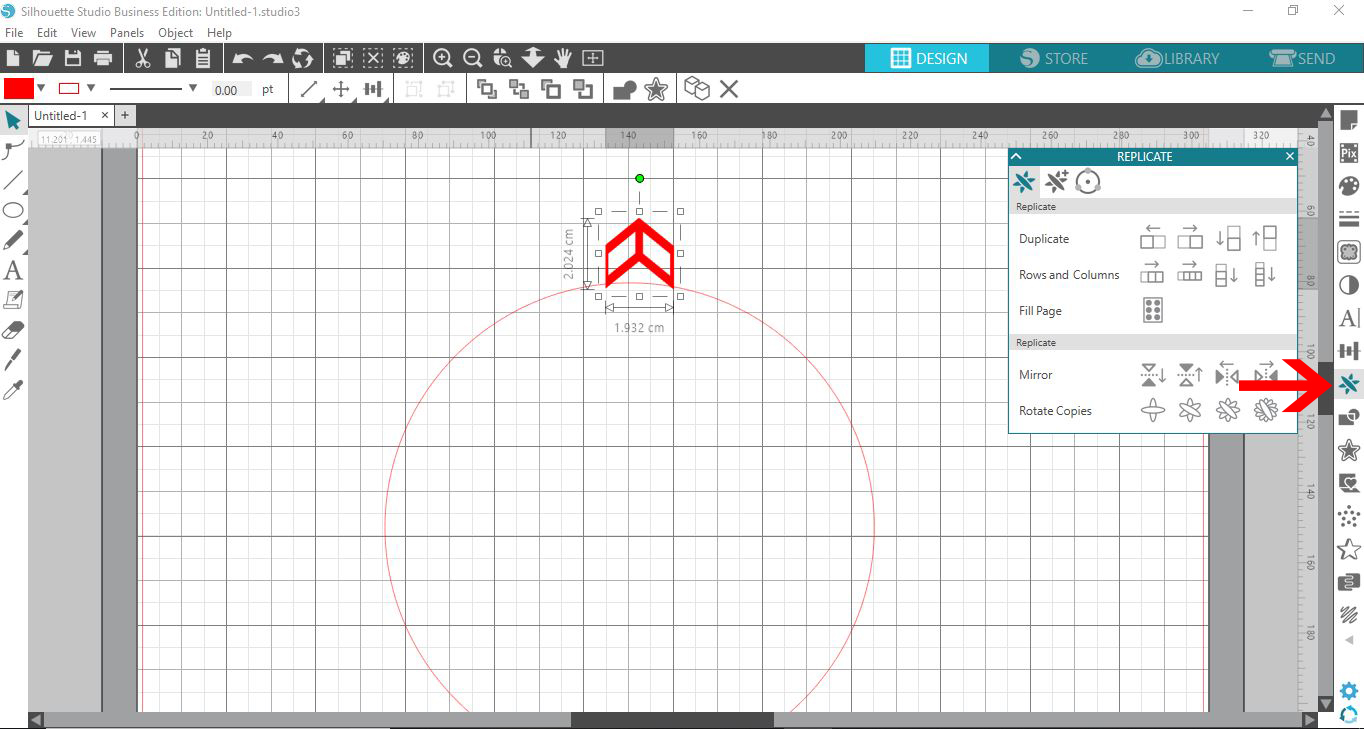
7- Select the replicate tool.
8- Select the object to path tool. With the border section highlighted show grab handle icon.
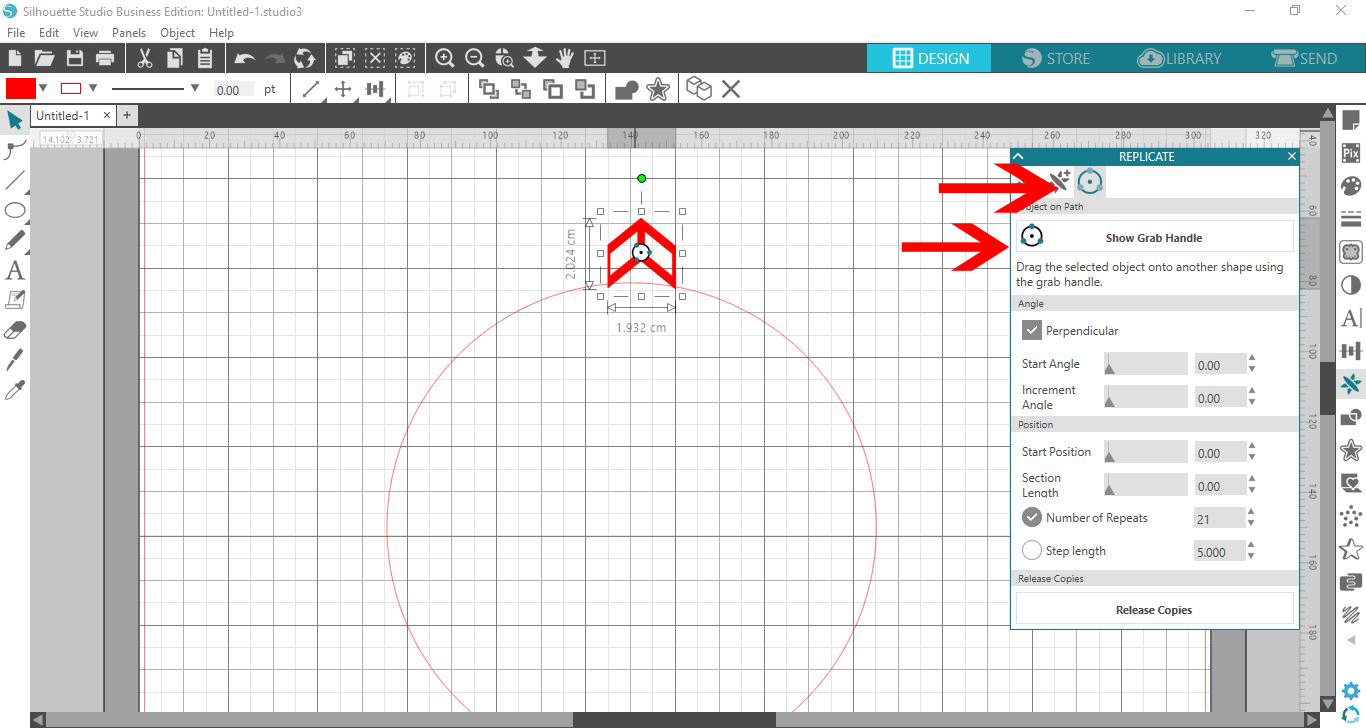
9- click on the grab handle icon in the border section. The border section will replicate the section around the circle.
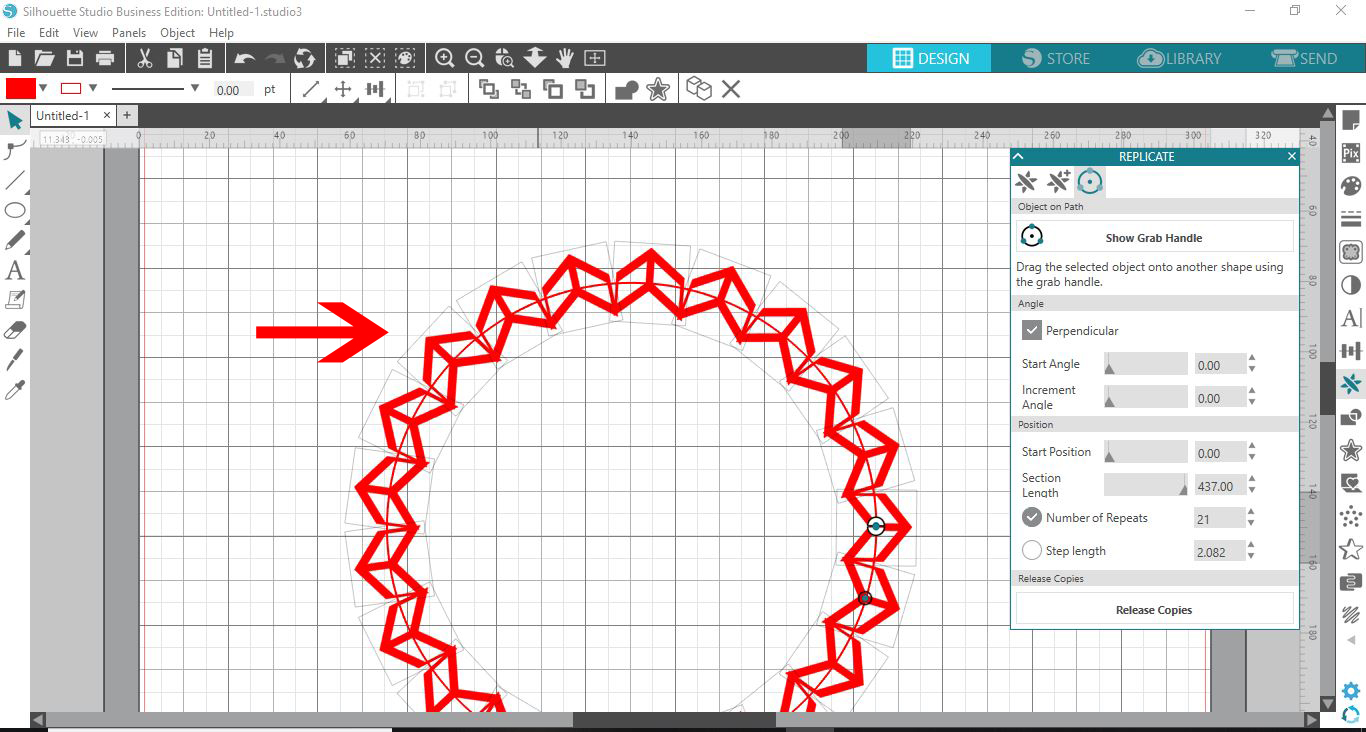
10- Adjust the number of repetitions so each are just overlapping.
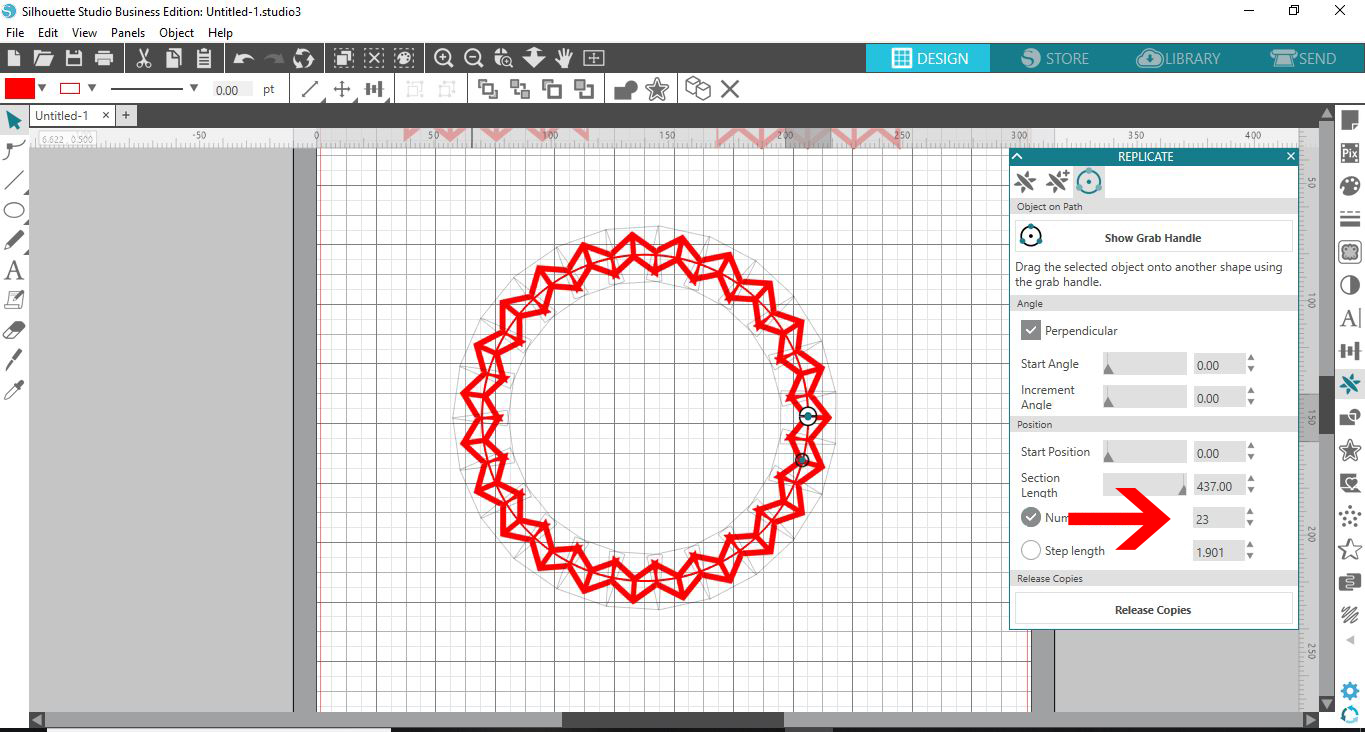
11- Select everything and then click release copies.
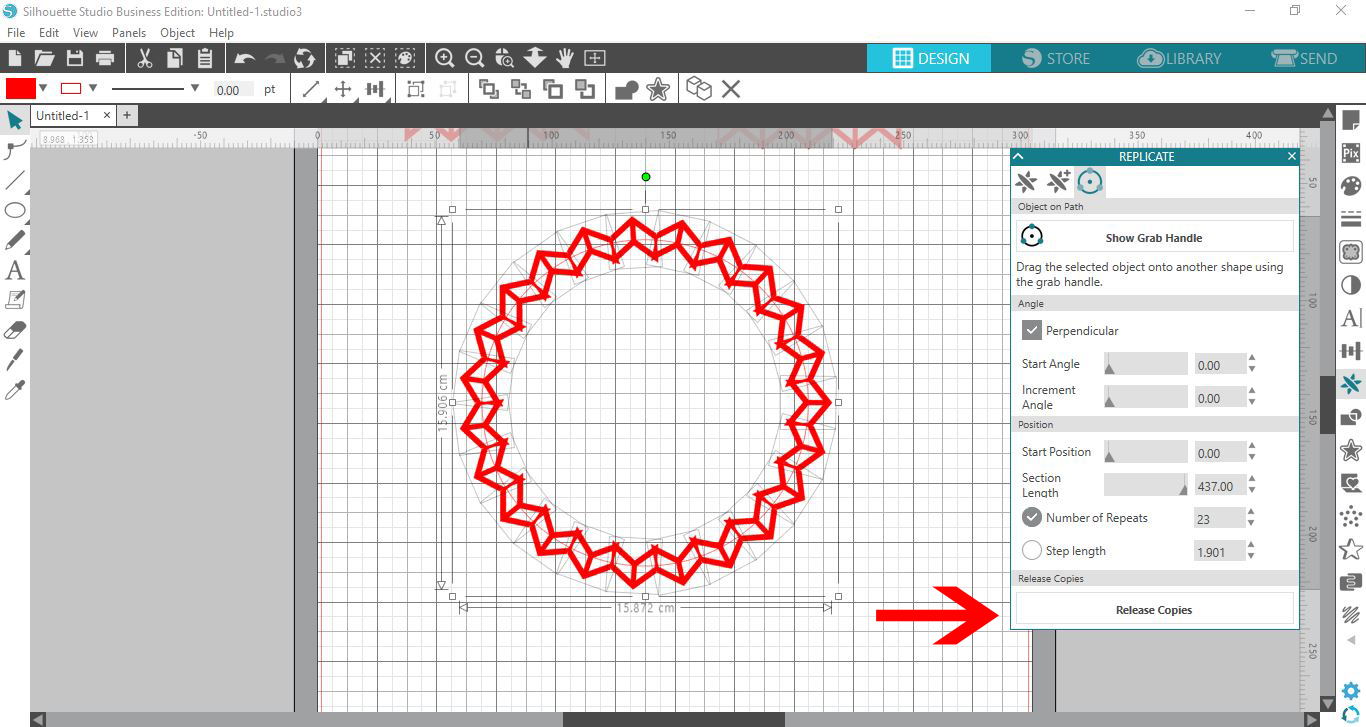
12- Remove the circle.
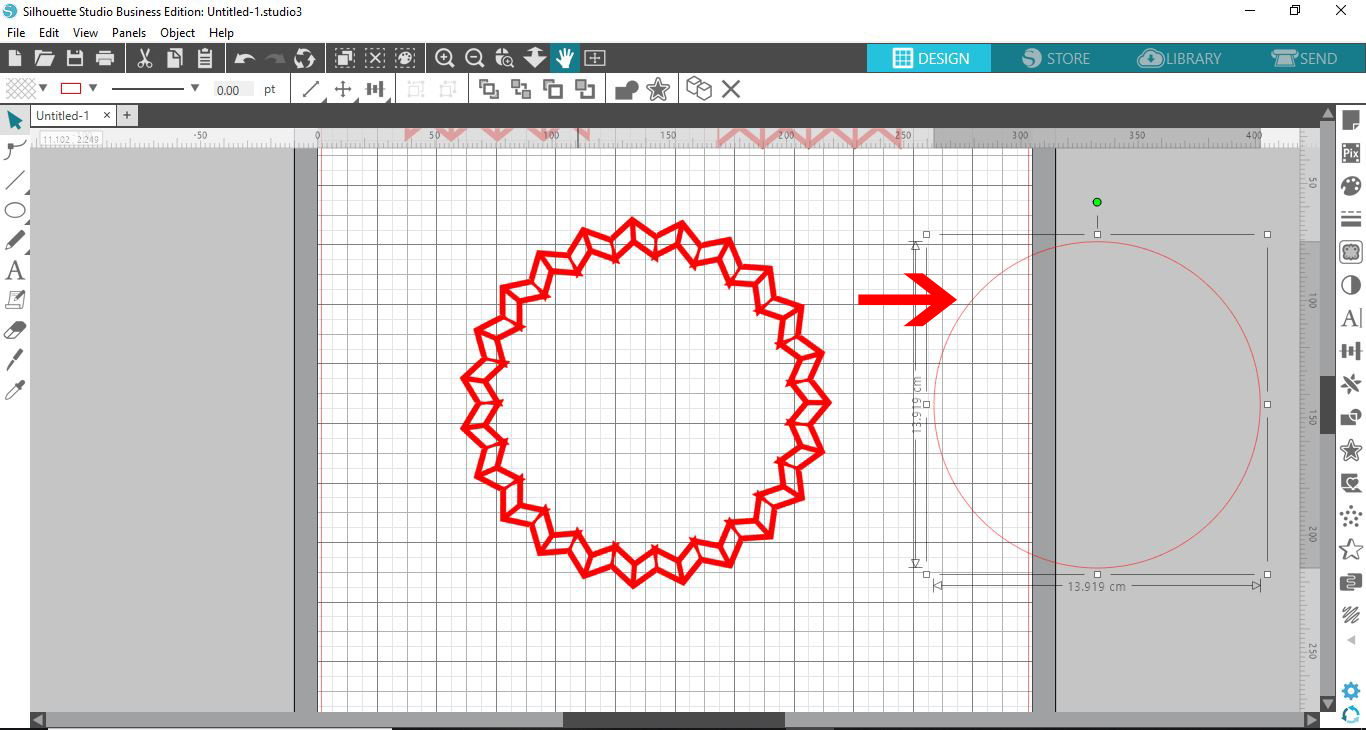
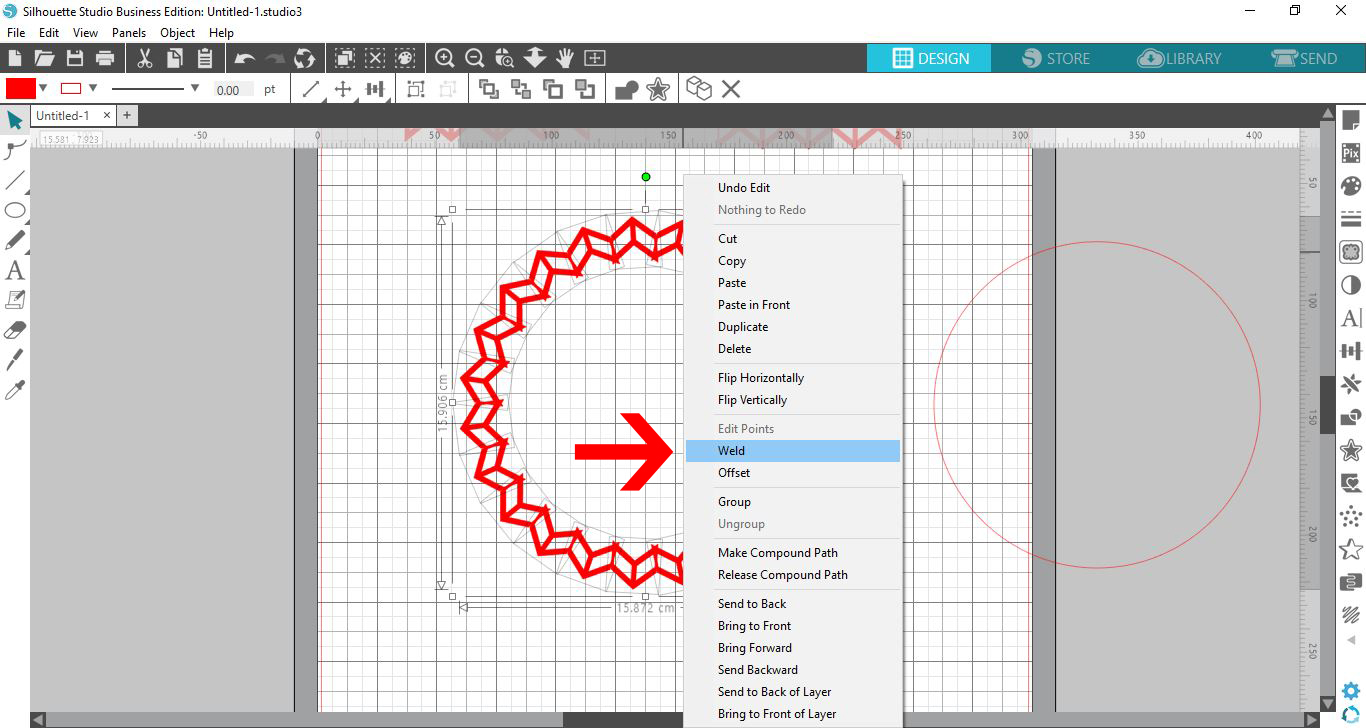
13- Select all the border parts. Right click and select weld.
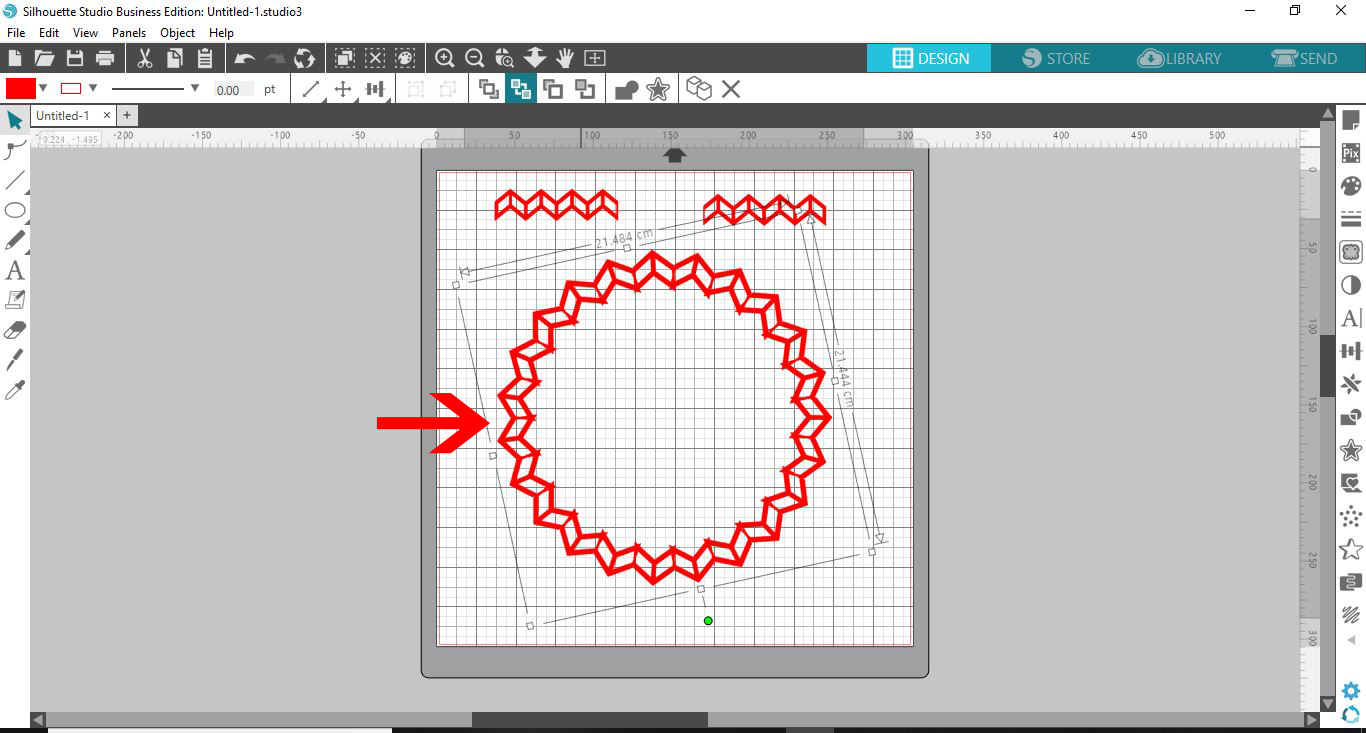
14- You can now resize to the size you need.

Related Tutorials

Silhouette Tutorials

Removing Unwanted Cut Lines in Silhouette Studio

Today, we'll show you three methods of removing unwanted cut lines in Silhouette Studio.
Silhouette Tutorials

How to Add an Outline Around Any Text in Silhouette Studio

Discover how to add an outline to any text in this Silhouette Studio tutorial. Quick read!
Silhouette Tutorials

How to Create Sublimation Designs in Silhouette Studio

Learn to create Sublimation Designs in Silhouette Studio in 6 easy steps!
Silhouette Tutorials

Knife Tool Overview in Silhouette Studio

In this tutorial, discover how to use the Knife Tool in Silhouette Studio in more than one way.
Silhouette Tutorials

How to Edit Text in Silhouette Studio

Learn how to edit text in Silhouette Studio in many different ways!

Keep going

You may also like

All silhouette tutorials
The weekly drop

Fresh tutorials, trends & free files.

Join 6 million makers getting our best craft guides and exclusive freebies straight to their inbox.

No spam. Unsubscribe anytime.