
By Design Bundles
Silhouette Tutorials2 min
How to Weed Small Text in Silhouette Studio
1- Create your text in Silhouette Studio.
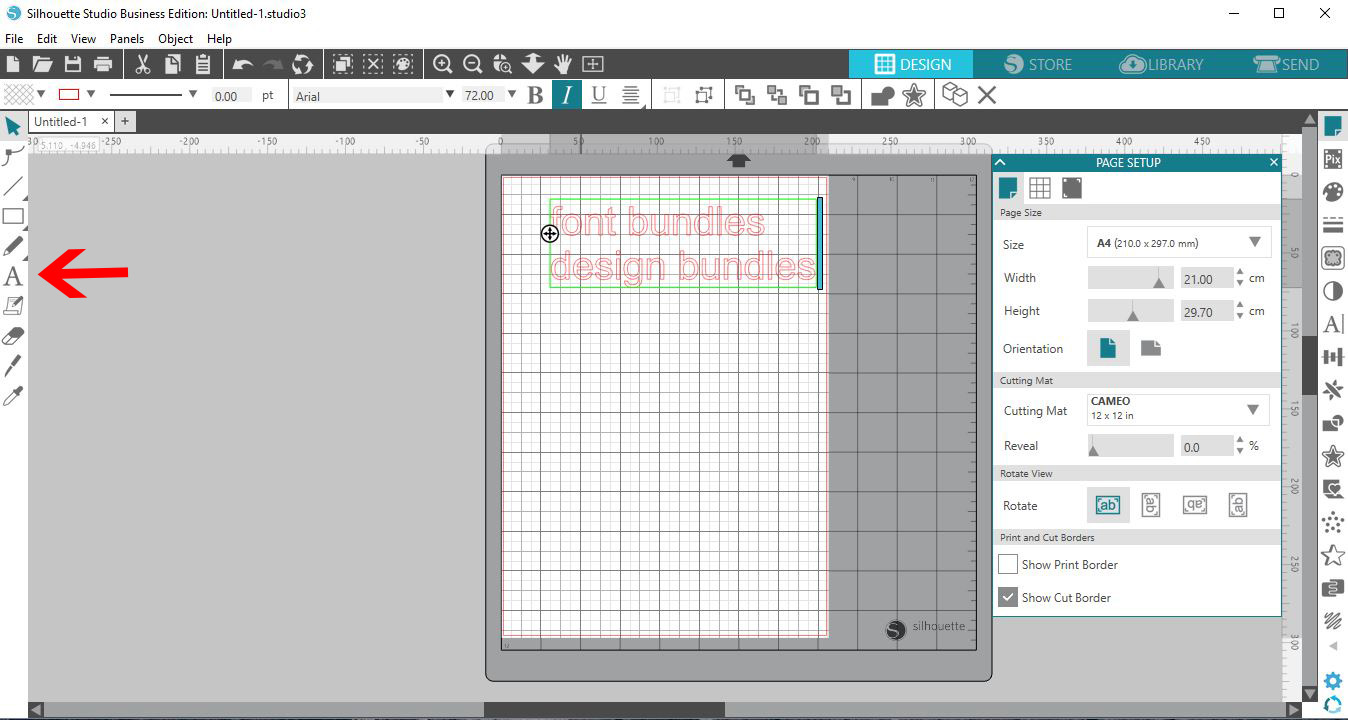
2- Pick the font you want to cut small. Make sure you choose a text that has curved lines not straight and ensure the text is welded. I have used Garlic Butter from Font Bundles for the font.
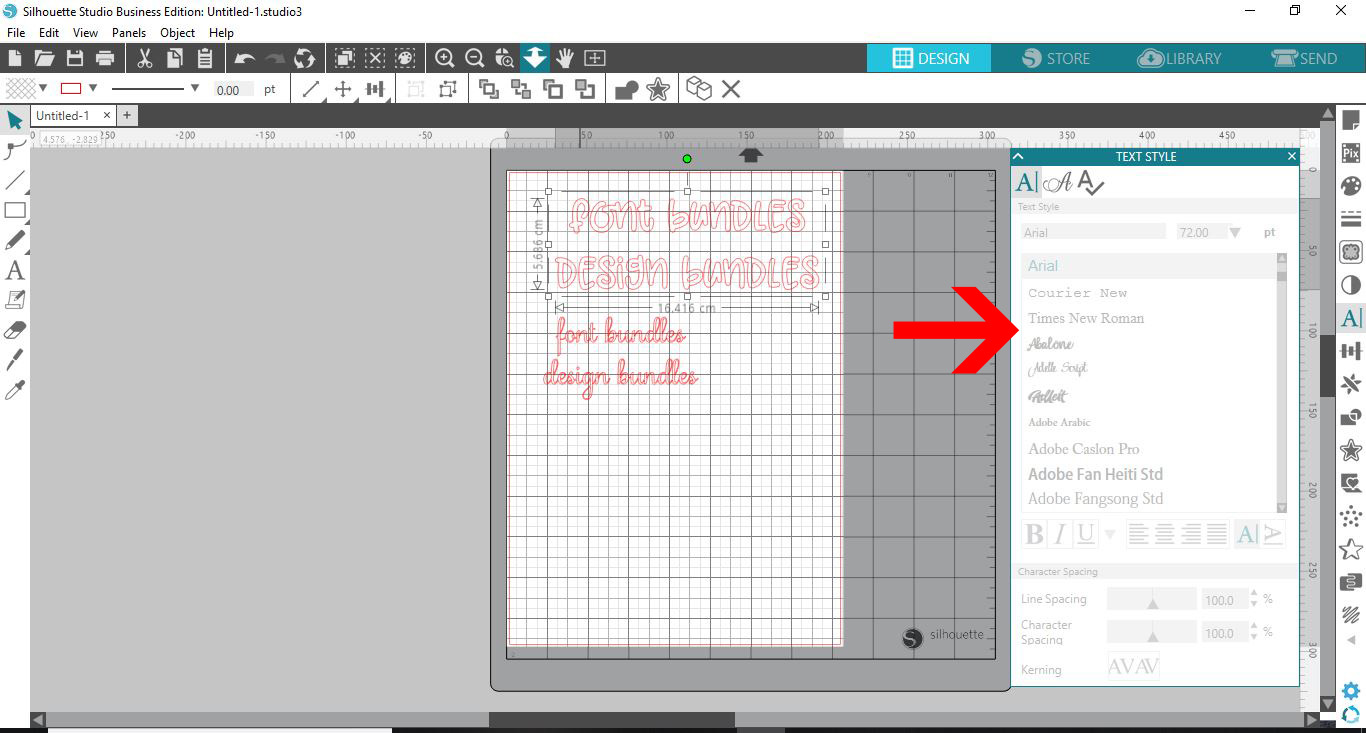
3- Resize to the smallest you would like. Next select the rectangle tool.
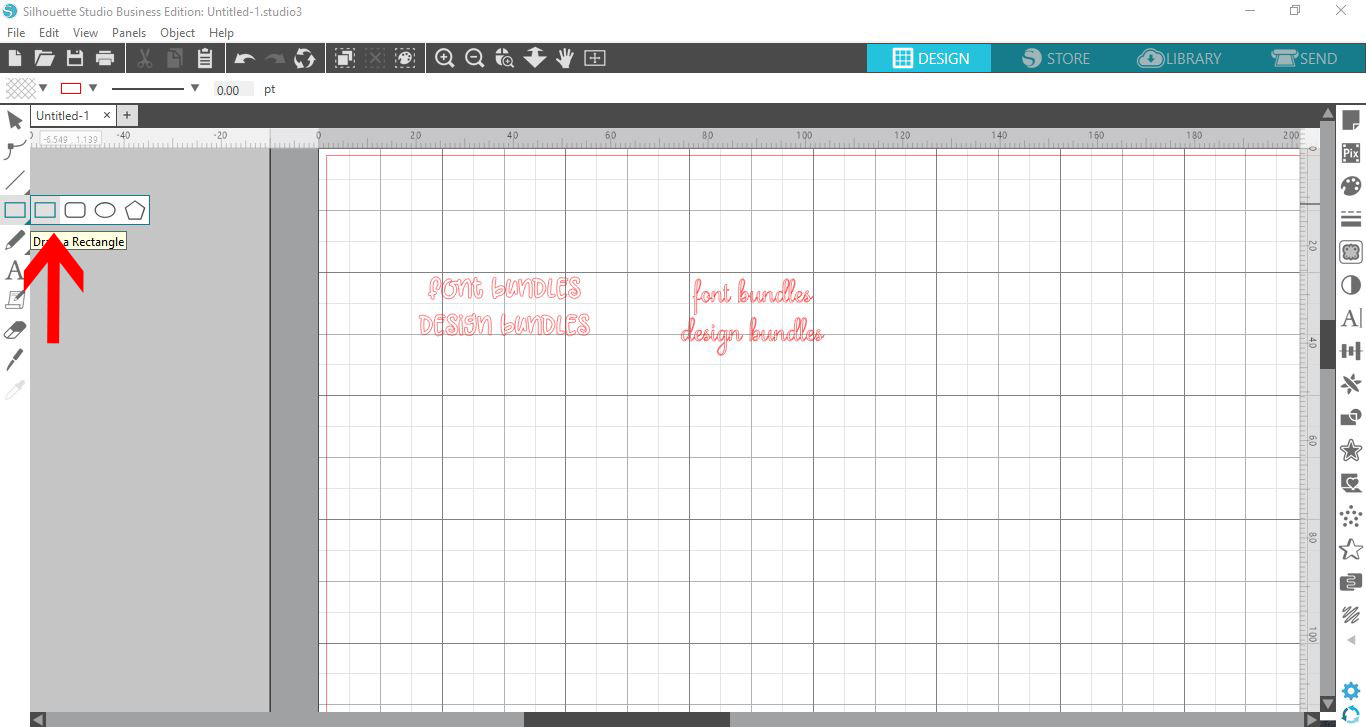
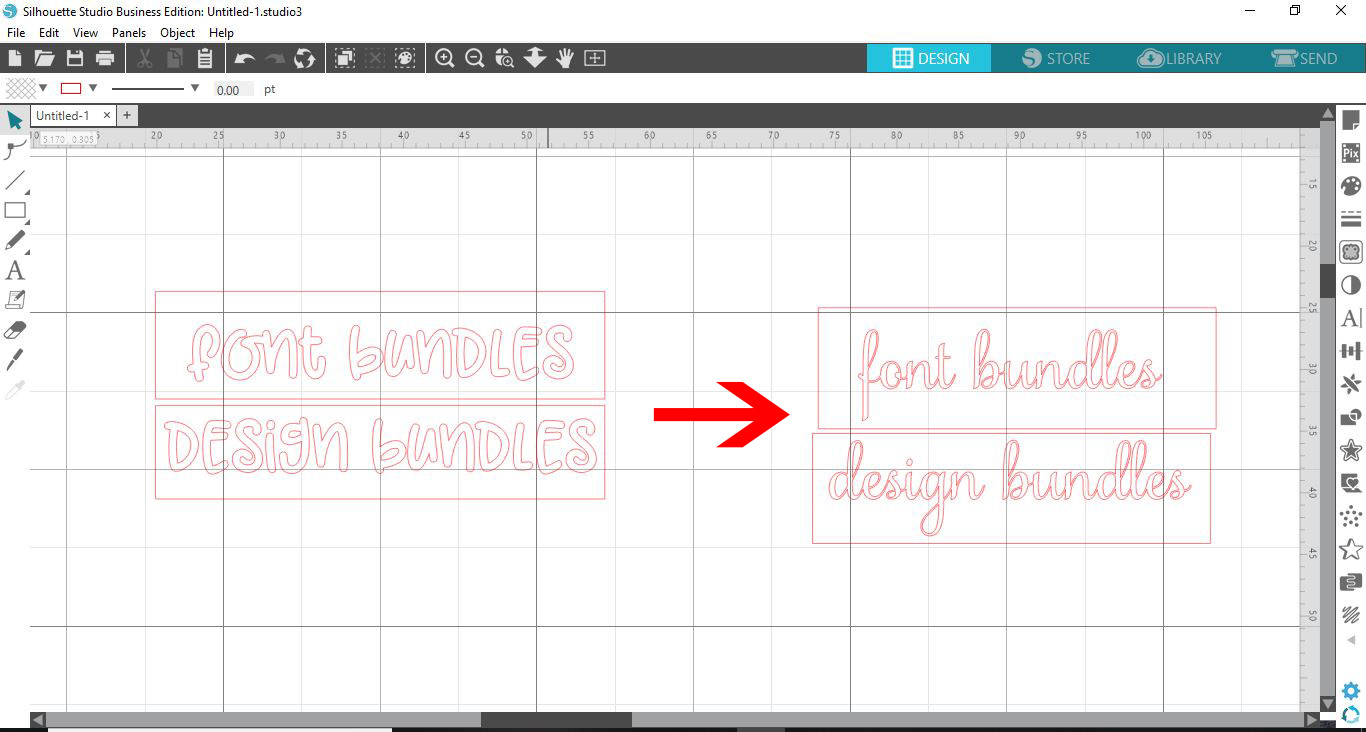
4- Create a rectangle around each line of text. This will help you weed the text easier.
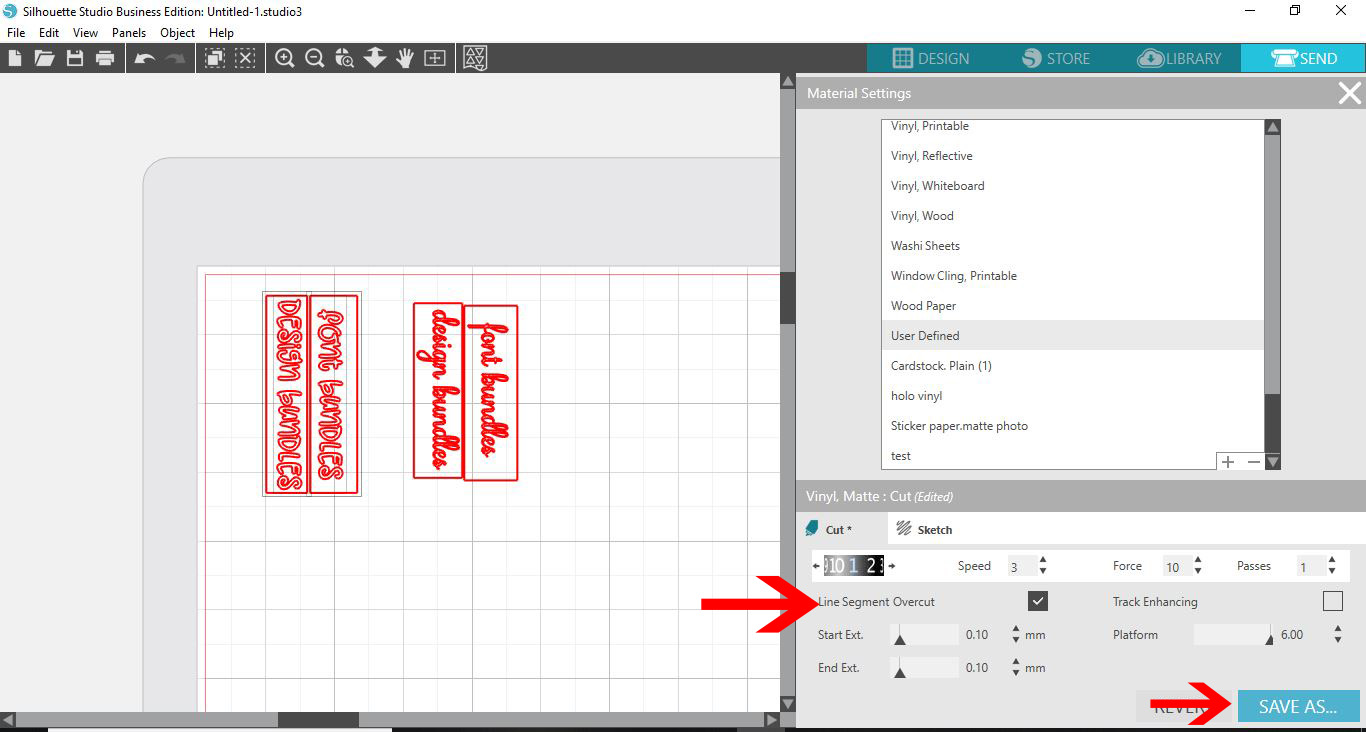
5- When cutting small text, slow the speed down on your cutting to around 3-5 max. Also select the cut options.
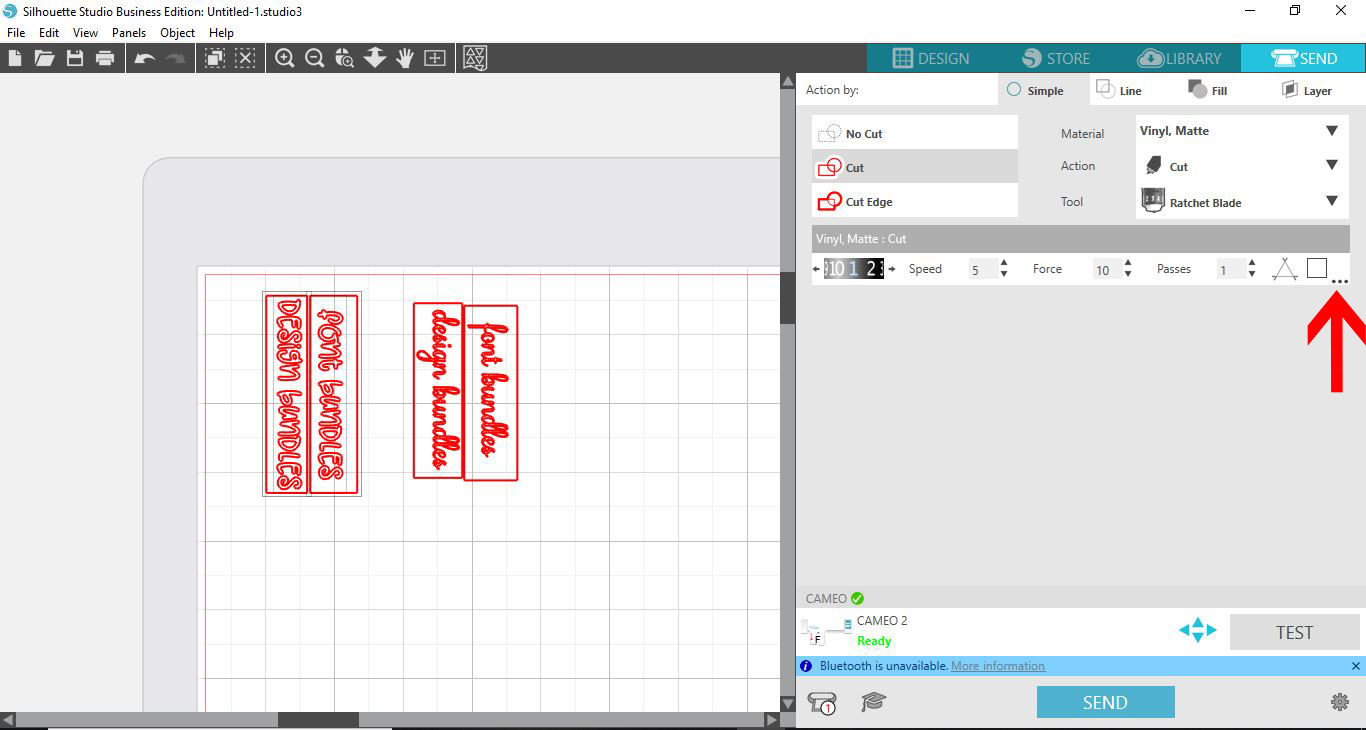
6- Select the line segment overcut and set it to 0.1mm. then send to the suilhouette machine.
7- When weeding try reverse weeding to lessen the damage of the small text.
Related Tutorials
Silhouette Tutorials
How to Add an Outline Around Any Text in Silhouette Studio
Discover how to add an outline to any text in this Silhouette Studio tutorial. Quick read!
Silhouette Tutorials
How to Edit Text in Silhouette Studio
Learn how to edit text in Silhouette Studio in many different ways!
Silhouette Tutorials
How to Fill Text with Images in Silhouette Studio
Silhouette Tutorials
How To Create Text to Path in Silhouette Studio
Discover how to use the Text to Path feature in Silhouette Studio with this easy to follow tutorial.
Silhouette Tutorials
How to fill text with the foil quill in silhouette studio free edition
In 4 easy steps learn two ways to fill text with the Foil Quill in Silhouette Studio Free Edition.
Silhouette Tutorials
Filling Text with Digital Patterns and Papers in Silhouette Studio
Filling text with digital patterns and papers in Silhouette Studio is so easy with our tutorial.