By Design Bundles
Silhouette Tutorials2 min
How to foil vinyl with the foil quill in silhouette studio
1- Open Silhouette Studio. Click on the file drop down box.
2- Click on open.
3- Select your file. I am using Sketch Mandala Monogram by CleanCutCreative.
4- Select and resize your design.
5- Go to the send screen. to foil on vinyl with will need to change the media settings as follows. Set the media to patterned paper, speed 4, force 25 and pass 1
6- Place your vinyl side up on your mat.
7- Place foil flat over the vinyl and then place in your Silhouette machine.
8- Your design will foil on your vinyl. It is good to note that when foiling on vinyl you can use both heat reactive foil and toner reactive foil as the toner reactive foil will adhere to the vinyl as it heats up with the foil quill.

2- Click on open.

3- Select your file. I am using Sketch Mandala Monogram by CleanCutCreative.
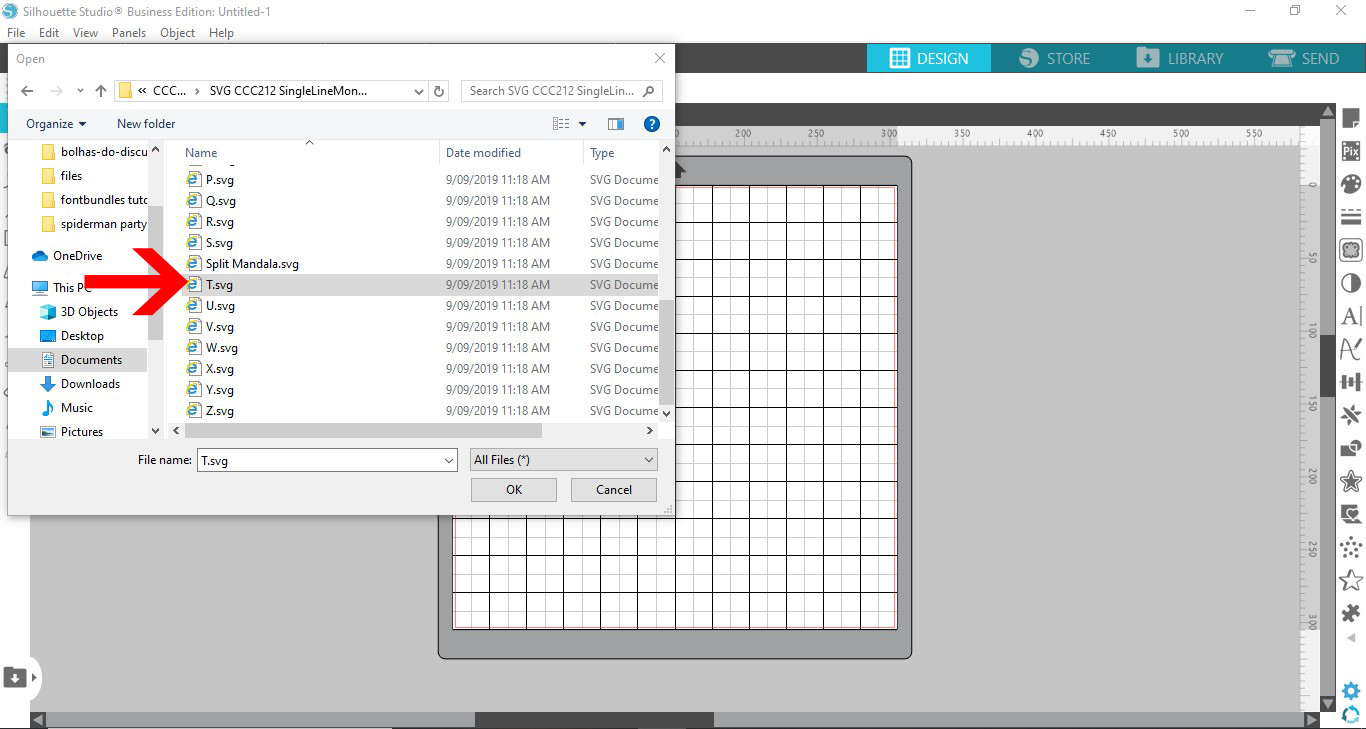
4- Select and resize your design.

5- Go to the send screen. to foil on vinyl with will need to change the media settings as follows. Set the media to patterned paper, speed 4, force 25 and pass 1

6- Place your vinyl side up on your mat.
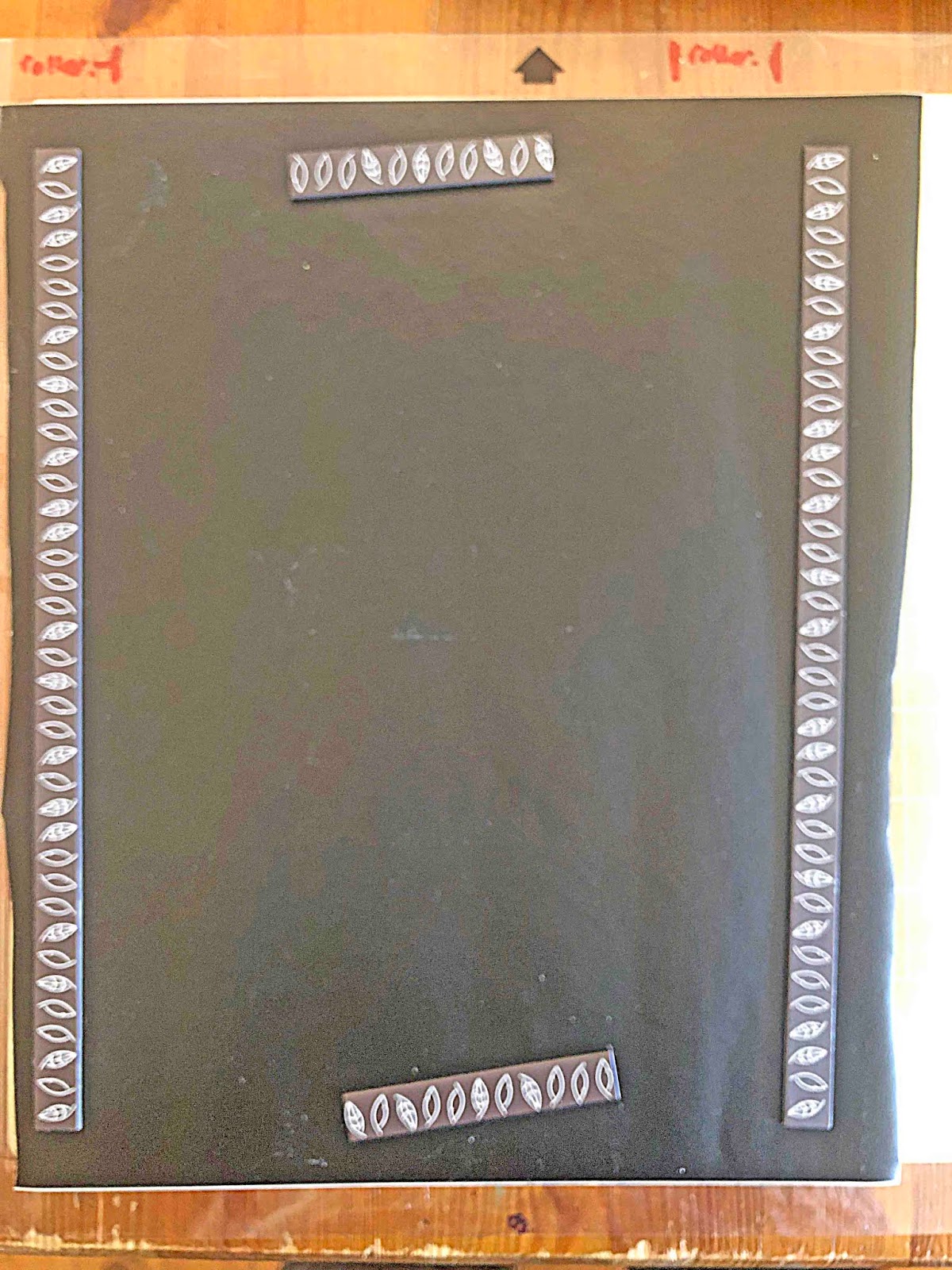
7- Place foil flat over the vinyl and then place in your Silhouette machine.
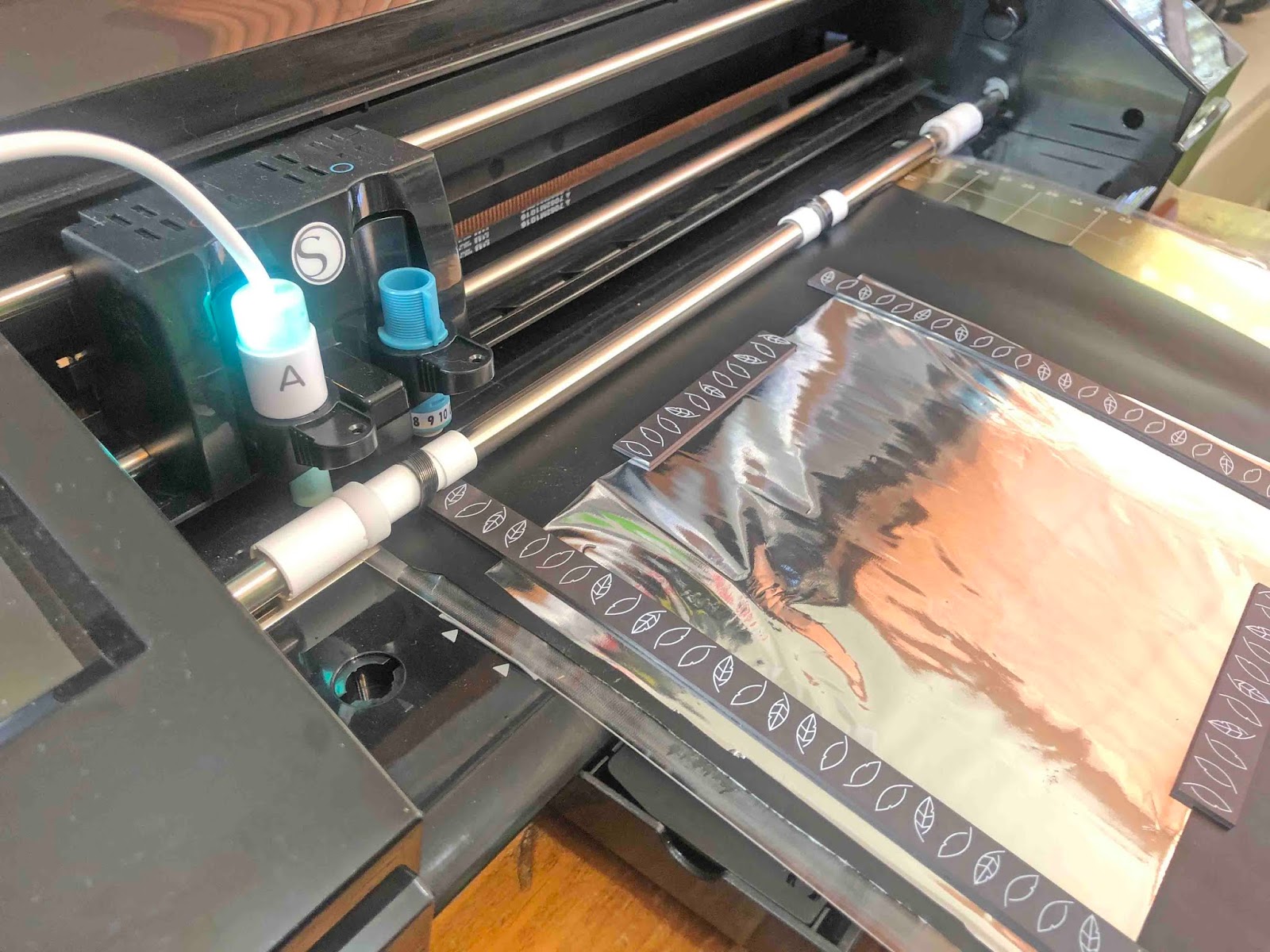
8- Your design will foil on your vinyl. It is good to note that when foiling on vinyl you can use both heat reactive foil and toner reactive foil as the toner reactive foil will adhere to the vinyl as it heats up with the foil quill.


Related Tutorials
Silhouette Tutorials
How to fill text with the foil quill in silhouette studio free edition
In 4 easy steps learn two ways to fill text with the Foil Quill in Silhouette Studio Free Edition.
Silhouette Tutorials
How to draw your first line with the foil quill in silhouette studio
Discover how to draw your first line using the Foil Quill in Silhouette Studio, 2 easy steps!
Silhouette Tutorials
Foiling leather using the foil quill and silhouette studio
Silhouette Tutorials
How to thicken foil lines in Silhouette Studio with the Foil Quill
Silhouette Tutorials
How to Use the Foil Quill on Acetate in Silhouette Studio
In this tutorial learn how to use the Foil Quill on Acetate using Silhouette Studio in just 3 Steps!